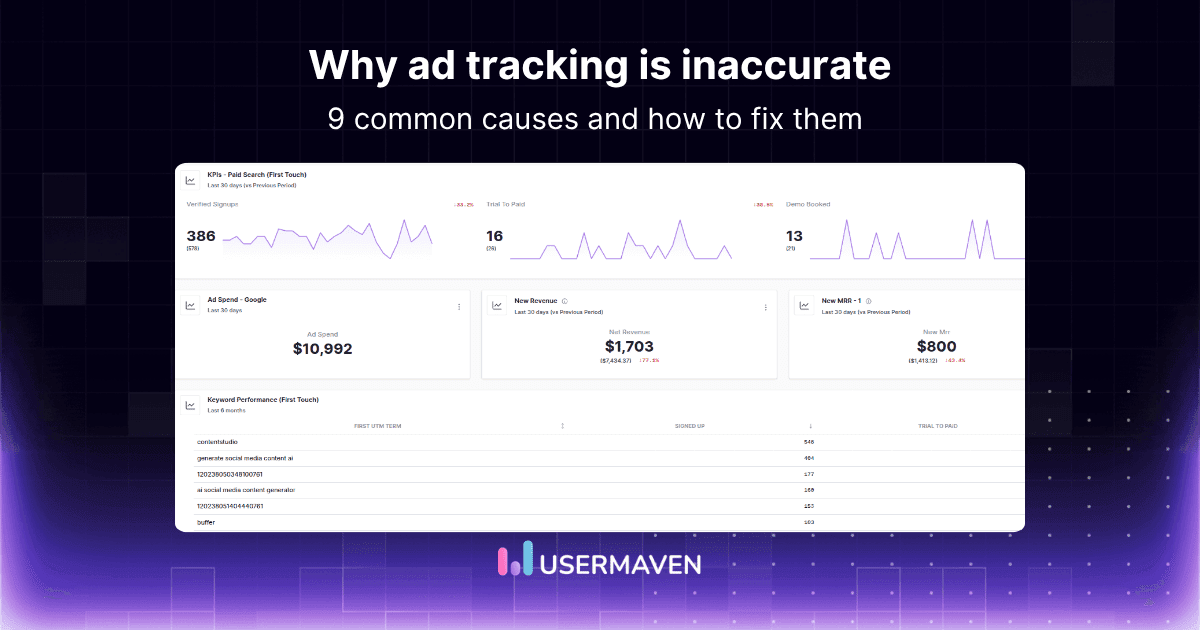
Google says 180 conversions. Meta claims 210. LinkedIn influenced 95. The CRM shows 140 closed deals. Same campaign. Same two weeks. Four completely different numbers.
This is the core ad tracking problem, and it costs marketing teams real budget every quarter. When every platform reports a different number for the same campaign, budget decisions get made on inflated data rather than business reality.
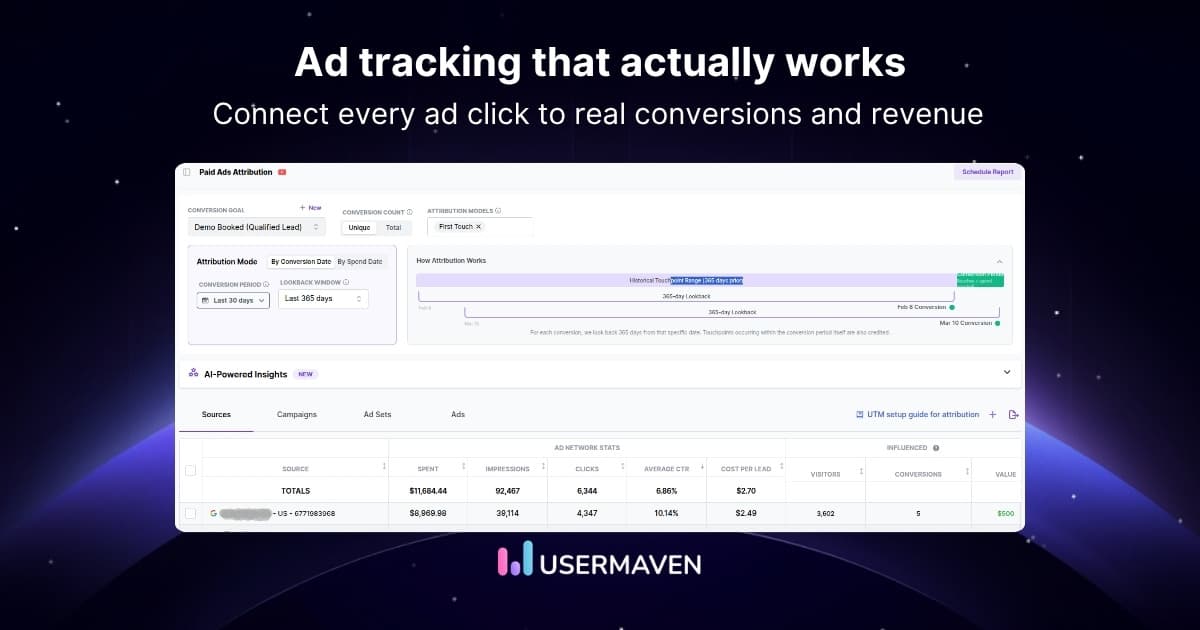
The challenge has grown significantly in recent years. iOS privacy updates, cookie restrictions, and ad blockers have made traditional tracking methods less reliable than they were three years ago. Marketers who have not updated their setup are working with incomplete data without knowing it.
This guide covers what ad tracking is, how it works across major platforms, which types exist, how privacy changes have disrupted it, and how to set it up correctly so your ad performance metrics finally tell one consistent story.
Key takeaways
- Ad tracking is the systematic collection of data on how users interact with paid ads, from first impression through to conversion and revenue.
- Three main types of ad tracking exist: pixel-based, cookie-based, and server-side tracking, each with different accuracy levels and privacy implications.
- Privacy changes from iOS 14.5, GDPR, and cookie deprecation have permanently weakened traditional third-party ad tracking methods.
- First-party ad tracking is now the most accurate and compliant approach for marketers who need reliable, long-term data.
- Ad tracking discrepancies across platforms are structural and require independent attribution to resolve properly.
- The best ad tracking software combines multi-touch attribution, privacy-first tracking, and cross-platform data in one unified layer.
What is ad tracking?
Ad tracking is the systematic collection and analysis of data generated when users interact with paid advertisements. It records which ads were seen, which were clicked, which led to a conversion, and which channels contributed to a sale.
At its core, advertising tracking answers three questions every marketer needs to answer:
- Which ads are driving real results?
- Which channels deserve more budget?
- What is the actual return on each dollar of ad spend?
Without ad tracking, marketers rely on platform-reported numbers that are structurally biased toward claiming more credit than deserved. This creates the data discrepancy problem where every platform reports a different conversion count for the same campaign.
Ad tracking is distinct from general website analytics. General analytics tracks all traffic and user behavior. Ad tracking focuses specifically on paid media activity, connecting ad spend to downstream outcomes across Google, Meta, LinkedIn, TikTok, and every other paid channel.
How does ad tracking work?
Understanding how ad tracking works mechanically helps you set it up correctly and diagnose problems when data does not match.

Step 1: The user sees or clicks on an ad
When a user interacts with an ad, the platform records the event using identifiers: cookies, device IDs, hashed email addresses, or IP addresses, depending on the platform and the user’s consent settings.
Step 2: A tracking mechanism fires
A pixel, tag, or server-side event fires and sends data to the tracking platform. This data includes the source, medium, campaign, ad creative, and user identifier. The attribution window setting determines how long after this event a conversion can still be attributed to the original ad.
Step 3: The user takes an action on the website
A conversion event fires when the user completes a desired action: form submission, purchase, signup, or page visit. This event is captured by conversion tracking and linked to the original ad interaction.
Step 4: Attribution connects the ad to the conversion
The tracking platform uses an attribution model to assign credit for the conversion to one or more ad interactions in the user’s path. The model chosen determines how credit is distributed across touchpoints.
What data does ad tracking collect?
Knowing what ad tracking data is collected helps teams understand what they can measure, optimise, and report on. Here is a breakdown of the main digital marketing metrics and KPIs that ad tracking captures:

- Click data: which ad was clicked, when, on which device, and from which placement or audience
- Impression data: how many times the ad was seen, by which audience segment, and on which platform
- Conversion data: which actions users completed after seeing or clicking the ad, from form fills to purchases
- Behavioral data: pages visited, time on site, scroll depth, and return visits after an ad interaction
- Audience data: demographic signals, interest categories, and device types associated with converting users
- Revenue data: transaction value, product category, and customer lifetime value tied to ad-driven conversions
This data feeds directly into user behavior tracking reports and gives teams the evidence needed to make confident budget decisions.
Why is ad tracking important for marketers?
Ad tracking does more than fill dashboards with numbers. It changes how confidently teams can move money, defend decisions, and grow accounts.
Budget accountability
Without accurate paid ad tracking, marketing budgets are allocated based on platform-reported ROAS that inflates performance. Proper tracking reveals which channels genuinely drive revenue and which ones are overclaiming credit.
Teams with clean ad tracking data spend less time defending their channels and more time optimising them. The numbers they present match the numbers finance sees.
Campaign optimization
Real-time tracking data allows teams to pause underperforming creatives, scale winning audiences, and adjust bids based on actual conversion data rather than vanity metrics that make campaigns look better than they are.
Full customer journey visibility
Most customers interact with multiple ads before converting. A user might see a Google Display ad on Monday, click a Meta retargeting ad on Wednesday, and convert through a branded search on Friday.
Ad tracking maps the complete path from first impression to closed deal. This visibility into the customer journey prevents the systematic undervaluation of upper-funnel channels that last-click reporting creates.
Accurate ROI calculation
Clean ad tracking data is the foundation of every ROI calculation. Without it, the formula produces misleading results that misrepresent the true cost and return of each campaign.
Building ROI tracking into every campaign from the start means leadership always has a number they can trust, not a platform estimate they have to explain away.
Ad spend tracking and accountability
Accurate ad spend tracking connects every dollar of media investment to a specific outcome. This matters most during quarterly reviews when leadership asks whether the budget is being allocated efficiently across channels.
Teams that can show spend-to-outcome data by channel are in a fundamentally stronger position than those that only show platform dashboards.
Types of ad tracking
Not all ad tracking works the same way. Each method has different accuracy levels, privacy implications, and technical requirements.
Pixel-based tracking
A pixel is a small JavaScript snippet placed on a website that fires when a user visits a page or completes an action. When a user who previously saw an ad arrives on the site, the pixel connects that session back to the original ad interaction.
Pixels are the most widely used ad tracking method, but are increasingly blocked by ad blockers and privacy browsers. As per some reports, 29.5% of internet users globally use ad blockers at least some of the time as of Q2 2025, equating to an estimated 1.77 billion users worldwide. For B2B tech audiences where ad-blocker adoption is even higher, pixel-only tracking consistently undercounts conversions for a significant share of visitors.
Ad-blocker rates among B2B tech audiences can exceed 40%, meaning pixel-only tracking consistently undercounts conversions for those segments.
Cookie-based tracking
Cookies are small files stored in a user’s browser that record their interaction with an ad. When the user returns to the site, the cookie identifies them and connects their behavior to the original ad exposure.
Third-party cookies, the type used by most ad platforms, are being phased out across browsers. Safari already blocks them. Firefox blocks them by default. Chrome is following. This makes cookie-based tracking an unreliable long-term foundation for accurate tracking ads performance.
First-party tracking
First-party tracking uses data collected directly from your own website through your own domain. It does not depend on third-party cookies and is not blocked by most privacy browsers or ad blockers.
This is now the most reliable and privacy-compliant approach to ad tracking. Tools built on first-party data, like Usermaven, capture near-complete session data even in environments where traditional pixels fail.
A durable first party data layer also gives teams an owned foundation for campaign identifiers, conversion events, known customer outcomes, and downstream revenue signals.

Server-side tracking
Instead of firing tracking events from the user’s browser, where ad blockers can intercept them, server-side tracking sends conversion data directly from the web server to the tracking platform.
This eliminates most ad-blocker interference and significantly improves data accuracy. However, it requires more technical setup than pixel-based methods and must be configured carefully to avoid duplicate event counting.
For higher-value conversions, server side tracking can improve delivery and control over first-party events, but it still requires consent, clean event definitions, and reliable deduplication.
UTM parameter tracking
UTM parameters are tags added to URLs that identify the source, medium, campaign, and ad content that drove a click. They feed directly into analytics tools without depending on cookies or pixels.
UTM tracking is simple, privacy-safe, and works across every platform. However, it only captures click data and cannot track view-through conversions or cross-device paths on its own.
Unlock insights that drive growth
How ad tracking works across major platforms
Each major platform uses its own tracking infrastructure, which is why cross-channel marketing attribution requires an independent layer rather than relying on any single platform’s native reporting.
When several networks participate in the same customer journey, cross-platform ad tracking gives teams a consistent comparison layer while preserving the native reports marketers still need for bidding and platform-specific optimization.
Google Ads tracking
Google Ads tracking uses the Google tag to record conversions. It connects ad clicks to website actions through a combination of cookies, the Google Click Identifier (GCLID), and Google Signals for cross-device data.
Key limitation: Google Ads applies data modeling for users who opt out of tracking, meaning reported conversions include a mix of observed and estimated events. This is one reason Google Ads consistently reports higher conversion counts than independent analytics tools.
Facebook and Meta ad tracking
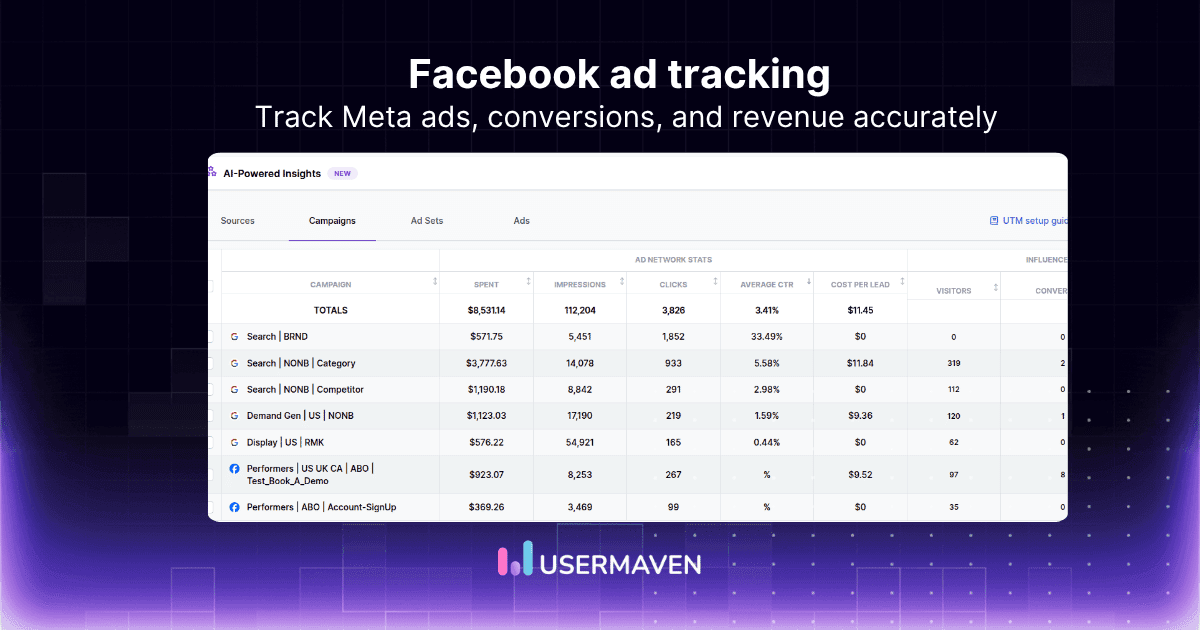
Facebook ad tracking uses the Meta Pixel placed on the advertiser’s website alongside the Conversions API for server-side data. The combination of browser pixel and server-side events improves accuracy after iOS 14.5 reduced cookie-based tracking significantly.
Key limitation: Meta’s default 7-day click window means it claims conversions that occurred up to a week after a click. This creates significant overlap with other platforms that are also claiming the same events.
The dedicated facebook ad tracking guide goes deeper into Meta Pixel, Conversions API, Instant Forms, attribution windows, discrepancies, and how to connect Facebook and Instagram campaigns with downstream conversions and revenue.
LinkedIn ad tracking
LinkedIn uses the LinkedIn Insight Tag to track website visits and conversions from LinkedIn campaigns. It uses a 30-day click window by default, which is longer than most platforms and contributes to cross-platform double-counting.
TikTok ad tracking
TikTok uses the TikTok Pixel and Events API for conversion tracking. Like Meta, it relies on server-side events to compensate for cookie and ad-blocker limitations. Its attribution model tends to claim significant credit for view-through conversions, which inflates reported performance.
Understanding how each platform handles paid search attribution and marketing attribution models is the starting point for building a reporting setup that is not dependent on any single platform’s self-reported numbers.
First-party vs third-party ad tracking
The distinction between first-party and third-party ad tracking has become the most important technical decision in paid media measurement. Getting it right determines whether your data is accurate and compliant going forward.
| First-party tracking | Third-party tracking | |
|---|---|---|
| Data source | Your own domain | External ad platform cookies |
| Privacy compliance | GDPR and CCPA ready | Increasingly restricted |
| Ad-blocker resistance | High | Low |
| Accuracy | High | Declining |
| Setup complexity | Moderate | Low |
| Long-term viability | Strong | Uncertain |
Third-party cookies are being deprecated. Safari already blocks them. Firefox blocks them by default. Chrome has committed to phasing them out. Every tracking method that depends on third-party cookies is structurally declining in accuracy.
First-party tracking collects data under your own domain using your own identifiers. It is not subject to the same browser restrictions and gives marketers a stable, accurate foundation regardless of how privacy policies evolve.
A practical ad tracking without third-party cookies setup combines first-party acquisition data, UTMs and click IDs, meaningful conversion events, consented identity, CRM or ecommerce outcomes, and server-side delivery where it improves reliability.
Privacy-first analytics tools that use first-party data consistently produce more complete session counts, better attribution paths, and fewer compliance risks than tools built on third-party cookie infrastructure. See privacy-first analytics tools for a breakdown of what to look for.
The GA4 ad blocker problem illustrates this well. GA4 relies heavily on client-side JavaScript that ad blockers frequently suppress, meaning it systematically undercounts sessions and conversions for privacy-conscious audiences.
How privacy changes are disrupting ad tracking
iOS 14.5 App Tracking Transparency, Safari’s Intelligent Tracking Prevention, GDPR and CCPA consent requirements, and the deprecation of third-party cookies have permanently changed how ad tracking works. According to Apple’s App Tracking Transparency documentation, users must now explicitly opt in to cross-app tracking, and the majority choose not to.
Most platforms now rely on a mix of observed and modeled data because a growing share of users opt out of tracking entirely. Traditional pixel-based setups are undercounting conversions for a significant portion of audiences without showing any error in the dashboard.
Teams that have not updated to first-party tracking infrastructure are working with increasingly incomplete data. The transition to cookieless attribution is not optional. It is the direction the industry is moving, and teams that build first-party infrastructure now will be in a much stronger position than those who wait.
Common ad tracking challenges
Even with the right tools in place, ad tracking produces unreliable data when these common problems are not addressed.
Understanding why ad tracking is inaccurate helps teams distinguish genuine tracking failures, such as lost campaign identifiers or duplicate conversions, from expected reporting differences caused by attribution windows, identity rules, modeled data, and conversion-date logic.
Ad blockers cutting conversion data
A significant share of web users, especially in B2B tech audiences, run ad blockers that suppress tracking pixels entirely. This creates systematic undercounting that teams rarely notice because there is no error message in the dashboard.
The undercount is invisible by design. Dashboards show lower session counts without indicating that data is missing. See critical UTM mistakes for the compounding effect when UTM issues are layered on top of ad-blocker losses.
Cross-device attribution gaps
A user who sees an ad on mobile and converts on desktop appears as two separate users in most tracking setups. Without identity resolution, this inflates audience counts and breaks attribution paths for a portion of conversions.
This gap is particularly acute for B2B campaigns where buyers research on mobile during commutes and convert on desktop during work hours.
Once a visitor identifies through a signup, form, login, or purchase, Contacts Hub can connect known contact and company profiles with earlier acquisition and behavioral history, giving teams more continuity across the path to conversion.

Ad platform discrepancies
Every platform applies its own attribution rules, windows, and conversion definitions. The result is structural double-counting where Google, Meta, and LinkedIn each claim the same sale.
This is covered in depth in the guide to ad platform discrepancies. The short answer is that last-click attribution and single-platform reporting both produce systematically misleading results for multi-channel campaigns.
UTM tag inconsistencies
Missing, broken, or inconsistently applied UTM parameters cause analytics tools to lose attribution for a portion of sessions. These sessions appear as direct traffic, hiding the contribution of paid channels entirely.
View-through inflation
Platforms that count view-through conversions inflate performance metrics for awareness campaigns. A user who saw a display ad but never clicked can still appear as a conversion in the platform dashboard, creating a misleading ROAS figure.
Best ad tracking software in 2026
The right ad tracking software depends on your channel mix, team size, and reporting needs. Here are the strongest options available, reviewed against the same criteria: accuracy, privacy compliance, multi-channel coverage, and ease of setup.

The right ad tracking software depends on your channel mix, team size, and reporting needs. Here are the strongest options available:
- Usermaven: Best overall ad tracking software for marketers who need accurate, advanced attribution with multi-touch models across all channels. Starts at $84/month.
- Triple Whale : Best for e-commerce and DTC brands running paid social on Meta and TikTok. Starts at $199/month.
- Northbeam : Best for high-volume paid social agencies that need real-time data refresh and predictive analytics. Contact for pricing.
- Ruler Analytics : Best for offline and online ad tracking, including phone call attribution. Contact for pricing.
- Google Ads conversion tracking: Best for teams running Google-only campaigns within the Google ecosystem. Free with Google Ads.
Choose ad tracking by business type
Agencies need repeatable tracking across multiple client stacks, conversion definitions, and revenue systems. A dedicated approach to ad tracking for digital marketing agencies helps standardize campaign QA and reporting without assuming every client has the same buying cycle.
Ecommerce teams should connect campaigns with verified orders, ROAS, CAC, AOV, repeat purchases, and customer value. An ad tracking solution for ecommerce is built around that commerce journey rather than a lead-generation funnel.
Early-stage companies usually need fast setup, clear pricing, and a stack that can expand as paid acquisition and product analytics mature. The ad tracking software for startups guide compares platforms through that growth-stage lens.
Established SMBs often have a different constraint: enough attribution to protect a limited budget without enterprise-level complexity. The ad tracking platforms for small business guide compares options for digital B2B, ecommerce, local services, calls, high-ticket sales, and lightweight tracking.
See what's working. Fix what's not. Grow faster.
How to set up ad tracking properly
A well-configured ad tracking setup prevents the data quality problems that distort budget decisions. Follow these steps in order before launching any paid campaign.
Step 1: Define your conversion events
Before installing any tracking code, decide exactly which actions count as conversions: form submissions, purchases, signups, demo requests, or content downloads. Inconsistent event definitions are the single most common cause of tracking discrepancies between teams.
Use setting up conversion goals to document every conversion event with a consistent naming convention that all platforms and all team members will follow.
Step 2: Install your tracking pixel or script
Place the tracking code on every page of your website, not just the thank-you page. Complete site coverage ensures session data is captured from the moment a user arrives through to conversion.
Review analytics implementation mistakes before deploying to avoid the most common setup errors that silently corrupt data from day one.
Step 3: Set up UTM parameters for every campaign
Create a UTM naming convention document covering source, medium, campaign, content, and term. Apply it consistently across UTM parameters for every paid channel: Google Ads, Meta, LinkedIn, email, and all other sources.
Inconsistent UTM naming produces sessions that analytics tools cannot attribute, turning paid traffic into apparent direct traffic.

Step 4: Configure cross-domain tracking
If users move between your main site and a subdomain, a checkout provider, or a booking tool, configure cross-domain tracking to preserve session continuity across those boundaries.
Without this, a user who moves from your marketing site to your checkout shows as a new session on return, inflating session counts and breaking conversion attribution.
Step 5: Test and verify before going live
Use browser developer tools or a tag testing extension to confirm pixels are firing correctly on the right pages. Check that UTM parameters pass through to your analytics tool and are not stripped by redirects or internal links.
For ongoing QA, the Measurement Trust Center provides a structured way to validate collection, identity, integrations, conversion delivery, and overall measurement reliability before campaign reports become a source of truth.
Step 6: Set up independent attribution
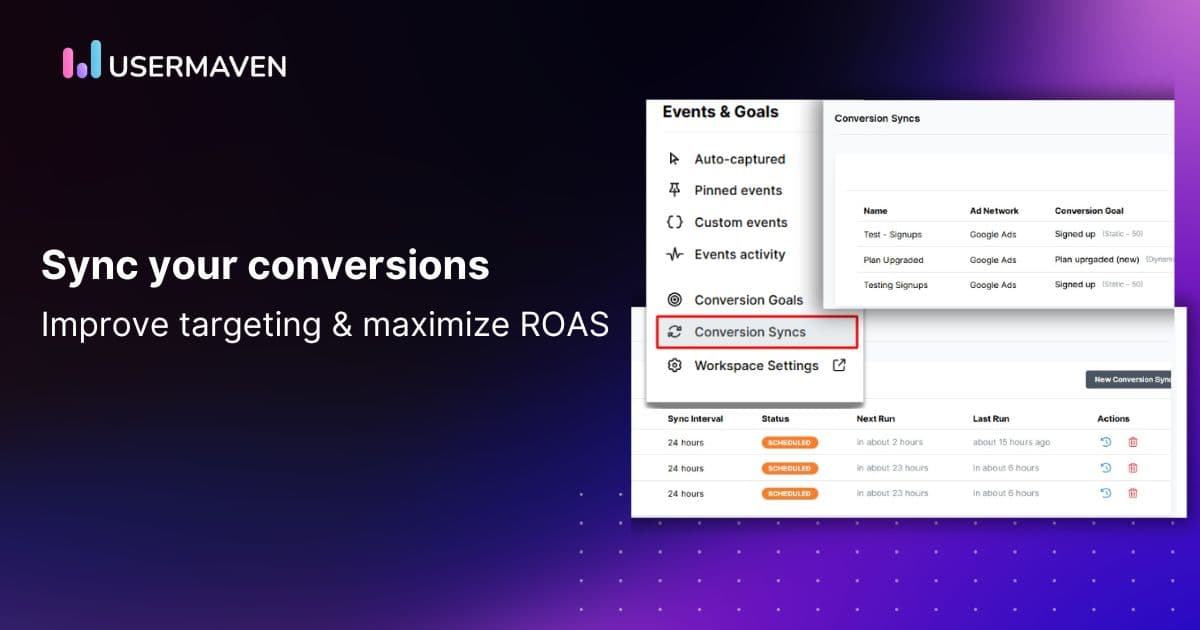
Configure an independent attribution layer that tracks conversions using first-party data rather than inheriting each platform’s self-reported numbers. This is the step that resolves cross-platform discrepancies permanently rather than just managing them.
Independent attribution using multi-touch attribution models gives teams one canonical conversion count that does not change depending on which platform dashboard is open.
How to measure ad tracking performance
Once ad tracking is set up correctly, these are the core metrics to monitor regularly. Each answers a different question about campaign efficiency and business impact.

Click-through rate
The percentage of ad impressions that result in a click. A strong CTR signals relevant creative and accurate targeting. Use it to compare ad variants and audience segments, and monitor it alongside engagement rate to understand whether the clicks arriving on site are engaging with the content.
Conversion rate
The percentage of ad clicks that result in a desired action. Improving conversion rate is the highest-leverage activity in paid digital marketing. If there is a 1% uplift in conversion rate it can effectively double ROAS without increasing spend.
Track important conversion metrics for digital marketers by channel and creative to find where efficiency can be improved before adding budget.
Cost per acquisition
Total ad spend divided by the number of conversions. The primary efficiency metric for performance campaigns. Compare CPA across channels and creative types to identify where the budget works hardest.
Tracking customer acquisition metrics over time reveals whether paid acquisition is becoming more or less efficient as campaigns mature and audiences saturate.
Return on ad spend
Revenue attributed to ads divided by ad spend. Useful for campaign-level optimisation, but does not account for product costs or non-media expenses. For a complete profitability picture, always calculate alongside ROI.
The guide to how to calculate ROAS explains the difference between ROAS as a campaign optimisation metric and ROI as a business-level profitability measure.
Customer lifetime value to CAC ratio
For SaaS and subscription businesses, the ratio of customer lifetime value to customer acquisition cost reveals the long-term sustainability of each paid channel. A channel with high CPA but high LTV customers may be more valuable than a channel with low CPA and churning customers.
Usermaven surfaces all five of these metrics in one dashboard, so teams do not need to pull them separately from five different platform reports and reconcile the numbers manually.
Conclusion
Ad tracking is not a nice-to-have feature. It is the foundation every paid media decision is built on.
When set up correctly, it shows exactly which channels, campaigns, and creatives drive real business outcomes. When set up poorly or ignored, it leaves teams optimising toward platform claims that each platform inflates in its own favour.
The challenge in 2026 is that traditional ad tracking methods are weakening. Cookie restrictions, privacy laws, and ad blockers have made pixel-based and cookie-based tracking less reliable than it was three years ago. First-party tracking and independent attribution are no longer optional. They are the baseline for accurate data.
Platforms track to claim credit. You should track to find the truth.
The best ad tracking setup is one your team can trust every single day. For a broader view of how ad tracking fits inside your overall performance measurement, explore how marketing analytics connects campaign-level data to business outcomes.
Not sure where to start? Usermaven’s guided analytics setup walks you through connecting your ad platforms, configuring your tracking, and eliminating data gaps in one structured process.
Once your setup is complete, book a free Usermaven demo to see how independent attribution changes the numbers your team reports across every channel.
FAQs
1. What is ad tracking?
Ad tracking is the process of collecting and analysing data on how users interact with paid advertisements, from first impression through to conversion and revenue. It connects ad spend to business outcomes using pixels, cookies, UTM parameters, or server-side events, and feeds that data into attribution models that distribute credit across the customer journey.
2. What is the difference between ad tracking and conversion tracking?
Ad tracking covers the full interaction path from ad exposure through to conversion. Conversion tracking is a subset that specifically records when a user completes a defined goal action.
Ad tracking without conversion tracking tells you which ads were seen and clicked, but not which ones drove results. Both are required for accurate performance measurement.
3. How does paid ad tracking work?
Paid ad tracking uses a combination of tracking pixels, UTM parameters, and attribution models to connect ad clicks and impressions to conversion events. Each platform fires a tracking event when a user interacts with an ad, then matches that event to a conversion when the user completes a goal action on the website.
The accuracy of this process depends on whether users have accepted cookie consent, which browser they are using, and whether the tracking setup is configured correctly for cross-device and cross-domain journeys.
4. Why is my Google Ads conversion count different from my analytics tool?
Three structural reasons explain this gap. First, Google Ads uses a broader default attribution window and includes modeled conversions for users who opted out of tracking. Second, Google Ads records a click when the ad is clicked, while analytics tools require the page to load and fire a tracking event. Third, GA4 applies data thresholding in some reports, which can suppress conversion rows to protect user privacy.
You can see Google Analytics limitations and GA4 data delay challenges for a full explanation of these gaps.
Updated

Written by
Junaid Ahmed
Content Writer & Digital Marketer
Junaid Ahmed is a content and copywriter with 3+ years of experience creating research-driven content across SaaS, B2B, ecommerce, and digital marketing. He specializes in turning complex topics into clear, practical content that helps marketers better understand their challenges, evaluate solutions, and make informed decisions. His work spans educational content, industry insights, and actionable marketing guides.
All articles by Junaid →