You open Google Ads and see 180 conversions. You check Meta Ads Manager, and it claims 210. LinkedIn says it influenced 95. Your CRM shows 140 deals closed. All from the same two-week campaign window.
Someone is wrong, but nobody will admit it.
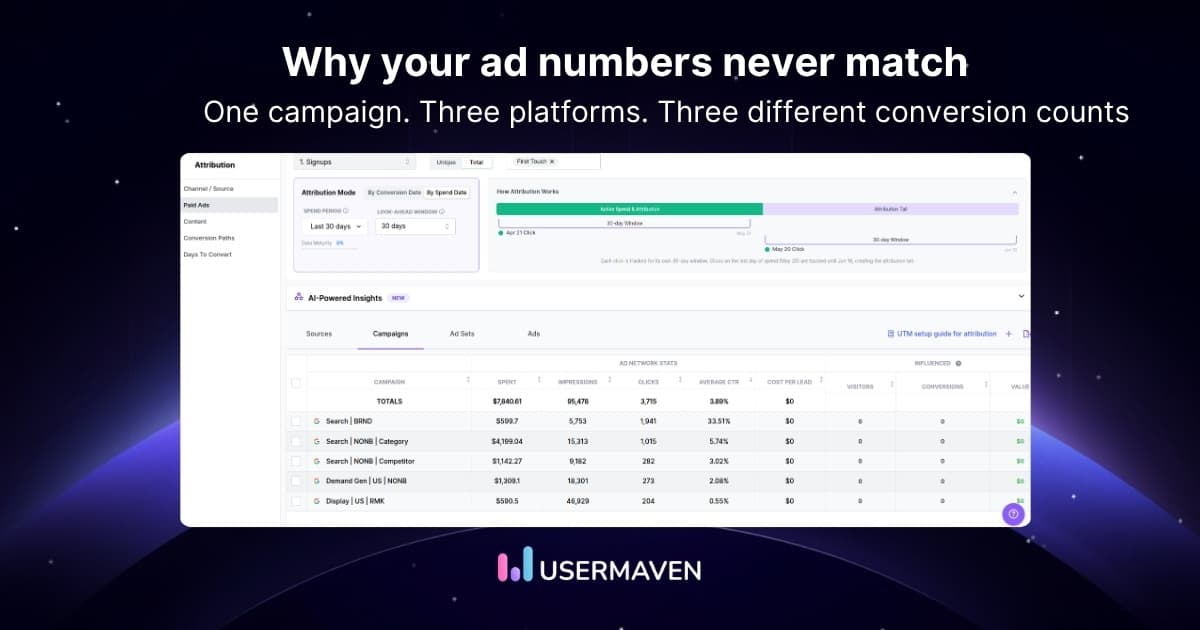
Ad platform discrepancies are the gaps between what different tools report for the same marketing activity. They are not a technical glitch; they are a structural feature of how ad platforms are built to measure performance. This kind of data discrepancy quietly distorts every budget decision your team makes.
A related problem, ad tracking discrepancies, occurs when the tracking setup itself is broken: pixels misfiring, tags blocked, or scripts failing. Both types distort your data but require different fixes.
This guide explains why ad platform discrepancies happen, how to calculate your discrepancy rate, and what to do to fix them permanently.
Key takeaways
- Ad platform discrepancies occur when two tools report different numbers for the same event: clicks, conversions, or revenue.
- Every ad platform is built to claim as much credit as possible, making self-reported data structurally unreliable.
- The main causes are different attribution windows, cross-device tracking gaps, ad-blocker data loss, modeled conversions, and inconsistent conversion definitions.
- A discrepancy rate above 20% is a serious data quality problem that distorts ROI calculations and budget decisions.
- Ad tracking discrepancies are a closely related problem where the tracking setup itself is broken, rather than the platforms counting differently.
- The only permanent fix is an independent attribution that sits above all platforms and counts each conversion exactly once
What are ad platform discrepancies?
Ad platform discrepancies are the measurable differences between two or more tools reporting on the same marketing events, such as clicks, impressions, conversions, or revenue over the same time period.
Discrepancies are not errors in the traditional sense. They are the natural output of platforms that each apply their own rules for what counts as a valid conversion, how long to look back, and which device or session gets credit.
A simple example: a user clicks a Google Ad on Monday, sees a Meta retargeting ad on Wednesday, and converts on Thursday. Google claims a conversion. Meta claims an assisted conversion. Both are technically telling the truth by their own rules, but there was only one sale.
The most damaging discrepancies are between ad platforms and your CRM or analytics tool, because the CRM reflects actual revenue while platform dashboards reflect claimed credit. Understanding data discrepancy at the platform level is the starting point for fixing your reporting.
Why do ad platform discrepancies happen?
There is no single cause. Ad platform discrepancies are the combined result of six structural factors, each operating independently.
1. Different attribution windows
Google Ads defaults to a 30-day click and 1-day view-through window. Meta uses a 7-day click and 1-day view window. LinkedIn defaults to a 30-day click window.
When the same conversion falls inside multiple windows, every platform counts it. This is the most common cause of cross-platform discrepancies and is explained in detail in our guide to attribution window settings.

2. Modeled conversions and consent mode
Due to privacy laws and cookie consent banners, ad platforms lose data for users who opt out of tracking. To compensate, platforms like Google Ads use machine learning to model estimated conversions for those users.
Your CRM or analytics tool only reports observed, deterministic conversions. Google Ads reports observed plus modeled conversions combined. This gap is invisible in standard reports but creates a real and growing discrepancy, especially for audiences in GDPR-regulated regions.
This means discrepancies are getting wider over time as privacy restrictions increase, not because tracking is broken, but because platforms are filling in data your other tools cannot see.
3. Cross-device and cross-browser tracking gaps
A user who clicks an ad on mobile and converts on desktop is one person. Without identity resolution, each platform may record two separate events.
This creates duplicate attribution across platforms and is especially effective in cookieless tracking environments where browsers like Safari and Firefox restrict persistent identifiers.
4. Ad-blocker data loss
Users with ad-blockers block third-party pixels entirely. Some platforms miss the conversion while others still record it through server-side or first-party data signals.
Result: each platform reports a different number for the same audience because it measures different portions of that audience.
5. View-through attribution
Some platforms count conversions that happened after an ad was seen but never clicked. When view-through attribution is enabled, a user who saw a display ad and later converted through organic search gets attributed to the display campaign.
This significantly inflates conversion counts in brand awareness campaigns and is a common source of disagreement between platform reports and analytics tools.
6. Different conversion event definitions
One platform might count a form submission as a conversion. Another counts only verified leads that match CRM data. A third counts visits to a thank-you URL.
The same underlying action produces completely different conversion counts depending on what each tool is configured to measure. This is often the first thing to check when discrepancies appear suddenly.
7. Time zone and reporting delays
Platforms refresh data at different times and may apply different time zones to conversion timestamps. A conversion at 11:58 pm can appear in Tuesday’s report in one platform and Wednesday’s in another.
This causes short-term discrepancies that often resolve over 24-48 hours but are frequently misread as tracking failures.
How to calculate a discrepancy rate
The standard discrepancy formula used across the ad industry is:
Discrepancy rate (%) = ( Platform A – Platform B ) / Platform A x 100
Walk through a real example:
- Your analytics tool records 800 conversions
- Google Ads reports 980 conversions
- Discrepancy rate = (980 – 800) / 980 x 100 = 18.4%
Industry benchmarks for acceptable discrepancy rates:
| Discrepancy rate | Status | Action required |
|---|---|---|
| Under 10% | Acceptable | Likely minor timing differences |
| 10 to 20% | Investigate | Check attribution settings and UTM coverage |
| Above 20% | Serious data quality issue | Immediate audit of tracking setup required |
Calculate discrepancy rates separately for clicks, conversions, and revenue. Each can diverge for different reasons and point to different root causes.
The discrepancy formula is also referenced in this reporting vs. analytics guide for context on how these gaps affect decision-making.
Common types of ad platform discrepancies
Not all discrepancies are created equal. Different types point to different causes and require different fixes.
Click discrepancies
Differences in reported clicks between the ad platform and your analytics tool. Usually caused by bot traffic, redirects, or tracking script load time.
Google Ads counts a click when the ad is clicked, regardless of whether the landing page loads. Meta handles this differently, as their official documentation on attribution settings explains how their click and view windows affect what gets counted as a conversion event.
An important nuance: Google Ads aggressively filters invalid clicks, bot traffic, and competitor clicks and issues refunds for them. Your analytics tool does not apply the same filter, so it may record those invalid sessions as real visits. This means Google Ads can sometimes report fewer clicks than your analytics tool after filtering.
The Media Rating Council’s IVT Standards and 2024 Interim Updates define the mandatory methods digital platforms must use to detect and filter invalid traffic, including list‑based filtering, activity‑based analysis, and advanced SIVT fraud detection.
Conversion discrepancies
The most consequential type. Caused by attribution window differences, view-through counting, modeled conversions, and CRM data mismatches.
This is where budget decisions go wrong. Different models affect conversion counts across platforms.
Impression discrepancies
Usually minor but worth monitoring. Different platforms count viewable impressions differently. Some require 50% of the ad to be visible for one second; others apply different thresholds.
Revenue discrepancies
The gap between what a platform claims as attributed revenue and what your finance team records as actual revenue. Often caused by refunds, cancellations, and product costs not being factored into platform reporting.
Cross-platform conversion overlap
The same conversion is claimed by multiple platforms simultaneously. This is the structural double-counting problem that makes total reported conversions across all channels exceed actual CRM revenue.
This is also why last-click attribution produces misleading results, as it assigns full credit to one platform while ignoring the role every other channel played.
Unlock insights that drive growth
How to identify ad platform discrepancies in your data
A structured audit approach catches discrepancies before they distort budget decisions.

Step 1: Build a discrepancy audit table
Pull the same metrics, such as clicks, conversions, and revenue, from every platform and your analytics tool for the same date range and the same conversion event. Line them up in a single spreadsheet.
Step 2: Calculate discrepancy rates for each pair
Apply the discrepancy formula to each platform vs your analytics baseline. Flag anything above 10% for investigation.
Step 3: Check attribution settings
Confirm attribution window settings in each platform. Mismatched windows are the single most common cause of high discrepancy rates and the easiest to fix.
Step 4: Verify conversion event definitions
Confirm that every platform is tracking the same action. A mismatch where one platform counts form views and another counts form submissions can create large gaps that look like a tracking failure.
Also, check whether server-side tracking and browser pixels are both firing. These configuration failures are what cause ad tracking discrepancies, which is a distinct but related problem where the tracking setup itself is broken, rather than the platforms counting differently.
Step 5: Check UTM coverage
Review whether every campaign, ad set, and ad has complete and consistent UTM parameters applied. Missing or broken UTM tags cause analytics tools to lose attribution for a portion of conversions.
Review the most common critical UTM mistakes that silently inflate or deflate session and conversion counts.
How to fix and reduce ad platform discrepancies
Conversion data rarely matches across ad platforms. Use this checklist to uncover the root causes and apply fixes that bring your metrics closer to reality.
1. Standardize attribution windows across platforms
Set the same lookback window on every platform you run. If you use a 7-day click window in Meta, set Google Ads to match. This removes one of the most common causes without requiring any technical work.
2. Disable view-through attribution for direct-response campaigns
View-through attribution inflates conversion counts for brand awareness campaigns. Disable it for direct-response campaigns where clicks are the intended conversion trigger.

3. Implement consistent UTM tracking
Every paid campaign must use source, medium, campaign, content, and term parameters applied consistently. Establish a naming convention document and enforce it across every platform and every team member who launches campaigns. Inconsistent or missing UTM tags are one of the leading causes of ad tracking discrepancies alongside broken pixels and misfiring consent management tools. It is one of the important features of reliable ad attruibution software performing the UTM tracking.
4. Use your CRM as the single source of truth for revenue
Ad platforms report claimed conversions. Your CRM records actual closed deals. Treat CRM data as the authoritative revenue number and use platform data only for optimization signals, not for leadership reporting.
5. Implement server-side tracking with proper deduplication
Server-side tracking reduces data loss from ad-blockers and browser restrictions. But it must be configured with consistent event IDs so platforms can deduplicate between browser pixel and server events.
A missing or incorrect event ID causes platforms to count the same conversion twice: once from the pixel and once from the server, which inflates counts rather than fixing them.
6. Switch to independent attribution
The only way to permanently resolve cross-platform discrepancies is to implement an independent attribution layer. This layer sits above all platforms, applies consistent identity rules, and counts each conversion exactly once regardless of how many platforms claim it.
This is what separates teams that manage discrepancies from teams that eliminate them. Review multi-touch attribution models and how they distribute credit across the full conversion path rather than defaulting to each platform’s self-serving claim.
How Usermaven eliminates ad platform discrepancies
Usermaven is an advanced attribution and analytics platform that tracks every touchpoint independently rather than relying on what each ad platform self-reports.
Instead of reconciling five platform dashboards that each follow different rules, teams open one workspace and see every channel’s performance measured by the same logic.
Independent first-party tracking
It has a first-party pixel rather than inheriting platform-reported data. This produces one canonical conversion count that does not change based on which dashboard you open.

Ad-blocker bypass for complete data
Traditional pixels miss a significant portion of sessions in privacy browsers. It captures near-complete data using ad-blocker-aware methods, so the conversion count your team sees is not systematically undercounted.

Consistent attribution window applied universally
Rather than inheriting each platform’s default window, Usermaven applies one consistent attribution model and lookback window across all channels. This eliminates window-mismatch discrepancies entirely.
Multi-touch models that replace last-click bias
First-touch, last-touch, linear, time-decay, position-based, and data-driven models let teams see how credit is distributed across the full path. The marketing attribution dashboard surfaces these comparisons in one view.

Accurate comparison against GA4
For teams comparing Usermaven against GA4, the GA4 ad blocker impact guide explains why GA4 consistently undercounts sessions and conversions in privacy-focused browsers. Usermaven is designed to close that gap.
See Usermaven in action
Book a free demo and discover how powerful analytics can grow your business.
Conclusion
Ad platform discrepancies are not bugs. They are the predictable outcome of platforms designed to maximise their own attributed credit. Every platform follows its own rules for windows, views, and identity, and the result is a reporting environment where the numbers never agree.
The platform with the biggest discrepancy is not lying. It is just counting differently.
Different rules produce different numbers. One independent layer produces one truth. The same applies to ad tracking discrepancies: when the tracking setup itself is broken, no attribution model can compensate for missing or duplicated data at the source.
The gap between what platforms claim and what your CRM records is exactly where the budget gets wasted. For a broader view of how discrepancies affect overall performance measurement, explore marketing analytics and how unified data changes every decision your team makes.
Not sure where to start? Usermaven’s guided analytics setup walks you through connecting your data sources and eliminating tracking gaps in one structured process. You can book a free Usermaven demo and see exactly how accurate attribution changes the numbers your team reports.
FAQs
1. What is an acceptable discrepancy rate between ad platforms?
A discrepancy rate below 10% is generally acceptable and usually explained by minor timing differences. Rates between 10-20% warrant investigation into attribution settings and UTM coverage. Anything above 20% signals a serious tracking or configuration problem that is likely distorting budget decisions.
2. Why does Google Ads always report more conversions than GA4?
Three structural reasons cause this gap. First, Google Ads uses a broader default attribution window and counts view-through conversions that GA4 does not. Second, Google Ads records a click as soon as the ad is clicked, while GA4 requires the page to load and fire a tracking event.
Third, GA4 applies data thresholding in reports when Google Signals is enabled, and traffic is low. It hides individual user data to protect privacy, which can make GA4 report significantly fewer conversions than Google Ads, not because conversions did not happen, but because GA4 is suppressing those rows. See Google analytics limitations for more details on this.
3. Can UTM parameters cause conversion discrepancies?
Yes. If UTM parameters are missing, broken, or inconsistently applied, your analytics tool cannot attribute those sessions to the correct campaign. This creates a gap where the ad platform records a click, but your analytics show the session as direct traffic with no conversion attribution.
This is one of the fastest discrepancy fixes available, and a full UTM audit often closes 10-15% of unexplained gaps immediately.
4. Why do Meta and Google both claim the same conversion?
Both platforms use overlapping attribution windows. A user who sees a Meta ad and a Google ad before converting may fall inside the attribution window of both platforms simultaneously. Each platform then claims full credit for the same revenue event.
This is structural double-counting, not a reporting error. The only way to resolve it is with an independent attribution layer that designates one canonical conversion record per customer.
Updated

Written by
Junaid Ahmed
Content Writer & Digital Marketer
Junaid Ahmed is a content and copywriter with 3+ years of experience creating research-driven content across SaaS, B2B, ecommerce, and digital marketing. He specializes in turning complex topics into clear, practical content that helps marketers better understand their challenges, evaluate solutions, and make informed decisions. His work spans educational content, industry insights, and actionable marketing guides.
All articles by Junaid →