Third-party cookies are fading out, and browsers are increasingly limiting tracking by default. But you still need a reliable way to capture what happens on your site, such as pageviews, signups, and purchases.
Server-side tracking keeps it simple: instead of sending tracking events straight from the browser to your tools, you capture key events on your server first. Then you forward those events to where they need to go.
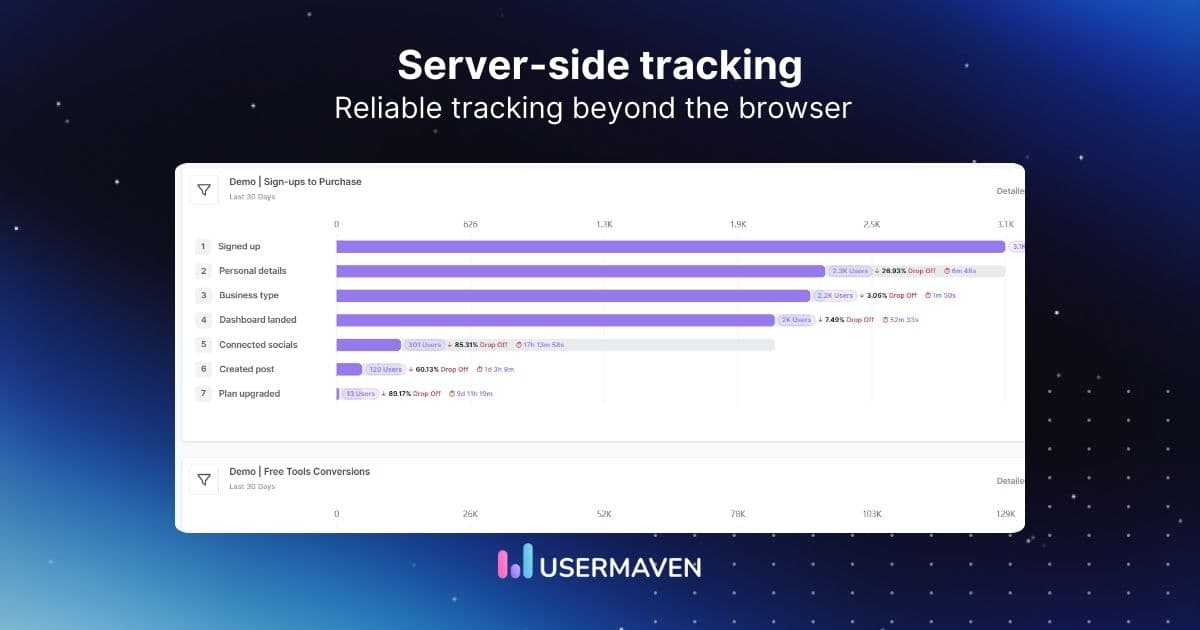
In this blog, we will unpack what server-side tracking is, how it works, and how to implement it for the events that matter most.
What is server-side tracking?
Server-side tracking is a data-collection method in which you capture tracking events on your server and forward them to analytics and advertising tools.
In the usual setup, the browser sends tracking events directly to third-party tools. With server-side tracking, those events go to your server first. Your server can add context you already have (like a user ID or plan), apply your rules, and then send a cleaner version to the tools you use.
That small routing change is the whole point. You get to:
- Decide which events get sent and which don’t
- Standardize names and properties so reports stay consistent
- Attach backend context that the browser doesn’t reliably have
- Keep your tracking logic closer to where the action is actually confirmed
- Reduce the impact of ad blockers and browser restrictions
Client-side vs. server-side tracking
Both approaches can capture the same actions. The difference lies in the route the data takes and how much control you have before it lands in your analytics or ad platforms.
Here’s the clean comparison.
| Client-side tracking | Server-side tracking |
| Runs in the user’s browser using JavaScript tags (pixels, analytics snippets, insight tags). | Runs on a dedicated server, outside the browser. |
| Sends events straight from the browser to third-party platforms. | Sends events to your server first, then your server forwards them to platforms. |
| More exposed to ad blockers and browser tracking prevention. | Less exposed to those browser-level blocks. |
| Adds third-party scripts to pages, which can slow page load time. | Keeps more of the work off the page, reducing reliance on multiple third-party scripts. |
| You have less control over what gets sent once the browser fires the request. | You can filter, adjust, or strip data before you pass it along. |
| Data collection and processing are mostly dictated by vendor tags. | Data collection and processing can be shaped by your own rules before it’s shared. |
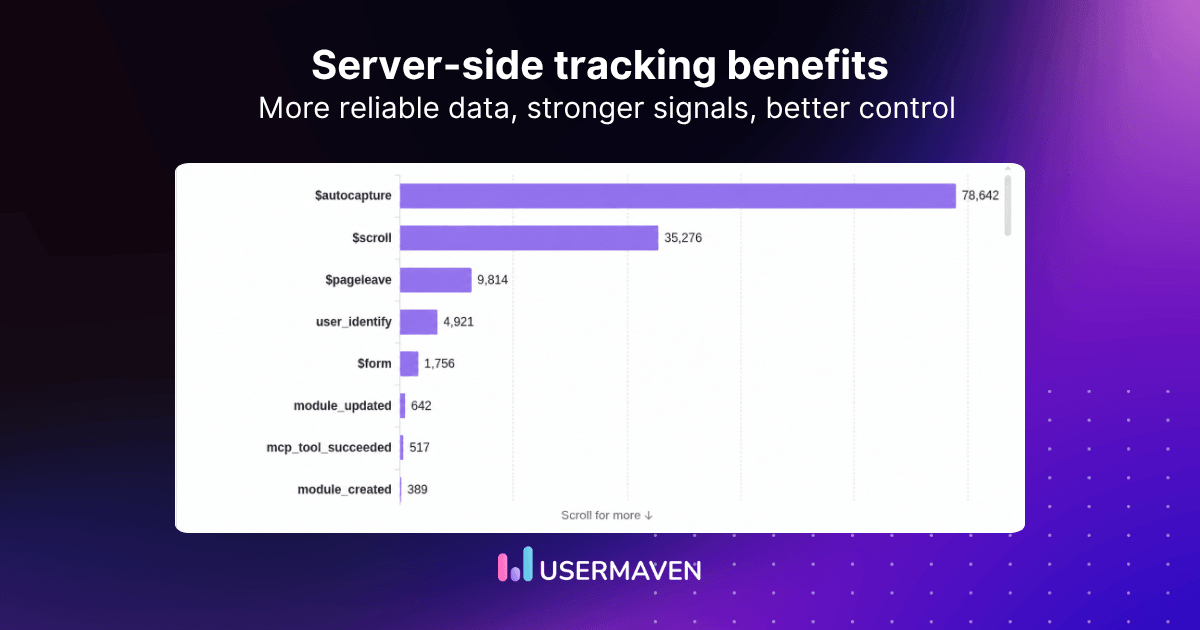
Benefits of server-side tracking
There are several benefits of server-side tracking and some of them are mentione dbelow.
Improved data accuracy and reliability
With client-side tracking, you rely on browser-based scripts to fire and send data. That is where drop-offs happen.
Server-side tracking collects events on a dedicated server, making your dataset more complete in setups where browser tracking is limited. The result is usually fewer missing conversions and cleaner inputs for reporting and marketing attribution.
Less impact from ad blockers and tracking prevention
Client-side tracking lives in the browser, so it’s easier to interrupt.
Server-side tracking sends data from your own server instead of relying entirely on third-party scripts. In practice, that makes your tracking less likely to get filtered out by ad blockers and browser privacy features.
Better control over what data gets shared
With client-side tracking, data often goes straight from the browser to multiple platforms. You don’t get much of a checkpoint.
Server-side tracking gives you that checkpoint. You can:
- Remove fields you don’t want leaving your stack
- Anonymize or hash personal data before sending it on
- Keep event names and properties consistent across tools
It also pairs well with zero party data, because you’re not just filtering what leaves your stack, you’re strengthening what comes in with explicit, user-provided context.
Easier privacy compliance and consent handling
Regulations like GDPR and CCPA are basically forcing teams to be more intentional about tracking.
When your events pass through your server, you can apply consent rules in one place. If someone opts out, you can stop sending their data to analytics and marketing tools centrally, instead of trying to police a pile of browser tags.
And if you’re moving toward cookieless tracking, this helps. You’re less dependent on browser cookies being present for key events to count.
💡 Wondering whether to build a custom tracking solution or buy a pre-built one? For more insights, check out our blog on build vs. buy analytics.
Cross-device tracking for cross-channel marketing
People don’t stay on one device. They also don’t stay in one channel.
Server-side tracking helps you connect events to identifiers your backend already knows. That makes it easier to follow a customer journey that starts on mobile and ends on desktop, or begins with an ad click and finishes after an email or a direct visit.
The practical result is that your touchpoints align better across channels, making cross-channel marketing attribution much easier to interpret.
Captures backend events that the browser can’t confirm
Some of the most important events don’t really happen in the browser.
Payment confirmations. Subscription upgrades. Refunds. Cancellations.
Server-side tracking makes it easier to track those moments where they’re actually confirmed: on the backend. That’s a big deal if you care about conversion reporting that lines up with reality.
It also makes tracking user behaviour more honest, because it’s based on what the product actually did, not just what a browser reported. And it helps when you want to look at things like time on page alongside real outcomes, instead of treating them as separate worlds.
Less third-party script load on your site
Client-side setups often mean multiple third-party scripts running on the page.
Server-side tracking can reduce that dependency. Fewer third-party scripts in the browser can reduce the load on a user’s device and can help with page load speed, especially as you add more tools over time.
How does server-side tracking work?
Think of it as a three-step relay. The browser sees the action, your server does the prep work, and your tools get the final version.
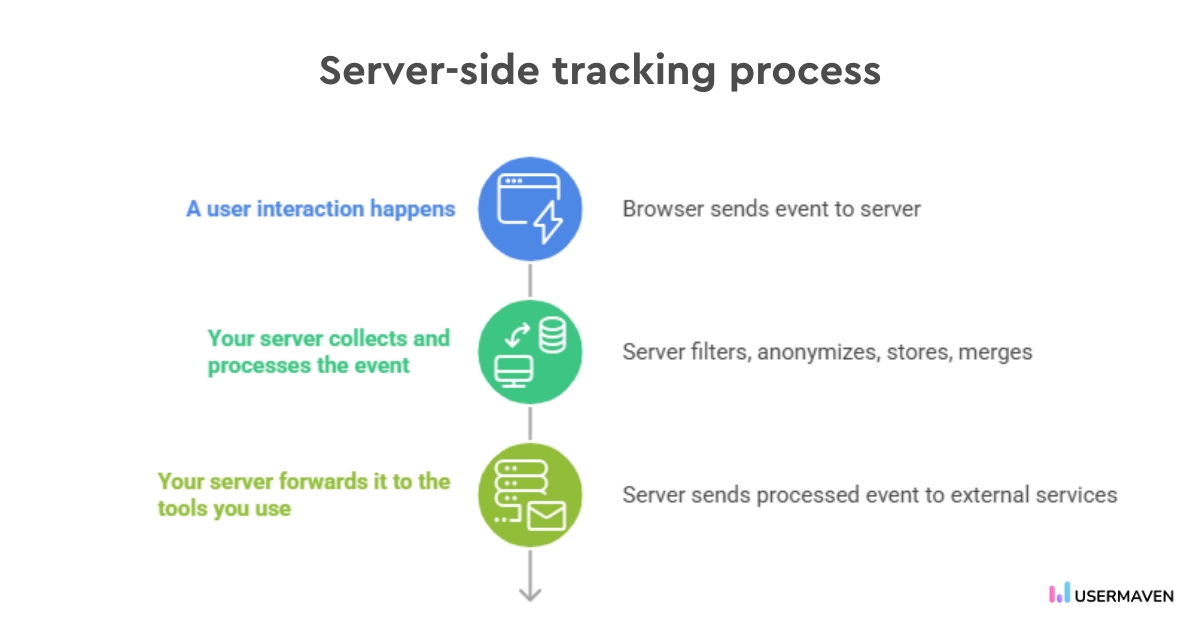
1) A user interaction happens
A visitor clicks a link, submits a form, views a page, or completes a purchase. That interaction creates an event you want to capture.
Instead of sending that event straight from the browser to a third-party platform, it gets sent to your website server first.
2) Your server collects and processes the event
Once your server receives the event, you can decide what happens next before anything leaves your stack.
Common processing steps include:
- Filtering out duplicate or unnecessary data
- Anonymising personal information to meet privacy requirements
- Storing relevant details for later use
- Merging in extra context, like CRM data
This is also where validation comes in. For example, treating “purchase” as real only after payment confirmation, not just a button click.
This is also where test automation pays off. When tracking is validated, as with any other system behavior, you catch event breaks before they ship and skew your dashboards. Check out our blog on tracking and test automation for a practical walkthrough.
3) Your server forwards it to the tools you use
After the event is processed, your server forwards it to external services through secure API requests.
Typical destinations include:
- Analytics platforms such as Usermaven (for traffic and conversion reporting)
- Ad platforms (for conversion tracking)
- CRM systems (for campaign workflows and follow-ups)
The end result is the same set of events showing up in your stack, but with your server controlling how they’re captured, cleaned, and shared.
Unlock insights that drive growth
What server-side tracking changes about cookies
Server-side tracking doesn’t get rid of cookies. It changes how much you have to rely on browser-based tracking cookies, and how they’re handled.
Instead of relying on the browser to handle everything, your server handles more of that work. That usually means you can rely more on first-party cookies (set by your own domain) and less on third-party tracking.
A few practical implications:
- You can still use cookies for normal site behaviour, like remembering preferences, logins, or shopping carts.
- Data can be processed on the server before it’s stored or shared, which supports better security and compliance. This is also where data anonymization and stronger data governance best practices tend to come into play.
- First-party cookies tend to hold up better when browsers restrict third-party tracking, so your tracking is less at the mercy of those restrictions. That can reduce data discrepancies between tools by allowing fewer sessions and conversions to drop out at the browser level.
So the shift isn’t “no cookies.” It’s more control over how cookies are used, and less dependence on third-party cookie-based tracking.
Where server-side tracking is worth using
Server-side tracking is most useful when the event you care about has real business value, and you want that event to show up consistently across your tools.
A few common use cases:
- Paid ads conversion tracking (verified, not guessed)
Send conversions to ad platforms after your system confirms them. Think: successful purchase, paid signup, demo request created, payment method added. This is where setups like server-side tracking for Google Ads and Meta matter most, because ad platforms need clean conversion signals to optimize properly.
- SaaS funnel reporting tied to real lifecycle moments
Marketers care about trial starts, trial-to-paid, upgrades, renewals, and cancellations. Those live in billing and product systems, so they’re better tracked from there than from a thank-you page.
- Enriching events with first-party context
Add details the browser doesn’t reliably have: plan, account tier, product IDs, coupon used, lead status, and CRM fields. This makes segmentation and performance analysis actually usable.
- Ecommerce events that match order reality
Track “order completed” based on payment confirmation. Then send clean follow-up events like refund issued or subscription renewal, which matters for ROAS and LTV reporting. If you run an ecommerce business, server-side tracking for Shopify is a common use case because the backend is where the real order and payment statuses live.
- Audience building based on meaningful actions
Instead of building retargeting lists based on pageviews alone, you can use stronger events such as started checkout, completed onboarding, reached an activation milestone, or became a customer.
- Cross-channel reporting without losing the thread
A journey might start with an ad, continue through organic search, and finish with an email. When you’re running cross-channel marketing like that, consistent conversion events make it easier to compare channels and evaluate touchpoints without stitching together mismatched data.
- Cleaning and standardizing events before they hit your tools
When every platform has its own tag setup, you end up with three versions of the same conversion. A server-side layer lets you keep naming and properties consistent. This is exactly what server-side tagging helps with: one place to standardize events before they show up across your server-side tracking tools.
- Consent and privacy rules applied centrally
Marketing still needs measurement, but with guardrails. A server-side flow gives you one place to decide what gets sent, and what doesn’t, before anything reaches third parties.
Quick note: If you’re deciding what to rely on for reporting after that, Shopify analytics vs. Usermaven breaks down how the two dashboards compare for ecommerce visibility.
How to implement server-side tracking on your website
You don’t need a perfect setup on day one. You need a clean first version that’s easy to verify, then improve from there.
Here’s a practical way to roll it out.
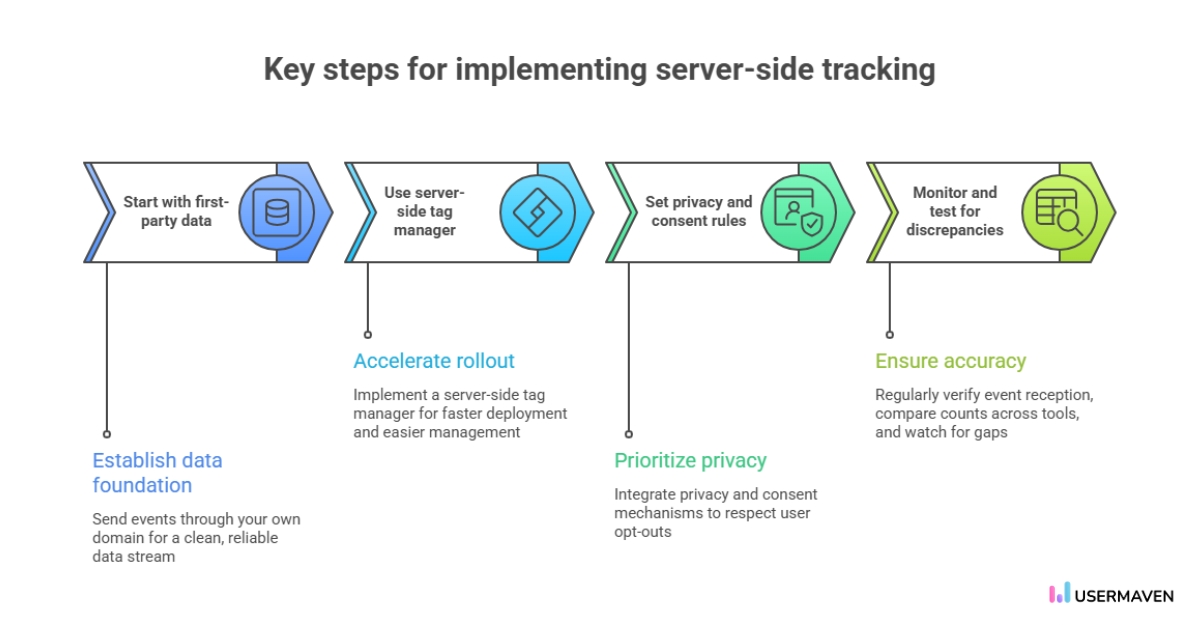
Use a first-party data approach
Start by sending events through your own domain. That’s the foundation that makes server-side tracking useful in the first place, and it helps you build a cleaner first-party data stream you can rely on.
It also makes it easier to stay consistent across tools, because you’re not depending on every third-party tag to behave the same way.
Use a server-side tag manager when you want speed
If you want a faster rollout and you already use a tag manager, a server-side version is often the most direct path.
It gives you a place to manage what gets forwarded without changing application code for every tweak.
Set up platform-specific forwarding
In practice, most teams start by forwarding the same key conversion events to the platforms they already rely on:
- Server-side tracking GA4 for analytics consistency
- Server-side tracking Google Ads for conversion optimization
- Server-side tracking Meta for ads and attribution
- Server-side tracking Facebook (often used interchangeably with Meta in older setups)
Set privacy and consent rules early
Treat privacy as part of implementation, not a follow-up task.
If you rely on consent banners or permissions, connect that to your tracking so opt-outs are respected before data is sent to external platforms. Many teams handle this with a consent management platform.
Monitor and test for discrepancies
Server-side tracking isn’t “set it and forget it.”
Once it’s live, verify that key events are showing up where they should. Then keep an eye out for mismatches between platforms, especially after site releases or campaign changes.
A simple routine helps:
- Check that conversions are still being received
- Compare counts across tools for obvious gaps
- Watch for sudden drops in key events
Wrapping up
Server-side tracking is how you keep your analytics anchored to confirmed events. The ones your business actually runs on: a successful payment, a created account, a plan change, a cancellation.
When those events are solid, everything downstream gets sharper. Funnels stop drifting. Customer journeys make more sense. Attribution becomes something you can actually stand behind.
Usermaven, as ad attribution software, is built for that kind of clarity. It helps you pull server-side events and on-site behaviour into one view, so you can see what drives conversions without stitching together half a story.
Ready to see Usermaven in action? Explore the platform or book a demo for a closer look.
FAQs about server-side tracking
1. Does server-side tracking replace client-side tracking?
Not really. Most teams keep both. Client-side is still useful for lightweight on-page actions. Server-side processing is best for confirmed events such as payments, upgrades, and cancellations.
2. Can server-side tracking work if a user blocks cookies?
It can still capture backend events, but it may not connect them to a specific session or campaign without an identifier. You’ll still see outcomes, but the “who and where they came from” can be limited.
3. Do you need Google Tag Manager Server-Side to do server-side tracking?
No. It’s one option, but you can also send events directly via APIs, use server SDKs, or forward events from webhooks like Stripe.
4. What’s the best way to use server-side tracking without drowning in complexity?
Keep it focused. Start with a handful of confirmed events, validate them end-to-end, and only expand once your reporting stays consistent week to week.
5. Is GTM considered server-side tracking?
Not on its own. GTM Server-Side enables server-side tracking by routing events to a server container first, so you can control what gets sent and reduce lost conversions.
6. What is SSR, and how does it work?
SSR (server-side rendering) means the server sends a ready-to-display page to the browser. It helps pages load and index faster, but it’s different from server-side tracking (which is about event collection).
7. What is GA4 server-side tracking?
Updated

Written by
Ryan Mitchell
Marketing Analytics Strategist
Ryan Mitchell is a marketing analytics strategist specializing in campaign measurement, customer journeys, and marketing performance. He writes about analytics, reporting, and data-driven marketing strategies, helping SaaS and B2B teams measure what matters across every stage of the customer journey.
All articles by Ryan →