Cookies used to be the easy way to recognize your visitors, but every year they miss a bigger share of your traffic.
Ad blockers, Safari and Firefox privacy features, and people clicking “Reject” on cookie banners all leave gaps in cookie-based analytics. Cookieless tracking fills those gaps. It measures visits and actions without storing a cookie on the visitor’s device.
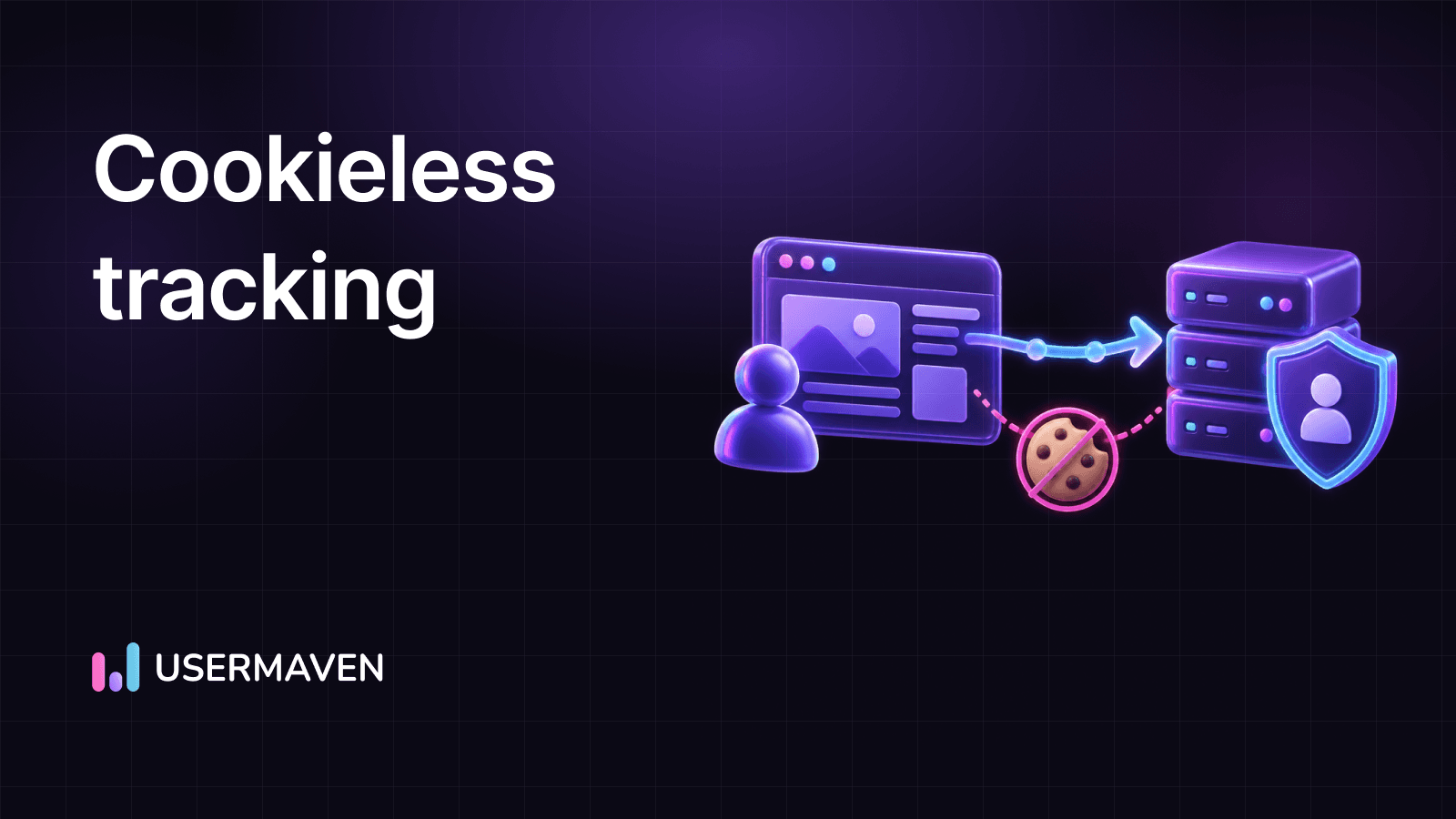
This guide explains what cookieless tracking is, how it works, how it impacts businesses, the main methods, where browsers and privacy rules stand in 2026, and how to set it up in Usermaven.
Key takeaways
- Cookieless tracking measures behavior without storing cookies on the visitor’s device. It identifies visits on the server side instead, usually with an anonymous, hashed ID.
- It recovers traffic that cookies miss, such as visitors who block cookies or use ad blockers.
- Chrome hasn’t dropped third-party cookies, but Safari, Firefox, ad blockers and consent choices already limit cookie-based data today.
- The main methods work best together: server-side tracking, first-party data, hashed visitor IDs, a custom tracking domain and identity resolution after sign-up.
- There’s a trade-off. Cookieless IDs are a little less precise for returning visitors, so many teams use cookieless mode for privacy-first measurement and cookies where consent is given.
What is cookieless tracking?
Cookieless tracking is a way to measure what people do on your website without saving cookies in their browser. Instead of reading a cookie to recognize a visitor, the tracking tool works out an anonymous identifier from the request itself, on the server.
That’s why it’s also called cookieless analytics. Your website analytics script still records page views, clicks, form submissions and sessions. The difference is where the visitor’s identity lives. With cookies, it sits in a small file on the visitor’s device. With cookieless tracking, nothing is stored on the device, and personal details like names or emails aren’t needed.
Laws like GDPR in Europe and CCPA in California make it harder to collect and use people’s information freely. Cookieless tracking offers a way to respect everyone’s privacy while still learning how users interact with your site.
How does cookieless tracking work?
Every time a browser loads a page, it sends some basic technical details with the request, such as the browser and operating system (the user agent) and an IP address. Cookieless tools use those details to tell visits apart.
Here’s the typical flow:
- A visitor opens a page. The tracking script sends the page view or event to the analytics server.
- The server reads the request details, like the user agent and IP address.
- It combines and hashes them into an anonymous visitor ID. Hashing turns the inputs into a code that can’t be read back as the original data.
- Events are grouped under that ID, so you can see sessions, pages, clicks and conversions without knowing who the person is.
- Measuring marketing: tracking behavior and engagement over many visits to see which campaigns work.
- Personalization: remembering preferences, logins and carts so the site feels tailored.
- Targeting: showing ads to people who already showed interest, which can lift marketing ROI.
- Privacy concerns: third-party cookies can follow people across sites without clear consent, which feels like surveillance.
- Ad blockers: intrusive targeted ads pushed many people to block trackers. GWI data shows that 29.5% of internet users worldwide used an ad blocker at least sometimes in Q2 2025.
- Regulation: GDPR, the ePrivacy rules and CCPA require clear notice and, in Europe, consent before setting non-essential cookies.
- Reliability: people delete or block cookies, and browsers shorten their lifespan, so the same person shows up as several “new” visitors.
- Chrome kept third-party cookies. In April 2025, Google said it would keep its current approach to cookie choice instead of phasing them out, and in October 2025 it retired most Privacy Sandbox technologies, including the Topics, Protected Audience and Attribution Reporting APIs.
- Safari blocks all third-party cookies by default, and its Intelligent Tracking Prevention caps many cookies set by scripts to seven days.
- Firefox turns on Total Cookie Protection by default, which keeps each site’s cookies in a separate jar so they can’t follow people across sites.
- EU rules still require consent for most non-essential cookies. The EU’s Digital Omnibus proposals would let some first-party, aggregated audience measurement run without consent, but the text is still being negotiated as of November 2026.
- More complete traffic data: visitors who reject or block cookies still show up in your reports, so channel and campaign numbers are closer to reality.
- Less dependence on consent rates: your dashboards don’t swing every time your cookie banner or opt-in rate changes.
- Different identity rules: long-term returning-visitor and cross-device views rely more on logins and first-party data than on cookies.
- Ad targeting shifts: retargeting based on third-party cookies weakens, so contextual ads, first-party audiences and server-side conversion data matter more.
- A true cookieless mode that stores nothing on the device, not just a cookie banner integration.
- Privacy controls like IP masking and no storage of personal data.
- Ad-blocker resilience, such as serving the script from your own domain.
- Attribution and conversions, not just page views, so you can tie channels to sign-ups and revenue.
- Identity resolution that links anonymous visits to users after they sign up.
- Flexible modes, so you can use cookies where people consent and cookieless tracking everywhere else.
- User agent: identifies the visitor’s browser and operating system, such as “Chrome on Windows 10.”
- IP address: identifies the general location of the visitor’s device (city or country) via its IP address.
- These elements are combined through a hashing algorithm into a unique identifier for each visitor, without storing personal information like names or browsing history.
- Location: the city and country of visitors.
- Engagement: page views and sessions that show how people move through your website.
- Interactions: clicks and actions on buttons, forms and other elements.
- No PII storage: no personally identifiable information like names, emails or browsing history is collected or stored in cookieless mode.
- IP address anonymization: For EU/UK visitors, IP masking is applied to the last octet of IP addresses to protect specific location data while still providing insights like city and country.
- Works with cookies off: even if visitors disable cookies in their browser, Usermaven still collects the essential data.
- Fewer ad-blocker gaps: combine cookieless mode with pixel white-labeling, which serves the script from your own domain, to capture traffic that ad blockers would hide.
- Cookie-based tracking (keep mode): slightly higher accuracy in some cases and better for advanced features like user segmentation. It needs cookie consent management.
- Cookieless tracking (strict mode): supports privacy-compliant measurement under regulations like GDPR and CCPA. It collects data even with cookies disabled, helping you keep attribution visibility when cookie-based tracking isn’t available.
- Cookie consent: if privacy mode is off, collecting cookie consent from EU and UK residents is recommended. Respecting visitors’ cookie and IP tracking choices with the cookie_policy and ip_policy settings gives them more control.
- Strict (cookieless) mode: no cookies are stored, so a traditional cookie banner isn’t needed for Usermaven. Showing a short notice about how you measure visits, with a way to manage preferences, is still recommended.
- Measure your gap. Compare analytics sessions with server logs, form submissions or orders to see how much traffic your cookie-based tool misses.
- Turn on a cookieless mode in your analytics tool for privacy-first measurement of all visitors.
- Serve your script from your own domain to reduce ad-blocker losses.
- Send key conversions from your server, like sign-ups, demo bookings and payments.
- Grow first-party data with useful sign-ups, and connect visits to users when they log in.
- Review consent with your legal team, since the rules differ by country and change over time.
This approach is often called browser fingerprinting. Some tools use many signals, like screen size and installed fonts. Privacy-first analytics tools keep it light and use only a few request details, which is enough for analytics without building a detailed profile of the person.
The catch: when several people share a device or an IP address changes, the ID can change too. That’s why cookieless data is slightly less precise for long-term returning-visitor reports than cookie data from users who said yes.
Cookie-based vs. cookieless tracking
Both methods can capture the same actions on your site. They differ in where the ID lives, how much traffic they see and what consent they need.
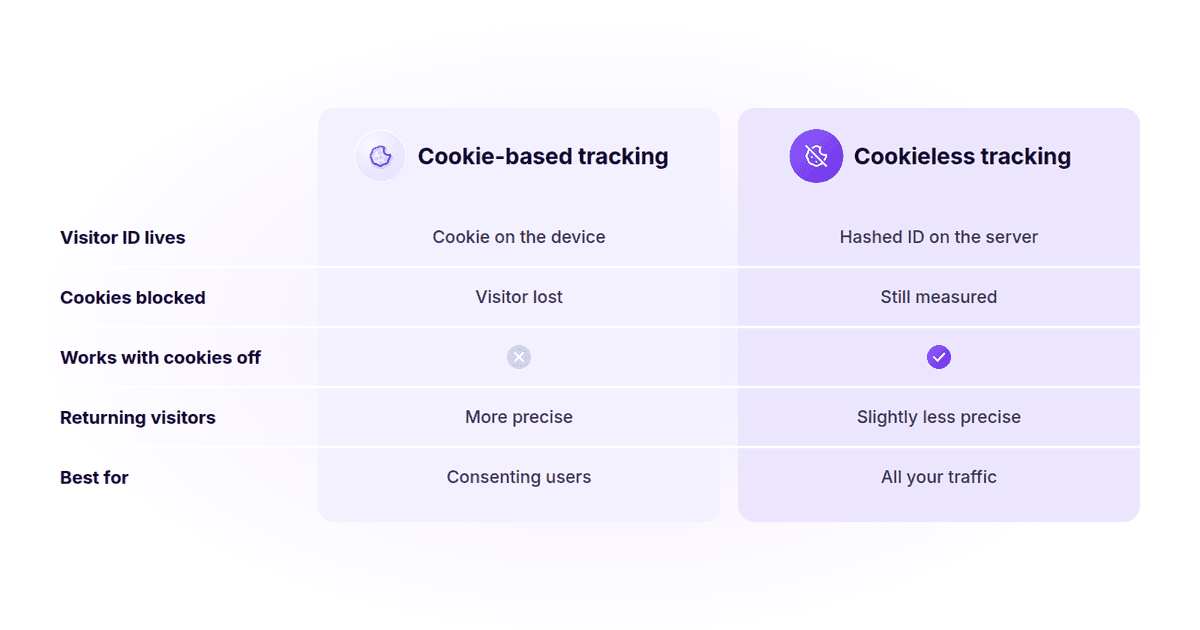
| Cookie-based tracking | Cookieless tracking | |
|---|---|---|
| Where the visitor ID lives | In a cookie on the visitor’s device | An anonymous hashed ID, worked out on the server |
| Visitors who block or delete cookies | Lost or counted as new visitors | Still measured |
| Returning-visitor accuracy | Higher, as long as the cookie lasts | Slightly lower on shared devices or changing IPs |
| Consent | Cookie consent needed in the EU and UK for analytics cookies | Lighter, but rules vary by country, so check with your legal team |
| Best for | Advanced segmentation and long journeys of consenting users | Privacy-first measurement of all your traffic |
Why cookies were useful
Cookies have been central to digital marketing for a long time, and they still do a few things well:
Why cookies fall short now
Have you ever thought about how 50% of people do not feel private online? That unease is behind most of the problems with cookies today:
Are cookies going away in 2026?
Not entirely, and that surprises a lot of marketers. Here’s where things stand:
So the real issue for analytics isn’t one big “cookie deadline.” It’s the steady loss of cookie data from browsers, blockers and banners that’s already happening. If you run ads, our guide to cookie deprecation’s impact on ad tracking covers what still works.
How cookieless tracking impacts businesses
Switching to cookieless tracking changes what you can measure, mostly for the better:
For online retail and ecommerce, the biggest win is usually cleaner attribution of orders to campaigns. For B2B SaaS, it’s seeing the full path from first visit to demo request or sign-up, even when early visits happened without cookies.
Does GA4 support cookieless tracking?
Not by default. GA4 uses cookies to recognize visitors. With Google’s Consent Mode in its advanced setup, GA4 tags still send cookieless pings without identifiers when someone declines consent. GA4 can then fill some gaps with behavioral modeling, but only for properties that meet Google’s eligibility thresholds, and modeled numbers are estimates.
If you want measured, not modeled, cookieless data, a privacy-first GA4 alternative with a built-in cookieless mode is the simpler route.
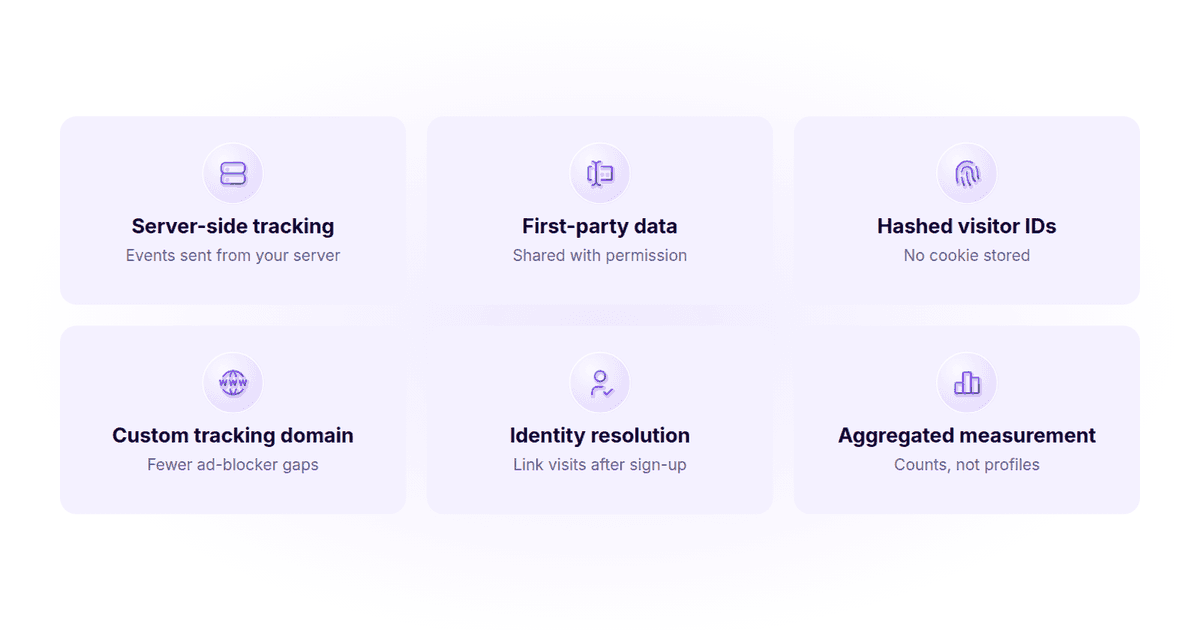
Cookieless tracking solutions: 6 key methods
There isn’t one single cookieless technique. Most teams combine a few methods, each covering a different gap.
1. Server-side tracking
With server-side tracking, events are collected and processed by a server you control instead of only by tags in the visitor’s browser. You decide what gets recorded and shared, and you don’t need to store personal details on the user’s device.
It’s a privacy-friendly way to monitor key actions, especially when paired with analytics testing automation to catch broken events early.
Understanding what is server-side tagging and putting it in place can help you build a data strategy that puts data security and privacy compliance first.
2. First-party data collection
First-party data is information people share with you directly, with permission. Common sources include newsletter sign-ups, gated content, registration forms, surveys and feedback forms.
It’s the most reliable data you have, because it doesn’t depend on cookies or browsers. It also tells you who your audience is and what they want, which helps you understand the market and improve your product.
3. Hashed visitor IDs (fingerprinting)
This is the core of cookieless analytics. As explained above, the tool hashes a few request details into an anonymous ID, so it can count unique visitors and sessions without a cookie. Pair it with data anonymization practices like IP masking to keep personal data out of your reports.
4. A custom tracking domain
Ad blockers often block scripts from well-known analytics domains. Serving your tracking script from your own subdomain (also called proxying or pixel white-labeling) makes it far less likely to be blocked. It’s the same fix that helps with GA4 ad-blocker issues.
5. Identity resolution after sign-up
Once a visitor signs up or logs in, you can connect their earlier anonymous visits to a known user ID. Identity resolution in Usermaven does this, so the full journey from first visit to sign-up stays intact.
6. Aggregated measurement
For many questions, you don’t need individual profiles at all. Counts of page views, sources and conversions answer “what’s working?” just as well. Privacy-friendly analytics tools are built around this idea.
Grow smarter with privacy-first analytics
What cookieless tracking means for attribution
Attribution depends on connecting touchpoints over time, so lost cookies hit it hard. A visitor who clicked an ad, came back through a blog post and later booked a demo can look like three strangers.
Cookieless methods help close that gap. A hashed ID keeps a session together, UTM parameters and click IDs record where visits came from, and identity resolution joins the dots once someone converts. Our guide to cookieless attribution goes deeper, and for paid campaigns, see ad tracking without third-party cookies.
How to choose a cookieless tracking solution
Most cookieless analytics platforms promise privacy. The differences show up in what you can still measure. Look for these:
How Usermaven handles cookieless tracking
Usermaven is marketing attribution software that supports cookieless tracking. It helps you see which channels, campaigns and touchpoints drive results while staying aligned with privacy regulations. Here’s how it works.
Fingerprinting technology:
What you still see:
Privacy compliance:
More complete data:
Turning on cookieless mode and choosing between tracking modes
To switch on cookieless tracking, add data-privacy-policy="strict" to your Usermaven tracking script. No other setup is needed. Then pick the mode that fits:
GDPR compliance
Usermaven follows GDPR, CCPA and PECR:
Related: Cookieless tracking in Usermaven
How to get started with cookieless tracking
See Usermaven in action
Book a free demo and discover how powerful analytics can grow your business.
Conclusion
Cookies aren’t disappearing overnight, but they already miss a big share of your visitors. Cookieless tracking lets you collect the data you need without stepping on anyone’s privacy.
Getting ready now builds trust with your audience and makes your data more complete. Start with a cookieless analytics mode, add a custom tracking domain and server-side conversions, and keep growing your first-party data.
FAQs
What is the difference between cookie-based and cookieless tracking?
Cookie-based tracking stores a small file on the visitor’s device and reads it on every visit to recognize them. Cookieless tracking stores nothing on the device. It creates an anonymous, hashed ID on the server from request details like the browser and IP address. Cookies are a bit more precise for returning visitors, while cookieless tracking measures more of your traffic with less privacy risk.
How do I prepare my business for cookieless tracking?
Start by measuring how much traffic your current tool misses. Then turn on a cookieless analytics mode, serve your tracking script from your own domain, send key conversions from your server, and grow first-party data through sign-ups and forms. Review your consent setup with your legal team, since rules differ by country.
Can cookieless tracking provide the same insights as traditional cookie-based tracking?
For most marketing questions, yes. Cookieless tracking still captures page views, sessions, sources, clicks and conversions. It’s slightly less precise for long-term returning-visitor reports, for example on shared devices or when IP addresses change, and some advanced features like detailed user segmentation work best with cookies from consenting users.
Is cookieless tracking GDPR compliant?
It can be, and it’s usually easier to keep compliant than cookie tracking because no cookies or personal details are stored. Usermaven’s cookieless mode doesn’t store PII and masks the last octet of IP addresses for EU and UK visitors. Privacy rules still apply to how you collect and use data, so confirm your setup with your legal team.
Is Google Chrome getting rid of third-party cookies?
No. In April 2025, Google decided to keep third-party cookies in Chrome, and in October 2025 it retired most Privacy Sandbox technologies. Safari and Firefox still block third-party cookies by default, though, and ad blockers and consent choices limit cookie data in every browser.
Does cookieless tracking work with ad blockers?
It helps. Cookieless tracking keeps working when visitors block or delete cookies. Ad blockers can still block well-known analytics scripts, so pair cookieless mode with a custom tracking domain (pixel white-labeling) to recover most of that traffic.
Updated

Written by
Adeel Khan
Growth Marketing Expert
Adeel Khan is a full-stack SaaS marketer with 10+ years of experience in content marketing, paid advertising, analytics, and conversion rate optimization. He shares practical insights and strategies drawn from hands-on experience, helping B2B SaaS marketers improve performance and make better marketing decisions.
All articles by Adeel →