Google Analytics 4 can show where visitors come from and what they do next. But if the real question is which marketing efforts create pipeline and revenue, traffic reports alone may not be enough. A marketing attribution tool can connect those early interactions with commercial outcomes.
This Usermaven vs. Google Analytics (GA4) comparison examines tracking, attribution, reporting, AI, pricing, and implementation. The goal is to identify when GA4 is sufficient, when Usermaven adds value, and when running both makes more sense than replacing one.
Usermaven vs. GA4 at a glance
Both platforms collect behavioral data, but they are optimized for different decisions. GA4 is a broad web and app analytics product with strong Google ecosystem integrations. Usermaven is attribution-first, combining marketing, web, product, and CRM context for teams accountable for revenue.
Quick platform comparison
| Decision factor | Google Analytics 4 | Usermaven |
| Primary strength | Free web and app measurement, Google Ads reporting | Marketing attribution linked to customer journeys, pipeline, and revenue |
| Attribution choices | Three reporting model options, including data-driven | Seven built-in models; Enterprise custom models |
| Events | Automatic and enhanced measurement, plus configured custom events | Auto-captured interactions, pinned events, and custom events |
| Reporting timing | Realtime views; final standard data can take 24 to 48 hours | Live analytics views; reporting latency varies by data source |
| AI | Automated insights and Ask Advisor (beta, eligibility varies) | Maven AI, scheduled AI Agents, and supported MCP workflows |
| Pricing | Standard is free; Analytics 360 is custom-priced | Business and Enterprise; sales-quoted pricing for new customers |
Where GA4 remains a strong choice
GA4 is not simply a basic alternative to paid analytics. It has mature acquisition reporting, website and app measurement, customizable explorations, ecommerce events, BigQuery export options, and integrations with Google Ads. Understanding those strengths alongside documented Google Analytics limitations helps teams decide whether switching would solve a real problem.
GA4 also has genuine attribution capabilities. Its available attribution models are data-driven, paid and organic last click, and Google paid channels last click. Data-driven attribution distributes credit across eligible touchpoints rather than automatically assigning everything to the final visit.
Its newer AI Assistant channel can classify recognized referrals from services such as ChatGPT and Gemini. That is useful for AI traffic analytics discussions, but recognizing a source is not the same as linking that source to CRM opportunities or closed revenue.
Choose GA4 first if the priority is free web or app measurement, Google Ads visibility, or flexible raw event analysis supported by an analytics specialist. A subscription platform is not automatically necessary for those requirements.
Where Usermaven changes the workflow
The bigger distinction is not whether each product has funnels or events. It is how many systems and reports a team must join before it can explain why a conversion happened, which campaigns assisted, and whether the customer generated revenue. Usermaven connects these signals through product analytics and user journeys.
1. Event tracking and implementation
GA4 automatically tracks core events and can add scrolls, outbound clicks, site searches, video interactions, file downloads, and form interactions through enhanced measurement. More specific product actions and business events often require tags, parameters, key event configuration, or developer work.
Usermaven captures many front-end interactions when automatic event capture is enabled. Teams can turn useful interactions into pinned events or send custom events for subscription payments, backend actions, and embedded checkout steps. Auto-capture does not replace a tracking plan, and noisy events should be excluded to control quality and volume.
Event setup: What needs configuration?
| Tracking need | GA4 | Usermaven |
| Basic page and interaction events | Automatic/enhanced measurement covers common actions | Auto-capture covers common front-end interactions when enabled |
| Custom business outcomes | Custom events and key event configuration | Custom events and conversion goals |
| Funnels based on valuable actions | Explorations with defined events | Funnels using pinned and custom events |
| Ongoing validation | Inspect tags, dimensions, events, and parameters | Audit auto-capture, goal rules, event volume, and identity |

Neither product can infer every business outcome from a click alone. For reliable conversion tracking, confirm that purchases, qualified leads, subscriptions, and cancellations are recorded as the correct events before building conversion funnels or comparing dashboards.
2. Reporting speed and data reliability
GA4 has a Realtime report and intraday processing. Its standard reports can still change while data is processed, typically over 24 to 48 hours. These GA4 data delays matter when teams read same-day attribution, since credit may also be updated after the initial conversion date.
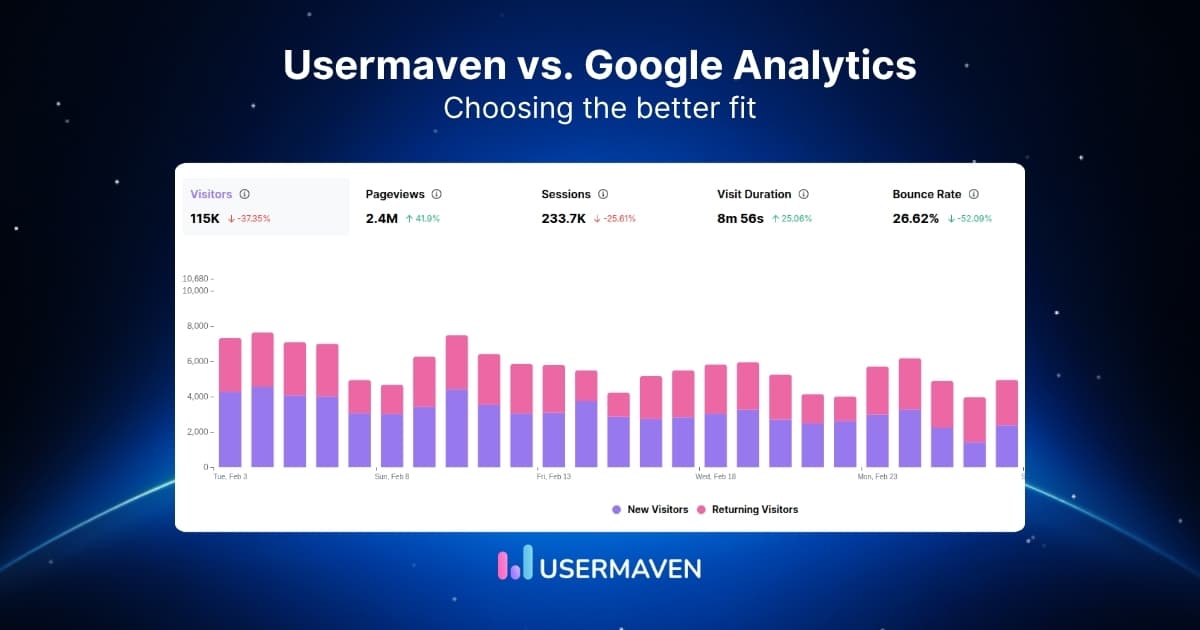
Usermaven emphasizes live reporting for web and product activity. Its website analytics views can help teams investigate changes without reconstructing reports. However, neither tool can recover every lost interaction, and both depend on correct event collection, identity, consent, and integrations.

A useful comparison is not whether totals match exactly. Run both tools alongside each other and review campaign tags, consent settings, time zones, bot handling, transaction IDs, and event definitions before interpreting any data discrepancy.
3. Attribution models and revenue context
GA4 reports on key events and revenue attributed to eligible marketing interactions. Its data-driven attribution option distributes credit algorithmically, but older first-click, linear, time-decay, and position-based models were retired. Teams needing those side-by-side lenses must use their own analysis or another platform.
Usermaven supports seven built-in marketing attribution models, including first touch, last touch, linear, U-shaped, time decay, first non-direct, and last non-direct. Enterprise customers can also build custom models that reflect a particular sales cycle. Model availability should be considered when comparing plan quotes.
For teams with longer sales cycles, the difference becomes more tangible when marketing touchpoints can be connected with contact, deal, and lifecycle data. Usermaven supports CRM integrations, including Salesforce, to relate acquisition activity to pipeline stages and customers rather than stopping at a form fill.

What each attribution report answers
| Question | GA4 | Usermaven |
| Which source drove a key event? | Yes, through acquisition and attribution reporting | Yes, through channel and source attribution |
| How does credit change under different models? | Three current model options | Seven built-in models, plus Enterprise custom models |
| Which campaigns influence pipeline or closed revenue? | Requires CRM data integration or external analysis | Designed to connect attribution with CRM, pipeline, and revenue context |
| Can I inspect conversion paths? | Yes, attribution paths reporting | Yes, conversion paths and journey reports |
| Can attribution models prove incremental impact? | No, attribution is not causal proof | No, attribution is not causal proof |
Important reporting distinction: Do not add revenue reported under first touch to revenue reported under last touch. Those are alternative ways to allocate credit for the same conversions, not additional sales. Compare models against the same conversion set, time window, and revenue total.
4. AI analysis and automated monitoring

GA4 includes automated insights, and eligible properties can use Ask Advisor, its beta conversational assistant. GA4 should not be described as lacking AI. It is a strong option when the reporting task stays within the Google Analytics property.
Usermaven combines Maven AI with scheduled AI Agents that monitor important changes, such as adoption shifts, journey drop-offs, and retention trends. Supported MCP connections also let approved AI clients analyze authorized workspace data. Those capabilities matter when teams want recurring analysis across marketing and product activity, not only an explanation of a single dashboard.
5. Privacy, consent, and measurement control
Both GA4 and Usermaven must be configured in line with applicable privacy and consent requirements. GA4 supports consent mode and controls for data collection, while Usermaven offers cookieless tracking and custom-domain pixel options. None of these features automatically guarantees compliance or complete data collection.
GA4 may apply privacy thresholds to particular reports, especially when demographic or audience data could reveal information about individuals. Browser restrictions can affect either platform. To improve measurement trust, review consent logic, event deduplication, identity stitching, and tracking coverage before choosing a tool on privacy claims alone.
Pricing: Free GA4 vs. quoted Usermaven plans
GA4 Standard has no software subscription fee, although implementation, reporting, BigQuery usage, and staff time can create indirect costs. Google Analytics 360 is the enterprise edition and uses custom pricing.
Usermaven currently offers Business and Enterprise plans for new customers, with pricing quoted based on requirements. Enterprise adds options such as custom attribution models, tailored integrations, larger-scale controls, and advanced deployment arrangements. The older fixed $84/month figure should not be presented as the current universal starting price.
Compare the real cost, not only the license
| Cost factor | GA4 | Usermaven |
| Base product | Standard available free | Business and Enterprise require a quote |
| Enterprise tier | Google Analytics 360, custom pricing | Enterprise, custom pricing |
| Implementation | Tagging, key events, governance, and reports | Pixel and event configuration; CRM/attribution integration as needed |
| Commercial reporting | Often requires additional CRM joins or analysis | Pipeline and revenue attribution are central use cases |
| Best value when | GA4 already answers the team’s questions | Deeper attribution changes acquisition and budget decisions |
If budget is the primary constraint, GA4 may be sufficient. If the team spends considerable time reconciling campaigns with opportunities and customers, compare the cost of that workflow with a Usermaven proposal. Avoid assuming that paid software automatically produces better return.
Which platform should each team choose?
Recommendations by use case
| Team or requirement | Best starting point | Reason |
| Small website or content team | GA4 | Free acquisition, engagement, and event reporting may cover the need |
| Google Ads-focused team | GA4 | Native Google ecosystem integration and key event reporting |
| B2B SaaS demand generation | Usermaven | Can connect campaigns with CRM stages, pipeline, and revenue |
| Agency reporting across clients | Depends on reporting scope | GA4 for standard reporting; Usermaven for attribution and white-label analytics |
| Ecommerce growth team | Depends on attribution needs | GA4 for ecommerce measurement; Usermaven when cross-channel revenue credit is the main decision |
| Product-led SaaS team | Often both | GA4 covers acquisition while Usermaven adds product journeys and commercial attribution context |
A team choosing Usermaven should define the decision it expects to improve. For example: which paid campaigns bring sales-qualified leads rather than raw signups, or which sources produce customers with higher retained revenue? If those questions are not in scope, a simpler setup may be enough.
How to test Usermaven alongside GA4
Replacing GA4 immediately is rarely necessary. A parallel measurement period lets teams keep established dashboards while testing whether a different attribution workflow provides better decisions. The goal is not perfect numerical parity; the two platforms can differ in collection, definitions, identity, and attribution.
- Choose two or three shared outcomes. Map purchases, demos, qualified leads, or paid subscriptions to a consistent goal-tracking plan.
- Install Usermaven alongside GA4. Follow the Usermaven installation guide and validate that events arrive in both products.
- Normalize campaign definitions. Standardize UTM parameters, channel names, attribution windows, and time zones.
- Validate revenue and identity. Confirm purchase IDs, CRM stage mapping, lead identity, refunds, and repeat transactions.
- Compare decisions, not only counts. Review whether one workflow better identifies high-value acquisition, assisted conversions, or wasted effort.
Keep a record of changes during the test. When tracking rules or attribution models change, annotate the effective date so trends are not mistaken for genuine performance gains. This makes a future GA4 migration much easier to govern.
See Usermaven in action
Book a free demo and discover how powerful analytics can grow your business.
Final verdict
GA4 is a capable and often sufficient analytics platform. It is especially valuable when the team needs broad free website or app measurement, is invested in Google Ads, and has the resources to maintain its reporting.
Usermaven is the stronger fit when the central question is not simply who visited, but which marketing touchpoints helped create qualified leads, customers, pipeline, and revenue. Its attraction is the connection between acquisition, behavior, and commercial outcomes, not a claim that GA4 cannot track events or attribute conversions.
To evaluate whether that workflow fits your business, book a demo and review Usermaven against your actual conversion goals, CRM structure, and attribution questions.
FAQs
1. Is Usermaven better than Google Analytics 4?
It depends on the decision. GA4 is strong for free website and app measurement and Google Ads reporting. Usermaven is more specialized for teams connecting marketing channels, customer journeys, CRM stages, and revenue attribution.
2. Can Usermaven replace GA4?
For many teams, Usermaven can handle the website, product, funnel, and attribution reporting they need. Other teams should continue using GA4 for Google ecosystem reporting or BigQuery workflows and run both platforms together.
3. How fresh is GA4 data compared with Usermaven?
GA4 offers realtime and intraday views, but standard data can take 24 to 48 hours to process fully and attribution figures can change afterward. Usermaven offers live analytics views, while data freshness can still depend on integrations and source systems.
4. Does GA4 automatically track events?
Yes. GA4 automatically measures core events and can capture additional common interactions with enhanced measurement. Business-specific events, key events, and complex product journeys may still require configuration. Usermaven supports auto-capture when enabled, pinned events, and custom events.
5. How does Usermaven pricing compare with GA4?
GA4 Standard is free, while Analytics 360 is custom-priced. Usermaven offers Business and Enterprise plans with individual quotes for new customers. Compare total implementation and analysis effort rather than only the subscription cost.
6. Do I have to stop using GA4 to use Usermaven?
No. The two platforms can run in parallel. A phased evaluation helps teams check conversion definitions, UTM tagging, CRM connections, and attribution outputs without losing the reports they already use.
Updated

Written by
Ryan Mitchell
Marketing Analytics Strategist
Ryan Mitchell is a marketing analytics strategist specializing in campaign measurement, customer journeys, and marketing performance. He writes about analytics, reporting, and data-driven marketing strategies, helping SaaS and B2B teams measure what matters across every stage of the customer journey.
All articles by Ryan →