A client opens a performance dashboard and sees a different company’s logo. The insights may be useful, but the experience reminds them that the reporting belongs to someone else.
White label analytics lets agencies, consultants, and SaaS companies deliver dashboards and reporting under their own name. It can include branded domains, emails, client access, and the measurement behind the charts, depending on the platform.
This guide covers what white labeling changes, what it does not fix, and how to choose a solution that clients can trust.
Key takeaways
- Definition: White label analytics presents another provider’s analytics software under your own brand, usually through branded dashboards, domains, and communications.
- Two main use cases: Agencies need branded client reporting; SaaS teams may need embedded analytics inside their product. These are not identical requirements.
- Branding is not data quality: A logo does not correct missing events, inconsistent attribution, or client data leaking across accounts.
- Selection priority: Test actual client workflows, data accuracy, access controls, and total cost before committing to a platform.
- Usermaven fit: Its optional white-label add-on supports brand themes, dashboard and tracking domains, branded email, and multiple workspaces. Native in-app embedding must be evaluated separately.
What is white label analytics?
White label analytics is a way to provide analytics software, dashboards, or reports to customers under the business’s own branding rather than the underlying vendor’s identity. The provider operates the analytics technology; the business owns the client-facing presentation.
A marketing agency might share campaign results from analytics.agencyname.com. A SaaS business might display branded product metrics to subscribers. Both use another technology stack, but their users encounter a consistent brand.
The extent of white labeling varies. Some tools change only the logo on a PDF. Others customize the login, application URL, emails, interface theme, tracking domain, and client permissions.
White label analytics vs. embedded analytics
White labeling describes whose brand the analytics uses. Embedding describes where and how users access analytics. A platform can support one without supporting the other.
For example, a branded analytics portal opened on a custom subdomain is white-labeled but not necessarily embedded. A chart embedded in a SaaS application can still show its original vendor branding.
At a glance
| Buyer | Typical requirement | What to verify first |
|---|---|---|
| Marketing agency | Branded client dashboard with separate accounts | Client workspaces, permissions, campaign-to-conversion reporting |
| SaaS or software vendor | Analytics presented as a product feature | Actual embed options, authentication, tenant isolation, UX control |
| Consultancy or service provider | Recurring branded performance reports | Report sharing, email identity, metric definitions, export options |
| Multi-brand business | One analytics stack serving distinct brands | Workspace boundaries, brand-level settings, overall cost |
How white label analytics works
A white-labeled experience is the visible result of several layers working together. The vendor typically handles collection and analysis; the agency or product business configures the client-facing experience.
It helps to separate the four layers before comparing platforms or estimating costs.
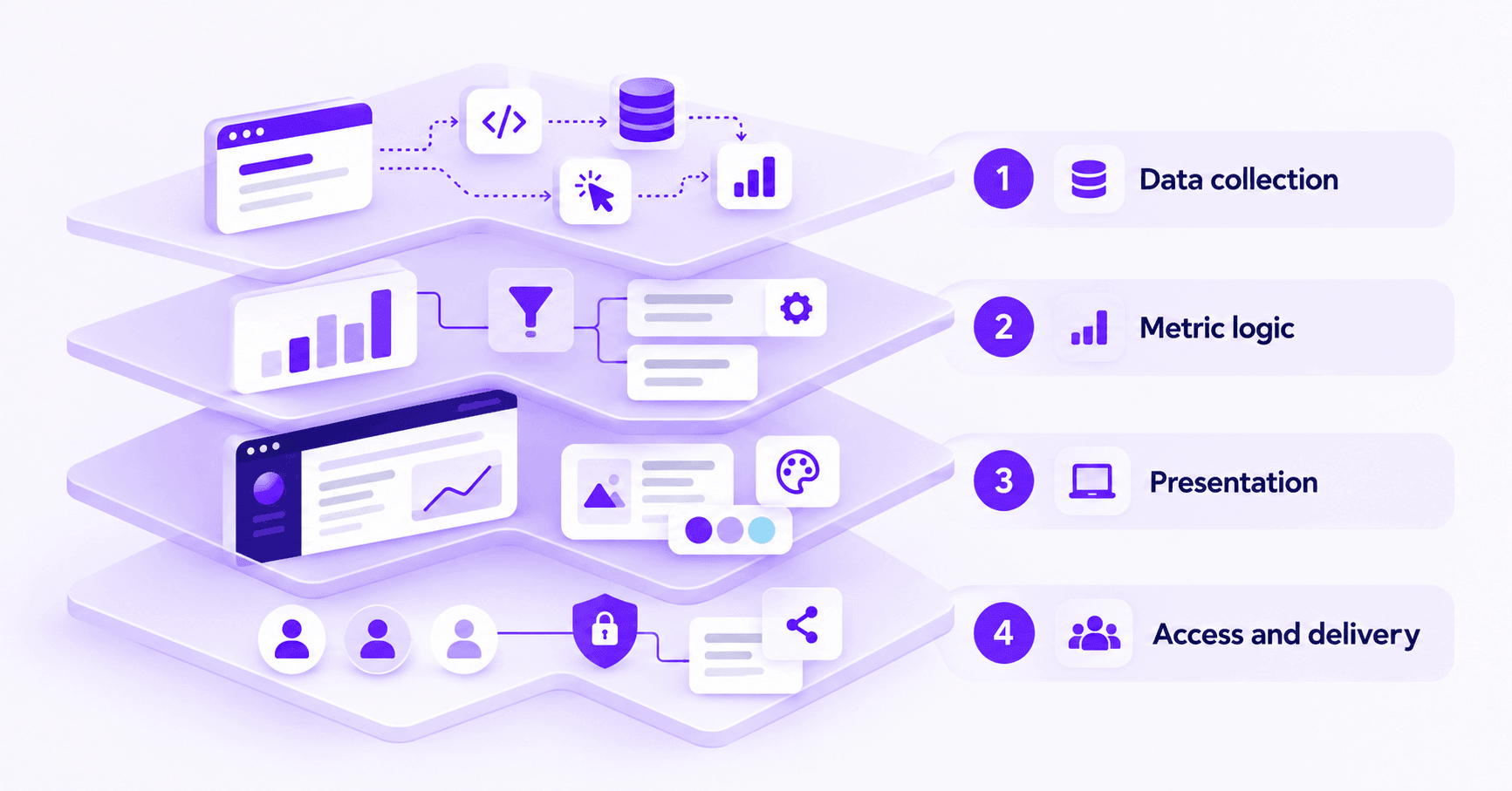
The four layers of a branded analytics system
| Layer | What it controls | Failure to test for |
|---|---|---|
| Data collection | Page views, campaign parameters, events, conversions, CRM data | Missing events, duplicate conversions, broken cross-domain paths |
| Metric logic | Funnels, attribution windows, revenue rules, definitions | Different numbers for the same KPI across reports |
| Presentation | Brand, dashboard, domain, visual theme, report emails | Vendor identity visible on login, export, or shared links |
| Access and delivery | Client workspaces, permissions, authentication, sharing | One client seeing another client’s data |
The visible dashboard is only the final layer. If the event and metric layers are wrong, a perfectly branded report can still mislead a client.
Who needs white label analytics?
Marketing agencies with recurring client reporting
Agencies frequently need to explain which campaigns generate qualified leads, customers, or revenue across multiple accounts. White label dashboards keep the experience consistent while allowing the agency to deliver its own analysis.
For this use case, the essential foundation is separate client workspaces and reliable conversion measurement. The analytics workflow for agencies illustrates how those requirements connect to client-ready reporting.
SaaS companies offering customer analytics
SaaS companies may want subscribers to see usage, activity, retention, or account-level performance without leaving the product. Branding matters, but integration and authentication requirements may be more demanding than for an agency portal.
If analytics must appear inside the application UI, require a working demonstration of embedding, permission scoping, and authentication. Do not assume branded hosted dashboards include an iframe, SDK, or API for that use case.
Consultants and multi-brand businesses
Consultancies can use a standard reporting environment to deliver consistent insights across engagements. Multi-brand organizations may need a separate visual identity and access model for each business unit.
The right setup depends on whether brands share dashboards, data collection, or only the underlying software subscription. Confirm those boundaries before rollout.
Benefits that extend beyond the logo
Launch reporting without building everything
A managed analytics service can reduce the engineering effort required for dashboards, permissions, and routine maintenance. That is most valuable when the business needs reporting capabilities, not a custom BI product built from scratch.
The savings are not automatic. Data migrations, custom integrations, access reviews, and ongoing account setup still have costs.
Keep the client experience consistent
A branded dashboard helps clients associate performance reviews with the agency or product they already use. Consistency should carry across the domain, login, shared reports, sender address, and export files, not just the home screen.
Teams may design logos for client-facing portals and then use those assets in dashboard and email settings. Brand guidelines should also cover readable chart colors and naming conventions.
Spend less time rebuilding reports
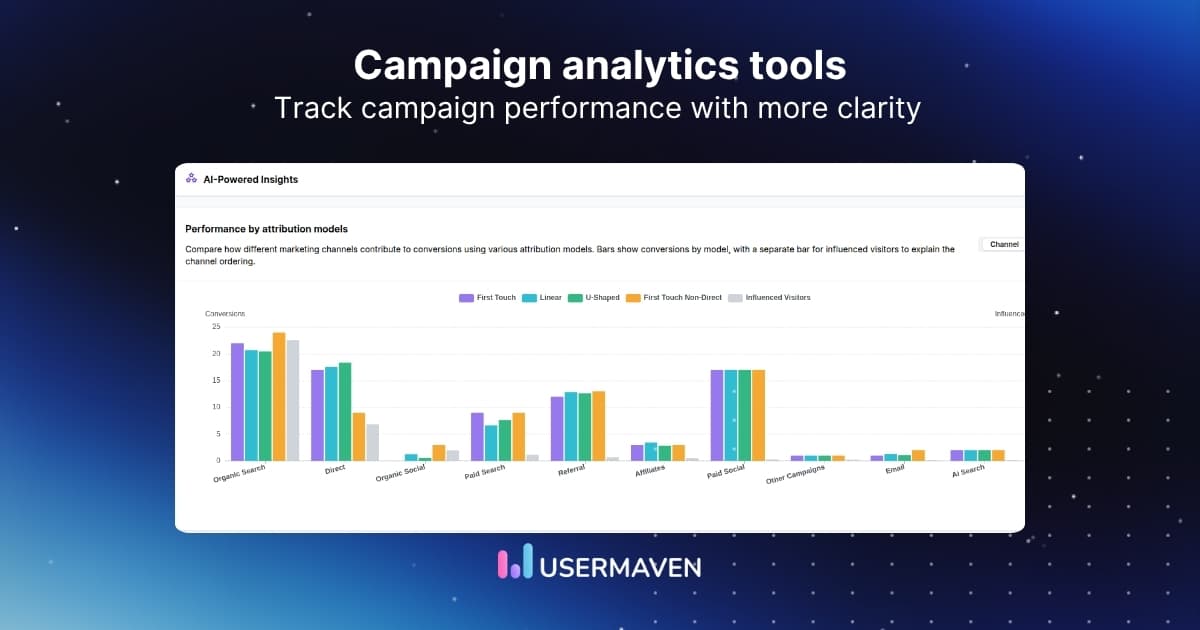
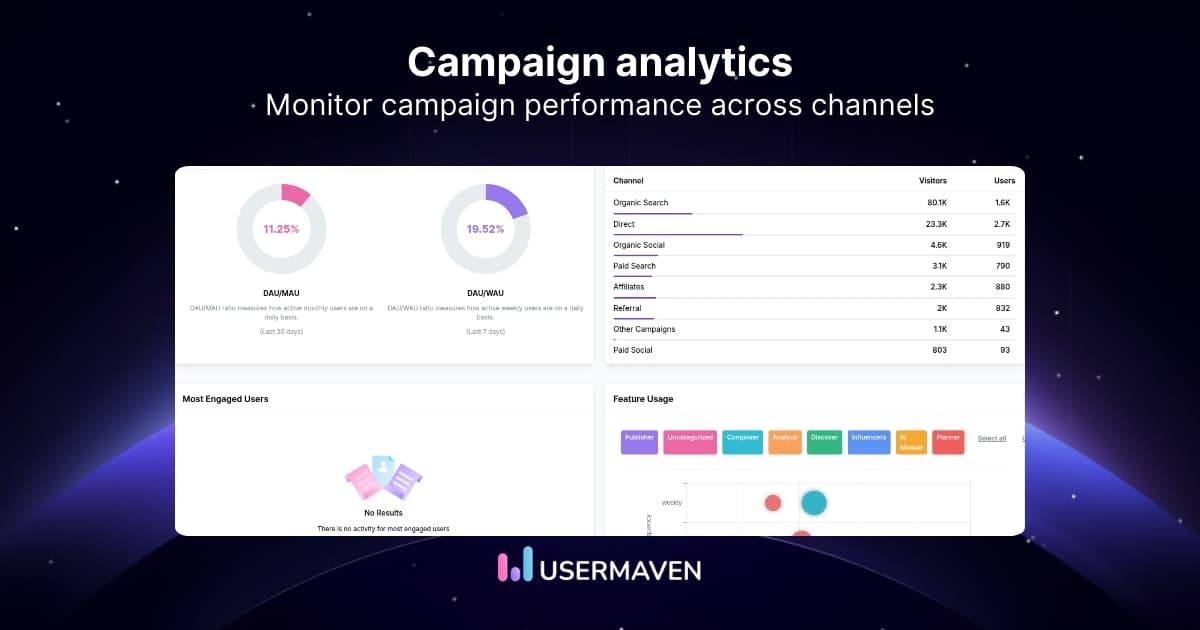
Reusable dashboards and standardized definitions reduce the time spent recreating common client reports. Marketing analytics dashboards are especially useful when teams need to monitor consistent metrics across campaign, funnel, and revenue views.
Clients should still be able to distinguish a metric definition from an interpretation. Branded presentation makes reporting clearer; it should not obscure attribution assumptions.
Create services clients can understand
White labeling can support a reporting service, a client portal, or a premium analytics offering. Its commercial value is strongest when the deliverable helps clients make decisions rather than merely giving them access to charts.
Features worth testing before buying
Not every vendor uses “white label” to mean the same thing. A useful evaluation compares what customers actually see and whether the numbers behind those screens are dependable.
| Capability | Practical acceptance test | Why it matters |
|---|---|---|
| Brand coverage | Inspect login, dashboards, share links, reports, and emails | A hidden vendor logo on exports can break the experience |
| Custom domain | Open the branded URL and test HTTPS and logins | Shows whether the portal feels owned by the business |
| Workspace access | Sign in as two clients and compare permitted data | Protects separation between customer accounts |
| Reliable conversions | Complete a test lead or purchase through to the report | Reveals broken instrumentation and data gaps |
| Attribution depth | Compare first- and multi-touch campaign credit | Avoids reducing performance to last-click reporting |
| Pricing and limits | Model event volume, workspaces, seats, and add-ons | Prevents margin surprises as the client base grows |
| Deployment fit | Test hosted portal vs. required app integration | Avoids buying a portal when embedded BI is required |
Popular white label analytics options
The best option depends on whether the goal is branded marketing reporting, business intelligence, or analytics embedded in a software product. White label reporting tools and embedded BI platforms serve different needs; these examples are not ranked by quality.
| Platform | Common fit | White-label focus to evaluate |
|---|---|---|
| Usermaven | Agencies and teams connecting marketing to conversions and revenue | Branded hosted analytics, custom domains, emails, and client workspaces |
| AgencyAnalytics | Marketing agencies producing recurring client reports | Client portals, automated reports, branding, and custom reporting URLs |
| Whatagraph | Agencies combining performance reports across channels | Branded dashboards, report templates, and client delivery |
| Zoho Analytics | BI service providers and software teams | White label BI portals and separately configured embedded analytics |
| Sisense | SaaS product teams seeking application-native analytics | Developer-oriented embedded analytics and UI customization |
Confirm each vendor’s current plan entitlements, authentication options, limits, and implementation requirements directly during procurement. A reporting portal and an embedded analytics framework solve different problems.
How to choose the right platform
Treat the buying process as a short proof-of-concept instead of relying on a vendor demo. The following five-phase audit turns feature claims into observable checks.
Phase 1. Map the customer experience
Write down every surface a customer touches: login, dashboard, report export, scheduled email, notification, and shared link. Mark which surfaces must carry your brand and which may show the provider.
- Pass: The vendor can demonstrate the required branded surfaces with your test identity.
- Fail: The logo changes, but the login, URL, exports, or emails still display unwanted branding.
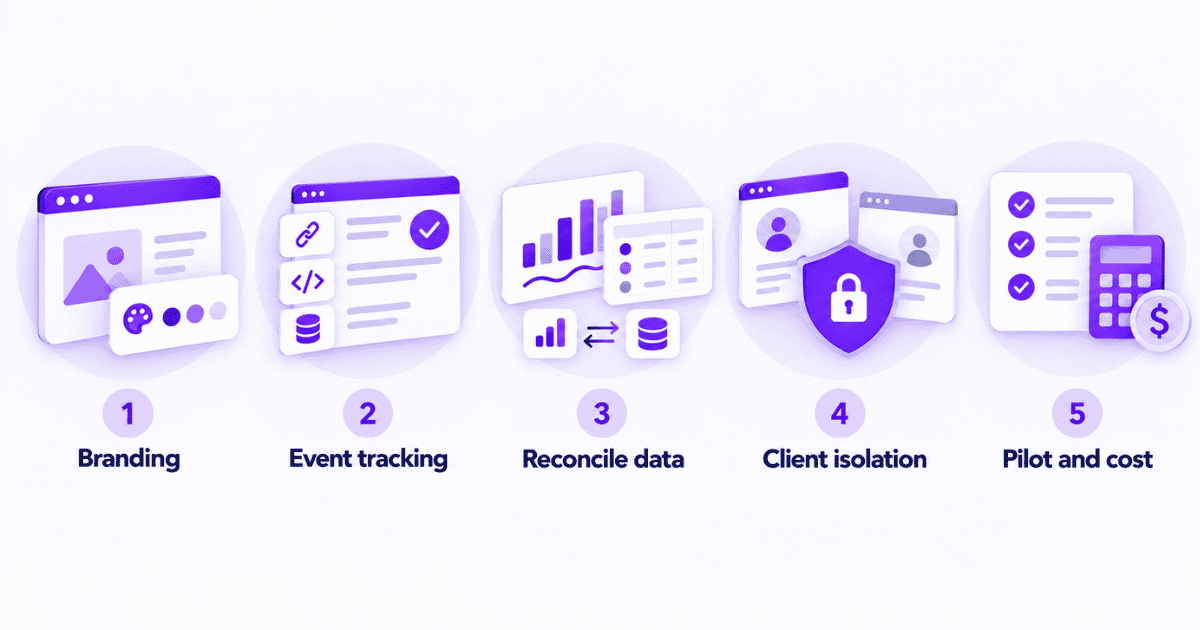
Phase 2. Check source and event collection
Use a sample campaign URL and trigger a known conversion. Verify the visitor source, campaign parameters, event timestamp, and goal count in the resulting report.
For marketing use cases, event tracking and clear conversion definitions matter more than attractive chart templates.
- Pass: Test events appear once, with expected sources and values.
- Fail: Important conversions disappear, duplicate, or lose their source after a domain change.
Phase 3. Reconcile the numbers
Compare a shared set of metrics with source systems and document expected differences. Ad platforms, web analytics, and CRMs may use different attribution rules, time zones, conversion dates, or lookback windows.
Map funnel drop-offs and customer journeys to the conversions a client actually values. Avoid treating all discrepancies as implementation errors.
In Usermaven, open Data Health from the top navigation to access the Measurement Trust Center. Review its campaign tracking, customer matching, connected platforms, conversion feedback, and data-confidence checks before distributing client reports.
- Pass: Differences can be explained by an agreed definition or a known data limitation.
- Fail: The same KPI changes materially without any explainable rule or event difference.
Phase 4. Test client isolation and access
Create two dummy clients. Use a client-level login to inspect accessible dashboards, workspaces, exports, and shared reports. Confirm that one client cannot access another client’s information.
Review data retention, consent requirements, domain ownership, user provisioning, and contract terms with the vendor. Do not assume white labeling itself provides enterprise-grade security controls.
- Pass: Access remains scoped to the intended client and works as documented.
- Fail: Links or accounts can expose other clients’ data, even accidentally.
Phase 5. Pilot the rollout and total cost
Launch with one representative client first. Include branding setup, DNS changes, reporting workflow, handoff, support time, and event usage in the pilot.
Calculate the cost per client instead of comparing plan prices alone: (platform cost + white-label add-on + implementation + reporting labor) ÷ active client accounts.
- Pass: The pilot meets quality requirements at an acceptable cost per client.
- Fail: Hidden fees, manual work, or limited workspaces erode the expected margin.
Decision rule: A white-label platform is ready when both the client-facing experience and the measurements behind it pass a realistic client pilot.
Setting up branded analytics with Usermaven
Usermaven offers a white-label add-on for teams that want a branded analytics portal without building an analytics platform. Its documented controls cover brand identity, interface themes, custom domains, branded emails, and multi-workspace support.
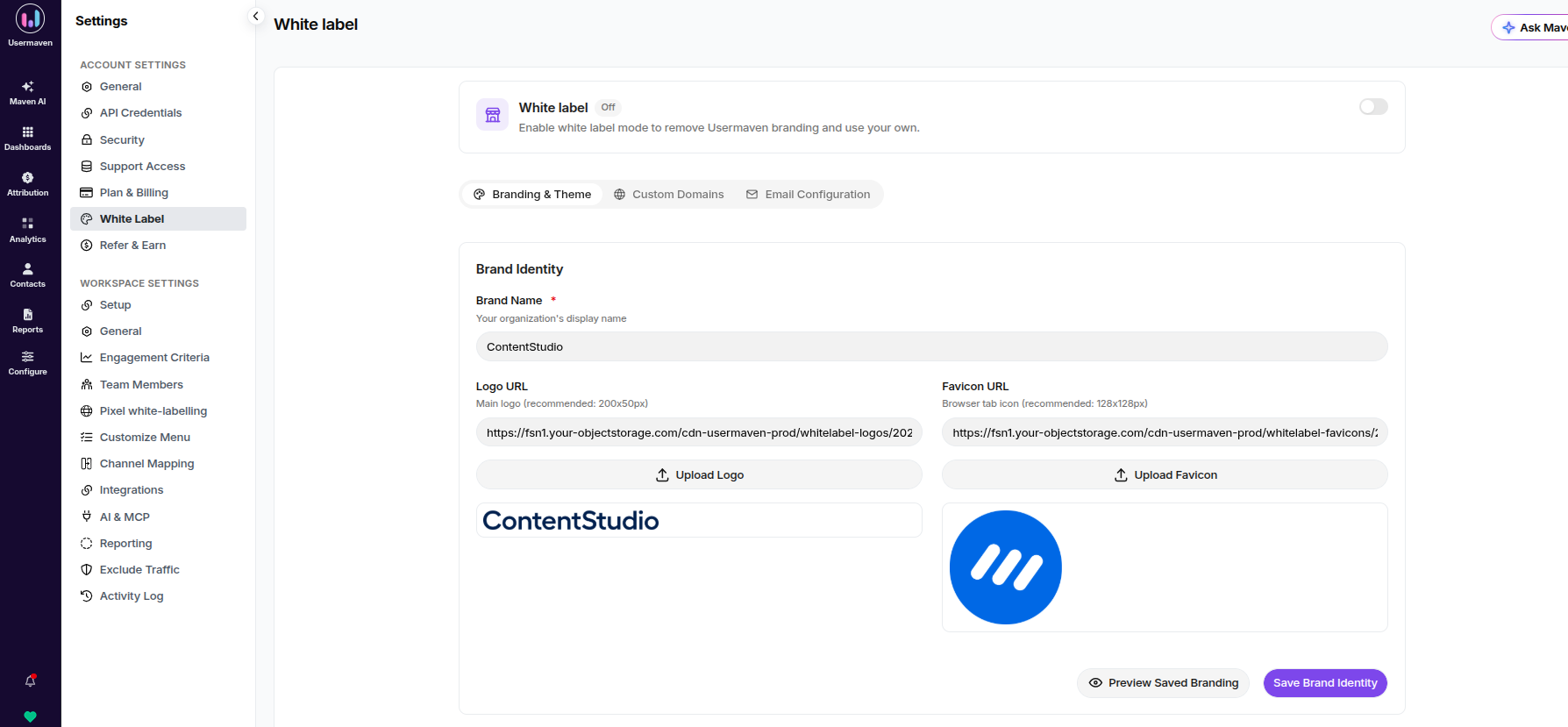
These steps follow the current white-label configuration guide. They describe a hosted branded dashboard, not a promise of native analytics embedding inside every third-party app.
1. Enable white labeling and set the brand
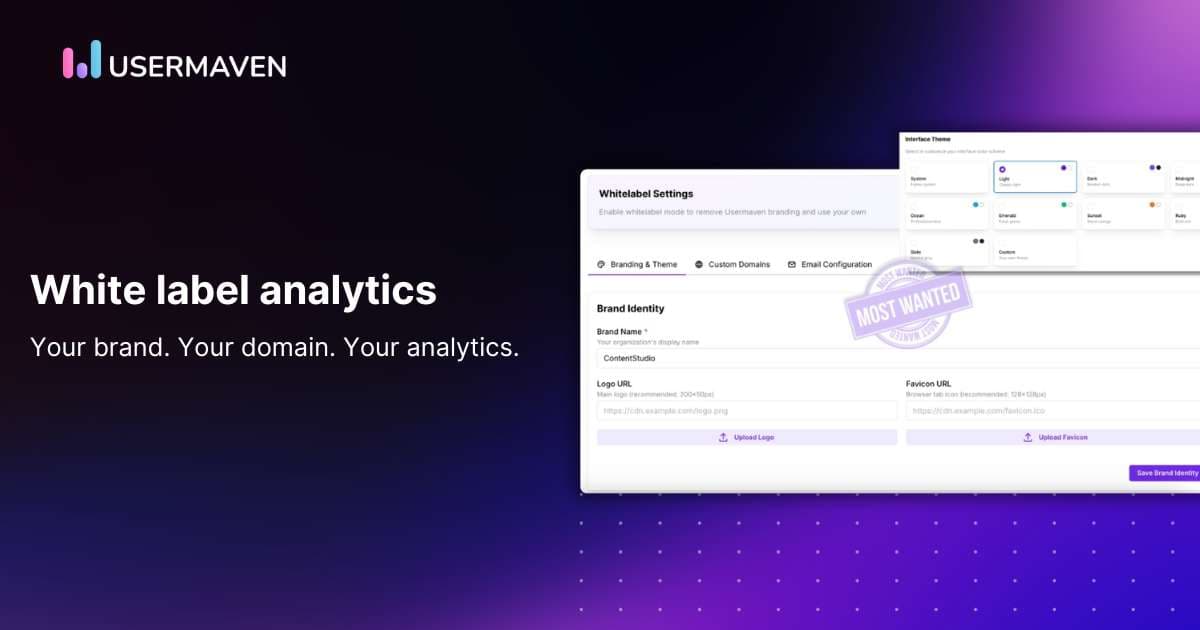
In Account Settings → White Label, enable the White Label toggle. Enter the brand name, logo URL, and favicon URL, then choose a theme or custom colors.
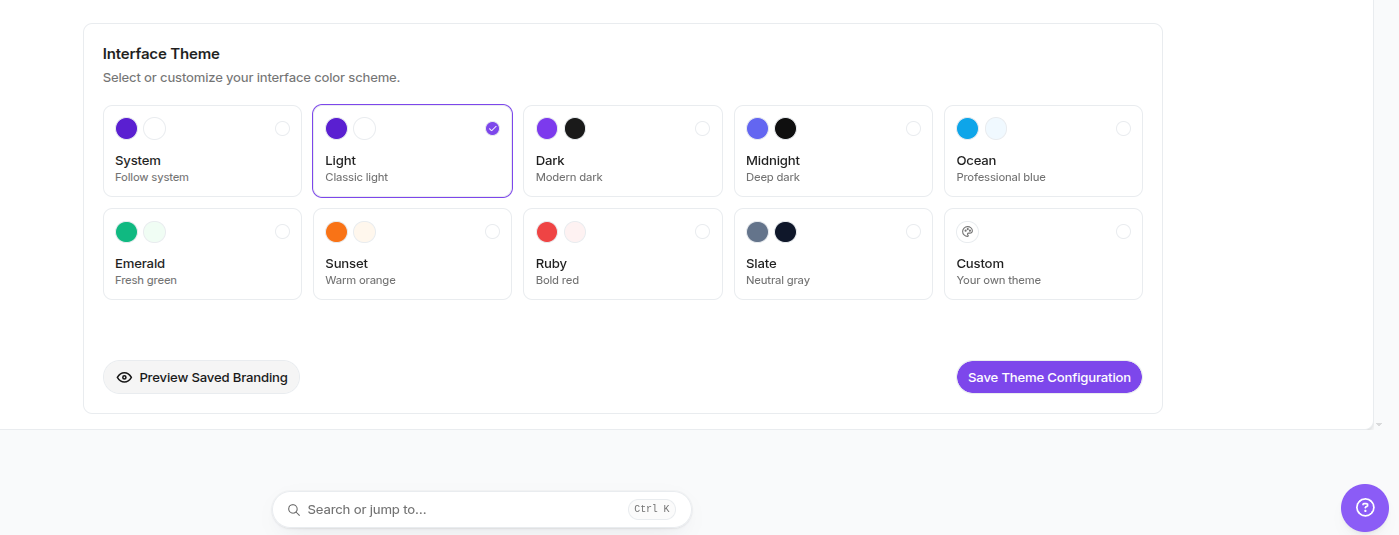
Preview the navigation, dashboard labels, and contrast before sharing the environment with clients. The existing screenshot below shows the branding and theme configuration.
2. Connect the dashboard domain
Configure the application domain so clients can visit a branded address, such as analytics.example.com. Add the required CNAME in DNS using the exact destination shown by Usermaven.
Then confirm the domain resolves correctly, uses HTTPS, and opens the expected client login. DNS changes may require validation before rollout.
3. Set branded email preferences
Enable the custom email provider option and set the sender name, sender address, reply-to address, sending domain, signature, and footer links where applicable.
Branded notifications are part of the reporting experience. In one US B2B survey summarized by EMARKETER, 50% of B2B marketers call it their top channel for impact on multichannel strategy. That finding concerns email marketing, not white-label software adoption.
Send a sample email and check the sender identity, delivery configuration, links, and mobile formatting.
4. Configure the tracking domain
A branded tracking subdomain, such as track.example.com, can align data collection with the organization’s domain and reduce some common blocking issues. It does not guarantee complete data collection or eliminate consent requirements.
Check the current DNS instructions for the chosen domain. Confirm that tracking requests arrive as expected and that website analytics counts remain consistent during migration.
5. Build a client-ready performance view
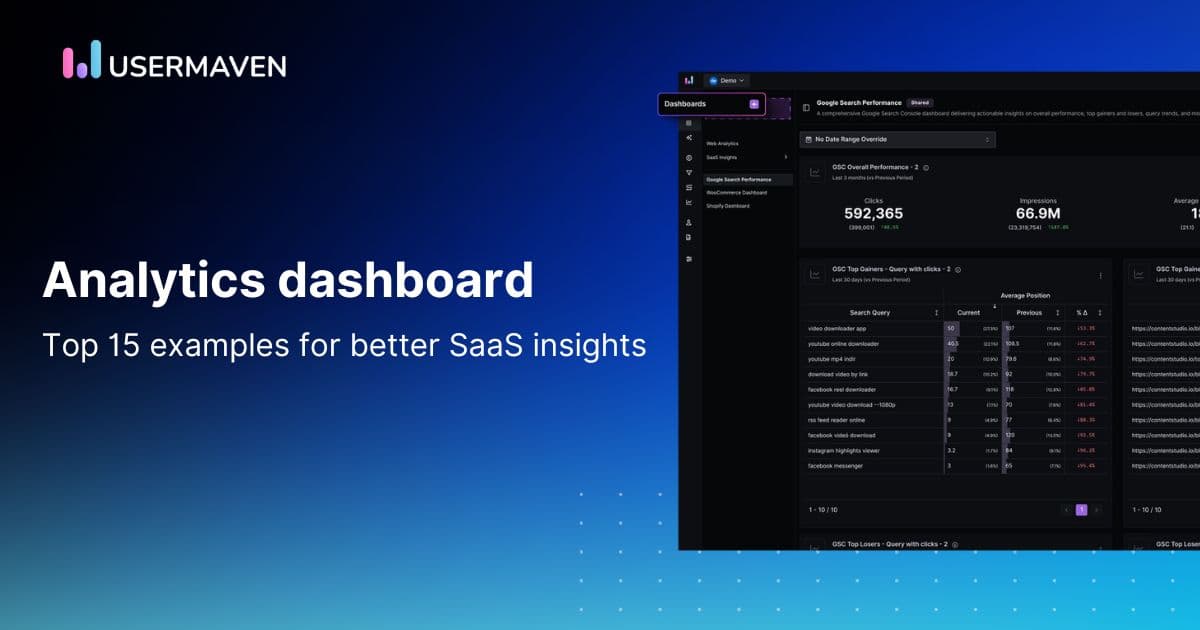
Create a dashboard with the client’s agreed KPIs, conversion definitions, and decision questions. Teams tracking paid acquisition may include spend, attributed conversions, revenue, and trend comparisons.
For SaaS customers, product analytics can add activation or retention context. A client dashboard should emphasize the outcome each customer needs, not every metric the platform can display.
Additional capabilities such as audience segmentation and Maven AI can support internal analysis. Confirm which features and delivery surfaces are included in the specific plan and white-label setup before promising them to clients.
What does white label analytics cost?
The monthly price alone rarely captures the full cost of white label reporting. Providers may charge by users, client workspaces, event volume, report volume, data history, embedded users, or a separate branding add-on.
Usermaven currently offers custom-quoted Business and Enterprise plans, with white labeling as an optional add-on. Its pricing overview describes the add-on, while the billing documentation explains that add-on costs are included in a custom quote.
Request a quotation using realistic numbers for workspaces, users, events, reports, and expected growth. Avoid judging software solely by the price of its least expensive configuration.
Simple cost comparison for agencies
Suppose an agency spends $600 per month on software, branding, and reporting operations for 12 active clients. The estimated delivery cost is $50 per client per month, before general overhead and profit.
That is an illustrative calculation, not a Usermaven price. Recalculate when client accounts, tracked events, integrations, or staff hours change.
What an agency case study actually proves
Salt Marketing Group needed to connect paid campaign activity with bookings across multiple client domains. Its Usermaven case study reports tracking across more than 15 client accounts and the use of pinned events and conversion goals to improve reporting confidence.
The Salt Marketing Group case study supports the value of standardized client measurement. It does not establish that the agency deployed white-label branding, so those benefits should not be conflated.
This distinction matters for procurement: a platform can demonstrate strong attribution without proving every branding capability, and a branded portal can look polished without proving conversion accuracy.
For other examples of measurable analytics outcomes, the Usermaven customer stories include agencies, SaaS businesses, and ecommerce teams.
Common mistakes to avoid
- Buying a logo swap instead of a solution: Check the full customer journey, including logins, exports, emails, and shared URLs.
- Assuming white label means embeddable: Request a working implementation of embedded authentication or an SDK if your software needs it.
- Hiding measurement limitations: Explain attribution windows, cross-domain gaps, missing events, and the meaning of each reported conversion.
- Ignoring customer boundaries: Test permissions and shared-link behavior with separate demo accounts.
- Underestimating scaling costs: Model reporting work, workspaces, users, volume, and custom domains before selling a fixed-price analytics service.
- Treating client reporting as a metric dump: Choose a few decision-ready indicators and describe what changed, why it may have changed, and the next action.
Make reporting part of the brand experience
White label analytics is most valuable when customers recognize the brand and can trust the information it provides. Choose the platform that fits the delivery model, validates the numbers, and keeps client access secure.
For agencies and SaaS teams evaluating a branded analytics portal with conversion and attribution capabilities, book a demo to see how Usermaven could support the reporting workflow.
FAQs
What is white label analytics software?
White label analytics software lets an organization deliver dashboards, reports, or an analytics portal under its own brand while another provider operates the underlying analytics technology.
Is white label analytics the same as embedded analytics?
No. White label analytics controls branding, while embedded analytics puts reporting inside another application. Some platforms support both, but a branded hosted portal does not automatically include in-app embedding.
Can agencies use white label analytics for multiple clients?
Yes, if the provider offers adequate workspaces, account permissions, and reporting controls. Agencies should test whether each client can access only its own data and whether branding is consistent.
What should a white label dashboard include?
A useful dashboard includes the client brand, a readable metric hierarchy, transparent definitions, appropriate permissions, and trustworthy conversion data. Custom URLs, exports, and email branding may also be required.
Does white label analytics improve tracking accuracy?
Not on its own. White labeling changes presentation. Accuracy depends on event collection, source classification, conversions, attribution rules, integrations, and data-quality checks.
How much does white label analytics cost?
Pricing varies by provider and scope. Evaluate workspaces, users, event volume, reporting needs, implementation, and add-ons. Usermaven uses custom quotes for Business, Enterprise, and white-label requirements.
Does Usermaven support white label analytics?
Updated

Written by
Ryan Mitchell
Marketing Analytics Strategist
Ryan Mitchell is a marketing analytics strategist specializing in campaign measurement, customer journeys, and marketing performance. He writes about analytics, reporting, and data-driven marketing strategies, helping SaaS and B2B teams measure what matters across every stage of the customer journey.
All articles by Ryan →