Ever visited a website and thought, this just gets me? Everything feels smooth. Every step makes sense. Then you switch to another brand, and suddenly you are stuck, confused, or ready to close the tab.
Those differences are not accidents. They are the result of customer journey mapping.
It is the process of understanding what customers do, what they feel, and what they need at every step. And when brands get it right, the results are powerful. Higher conversions. Happier customers. Stronger loyalty.
As you continue, you will discover how a well-crafted customer journey strategy shapes smoother experiences and builds deeper, long-lasting relationships with customers.
Visualize & optimize
user journeys with Usermaven
What is a customer journey map?
A customer journey map is a visual outline of all the interactions a customer has with your brand. It shows the full experience from the moment someone discovers your company through onboarding, product use, support, and long-term loyalty.
It works like a story that reveals what customers do, think, and feel at each stage. This helps you understand where the experience is intuitive and where customers may face friction.
Customer journey mapping is the research process behind creating this story. It focuses on real customer behavior to ensure the map reflects how people actually move through the journey.
A well-designed journey map helps teams answer questions such as:
- How do customers find us
- What motivates them to move forward
- Where do they get confused
- Why do they drop off
- Which touchpoints influence their decisions
- What encourages them to return or recommend us
With these insights, businesses can design smoother experiences and make better decisions that support growth.
Key components of a customer journey map
Every customer journey map is slightly different depending on the business or project. However, the most effective maps include the following components.
- Customer personas
A persona represents a specific segment of your users. It helps you focus the journey around one type of customer instead of trying to design for everyone at once.
A strong persona includes:
- Demographics
- Motivations and goals
- Pain points
- Behavioral patterns
- Expectations
Personas make the journey relatable and human-centered.
- Journey stages
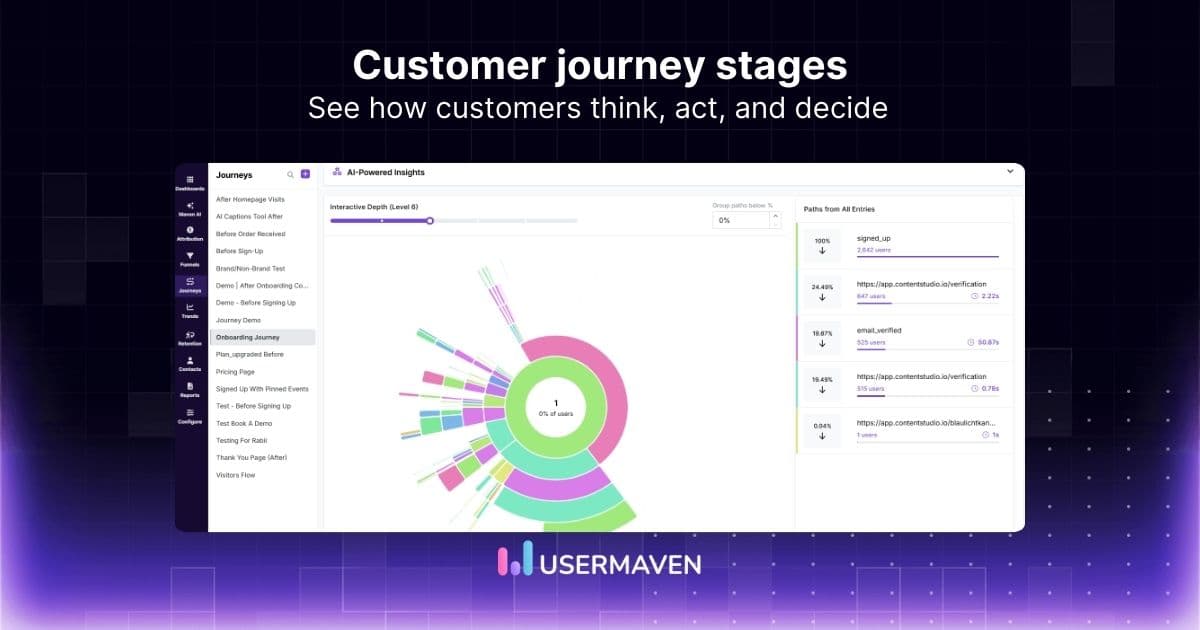
These are the major phases in the customer journey. They usually include awareness, consideration, decision, onboarding, usage, support, and loyalty.
Breaking the journey into stages helps you understand how customer needs shift over time.
- Touchpoints and channels
Customer journey touchpoints are the places where customers interact with your brand. These can include website visits, landing pages, emails, ads, social posts, in-app messages, support calls, trials, demos, or post-purchase communication.
Mapping touchpoints ensures that no part of the experience is overlooked.
- Customer actions
These are the steps customers take in each stage. For example:
- Searching for solutions
- Comparing plans
- Signing up for a trial
- Using a feature
- Contacting support
Customer actions help you understand what the user is doing and why.
- Customer thoughts and emotions
A great journey map includes the emotions users experience. These emotions can be positive, such as excitement, or negative, such as confusion or frustration.
Understanding emotions helps you identify opportunities to reduce friction or create delight.
- Pain points and barriers
These are the specific moments where customers struggle. Examples include:
- Unclear pricing
- Slow support
- Difficult onboarding steps
- Confusing interfaces
Pain points are often the most valuable part of a journey map because they point directly to areas for improvement.
- Opportunities
These are insights you uncover from the map. For example:
- Adding tooltips to a confusing feature
- Simplifying checkout
- Improving documentation
- Personalizing onboarding
Opportunities help teams prioritize which improvements matter most.
Quick note: If you want to compare tools that help you map and improve journeys end-to-end, check out our blog on the best customer journey management software.
Types of customer journey maps with examples
Not all journey maps look the same because different teams use them for different goals. Here are the four most common types.
Current state journey map
This map shows how customers experience your brand right now. It includes real thoughts, behaviors, and emotions.
Use it when you want to:
- Understand the real customer experience
- Identify pain points
- Improve the existing journey
Example:
An ecommerce brand notices high cart abandonment rates. A current state map reveals that shipping fees appear too late in the checkout flow, causing frustration. The company moves shipping cost estimates earlier in the process. As a result, cart abandonment drops.
Future state journey map
A future state map imagines the ideal experience you want customers to have. It helps you plan improvements and align goals.
Use it for:
- New product launches
- Redesigning the customer experience
- Long-term strategy
Day in the life journey map
This map goes beyond customer brand interactions and looks at their entire lifestyle. It reveals deeper motivations and unmet needs.
Use it when you want to:
- Develop new features
- Better understand customer behavior
- Discover new market opportunities
Example:
A fitness app studies how busy professionals structure their days. They find that users often lack time for long workouts. The company introduces five-minute workout sessions, which increase engagement.
Service blueprint
A service blueprint includes everything in the journey map plus the internal processes that support each touchpoint. It connects customer behavior with backend operations.
Use it when you need to:
- Improve internal efficiency
- Fix operational gaps
- Enhance cross-team collaboration
Example:
A healthcare clinic discovers long wait times were caused by delays in insurance verification. By streamlining this backend process, the clinic improves patient satisfaction and reduces waiting times.
Visualize & optimize
user journeys with Usermaven
How to create a customer journey map using Usermaven
Creating a customer journey map becomes much easier when you use real customer behavior instead of assumptions. Usermaven does this by automatically tracking events from user interactions and turning them into clear, visual insights you can use right away.
Below is a complete walkthrough of how each step of customer journey mapping works inside Usermaven.
Step 1: Set clear goals using funnels and behavior tracking
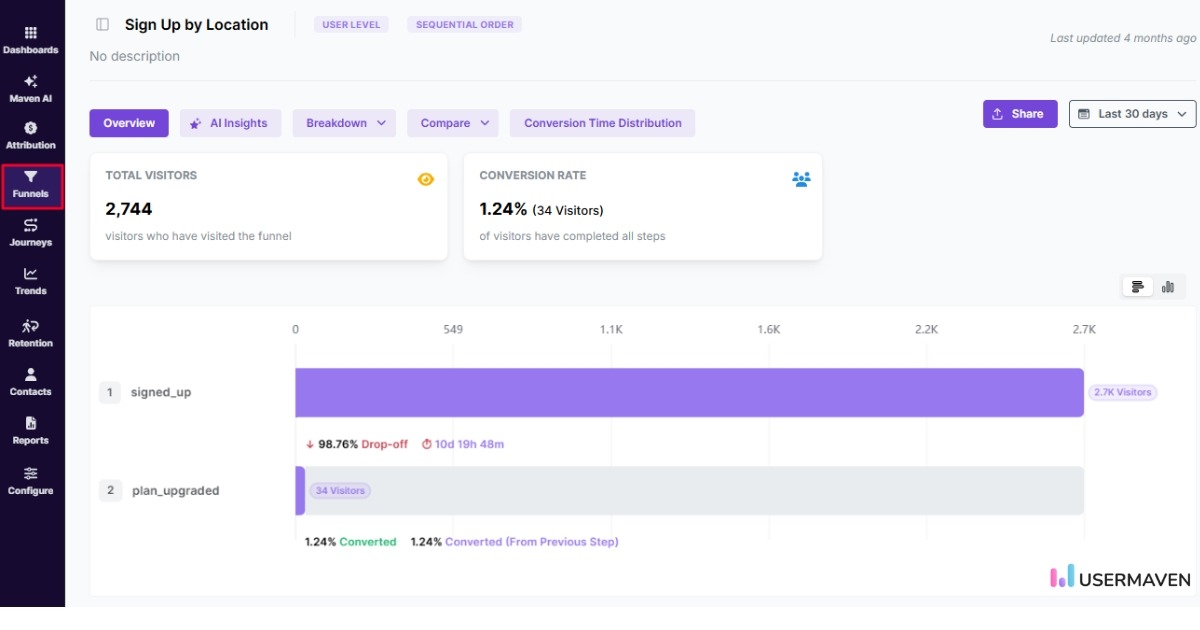
Before mapping the journey, you need to understand what you want to improve. Usermaven helps you do this with real data.
Inside Usermaven funnels, you can:
- Identify where users drop off
- Compare different user groups
- Track micro and macro conversions
- Understand which behaviors lead to success
For example, you might want to analyze why free trial users do not convert. Instead of guessing, you can look at a funnel report and see exactly where they stop engaging.
Step 2: Identify accurate personas using behavioral segmentation
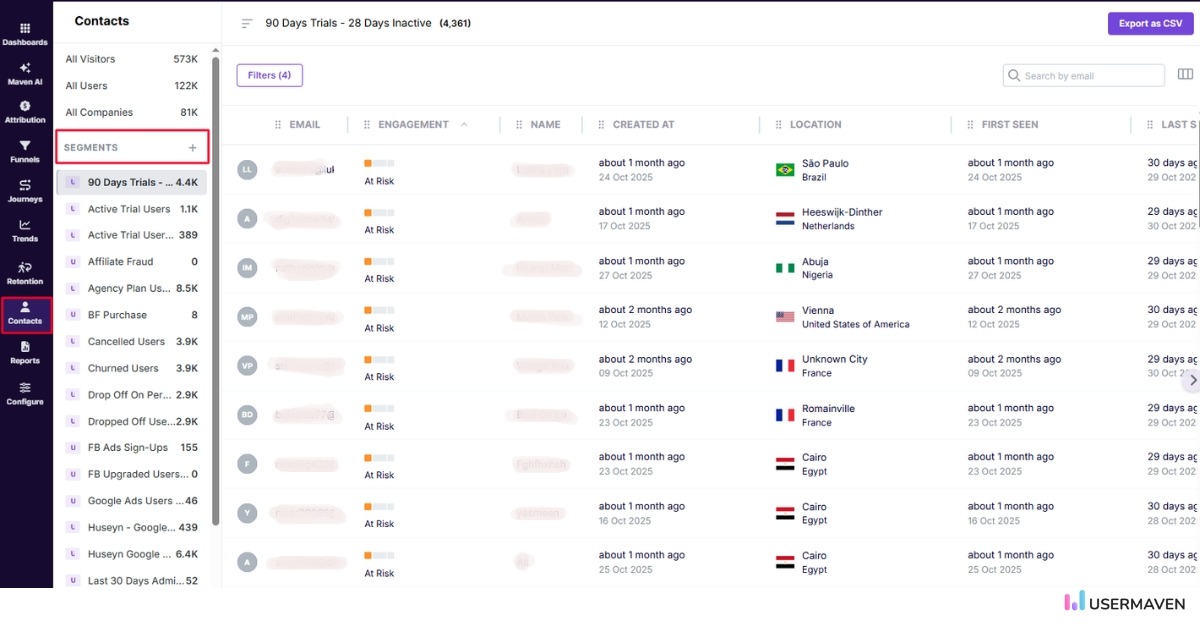
Most customer journey maps rely on assumed personas. Usermaven makes this easier by offering real behavior-driven insights through its segments feature. Instead of guessing who your users are, you can create personas based on how they actually interact with your product.
With segments, you can group users by:
- High intent vs low intent actions
- New vs returning visitors
- Traffic sources
- Device types
- Engagement level
- Feature usage
This helps you build personas that reflect real customer behavior rather than assumptions. For example, you can compare how enterprise users move through your product compared to small businesses and tailor the journey map to match their unique patterns.
Step 3: Track journey stages with real-time user flow tracking
Instead of manually defining customer journey stages, Usermaven maps them automatically based on actual user paths.
This helps you see:
- How users move from awareness to onboarding
- What they do between key actions
- Which paths lead to conversions
- Where the journey slows down or feels confusing
For example, you may discover that a large number of users go from the home page to pricing, then bounce. This shows a clear need to simplify or clarify your pricing experience.
Step 4: Map touchpoints automatically with no-code event tracking
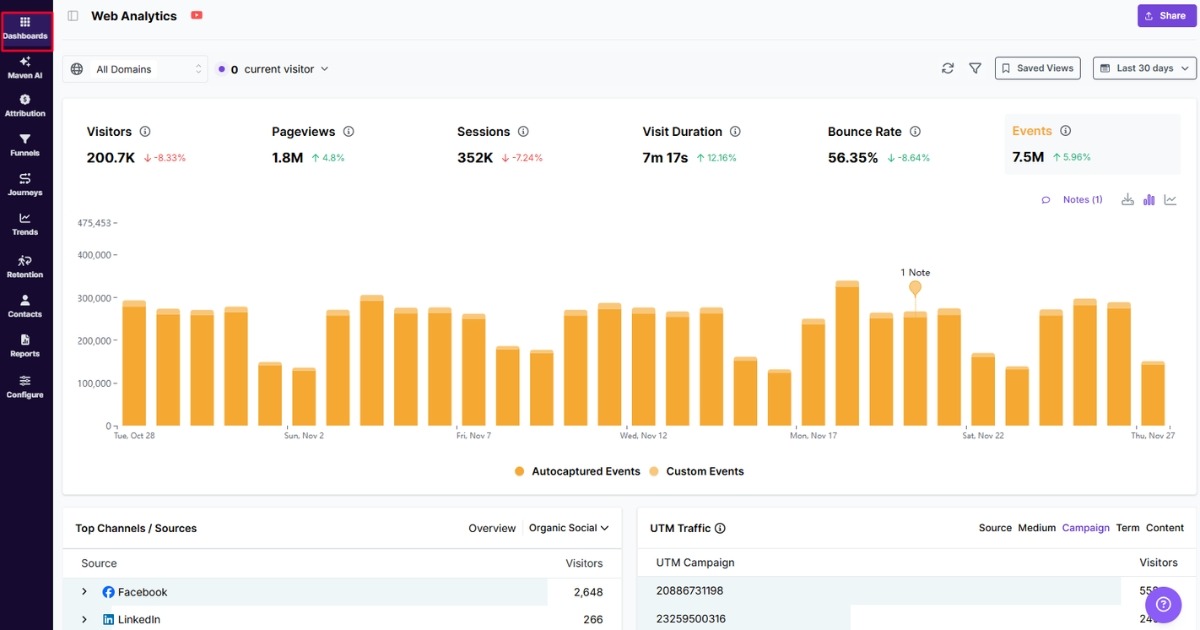
Traditional journey mapping requires manual event tracking, which slows teams down. Usermaven captures interactions automatically, without setup or engineering work.
You can see touchpoints across:
- Website interactions
- Blog reads
- Landing page visits
- Pricing page activity
- In-app feature usage
- Support chats
- Campaign engagement
This gives you a complete picture of the experience without missing key steps.
Step 5: Understand behavior patterns using cohorts and event timelines
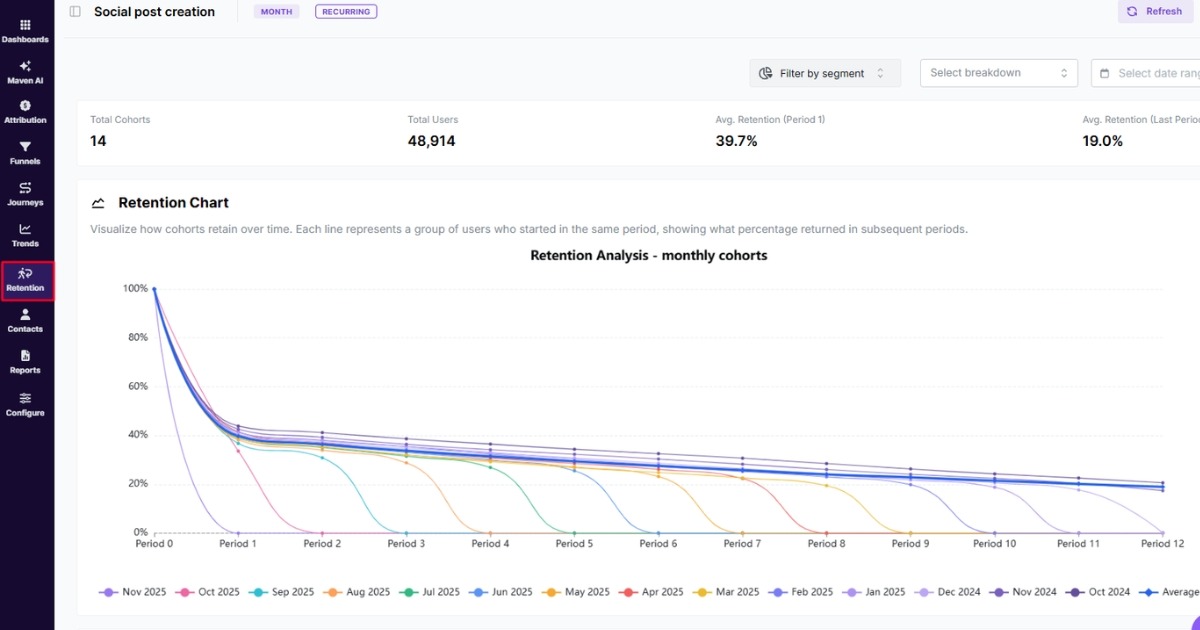
Cohort analysis helps you see how user groups behave over time. This reveals patterns that are not visible in surface-level analytics.
With Usermaven cohorts, you can track:
- Activation rates across cohorts
- Feature adoption timing
- Retention patterns
- Behavior differences between segments
- Impact of onboarding changes
For example, you may see that users who complete a specific action during week one are far more likely to become long-term customers.
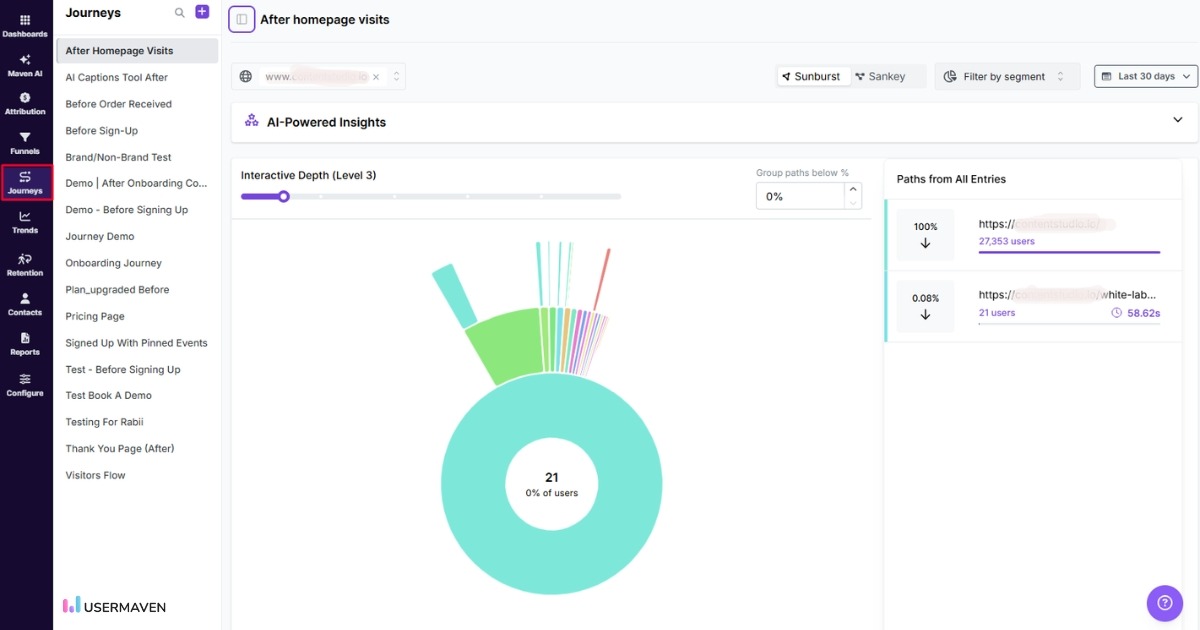
Step 6: Visualize the journey with Usermaven’s journey flow reports
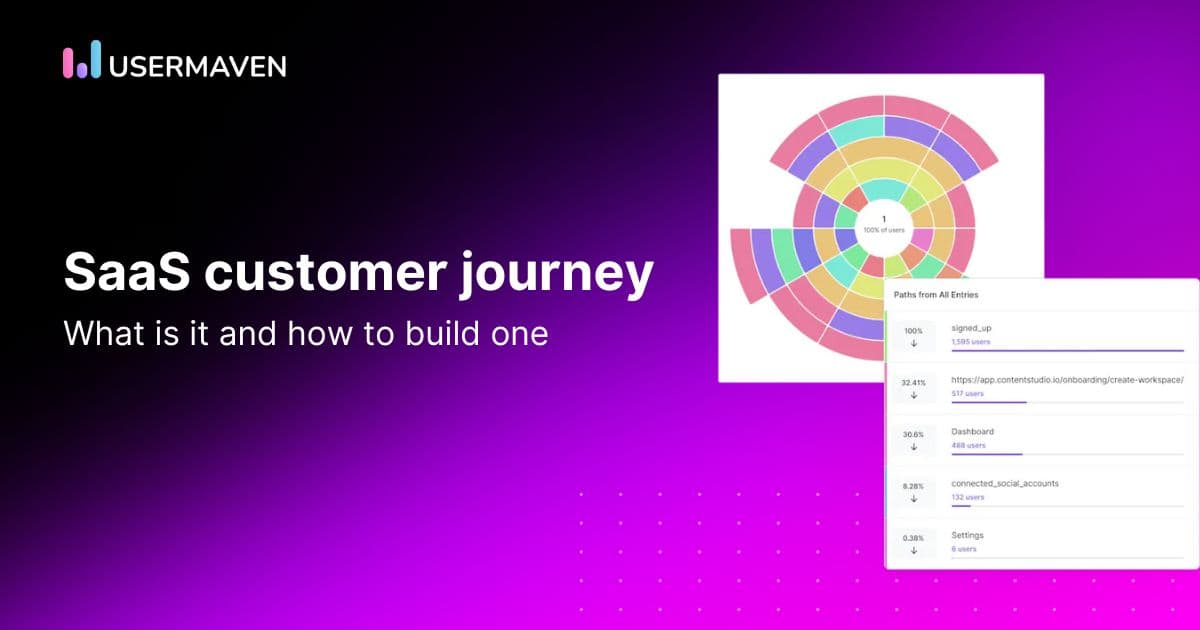
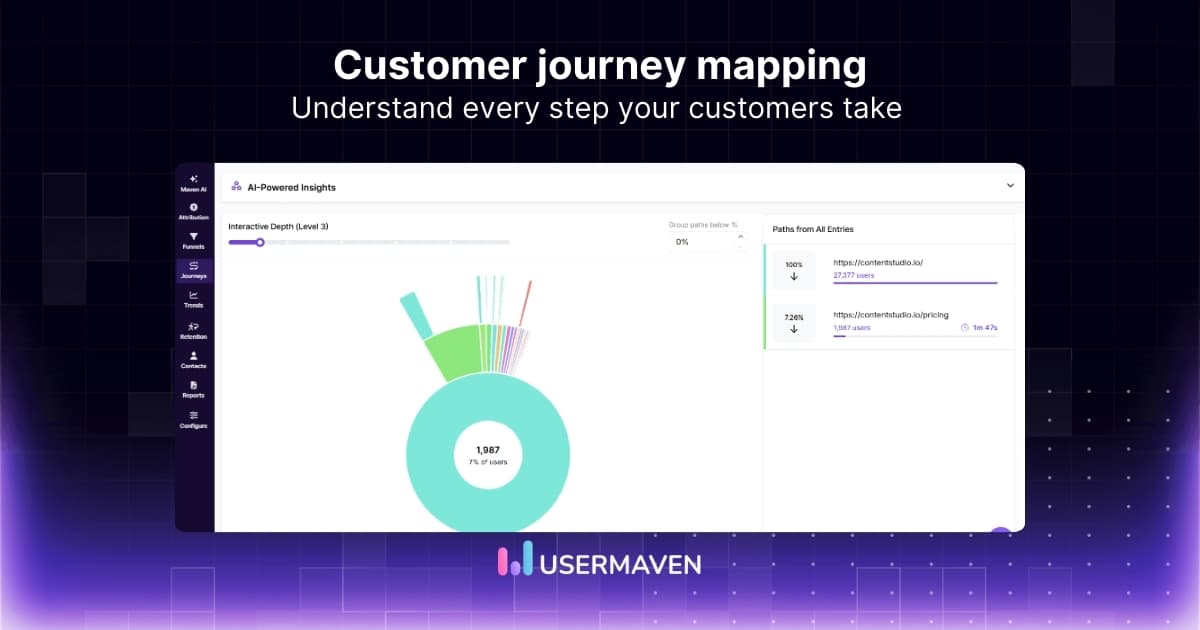
Usermaven ties everything together by giving you clear, visual journey flows that you can use as your customer journey map.
You can:
- View live user journeys
- Compare journeys across different segments
- Analyze each step’s impact on conversions
- Identify repeating patterns
- Export insights for internal collaboration
Instead of building a journey map manually, you get a dynamic, accurate representation of how users move through your product or website.
Step 7: Turn insights into real improvements
Once you understand how users behave, you can start making changes that matter. The goal is to reduce friction, improve clarity, and guide users toward the actions that drive value.
Usermaven helps your team:
- Validate ideas with real data
- Test improvements and measure performance
- Track how changes impact conversion and retention
- Align product, marketing, and support teams
This makes journey mapping an ongoing strategy instead of a one-time exercise.
Benefits of customer journey mapping
Customer journey mapping is not just a design exercise. It is a strategic tool that creates measurable business results. Companies that invest in journey mapping often see improvements across marketing, product, customer experience, and revenue.
Here are some of the most important benefits.
- A better understanding of customer needs
Journey mapping allows you to see your product through the customer’s eyes and understand how they move through the entire customer lifecycle. This gives you clarity on what customers expect, the problems they face, and what motivates their decisions at each stage. When you understand these needs more clearly, you can create experiences that feel more intuitive, helpful, and effective.
- Higher conversion rates
Many businesses discover that customers drop off because of small issues, such as unclear pricing, confusing onboarding steps, or missing explanations. A journey map helps you identify these friction points so you can fix them. Even small improvements at key touchpoints can significantly increase conversions.
- Lower churn and higher retention
A common reason customers leave is because they feel confused or unsupported. Journey mapping helps you identify where frustration occurs, especially during onboarding or early product use. When you address these issues, customers stay longer and develop stronger loyalty.
- Better cross-team alignment
Marketing, product, sales, and support often work in silos. Each team focuses on its own part of the experience. A journey map acts as a shared source of truth. Everyone sees how their role impacts the entire journey, which improves collaboration and decision-making.
- Improved customer lifetime value
When customers have positive experiences, they stay longer, upgrade more frequently, and refer others. This increases the lifetime value of each customer and strengthens long-term business growth.
- Better omnichannel consistency
Customers interact with brands through websites, social media, emails, ads, apps, support chats, and more. Journey mapping helps you deliver a consistent and connected experience across all channels.
Visualize & optimize
user journeys with Usermaven
Customer journey map examples
Here are a few examples that show how different industries use journey maps to drive better results.
Ecommerce brands improving conversions
An online retailer created a current state journey map to pinpoint why shoppers were abandoning their carts. The map revealed that customers felt surprised and frustrated when shipping fees appeared late in the checkout flow.
By showing shipping estimates earlier and introducing a free shipping threshold, the retailer increased completed purchases and reduced cart abandonment.
SaaS companies enhancing onboarding
A SaaS product team mapped the onboarding experience to understand where new users were getting stuck. The journey map showed a steep drop-off at a configuration step that lacked clear guidance.
After redesigning the flow and adding interactive instructions, user activation increased, and early churn declined.
Healthcare providers improving patient experiences
A healthcare provider mapped the patient journey from scheduling to post-visit follow-up. The map highlighted consistent frustration during the intake process and long wait times with no updates.
They implemented digital pre-registration and real-time updates for the waiting room. Additionally, they adopted contactless patient monitoring through a remote vital signs monitoring system that allowed healthcare providers to remotely monitor patients’ vital signs, such as blood pressure and oxygen saturation, using wearable devices. Patient satisfaction scores improved by 28 percent, and perceived wait times dropped significantly.
To further enhance patient experiences and reduce administrative burden, many providers are now hiring a healthcare virtual assistant to manage scheduling, intake coordination, and follow-up communication, creating a smoother journey across every touchpoint.
B2B teams strengthening the sales process
A B2B technology company used a journey map to evaluate the experience prospects had during product demos. The map showed that decision-makers felt overwhelmed by too much technical information.
By simplifying demos and focusing on business outcomes and real use cases, the company increased close rates and shortened its sales cycle.
Common journey mapping mistakes to avoid
Many journey maps fail because teams fall into common traps. Here are the mistakes you should avoid.
- Creating the map based on assumptions: Assumptions lead to misleading insights. Always validate with real customer data.
- Focusing only on pre-purchase stages: The post-purchase experience is where retention and loyalty are built. Do not end the journey at the purchase.
- Mixing multiple personas in one map: Different personas follow different journeys. Create separate maps for each important persona.
- Ignoring emotions and pain points: Actions are important, but emotions reveal why users behave the way they do.
- Overcomplicating the visualization: You do not need a complicated design. Simple maps make it easier for teams to act on insights.
- Creating the map and never using it: Think of the journey map as a decision-making tool. Review it often and keep it updated.
How customer journey mapping enables omnichannel marketing and customer service
Customer journey mapping is essential for delivering a consistent and connected experience across all channels. It gives you the visibility needed to support a strong omnichannel approach where every touchpoint feels aligned and intentional.
Better channel alignment
By understanding touchpoints, you can ensure consistent messaging across:
- Website
- Social media
- Ads
- Customer support
Consistency reduces confusion and builds trust.
Improved customer service
Journey maps show where customers struggle, which helps support teams prepare better responses, improve knowledge bases, and deliver faster resolutions.
Personalization opportunities
Journey mapping reveals behavior patterns at each stage. This allows brands to personalize:
- Email sequences
- Recommendations
- Onboarding flows
- Support messages
Personalization improves conversion and customer satisfaction.
Stronger brand experience
When customers experience smooth transitions across channels, they feel more connected to the brand. This increases loyalty and encourages referrals.
In summary!
Customer journey mapping helps you understand what customers experience and what needs to improve. It reveals friction, highlights opportunities, and guides smarter decision-making.
To create a journey map that reflects real customer behavior, you need accurate insights and full visibility into how people interact with your website or product. The best marketing attribution software and analytics tool for this is Usermaven. It gives you the depth, clarity, and real-time understanding needed to optimize every touchpoint.
If you are ready to turn insights into action and build experiences customers genuinely love, now is the perfect time to get started.
Ready to see Usermaven in action? Explore the platform or book a demo for a closer look.
Visualize & optimize
user journeys with Usermaven
FAQs
What’s the difference between a customer journey map and a funnel?
The difference between a customer journey map and a funnel lies in depth and perspective. While a funnel focuses on conversion metrics at each stage, a customer journey map captures the full emotional, behavioral, and contextual experience of a customer throughout their lifecycle.
How can a customer journey map improve customer retention?
A customer journey map improves retention by identifying friction points and optimizing post-purchase interactions. By tracking user behavior and engagement, businesses can pinpoint where customers drop off and take proactive steps to enhance their experience.
What’s the best way to validate a customer journey map?
The best way to validate a customer journey map is through real user data and direct feedback. Businesses should use behavioral analytics, session recordings, and customer surveys to ensure the map accurately reflects actual customer interactions.
Can small teams benefit from customer journey mapping?
Yes, small teams can benefit from customer journey mapping. Even with limited resources, mapping the journey helps identify low-effort, high-impact improvements that drive growth and increase customer retention.
What common signals indicate that a journey map needs updating?
A journey map should be updated when customer behaviors shift, engagement metrics decline or new products and services change the customer experience. Monitoring KPIs like conversion rates and churn can indicate when an update is needed.
How can businesses personalize experiences using a customer journey map?
Businesses can personalize experiences by using journey maps to segment users based on behavior, preferences, and engagement history. Tailoring messaging, recommendations, and support based on customer interactions improves satisfaction and loyalty.
Updated

Written by
Imrana Essa
SaaS Marketing Lead
Imrana Essa is a marketing lead and content strategist with 8+ years of experience creating and leading content for B2B and SaaS brands. She specializes in marketing analytics, attribution, content strategy, and organic growth, translating complex marketing concepts into clear, actionable insights. Her work focuses on helping marketers understand performance, make data-informed decisions, and build strategies that contribute to sustainable growth.
All articles by Imrana →