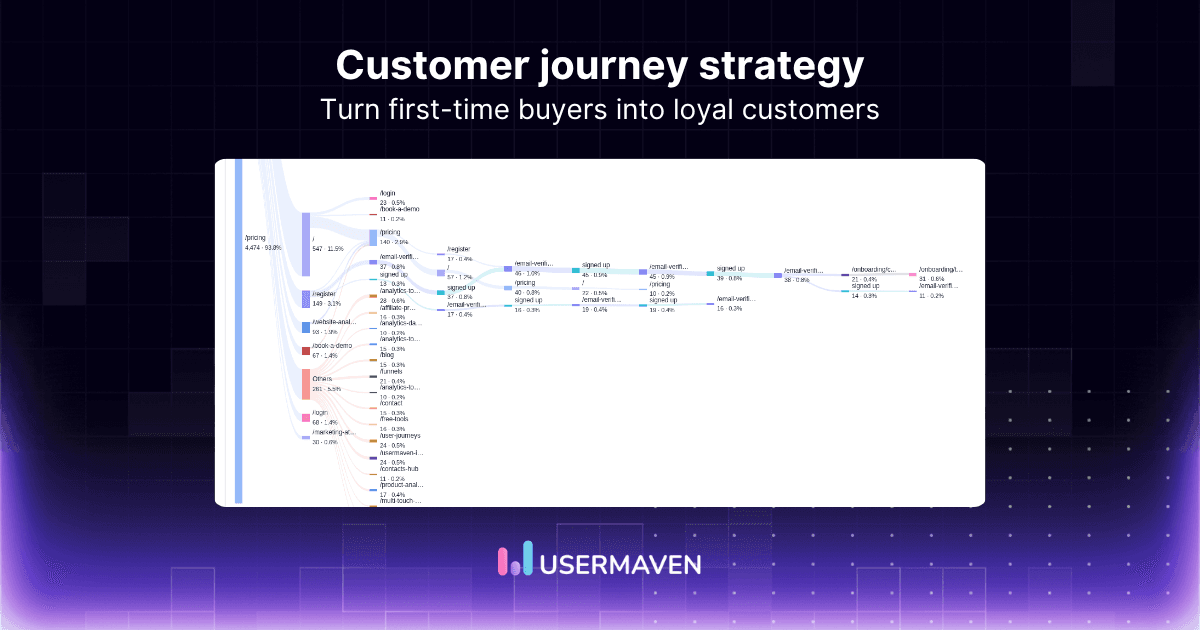
Your SaaS website is attracting visitors, generating signups, and booking demos. But how many of those prospects actually become paying customers?
Are they dropping off during evaluation, struggling with onboarding, or failing to find value in your product?
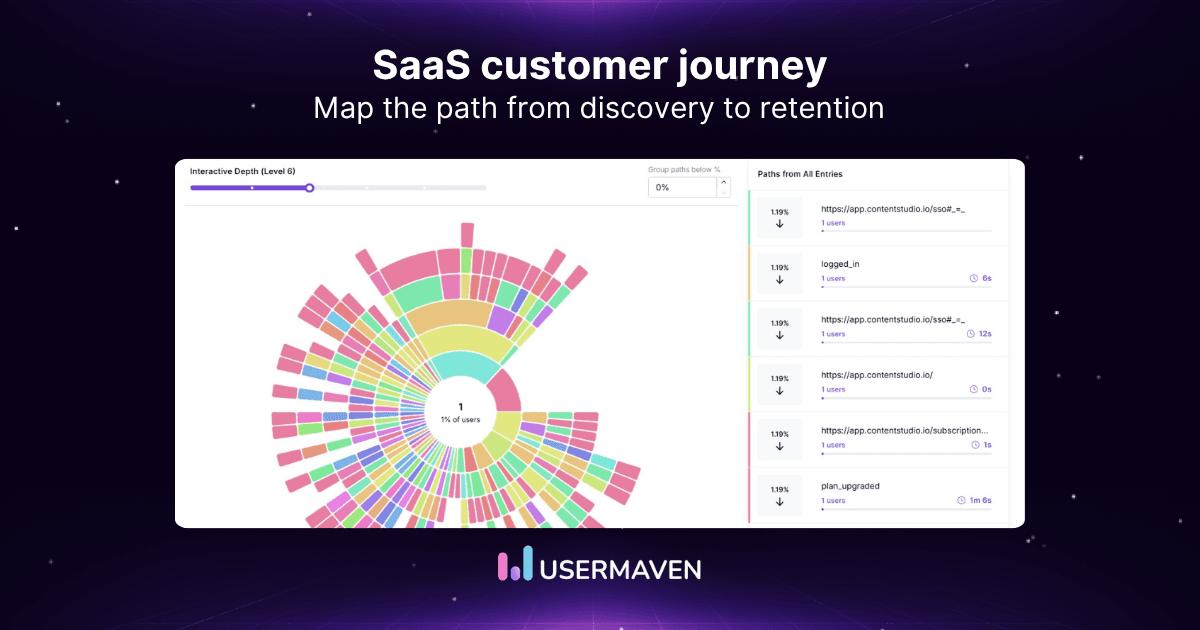
A SaaS customer journey map helps you identify these gaps and understand what needs improvement.
In this guide, you’ll learn how to build one, with practical steps, examples, and a ready-to-use template.
Key takeaways
- Start with a specific customer segment: Mapping every customer at once makes it harder to identify meaningful problems and opportunities.
- Look beyond the traditional sales funnel: SaaS customer journeys include discovery, evaluation, onboarding, activation, retention, and expansion.
- Use real customer data: Combine customer feedback, website analytics, product usage, and CRM data to understand what customers actually experience.
- Identify friction at every stage: Find where prospects hesitate, users struggle, or customers stop progressing, then prioritize improvements.
- Connect journeys to business outcomes: Use customer journey analytics and marketing attribution to understand how interactions contribute to conversions, product adoption, pipeline, and revenue.
Visualize & optimize
user journeys with Usermaven
What is a SaaS customer journey map?
A SaaS customer journey map is a visual representation of how customers interact with your software business, from discovering your product to becoming loyal users.
It helps you understand what customers do, what they need, and where they face challenges throughout their journey.
In B2B SaaS analytics a typical customer journey map includes:
- Customer journey stages: Awareness, consideration, evaluation, purchase, onboarding, adoption, and retention.
- Customer goals: What customers want to achieve at each stage.
- Touchpoints: Where customers interact with your website, marketing campaigns, sales team, or product.
- Pain points: Problems or obstacles that slow down their progress.
- Customer actions: Steps customers take, such as booking a demo, signing up, or using a feature.
- Improvement opportunities: Changes that could create a better customer experience.
Unlike a traditional B2B sales funnel, a SaaS customer journey map covers the entire customer lifecycle. It also accounts for customers returning to earlier stages, exploring different options, or involving other decision-makers.
Visualize & optimize
user journeys with Usermaven
Customer journey map vs. customer journey analytics
A customer journey map and customer journey analytics both help you understand the customer experience. However, they serve different purposes.
A customer journey map shows the overall experience, including customer goals, actions, touchpoints, and pain points.
Customer journey analytics uses behavioral data to show how customers actually interact with your website, product, and marketing channels.
Here’s how they compare:
| Customer journey map | Customer journey analytics | |
| Purpose | Understand the customer experience | Analyze actual customer behavior |
| Data sources | Interviews, surveys, feedback, and analytics | Website, product, and CRM data |
| Focus | Customer needs, actions, and pain points | User paths, conversions, and drop-offs |
| Output | Visual map of the customer experience | Reports, funnels, and journey analysis |
| Best for | Identifying experience gaps | Finding behavioral patterns and measuring performance |
How do they work together?
Imagine your SaaS customer journey map shows that prospects often need more information before booking a demo.
Customer journey analytics can help you investigate which pages visitors explore, where they leave, and which interactions happen before a demo request.
Together, they help you identify potential problems, validate assumptions, and make more informed decisions.
You can also use a customer journey funnel to measure how users move through specific steps toward a conversion goal.
Why create a SaaS customer journey map?
SaaS customer journey mapping helps you identify customer challenges, improve their experience, and find opportunities for growth.
Here are six key benefits:
1. Identify customer pain points
Find where customers struggle, whether it’s understanding pricing, completing onboarding, or using a feature. This helps you identify problems that need attention.
2. Improve conversion rates
Understand what prospects need before taking the next step. Use these insights to improve product pages, simplify the buying process, and increase conversions.
3. Create a better onboarding experience
Identify setup challenges and remove unnecessary steps. This helps new users experience value faster and improves product adoption.
4. Increase customer retention
Understand why customers lose interest or stop using your product. Address these issues to improve engagement and reduce churn.
5. Align marketing, sales, and product teams
Give teams a shared view of the customer journey so they can improve acquisition, sales, onboarding, and engagement together.
6. Make better data-driven decisions
Combine customer feedback, website analytics, and product data to prioritize improvements that can increase conversions, retention, and revenue.
8 stages of the SaaS customer journey
The SaaS customer journey covers everything from discovering a product to becoming a loyal customer. Understanding these stages helps you identify where prospects drop off and where existing customers need more support.
Here are the eight common stages of a SaaS customer journey:
| Stage | Customer goal | Common touchpoints |
| 1. Awareness | Recognize a problem and discover possible solutions | Search engines, blogs, social media, referrals |
| 2. Consideration | Explore solutions and compare available options | Product pages, comparison guides, reviews, webinars |
| 3. Evaluation | Decide whether the software meets their needs | Product demos, free trials, pricing discussions |
| 4. Purchase | Choose a solution and complete the buying process | Proposals, contracts, payment, sales calls |
| 5. Onboarding | Set up the software and learn how to use it | Setup guides, onboarding emails, implementation support |
| 6. Activation | Experience the product’s value for the first time | Key feature usage, completed setup, first successful outcome |
| 7. Adoption and retention | Continue using the product and getting value | Product features, support, training, account reviews |
| 8. Expansion and advocacy | Explore additional value or recommend the product | Upgrades, referrals, case studies, customer reviews |
Do all SaaS customers follow these stages?
Not necessarily. SaaS customer journeys are rarely linear.
Some customers sign up after reading a single article. Others compare several products, attend demos, and involve multiple decision-makers before purchasing.
The journey also depends on your business model. A product-led SaaS company may focus more on trials and activation, while a sales-led B2B SaaS company may have a longer evaluation and approval process.
Use these stages as a starting point, then adjust your SaaS customer journey map based on actual customer behavior.
How multiple decision-makers influence the B2B SaaS customer journey
In B2B SaaS, the person who discovers your product isn’t always the one who makes the final purchase decision.
A marketing manager might find your software, but the department head approves the budget. Meanwhile, IT may need to review security, and the sales team may need to confirm CRM compatibility.
Each stakeholder has different priorities, which can make the B2B SaaS customer journey longer and more complex.
Here’s how different stakeholders influence the buying process:
| Stakeholder | Main priority | Common question |
| Champion | Finding a solution and building internal support | Will this solve our team’s problem? |
| Decision-maker | Business value and return on investment | Is this worth the investment? |
| End user | Ease of use and daily workflows | Will this make my work easier? |
| Finance or procurement | Budget, pricing, and contract terms | Does this fit our budget? |
| IT or security | Integrations, security, and data privacy | Can we safely integrate this with our systems? |
What to include in a SaaS customer journey map
A useful SaaS customer journey map should show more than the steps customers take. It should also explain what they want to achieve, where they face problems, and how your team can improve their experience.
Here are the important elements to include:
- Customer persona: Define who you’re mapping. This could be a first-time visitor, a trial user, or a B2B decision-maker.
- Customer goals: Identify what customers want to accomplish at each stage, such as comparing products, completing setup, or using a key feature.
- Journey stages: Break the experience into stages, from awareness and consideration to onboarding, retention, and expansion.
- Customer touchpoints: List where customers interact with your business, including search engines, website pages, emails, demos, and product features.
- Customer actions: Record what customers do at each stage, such as reading reviews, booking a demo, or connecting an integration.
- Pain points: Identify obstacles that slow customers down or prevent them from moving forward.
- Customer feedback and data: Use interviews, surveys, website analytics, product usage data, and CRM records to support your findings.
- Improvement opportunities: Identify changes that could make the experience easier and help customers reach their goals.
- Success metrics: Choose relevant KPIs, such as demo conversion rate, activation rate, time to value, or customer retention.
Quick example
Imagine you’re mapping the onboarding experience for a SaaS product.
A new customer signs up but struggles to connect their CRM. Your journey map records the action, the problem, and the possible improvement.
You might discover that clearer setup instructions or better onboarding support could help customers complete the process faster.
The goal isn’t to fill every field with information. It’s to build a customer journey map that helps your team identify problems, prioritize improvements, and make better decisions.
Visualize & optimize
user journeys with Usermaven
How to build a SaaS customer journey map in 8 steps
Follow these eight steps to create a customer journey map for your SaaS business.
1. Define your target audience and goal
Start by deciding whose journey you want to map and what you want to understand.
For example, you might want to explore why website visitors aren’t booking demos or why new users struggle during onboarding.
Choose a specific customer segment, such as:
- First-time website visitors
- Free trial users
- B2B SaaS decision-makers
- Newly acquired customers
- Existing customers considering an upgrade
Use real customer data to understand each segment’s needs and challenges. The best insights come from CRM data, AI CRM platforms, user interviews, surveys, and behavioral analytics.
Next, define the starting and ending points of the journey. This keeps your map focused and easier to analyze.
2. Collect customer data and feedback
A useful customer journey map should reflect what customers actually experience, not what your team assumes happens.
Gather information from different sources:
- Website analytics: Understand traffic sources, page visits, and conversion paths.
- Product analytics: Track feature usage, onboarding progress, and user engagement.
- CRM data: Review leads, opportunities, sales interactions, and customer records.
- Customer feedback: Learn about customer needs through interviews, surveys, and reviews.
- Support conversations: Identify recurring questions, complaints, and setup challenges.
Combine qualitative feedback with behavioral data to get a clearer picture of the customer experience.
3. Identify the customer journey stages
Break the journey into stages that match your SaaS business model.
For example, a sales-led B2B SaaS company might use awareness, consideration, evaluation, purchase, and onboarding.
A product-led SaaS company may focus more on signup, activation, feature adoption, and retention.
Don’t force every customer into the same journey. Choose stages that reflect how your customers actually interact with your business.
4. Map customer actions and touchpoints
Next, identify what customers do at each stage and where they interact with your business.
Common SaaS customer touchpoints include:
- Search engines and blog content
- Product and comparison pages
- Social media and advertising campaigns
- Product demos and sales calls
- Signup forms and onboarding emails
- Product features and support interactions
For each touchpoint, ask what the customer wants to achieve and what might prevent them from moving forward.
5. Identify pain points and friction
Look for moments when customers hesitate, abandon a process, or struggle to complete an action.
Common examples include:
- Visitors leaving before booking a demo
- Prospects struggling to understand pricing
- Users abandoning the onboarding process
- Customers having trouble with integrations
- Low adoption of important product features
Use customer feedback and behavioral data to investigate these problems.
For example, a high onboarding drop-off rate tells you where users are leaving. Customer interviews or support tickets can help explain why.
6. Analyze customer behavior and validate your map
Once you’ve mapped the journey, compare it with actual customer behavior.
Use website analytics, product analytics, and customer journey reports to investigate:
- Which pages customers visit before converting
- Where users drop off in a conversion funnel
- How prospects move between marketing touchpoints
- Which product features customers use after signup
- How customer behavior differs across segments
This helps you identify gaps between the journey you expected and the one customers actually follow.
Remember that analytics shows recorded actions, not necessarily why customers take them. Use customer feedback to validate your findings.
7. Prioritize improvements and measure results
You may discover several problems while mapping the customer journey. Trying to fix everything at once can make it difficult to measure progress.
Start with issues that affect important customer goals or business outcomes.
For example:
- Low demo conversions: Improve product messaging or simplify demo forms.
- Onboarding drop-offs: Clarify setup instructions and provide better guidance.
- Low feature adoption: Improve in-app education and feature discovery.
- Poor retention: Investigate engagement patterns and recurring customer complaints.
Choose a relevant metric for each improvement, such as conversion rate, activation rate, time to value, or customer retention.
8. Review and update your customer journey map
Customer behavior changes as your product, audience, and marketing strategy evolve.
Review your SaaS customer journey map when you launch new features, change your onboarding process, enter new markets, or notice meaningful changes in customer behavior.
Update the map using recent customer feedback and analytics data.
This keeps your customer journey mapping process useful for ongoing decisions rather than treating it as a one-time exercise.
SaaS customer journey map template
A SaaS customer journey map doesn’t need to be complicated. Use this simple template to understand what customers do, where they face problems, and how you can improve their experience.
| Stage | Customer actions | Pain points | What to improve |
| Awareness | Searches for solutions | Unclear product value | Improve messaging and content |
| Consideration | Compares different tools | Difficult to compare options | Add clear feature comparisons |
| Evaluation | Books demos or starts trials | Unanswered questions | Improve demos and product information |
| Purchase | Reviews pricing and gets approval | Complicated buying process | Simplify purchasing |
| Onboarding | Sets up the product | Setup difficulties | Provide better guidance |
| Activation | Uses key features | Struggles to find value | Guide users to their first success |
| Retention | Continues using the product | Low engagement | Improve support and education |
| Expansion | Explores upgrades | Unclear upgrade benefits | Highlight additional value |
How to use this template
Choose a customer segment and adjust the stages to match your SaaS business. Use customer feedback and analytics to identify real pain points, then prioritize improvements.
You can create your map in Google Sheets, Excel, or any collaborative tool.
Visualize & optimize
user journeys with Usermaven
How to turn a SaaS customer journey map into an attribution plan
A SaaS customer journey map shows how customers interact with your business. Marketing attribution helps you understand which tracked interactions contribute to conversions, pipeline, and revenue.
To connect the two, start by identifying important touchpoints and the outcomes you want to measure.
| Customer journey stage | What to measure |
| Awareness | Traffic sources and campaign performance |
| Consideration | Content engagement and marketing touchpoints |
| Evaluation | Demo bookings and qualified leads |
| Purchase | Opportunities, conversions, and revenue |
| Onboarding | Activation rate and time to value |
| Retention | Product engagement and customer retention |
Use multi-touch attribution to compare how different marketing interactions receive credit for conversions.
This helps you understand which channels contribute to customer acquisition and where you may need to adjust your marketing investment.
Remember, attribution shows how credit is assigned across tracked touchpoints. It doesn’t prove that a particular interaction caused a conversion.
How Usermaven helps SaaS businesses turn customer journeys into revenue
Usermaven is an AI-powered marketing attribution platform that connects marketing, website, product, and CRM data. It helps SaaS brands understand what drives growth and where they can improve.
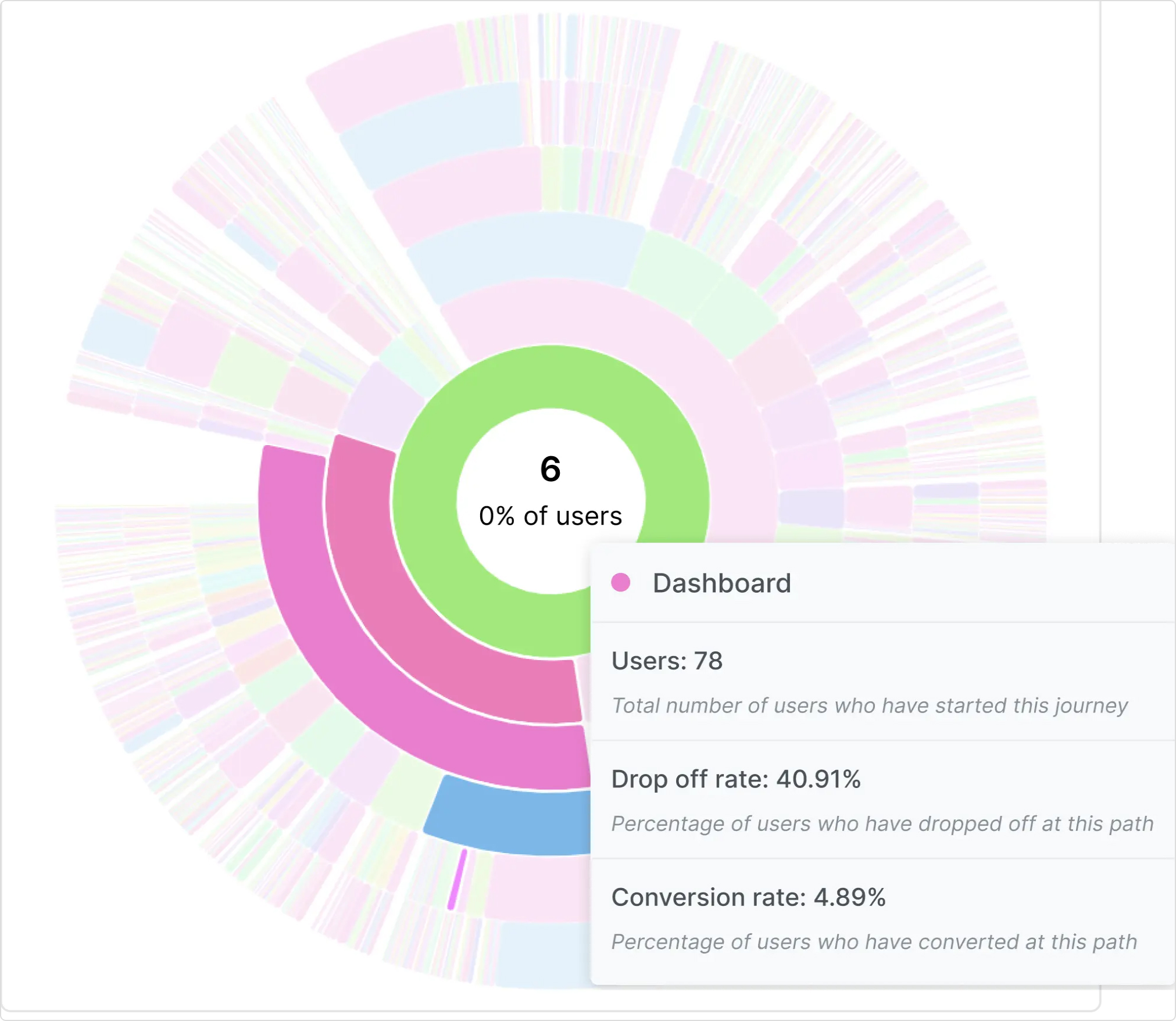
Here’s what you can achieve with Usermaven:
- Turn more visitors into customers: Analyze conversion funnels and user journeys to identify where prospects drop off before signing up or booking a demo.
- Find marketing channels that drive revenue: Connect campaigns and customer touchpoints to leads, pipeline, and closed deals. Focus your budget on channels that contribute to valuable customers.
- Reduce wasted ad spend: Compare attribution models and campaign performance to identify underperforming investments and improve marketing ROI.
- Improve product adoption and retention: Understand how customers use your product, which features they adopt, and where engagement starts to decline.
- Make faster decisions with AI: Use Maven AI to investigate customer journeys, conversions, and revenue. Set up AI Agents to analyze important metrics on a schedule.
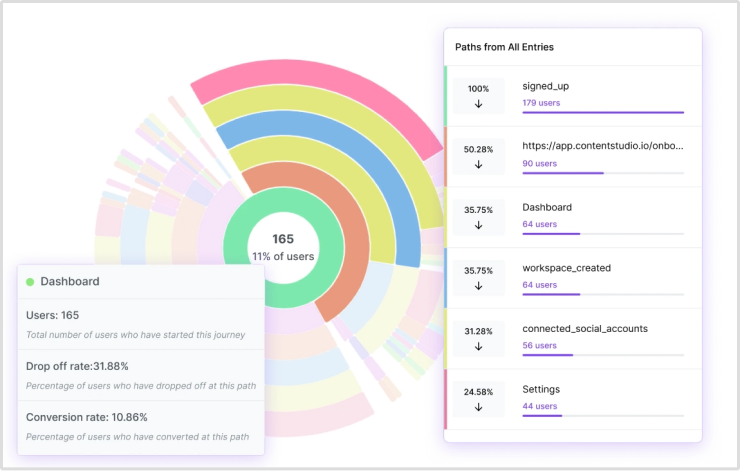
With a 365-day attribution lookback window, Usermaven also helps SaaS teams analyze longer buying journeys that involve multiple marketing interactions.
Instead of looking at traffic, product usage, and revenue separately, your team can connect these insights and make more informed growth decisions.
Visualize & optimize
user journeys with Usermaven
In summary
A SaaS customer journey map helps you understand how customers discover, evaluate, and use your product. More importantly, it helps you identify where they struggle and what you can improve to increase conversions, product adoption, and retention.
But mapping the journey is only the beginning. You also need to understand which marketing interactions contribute to actual business results.
With Usermaven, an AI-powered marketing attribution software platform, you can connect customer journeys, marketing campaigns, and product behavior to conversions, pipeline, and revenue. This helps you identify what drives growth and make smarter marketing decisions.
Book a demo to discover how Usermaven can help you turn customer journey insights into better business outcomes.
Visualize & optimize
user journeys with Usermaven
FAQs
What is a SaaS customer journey map?
A SaaS customer journey map shows how a specific customer group experiences a software company while trying to reach a goal. It commonly includes stages, customer actions, needs, touchpoints, friction points, and opportunities to improve the experience.
What are the stages of a SaaS customer journey?
Common stages include awareness, consideration, evaluation, purchase, onboarding, activation, adoption, retention, and expansion or advocacy. The right stages depend on the company’s audience, product, and sales motion.
How to map a multi-stakeholder SaaS buying journey?
Start by identifying the person who initiates the buying process. Then document when other stakeholders become involved.
For example, a marketing manager might discover an attribution tool through Google, compare alternatives, and book a demo. Before purchasing, they may need approval from the CMO, finance team, and IT department.
Your customer journey map should capture these interactions, including questions, approval delays, and potential obstacles.
You don’t need a separate map for every stakeholder. Start with the main buyer journey and add other decision-makers where they influence the process.
How do you create a customer journey map for a SaaS product?
Choose one audience and scenario, gather customer and business evidence, define the stages, document actions and touchpoints, identify friction, compare the map with observed behavior, then prioritize an improvement and assign an owner.
What should a SaaS customer journey map include?
Include the customer role, goal, stages, actions, questions, touchpoints, friction, evidence, opportunities, owners, and relevant measures. Label assumptions so readers can distinguish them from verified findings.
What is the difference between a customer journey map and a funnel?

Written by
Adeel Khan
Growth Marketing Expert
Adeel Khan is a full-stack SaaS marketer with 10+ years of experience in content marketing, paid advertising, analytics, and conversion rate optimization. He shares practical insights and strategies drawn from hands-on experience, helping B2B SaaS marketers improve performance and make better marketing decisions.
All articles by Adeel →