To track Google AI Mode traffic, start with the Generative AI performance report in Search Console. It shows impressions from supported AI search features, including AI Mode and AI Overviews.
Clicks from those experiences contribute to ordinary Search performance. In GA4, Google AI Mode visits fall under Organic Search, not AI Assistant. Standard reports cannot reliably isolate AI Mode-only conversions.
This guide shows how to track AI Mode traffic reports to open, which numbers to trust, how to validate the setup, and which conclusions to avoid.
What Google AI Mode tracking can reveal
The first decision is which measurement question you need to answer. Google reports some generative AI visibility directly, but individual clicks and later conversions remain harder to separate.
| Question | Best available report | What to know |
|---|---|---|
| Did my pages appear in AI features? | Search Console Generative AI (Search) | Impressions cover AI Mode and AI Overviews together. |
| Which pages were shown? | Generative AI report: Pages | Page impressions are grouped by canonical URL. |
| Where and when was exposure recorded? | Country, device, date filters | Useful for comparable visibility trends. |
| How many clicks came only from AI Mode? | Not isolated in the dedicated report | AI Mode clicks contribute to broader Web search totals. |
| What happened after Google visitors arrived? | GA4 Organic Search | Sessions and key events mix traditional and AI-enhanced Search. |
| How many conversions were caused by AI Mode? | Not established by standard reports | A distinct source signal or causal evidence would be needed. |
Bottom line: Generative AI visibility is measurable. AI Mode-only clicks, conversion rates, and revenue are not directly established by the standard reports.
See what's working. Fix what's not. Grow faster.
How to find AI Mode data in Search Console
Google introduced the dedicated Generative AI performance reports in 2026. Start there rather than relying on old instructions for nonexistent AI Mode-only click filters.
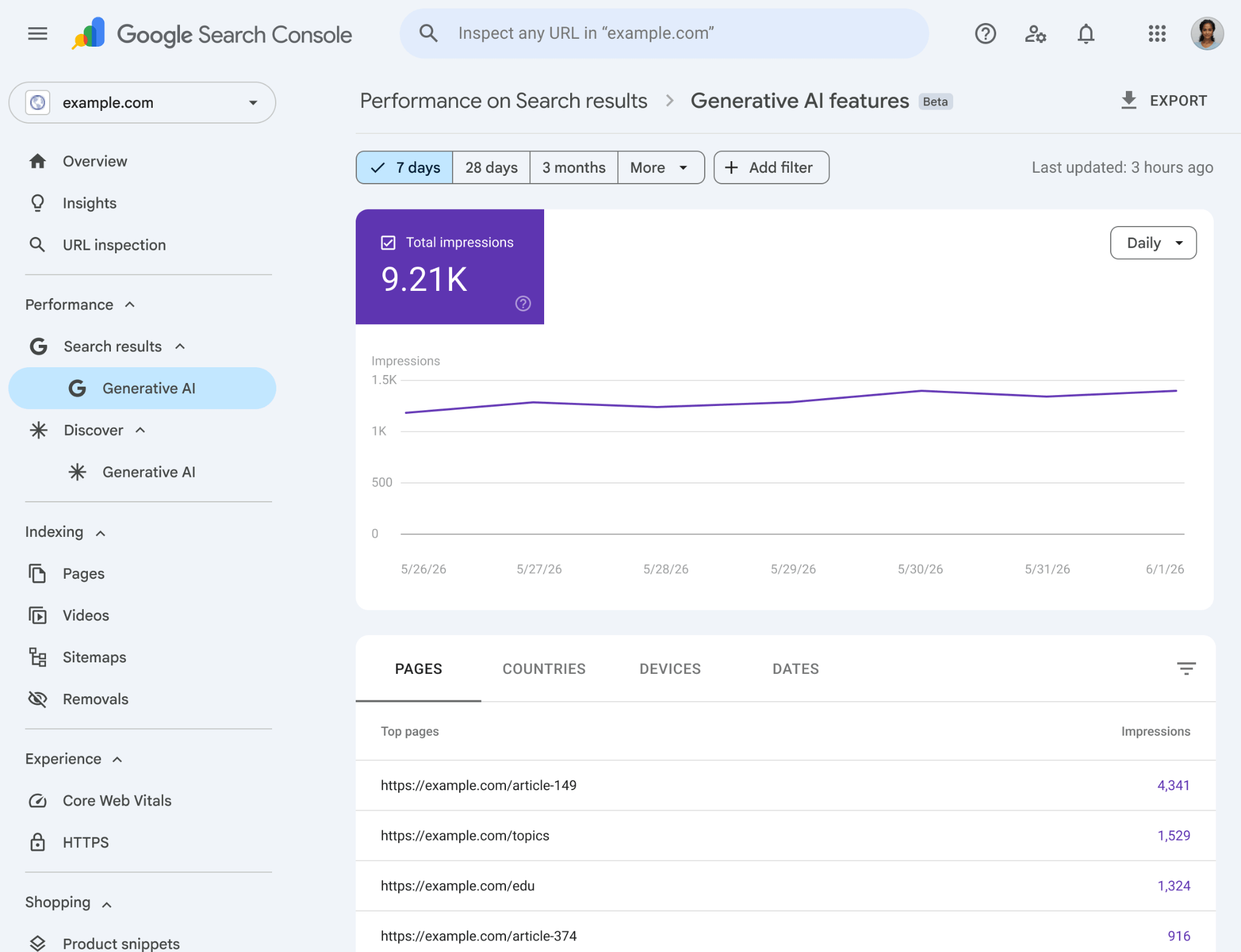
Open the Generative AI performance report
1. Open Google Search Console and select the verified property for your website.
2. Open the Generative AI performance report (Search). Use its direct report link if the item is not visible in your navigation.
3. Set a consistent date range, such as the last complete 28 days, and note any preliminary data.
4. Read the impressions chart. This shows exposure within supported Google generative AI search features, not referral sessions.
5. Choose Pages, Countries, Devices, or Dates to investigate where visibility is concentrated.
6. Export the chart and table if you need a reproducible reporting snapshot.
If the report is missing, first check that the property received sufficient eligible impressions. A missing report is not evidence of zero Google Search traffic.
Identify the pages earning impressions
Open the Pages dimension and sort by impressions. Note which original research pages, comparison articles, and technical guides receive exposure.
Search Console generally assigns page performance to Google-selected canonical URLs. Confirm canonicalization before comparing this list with landing-page URLs in analytics.
For example, 400 generative AI impressions on one guide establish observed exposure. They do not establish 400 AI Mode impressions or any particular number of clicks.
Compare geography, device, and date
Country and device breakdowns can reveal where the page is visible. Date comparisons help identify changes after substantial content or technical updates.
Google also added text-based and multimodal search-type filtering. These distinguish input methods, not AI Mode from AI Overviews. Do not treat that filter as a feature-specific attribution report.
For broad context, AI traffic analytics explains why AI visibility, referral sessions, and automated requests are separate metrics.
How AI Mode clicks appear in GSC and GA4
The main confusion comes from mixing two reporting systems. Search Console measures interactions with Google Search results; GA4 measures visits and actions collected on your website.
AI Mode clicks count in Search performance
Google states that an external link clicked inside AI Mode counts as a Search click. Follow-up questions create additional searches, with impressions and clicks recorded under those new queries.
The standard Search performance report includes those clicks alongside other eligible Web search activity. It does not provide a dependable AI Mode-only click breakdown.
Use Google’s click and impression methodology when explaining these counts to stakeholders.
Find the related Organic Search sessions
1. In GA4, open Reports → Acquisition → Traffic acquisition.
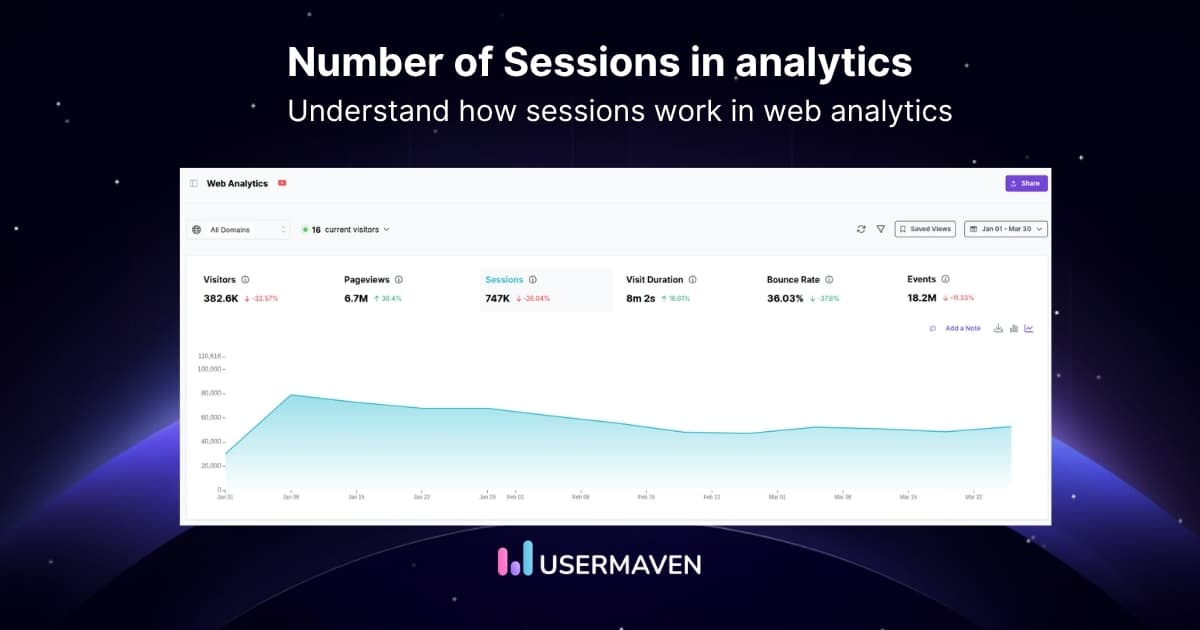
2. Set the same date range used in Search Console, allowing for reporting delays and timezone differences.
3. Inspect Session default channel group and find Organic Search.
4. Switch to Session source / medium when you need to examine google / organic specifically.
5. Review sessions, engagement, and key events. Open landing-page reporting for page-specific behavior.
Google classifies AI Mode and AI Overviews as Organic Search. Its AI Assistant channel is intended for recognized standalone assistants such as ChatGPT and Copilot.
| Search experience | Typical GA4 channel | AI Mode only? |
|---|---|---|
| Google traditional search | Organic Search | No |
| Google AI Overviews | Organic Search | No |
| Google AI Mode | Organic Search | No |
| Recognized standalone assistant referral | AI Assistant | Not Google AI Mode |
Why custom channel filters are limited
A custom channel can regroup values that GA4 receives. It cannot recover an AI Mode identifier when the click and ordinary organic search carry indistinguishable source information.
Do not create an “AI Mode” channel by assigning every google / organic visit to it. That would relabel traffic rather than measure the feature.
Connect search visibility with website analytics
Once the Search Console report is understood, the useful next question is what happens on pages receiving Google Organic Search traffic. This is where website analytics and verified conversion events help.
The easiest GA4 alternative for marketers and product teams
Connect supported Search Console data
Usermaven offers a Google Search Console integration guide for bringing standard search-performance data into the analytics workspace.
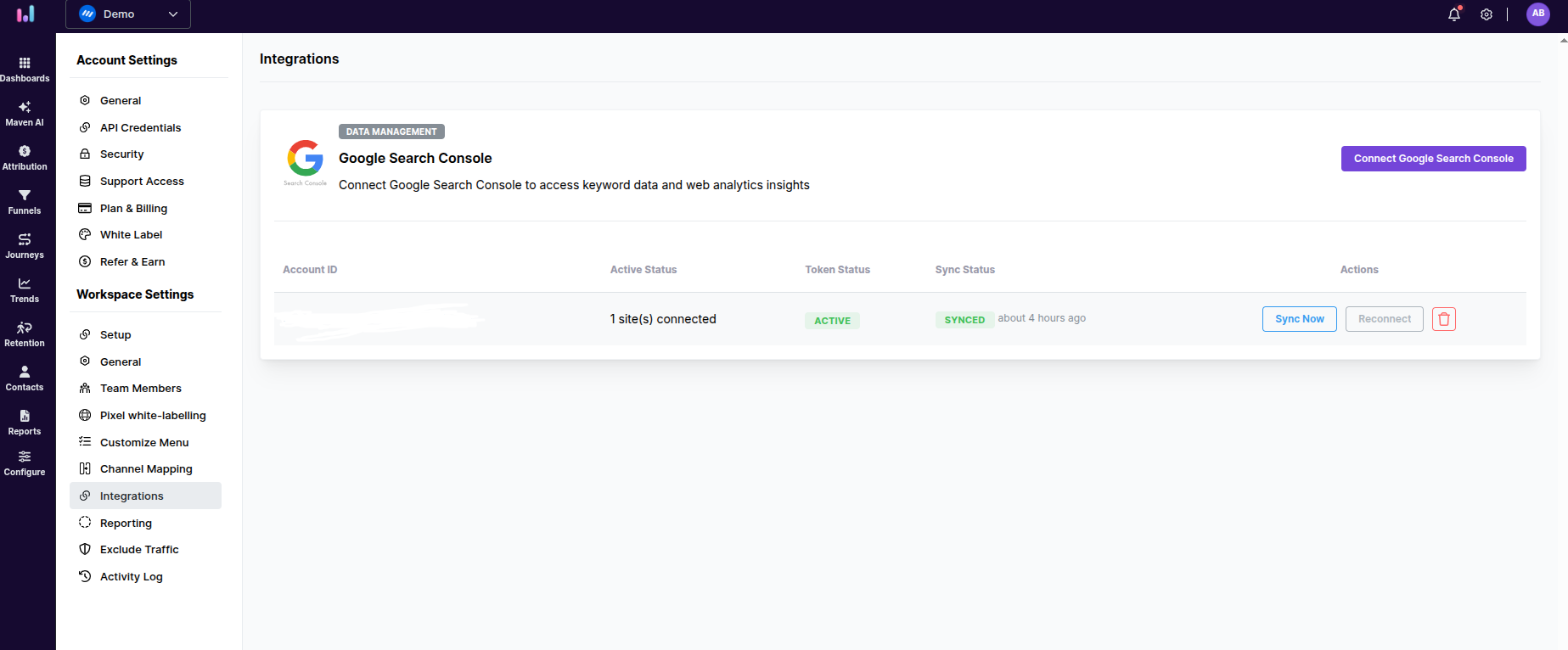
1. Open the Usermaven workspace and go to Workspace Settings → Integrations.
2. Choose Connect Google Search Console and authorize the Google account with read-only access.
3. Select a verified property matching the workspace domain.

4. Confirm that the integration status reads Active.
5. Review supported query and page data in Web Analytics Dashboard and Keyword Explorer.
The integration documentation describes query, click, impression, CTR, position, country, device, and page reporting. Search Console data may lag approximately two to three days.
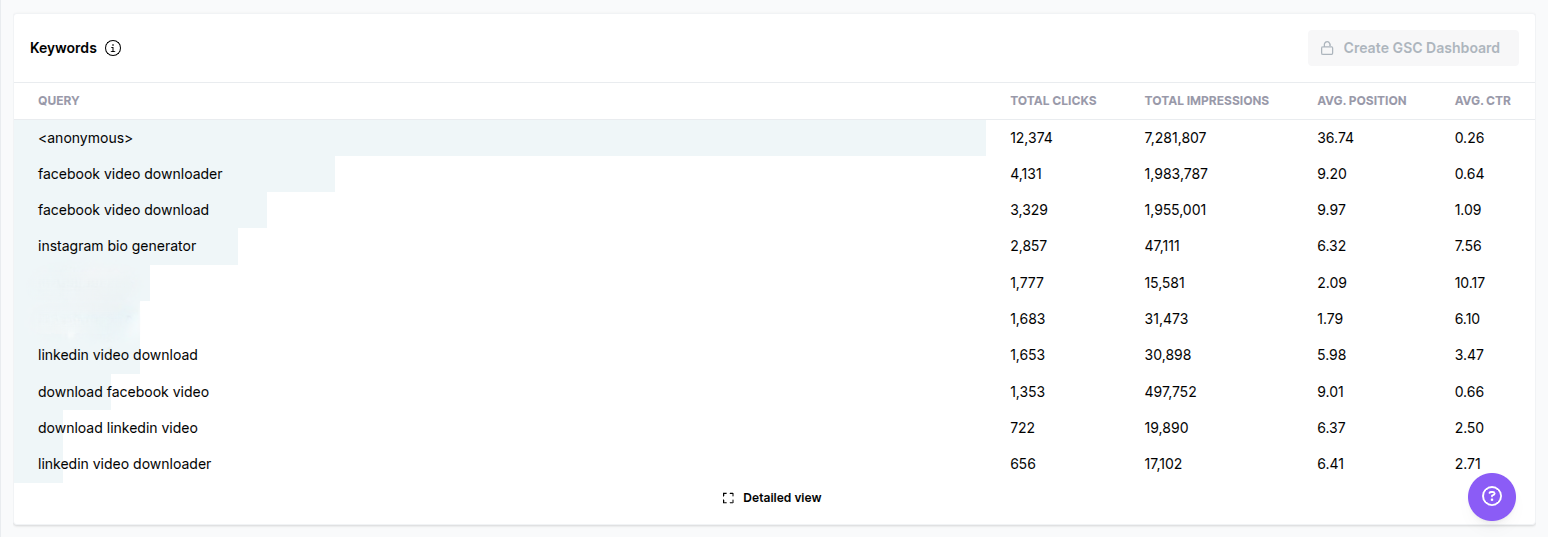
Important: The documentation does not establish ingestion of the dedicated Generative AI impressions report or any ability to identify AI Mode-only clicks.
Review the landing pages and visitor behavior
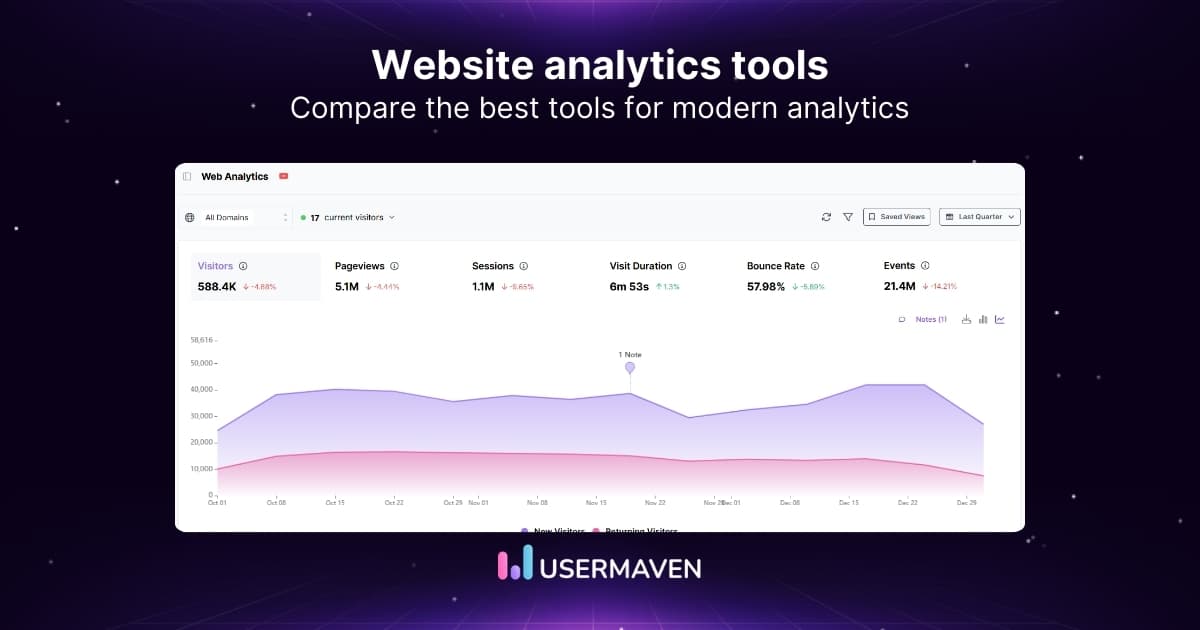
Use website analytics to inspect recorded acquisition, landing-page activity, and engagement for Google Organic Search visitors.
Start with pages that also show generative AI visibility. Compare their traffic trends and conversion behavior without presenting all Google Organic Search sessions as AI Mode visits.
If a page receives more generative AI exposure but its conversions remain flat, that is a question for further analysis, not proof of ineffective AI Mode traffic.
Unlock insights that drive growth
Verify events and conversion goals
A demo request, signup, or completed purchase needs a reliable event definition. Otherwise, even ordinary Organic Search conversion analysis can be misleading.
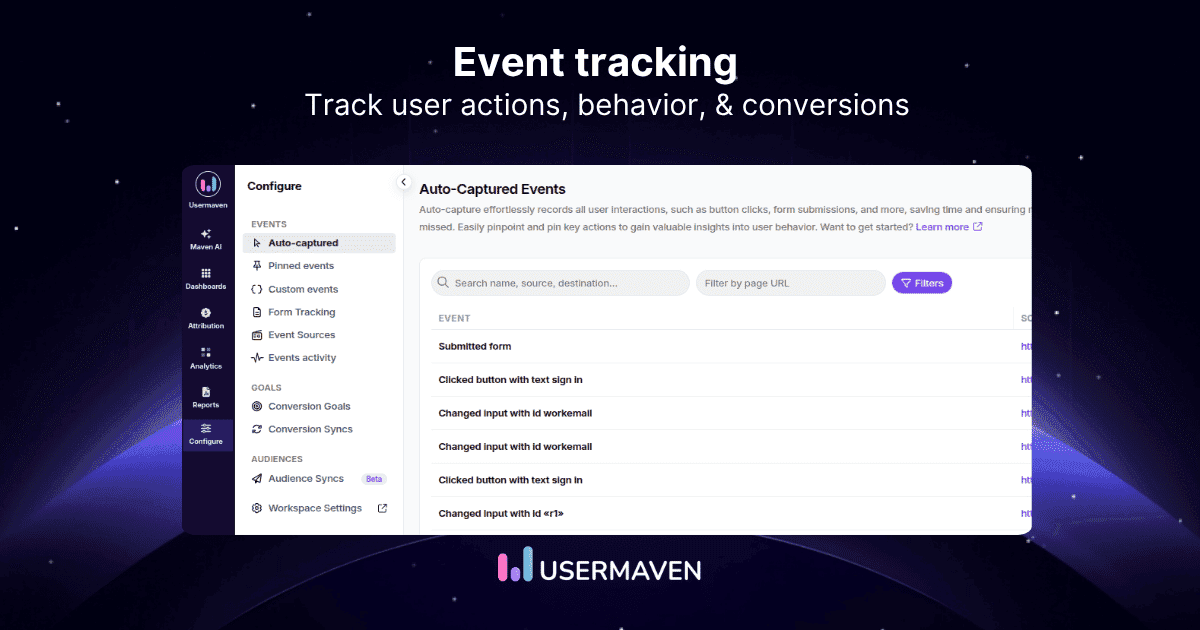
Follow Usermaven’s event tracking setup to choose auto-captured, pinned, or custom events based on the action.
For a booked demo, verify the event fires on a successful booking rather than on a button click that opens the booking form.
Then create a goal using the conversion goals guide. Check the goal name, event condition, and whether values or funnel-stage labels apply.
A B2B SaaS team may later connect recorded leads with activation or pipeline stages. The B2B SaaS solution describes that wider commercial use case.
These steps make Google Organic Search analysis more useful. They still cannot establish which individual conversions originated from AI Mode.
Why AI Mode CTR calculations go wrong
Consider an analyst reporting the following metrics for one month. All numbers are illustrative, not customer results.
| Observed metric | Illustrative value | Source |
|---|---|---|
| Generative AI Search impressions | 1,200 | Search Console dedicated report |
| Google Organic Search sessions | 320 | GA4 acquisition |
| Demo-converting organic sessions | 16 | GA4 event reporting |
| Pages with generative AI impressions | 12 | Search Console Pages |
The analyst divides 320 sessions by 1,200 impressions and announces an AI Mode CTR of 26.7%. That calculation is not valid.
The impressions come from supported generative AI features. The sessions can include ordinary Google results, AI Overviews, and AI Mode. The measurements do not describe one matched population.
The same issue affects conversions. Sixteen Google Organic Search demo-converting sessions are not sixteen verified AI Mode conversions.
Correct interpretation: the website received measured generative AI exposure and recorded organic sessions and demo actions. The source reports do not establish a direct feature-specific click-to-conversion rate.
An AI overview attribution analysis can explain the broader visibility problem. It should not substitute inferred influence for observed traffic.
Why AI Mode reports disagree
Before calling a discrepancy a tracking failure, check whether both reports describe the same metric, population, and period.
| What looks wrong | Likely explanation | First check |
|---|---|---|
| Generative AI report is unavailable | Too few eligible impressions or property eligibility | Property and report availability |
| GA4 has no “AI Mode” channel | Google AI Mode is Organic Search | Default channel definitions |
| Generative impressions rose; clicks did not | Exposure may not result in visits | Standard Search trend and page mix |
| GSC clicks differ from GA4 sessions | Click vs. session scope and collection differences | Metric scope, consent, dates |
| Page totals differ from chart total | Property vs. page aggregation | Canonical URLs and grouping |
| Connected data is absent in Usermaven | Property mismatch, permissions, or sync delay | Integration status and data lag |
| Tracker citations disagree with GSC | Different prompts, sampling, and geography | Question sample and date filters |
Reconcile dates, URLs, and collection
Search Console reports dates using Pacific Time, while GA4 uses the property timezone. Small day-level mismatches can occur even with correct tracking.
Search Console often credits canonical URLs. Analytics may record a different landing URL when redirects or variants are involved. Compare normalized page groups where appropriate.
Consent choices, ad blockers, and failed event collection can also change recorded sessions. Search Console clicks and analytics sessions are not interchangeable event counts.
Validate the measurement setup
Usermaven’s Measurement Trust Center documents checks for campaign tracking, customer matching, connected platforms, conversion feedback, and data confidence.
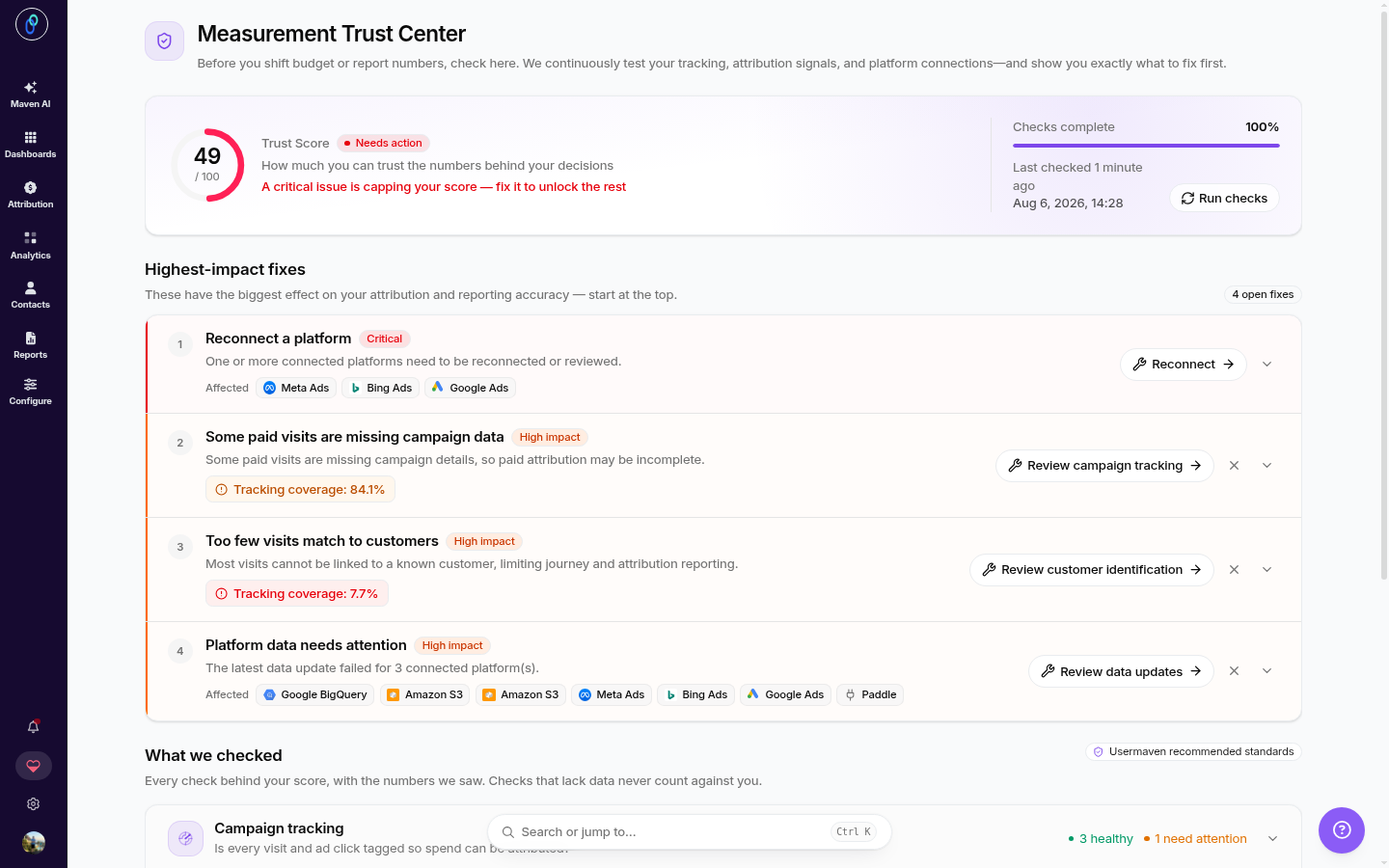
Use its identified issues and prioritized fixes to investigate missing or inconsistent website data. Do not treat the trust score as evidence of complete AI Mode referral identification.
What third-party AI Mode trackers can measure
Third-party AI search tools can observe whether a brand or page appears in AI Mode responses for selected prompts. Some can track cited pages and competitor appearances over time.
Those observations depend on the tool’s tested queries, locations, devices, and sampling schedule. They should be described as sampled visibility, not total impressions or first-party clicks.
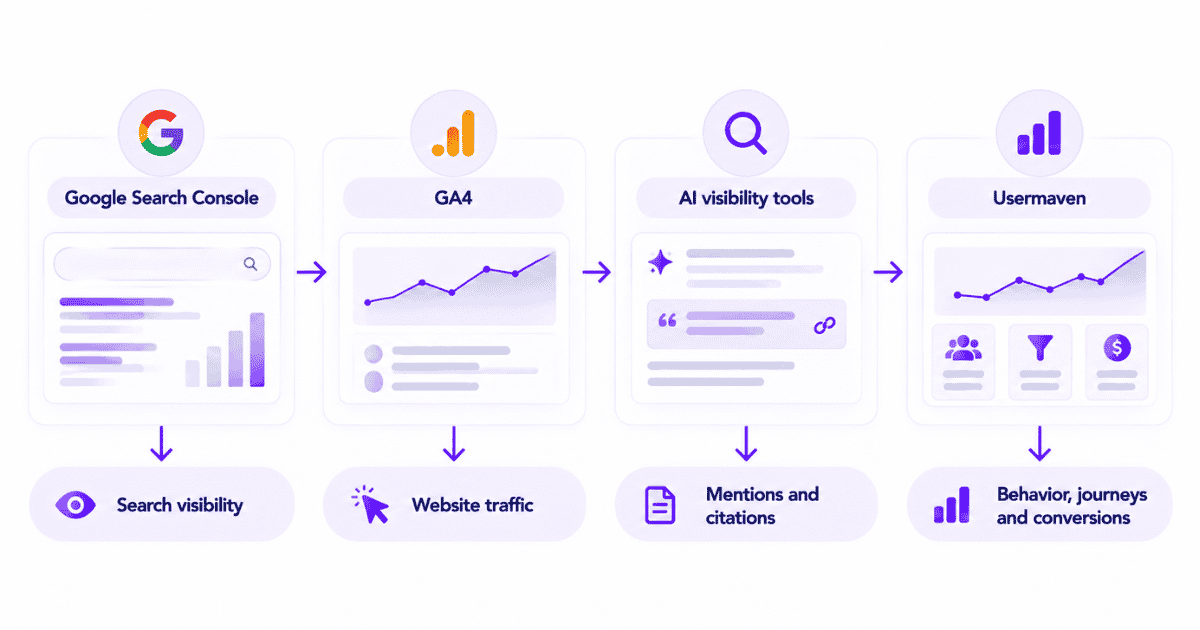
A useful division of responsibilities is simple: Search Console measures supported Google visibility; analytics measures recorded visits; specialist trackers test selected responses.
If an AI Mode tool claims exact conversions, request its data lineage. A source citation and a later anonymous visit do not automatically form a verified customer journey.
Build a reliable AI Mode performance report
A useful report separates what is directly observed, what can be derived from compatible metrics, and what the available systems cannot establish.
| Evidence class | Example | How to report it |
|---|---|---|
| Observed | Generative AI impressions; Google Organic sessions | Show source, date, and definition |
| Derived | Organic session conversion rate | Use matching session-based numerator and denominator |
| Unavailable | AI Mode-only clicks or conversion rate | Label unavailable; do not substitute proxy totals |
| Inferred | Possible AI influence beyond observed visits | Show assumptions and confidence limits |
Use a repeatable weekly review
Visibility: Export Generative AI impressions, top pages, dates, countries, and devices.
Search activity: Review ordinary GSC clicks and GA4 Organic Search sessions for the same page groups.
Conversion quality: Confirm the agreed demo, signup, or purchase events remain operational.
Measurement changes: Record site releases, redirect changes, new events, and integration issues.
Interpretation: Mark conclusions as observed, derived, unavailable, or inferred.
For longer sales cycles, AI traffic attribution explains how recorded, eligible touchpoints can receive conversion or revenue credit. That remains different from identifying AI Mode-only sessions.
What to do with the findings
If generative AI impressions rise, inspect which pages gained visibility and whether the change aligns with topic or content updates.
If organic conversions fall, verify event collection and landing-page performance before blaming AI Mode. If a tracker reports more citations, confirm the sample and methodology.
The goal is not to fill every reporting gap with an estimate. It is to make defensible decisions from the measurements that exist.
What to measure next
Start with the dedicated Search Console generative AI impression report. Then review standard Search clicks, GA4 Organic Search sessions, and verified conversion events.
Keep visibility, traffic, and business outcomes as separate reporting layers. Compare their trends, investigate meaningful discrepancies, and disclose the limits of any AI Mode-specific claim.
This approach produces a report that is useful today, even before feature-level click and conversion data become available.
To see how recorded organic visitors progress from landing pages to conversions, book a demo with Usermaven.
Frequently asked questions
These are the questions that most often cause confusion after teams start measuring Google’s generative AI search features.
1. Can GA4 track Google AI Mode separately?
Not through a standard dedicated channel. Google AI Mode visits are included in Organic Search. A custom channel can only separate them when reliable, distinct source information is available.
2. Why is the Generative AI report missing?
The property may not have enough eligible impressions for the report to appear. Confirm the property, access, and whether the site is eligible for supported Search generative AI features.
3. Does Search Console show AI Mode search queries?
The dedicated Generative AI report does not provide a separate exact AI Mode query list. Standard Search queries are broader and cannot be assumed to describe AI Mode-only activity.
4. Does Usermaven import AI Mode impressions?
Usermaven documents an integration for standard Search Console performance metrics. Its public integration guide does not establish ingestion of the separate Generative AI report or AI Mode-only clicks.

Written by
Ryan Mitchell
Marketing Analytics Strategist
Ryan Mitchell is a marketing analytics strategist specializing in campaign measurement, customer journeys, and marketing performance. He writes about analytics, reporting, and data-driven marketing strategies, helping SaaS and B2B teams measure what matters across every stage of the customer journey.
All articles by Ryan →