A single conversion can involve several Google Ads interactions before it happens. A non-brand search click, a YouTube view, a remarketing ad, and a branded search click might all occur before someone buys, and the account still needs a rule for deciding which of those interactions gets credit.
Attribution is not the same thing as conversion tracking. Conversion tracking records that an action happened. Attribution determines which eligible ad interactions receive credit for it.
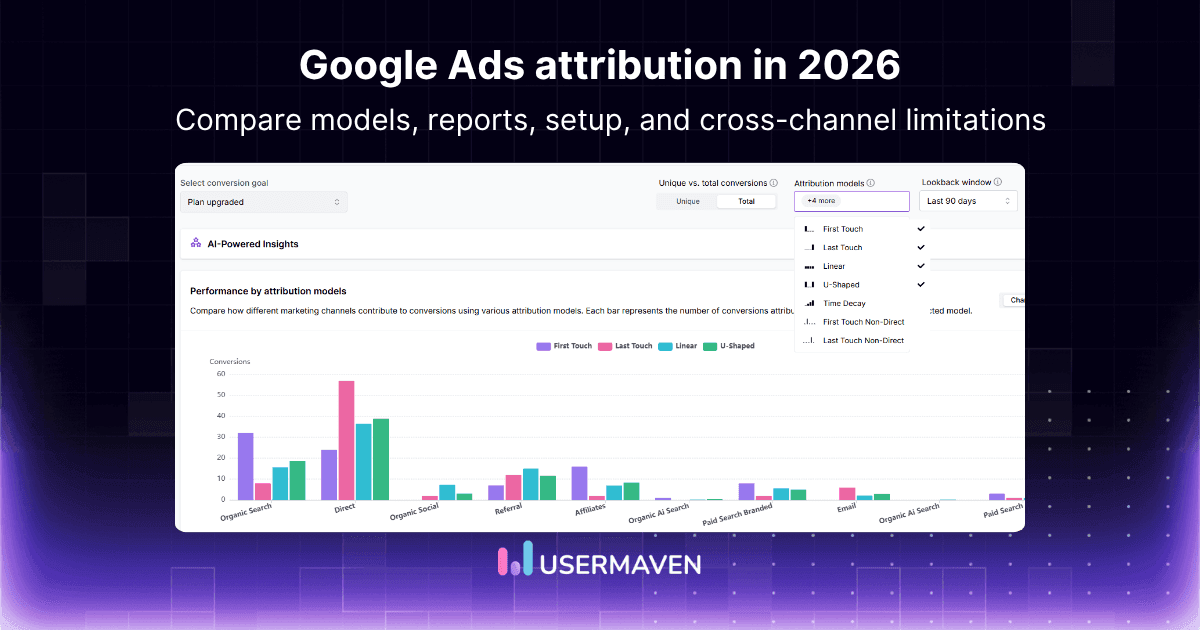
Google Ads now primarily supports two attribution models rather than the larger set many older guides still describe. This matters for how you read reports, set up marketing attribution software, and configure automated bidding.
This guide explains how Google Ads attribution works, which models remain available, how they affect reports and bidding, how to check and change settings, common attribution problems, native Google Ads limitations, and when a broader attribution layer is needed.
Key takeaways
Google Ads attribution determines how eligible Google ad interactions receive credit for a conversion.
Data-driven attribution and last-click are the practical model choices currently supported for conversion actions. First-click, linear, time-decay, and position-based models are no longer supported in Google Ads.
The selected attribution model affects both conversion reporting and any automated bid strategy that uses the affected conversion action.
Google Ads attribution stays focused on the Google advertising ecosystem. A broader platform adds cross-channel, behavioral, CRM, and revenue context around that data.
What is Google Ads attribution?
Google Ads attribution is the process of assigning conversion credit to eligible Google ad interactions, such as clicks and qualifying video engagements. The selected attribution model determines how that credit is distributed across campaigns, ads, ad groups, keywords, and other interactions in the conversion path.
Three related concepts are often confused with each other.
Conversion tracking
Reliable conversion tracking records whether a defined action happened, such as a purchase, lead submission, demo booking, signup, phone call, or imported offline conversion.
Attribution
Attribution determines which eligible ad interactions receive credit for the recorded conversion. It runs after conversion tracking, not instead of it.
Conversion modeling
Conversion modeling uses observed data to estimate conversions that cannot be directly observed because identifiers or tracking signals are unavailable. It relates to measurement loss but is not the same as the attribution model itself.
How Google Ads attribution works
The process follows a basic flow: an ad interaction happens, a conversion action is completed, Google checks the conversion window, the attribution model distributes credit, and that credit appears in reports and bidding data.

1. A person interacts with an ad
Eligible interactions can come from supported Google campaign types, including Search, Shopping, YouTube, Display, and Demand Gen.
2. Conversion action is completed
The outcome may be recorded through Google Ads conversion tracking, imported GA4 conversions, offline conversion imports, call conversions, or app conversions.
3. Google checks the conversion window
Google determines whether the interaction occurred within the configured window for that specific conversion action.
4. Attribution model distributes credit
Last-click gives the conversion to the final eligible interaction. Data-driven attribution may divide credit among several interactions based on their estimated contribution.
5. Credit appears in reports and bidding data
The assigned credit affects conversion columns and any automated bidding strategy that uses that conversion action.
A simple example
Consider this path: a non-brand search ad, a YouTube engagement, a remarketing ad, a branded search ad, then a purchase.
Last-click credits the branded search interaction alone. Data-driven attribution may divide credit across several of the eligible interactions that preceded the purchase, based on how much each one actually correlated with converting.
Google Ads attribution models available in 2026
Google Ads once supported several rules-based attribution models, but the current selection is much narrower. It’s worth evaluating the models actually available today rather than relying on older six-model comparisons still circulating online.
The table below compares the two practical choices for Google Ads conversion actions.
| Model | How credit is assigned | Best suited to | Main limitation |
|---|---|---|---|
| Data-driven | Uses account-specific conversion patterns to estimate each eligible interaction’s contribution | Most actively optimized accounts with reliable conversion tracking | Weighting is less transparent than a fixed rule |
| Last-click | Gives full credit to the final eligible Google Ads interaction before conversion | Simple journeys and teams that need an easily explained rule | Ignores earlier interactions that introduced or influenced the conversion |
Google states that first-click, linear, time-decay, and position-based attribution models are no longer supported. Conversion actions that used them were moved to data-driven attribution, although last-click remains available, per Google Ads Help’s attribution model documentation.
How data-driven attribution works
Data-driven attribution compares converting and non-converting paths to estimate which ad interactions contribute most strongly to a conversion. This differs from how data-driven attribution works as a general concept outside Google Ads specifically, since Google’s version is built entirely from your own account’s data rather than a shared industry model.
It draws on advertiser-specific modeling, clicks and eligible video engagements, converting versus non-converting paths, fractional conversion credit, and account-specific patterns, and it connects directly with automated bidding across supported Google campaign types.
Getting the eligibility numbers right
This is where a lot of published guides get out of date or conflate two different situations, so it’s worth being precise.
For a new conversion action, Google states plainly that “all conversion actions are eligible for data-driven attribution (DDA), regardless of conversion or interaction volume,” per Google Ads Help’s data-driven attribution page.
Google recommends at least 200 conversions and 2,000 supported ad interactions within a 30-day period, but that figure is a performance recommendation for more precise modeling, not an eligibility requirement.
A separate, genuinely different threshold applies when switching an existing conversion action off a legacy rules-based model through the Switch to DDA feature in attribution reports.
There, Google requires 3,000 ad interactions and 300 conversions over 30 days for that conversion action to become eligible, and it must continue generating 2,000 interactions and 200 conversions every 30 days to remain eligible.
Both numbers are accurate today. They just apply to different situations, new conversion actions versus existing ones being switched over, and treating either one as the single universal threshold is where most competing guides go wrong.
Advantages
Recognizes assisting interactions instead of crediting only the last click
Reduces excessive credit assigned to branded or closing campaigns
Uses the advertiser’s own performance patterns rather than a fixed industry rule
Can improve the signals feeding automated bidding
Supports longer, multi-interaction Google Ads conversion paths
Limitations
The model can feel like a black box since exact weights aren’t published
Results depend heavily on tracking quality
Sparse data can make results resemble last-click in practice
It cannot measure touchpoints Google Ads never observes
Historical comparisons get harder immediately after a model change
How last-click attribution works
Last-click attribution gives all credit to the final eligible Google Ads interaction before conversion. It’s a much simpler rule than last-click attribution sounds once you see it applied, and it’s worth understanding why it remains useful even though it frequently undervalues earlier demand-creation campaigns.
Advantages
Easy to explain and easy to audit
Suitable for short, direct conversion journeys
Useful as a stable comparison baseline
Does not create fractional conversion credit
Limitations
Ignores every earlier Google Ads interaction in the path
Often favors branded and remarketing campaigns
Can undervalue discovery campaigns that started the journey
Provides little insight into assisted conversions
May push budgets too heavily toward lower-funnel activity
What happened to the other Google Ads models?
Older articles may still mention first-click, linear, time-decay, and position-based attribution as Google Ads options.
These remain useful concepts in broader marketing attribution models, but they are not current selectable models for standard Google Ads conversion-action attribution. Conversion actions that previously used them were moved to data-driven attribution.
Data-driven vs. last-click attribution
Neither model changes whether the underlying conversion happened. The difference is how the recorded conversion receives credit across eligible Google Ads interactions.
Use the comparison below to match the model with the account’s journey, data quality, and reporting needs.
| Decision factor | Data-driven | Last-click |
|---|---|---|
| Credit allocation | May distribute fractional credit | Gives 100% to the final interaction |
| Transparency | Algorithmic and less visible | Simple and predictable |
| Earlier interactions | Can receive credit | Receive no credit |
| Data dependency | Benefits from greater volume | Works consistently at any volume |
| Automated bidding | Uses modeled contribution signals | Optimizes around closing interactions |
| Best use | Multi-interaction journeys | Simple, short conversion paths |
| Reporting impact | Can shift credit across campaigns | Concentrates credit near conversion |
Which Google Ads attribution model should be used?
Selecting the best attribution model for Google Ads depends on journey complexity, tracking quality, reporting needs, and bidding strategy.
Data-driven attribution is the stronger default for most properly tracked Google Ads accounts because it can recognize several interactions across a conversion path.
Last-click remains useful when the journey is simple, conversion volume is low, or the team needs a completely transparent fixed rule.
Use data-driven attribution when
Several ad interactions commonly occur before conversion
Search, Shopping, YouTube, Display, or Demand Gen work together in the same journeys
Automated bidding is central to how the account is managed
The account has reliable conversion actions and accurate values
Upper-funnel campaigns appear undervalued under last-click
Use last-click attribution when
Journeys are consistently short
One final ad click normally causes the conversion
Reporting simplicity matters more than journey detail
The account is being audited or compared against a fixed baseline
Tracking quality is too inconsistent for meaningful path analysis
Attribution-model choice cannot compensate for duplicate tags, weak conversion definitions, missing values, or unreliable offline imports. Fix those first.
How attribution affects Google Ads reporting
Changing the model can alter where conversions appear in reports without changing the underlying number of customers.

Fractional conversions
Data-driven attribution may display decimal values because credit is divided between multiple interactions.
Credit shifts
Conversions may move between brand and non-brand campaigns, search and video, prospecting and remarketing, campaigns, ad groups, keywords, and devices.
Reporting lag
Google reports campaign conversions against the relevant ad interaction date. When credit is distributed across earlier interactions, recent periods may initially look weaker while later conversions are still being recorded.
Historical comparison
A current-model column shows how historical performance would look under the model you’ve selected today, which is useful context before making changes.
How attribution affects Smart Bidding
This deserves its own section because it’s one of the biggest gaps in competing articles. Google states that the selected attribution model affects bid strategies using the “Conversions” column, including Target CPA and Target ROAS, per Google Ads Help.
A model change affects optimization signals directly, not just how a report looks. Campaign-level conversion totals can shift, brand and generic campaign CPA can change, and tCPA or tROAS targets may need adjusting afterward. Performance shouldn’t be judged immediately after switching, since recent conversion lag needs time to settle.
Google advises advertisers to expect fractional credit, time lag, and shifts across campaigns after a model change, and to review bids and targets accordingly.
How to check the attribution model in Google Ads
Attribution is configured at the conversion-action level. One account can therefore contain conversion actions using different models.
To check the setting:
1. Open the Google Ads account.
2. Select Goals.
3. Open Conversions.
4. Select Summary.
5. Choose the relevant conversion action.
6. Open Edit settings.
7. Review the Attribution model field.
Check every primary conversion action used for campaign optimization rather than reviewing only one account-level screen.
How to change the Google Ads attribution model
To change the model:
1. Open Goals → Conversions → Summary.
2. Select the conversion action.
3. Choose Edit settings.
4. Open the Attribution model setting.
5. Select data-driven or last-click.
6. Save the setting.
7. Review reporting and bid targets after the change.
Changing the model alters how conversion credit is assigned and may change the data used by automated bidding.
Use model-comparison reporting before switching, and document the change so later performance reviews are interpreted correctly.
Google Ads attribution reports
Attribution reports reveal how eligible Google Ads interactions work together before conversion. Each report answers a different question, so treat them as a set rather than relying on model comparison alone.
| Report | What it shows | Best use |
|---|---|---|
| Overview | Summary of conversion paths and assisted activity | Identifying broad journey patterns |
| Conversion paths | Sequences of ad interactions before conversion | Understanding how campaigns work together |
| Path metrics | Time to conversion and number of interactions | Evaluating journey length and reporting lag |
| Assisted conversions | Campaigns and interactions that helped but did not close | Finding undervalued activity |
| Model comparison | Side-by-side results under data-driven and last-click | Assessing possible credit shifts |
| Switch to DDA | Eligibility status and volume thresholds for moving a conversion action to data-driven attribution | Confirming whether a legacy conversion action qualifies to switch |
Using the model comparison report
Open Goals
Select Attribution
Open Model comparison
Choose a reporting dimension
Compare data-driven with last-click
Review campaign, ad-group, keyword, or device changes
Compare CPA and ROAS columns
Worth investigating: non-brand campaigns gaining credit, YouTube or Display assisting conversions, branded search losing excessive last-click credit, keywords with high assisted value, major CPA or ROAS changes, and differences by device.
Conversion window vs. attribution lookback window
These settings are related but answer different questions. Confusing them can lead teams to misread missing conversions or a shorter-than-expected conversion path as a tracking problem.
| Setting | What it controls | Where it applies |
|---|---|---|
| Conversion window | How long after an eligible ad interaction a conversion can still be recorded | The individual conversion action |
| Attribution-report lookback window | How far back from a conversion the report includes eligible interactions | Attribution reports |
A conversion can only be recorded when an eligible interaction falls within the configured conversion window. Attribution reports then use their own lookback setting to limit which interactions appear in path analysis. The right attribution window should reflect the real buying cycle, not just whatever the default happens to be.
Google Ads attribution vs. GA4 attribution
Google Ads and GA4 can analyze related conversions but don’t always use identical reporting scope, timing, channel rules, or conversion sources. Matching tags don’t guarantee matching numbers.
| Area | Google Ads | GA4 |
|---|---|---|
| Primary purpose | Google campaign reporting and bidding | Cross-channel website and app reporting |
| Main scope | Eligible Google advertising interactions | Paid and organic channels observed in GA4 |
| Model setting | Set for individual conversion actions | Set through property attribution settings |
| Optimization role | Directly affects Google Ads bidding signals | Can provide imported conversion data |
| Reporting dimensions | Campaigns, ads, ad groups, keywords, devices | Sources, media, campaigns, channels, events |
| Common difference | Ad-platform-specific conversion logic | Broader analytics reporting logic |
A comparison of Usermaven vs. Google Analytics 4 shows how an independent attribution layer extends beyond GA4’s website and app reporting by connecting acquisition with product activity, CRM pipeline, and revenue. Teams evaluating a broader Google Analytics 4 alternative should compare cross-channel attribution, behavioral analysis, customer journeys, and downstream revenue visibility rather than traffic reporting alone.
Why Google Ads attribution numbers do not match other tools

Different attribution models
Google Ads, GA4, CRM systems, and independent attribution platforms may assign credit differently for the exact same underlying activity.
Different conversion windows
One platform may count a conversion that falls outside another platform’s configured window.
Conversion time vs. interaction time
Reports may place the same conversion on different dates depending on which timestamp they use.
View-through and engaged-view conversions
Some systems include impression- or engagement-based conversions that others simply don’t count.
Different conversion definitions
A Google Ads lead may be a form submission, while the CRM only counts sales-qualified leads. These are different funnel stages, not the same number measured twice.
Duplicate or missing tags
Several tags firing at once can overcount conversions, while blocked or incorrectly installed tags can undercount them.
Imported offline conversions
CRM and offline imports may appear later than website conversions, creating temporary gaps between systems.
Consent, cookies, and ad blockers
Signal loss can prevent direct interaction-to-conversion matching, especially across devices.
Time-zone differences
Accounts using different time zones may report the same event on different dates. Every advertising platform tends to claim the same conversion under its own rules, this is covered in more depth in our guide to ad platform discrepancies.
Google Ads attribution issues and limitations
This is worth understanding honestly before deciding whether native attribution is enough.
Limited to Google’s advertising ecosystem
Google Ads attribution measures eligible interactions that Google Ads can observe. It doesn’t provide an independent measurement model across every paid, organic, referral, email, CRM, and product touchpoint.
No neutral cross-platform comparison
Google Ads evaluates Google’s role in the conversion. Meta, LinkedIn, and other platforms apply their own attribution rules, so each network tends to report its own version of performance.
The IAB notes that effective cross-channel measurement requires integrating data from multiple sources into a unified view rather than analyzing each one independently, per its Cross-Channel Measurement Best Practices and Playbook.
Limited post-click behavioral context
Google Ads can show ad interactions and conversion actions, but it doesn’t function as a complete website and product-behavior platform. It can’t independently explain which pages a lead explored, where users dropped from a funnel, whether a trial activated, which features customers adopted, or whether users retained after acquisition.
Limited CRM and revenue context
A form submission may count as a conversion even when the lead is unqualified, never enters pipeline, is attached to a low-value deal, doesn’t become a customer, or churns soon after purchase.
Data-driven weighting is not fully transparent
Google explains the principles behind data-driven attribution, but advertisers can’t inspect or manually validate every weight assigned to every interaction.
Self-attribution creates platform bias
Google Ads measures Google Ads interactions using Google’s own data and methodology. It shouldn’t be treated as the only source of truth when budgets span several advertising platforms.
Reports can be difficult to reconcile
Fractional credit, interaction-date reporting, conversion lag, modeled conversions, and different network coverage can make native reports harder to compare against GA4, the CRM, or billing data.
Historical visibility remains constrained
Attribution reporting can’t recreate touchpoints that were never tracked or recorded correctly in the first place.
When a Google Ads attribution alternative is needed
Native attribution may be enough when Google is the primary acquisition channel, journeys are short, conversions occur entirely online, the main goal is optimizing Google campaigns, and CRM or product outcomes aren’t required.
A broader attribution layer becomes useful when teams need:
Google, Meta, LinkedIn, Microsoft, and other ad networks in one consistent view
Paid and organic acquisition measured the same way
Website and product behavior after the click
Several attribution models to compare, not just two
Longer customer journeys tracked end to end
CRM opportunity and pipeline reporting
Closed-revenue attribution
Retention and lifetime-value analysis
Independent conversion counts outside any single ad platform
Conversion signals sent back to Google Ads for better bidding
Usermaven as a Google Ads attribution alternative
Usermaven doesn’t replace Google Ads conversion tracking or Smart Bidding. It provides a broader, more independent marketing attribution layer around Google Ads performance.
Google Ads attribution is designed primarily to evaluate eligible interactions within Google’s ad ecosystem. Usermaven connects that campaign activity with other channels, first-party website behavior, product usage, customer journeys, and downstream outcomes.
Google Ads answers:
Which eligible Google ad interactions received credit?
Usermaven helps answer:
How did Google Ads contribute alongside other channels, and what happened after the click?
Table 6: Google Ads attribution vs. Usermaven
The table below shows how the two measurement layers differ.
| Capability | Google Ads | Usermaven |
|---|---|---|
| Google campaign reporting | Yes | Yes, after integration |
| Other paid ad networks | No unified independent comparison | Google, Meta, LinkedIn, Microsoft, and supported networks |
| Organic and referral attribution | Limited | Included in cross-channel journeys |
| Website behavior | Conversion-focused | Website activity and funnels |
| Product activity | Limited | Product events and adoption |
| Attribution models | Data-driven and last-click | Multiple single- and multi-touch perspectives |
| Customer journeys | Google ad interaction paths | Cross-channel journeys across sessions |
| CRM pipeline | Requires imported conversion data | Connected CRM and deal context |
| Revenue attribution | Conversion values within Google Ads | Campaign, channel, pipeline, and revenue context |
| Conversion feedback | Receives conversion imports | Can send first-party conversions back to Google Ads |
Usermaven’s Google Ads integration imports campaign performance and uses identifiers, auto-tagging, and campaign parameters to connect ad interactions with later activity. Its paid ads attribution reporting can compare performance across connected ad networks and drill down from sources to campaigns, ad groups, and ads.
The easiest GA4 alternative for marketers and product teams
How Usermaven extends Google Ads attribution
Here’s how Usermaven builds on Google’s native reporting to give you a fuller, more accurate attribution picture.

Compare Google Ads with other channels
Usermaven places Google Ads beside other paid, organic, direct, referral, email, and marketing sources using a consistent multi-channel attribution framework, rather than reading each platform’s self-reported numbers in isolation.
Connect ads with website behavior
It has website analytics connecting campaigns with landing-page engagement, high-intent page visits, and on-site conversions.
Track product activity after signup
Product analytics compares Google Ads campaigns by activation, feature adoption, engagement, retention, and upgrades, not just the initial click.
Analyze complete customer journeys
Usermaven’s user journeys show how Google Ads interacts with later email, organic, direct, product, or sales touchpoints, rather than stopping at the ad click.
Measure funnel progression
Connected funnels reveal drop-offs across the full path: ad click, landing page, signup, activation, and paid customer, showing where a campaign’s traffic actually stalls.
Connect campaigns with CRM pipeline and revenue
Paid campaigns can be evaluated by qualified leads, opportunities, pipeline, closed revenue, retention, and expansion, not just form fills.
Compare attribution perspectives
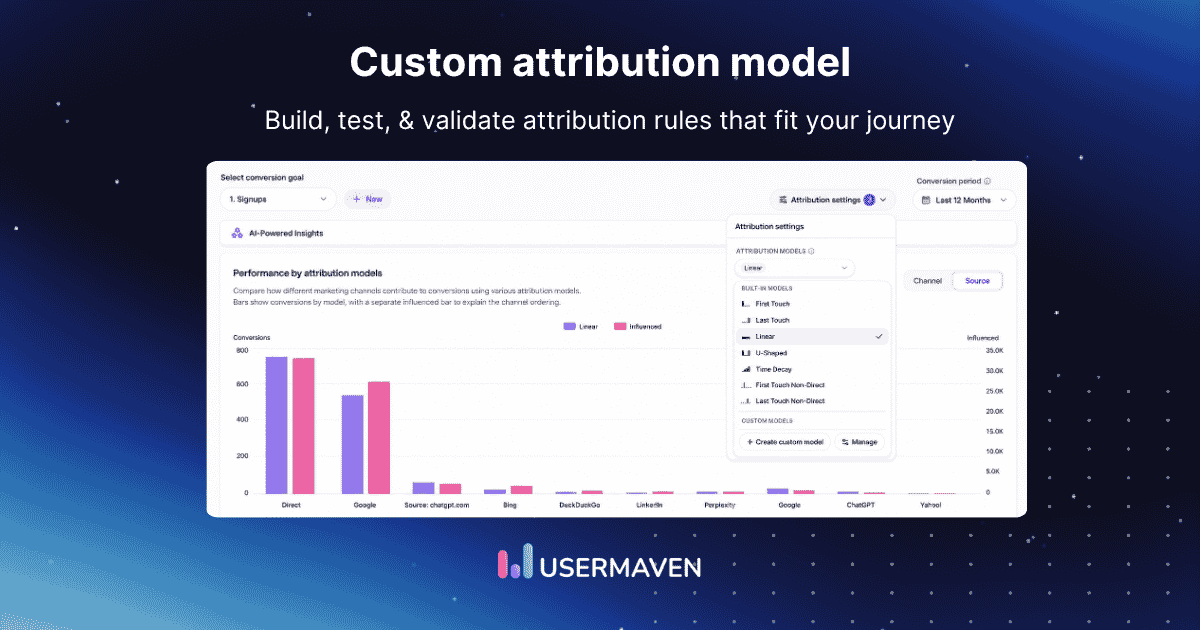
Teams can compare first-touch, last-touch, linear, U-shaped, time-decay, and non-direct perspectives in Usermaven rather than being limited to Google’s two current model choices. These are reporting and decision-making perspectives inside Usermaven, they don’t control Google Ads’ own bidding directly.
Send conversions back to Google Ads
Usermaven can send verified first-party conversion events back to Google Ads through conversion syncs, so bidding can optimize toward meaningful outcomes like signups, purchases, or upgrades instead of just early-funnel form fills.
How to connect Google Ads with Usermaven
1. Connect the Google Ads account
Choose the relevant Google Ads or manager account inside the Usermaven Google Ads integration settings.
2. Enable Google Ads auto-tagging
Confirm that Google click identifiers are being appended to ad landing-page URLs.
3. Add the required campaign parameters
Use campaign, keyword, creative, click-ID, and ad ID parameters so Usermaven can attribute conversions at the campaign, ad-group, and ad level.
4. Match account time zones
Use the same time zone in Google Ads and Usermaven to reduce daily reporting discrepancies.
5. Create the conversion goal
Define the action Usermaven should treat as the outcome, a purchase, signup, demo request, upgrade, qualified lead, or custom event.
6. Validate attribution data
Check that campaigns are appearing, ad IDs are received, visitors are connected with campaigns, conversion values are correct, and dates and time zones align.
7. Configure conversion synchronization
Choose which verified events should be returned to Google Ads for campaign optimization.
Google Ads attribution best practices
Track meaningful conversion actions rather than optimizing bidding around every low-intent action
Assign accurate conversion values, especially where purchases or customers have different commercial value
Separate primary and secondary conversions so bidding signals stay focused on outcomes that matter most
Import downstream outcomes where appropriate, qualified leads, opportunities, purchases, or revenue, not only form submissions
Keep auto-tagging active, Google click IDs are essential for reliable matching and offline imports
Use consistent UTMs to improve analysis outside Google Ads and simplify cross-channel reporting
Align time zones across Google Ads, Usermaven, GA4, and the CRM
Review conversion lag before making decisions, don’t judge too early
Compare models before changing, use model comparison reporting to estimate likely credit shifts
Review bid targets after changing models, since CPA and ROAS distribution can shift even when customer totals stay stable
Final verdict
Google Ads attribution is valuable for understanding and optimizing eligible interactions within Google’s own ecosystem.
Data-driven attribution is the strongest native default for most properly tracked accounts, while last-click remains useful for simple and transparent reporting.
Usermaven becomes the stronger measurement layer when teams need to connect Google Ads with other channels, website behavior, product activity, CRM pipeline, revenue, and retention.
Connect Google Ads with Usermaven and see how campaigns contribute across the complete customer and revenue journey.
Ready to see Usermaven in action? Explore the platform or book a demo for a closer look.
See Usermaven in action
Book a free demo and discover how powerful analytics can grow your business.
FAQs
1. What is attribution in Google Ads?
Attribution in Google Ads determines how eligible Google ad interactions receive conversion credit. It looks at clicks and video engagements before a conversion and then applies a chosen model, such as data-driven or last-click, to decide which campaigns, ad groups, keywords, and devices get credit for that conversion in reports and bidding.
2. Which attribution models are available in Google Ads?
Today, data-driven attribution and last-click are the practical supported choices for standard Google Ads conversion actions. First-click, linear, time-decay, and position-based models have been deprecated in Google Ads, although they still exist as concepts in wider marketing analytics and external attribution tools.
3. What is data-driven attribution in Google Ads?
Data-driven attribution in Google Ads compares converting and non-converting paths to estimate how each interaction contributes to conversions. It uses your account’s historical data to assign fractional credit to clicks and eligible video engagements, spreading one conversion across several touchpoints when the model detects meaningful contribution.
4. Is data-driven attribution better than last-click?
Data-driven attribution is generally stronger for multi-interaction paths because it can reward assisting campaigns, not just closers. Last-click remains simpler and more transparent, which can help for short paths, low-volume accounts, or when stakeholders need a fixed, easy-to-explain rule for audits and baselines.
5. How can the Google Ads attribution model be checked?
You can check the attribution model by going to Goals → Conversions → Summary in Google Ads. Click the relevant conversion action, select Edit settings, and review the Attribution model field to see whether that action uses data-driven attribution or last-click attribution.
Updated

Written by
Junaid Ahmed
Content Writer & Digital Marketer
Junaid Ahmed is a content and copywriter with 3+ years of experience creating research-driven content across SaaS, B2B, ecommerce, and digital marketing. He specializes in turning complex topics into clear, practical content that helps marketers better understand their challenges, evaluate solutions, and make informed decisions. His work spans educational content, industry insights, and actionable marketing guides.
All articles by Junaid →