A client can receive a beautiful dashboard and still have no clear answer to a basic question: what changed, why does it matter, and what should we do next? The software used to prepare that report shapes both what the team can measure and what the client can understand.
The right choice depends on the deliverable. A marketing client might need a channel and revenue review. A professional-services client may need project status and budget utilization.
An analyst might need to assemble reliable metrics from several systems before any dashboard can be built. These are different jobs, and one tool rarely does all of them equally well.
This guide compares ten client reporting tools using their documented capabilities, published pricing or quote requirements, trade-offs, and best-fit scenarios. It also explains how to test a reporting workflow using your own sources, without claiming we independently tested products or inventing performance results.
Key takeaways
- Start with the report’s purpose: Decide whether the client needs campaign reporting, attributed revenue, project delivery, executive KPIs, or a custom data pipeline.
- Treat price as a pricing model: Per-client, per-source, per-dashboard, per-user, and quote-based products scale differently.
- Do not confuse aggregation with attribution: Bringing multiple ad-platform conversions into one dashboard does not automatically reconcile overlapping claims.
- Check the actual deliverable: A shareable client portal, monthly PDF, live executive dashboard, and project progress update are not interchangeable.
- Verify integrations and permissions: Confirm the fields, refresh cadence, client isolation, and export method you will actually use.
- Run a pilot before committing: Build one real report using authorized client data and audit its numbers, navigation, delivery, and limitations.
Which kind of client reporting tool do you need?
The fastest way to narrow the field is to identify the report the client expects, then select tools capable of producing that deliverable. The categories below describe primary strengths, not exclusive capabilities.
| Reporting job | Typical deliverable | Tools worth evaluating |
|---|---|---|
| Cross-channel marketing performance | Branded SEO, PPC, and campaign updates | AgencyAnalytics, DashThis, Swydo, Whatagraph |
| Marketing attribution and revenue | Campaign-to-conversion and pipeline analysis | Usermaven |
| KPI and executive performance | Goals, scorecards, and recurring trend dashboards | Databox |
| Project or retainer delivery | Time, milestones, budgets, and client project updates | Teamwork |
| Flexible custom dashboards | Self-built views using connected data | Google Data Studio |
| Data-heavy reporting operations | Data extraction, transformations, and downstream reporting | Supermetrics, TapClicks |
This is a product-selection guide. If you first need to decide what goes into a good report, the client reporting framework explains how to structure objectives, KPIs, evidence, and recommended actions. Agencies can also use automated client reporting workflows once they have chosen a compatible stack and defined quality checks.
Client reporting tools compared at a glance
| Tool | Main category | Best fit | Public pricing direction |
|---|---|---|---|
| Usermaven | Marketing attribution and analytics | Revenue-focused agency reporting | Custom quote |
| AgencyAnalytics | Agency reporting platform | SEO/PPC and multi-client portals | From $20/client/month, annual |
| Whatagraph | Cross-channel marketing reporting | Agencies wanting branded, automated reporting | From €699/month, annual |
| Databox | KPI and performance dashboards | Goals, dashboards, alerts | Agency Starter $79/month, annual |
| DashThis | Marketing reporting dashboards | Simpler recurring client reports | From $44/month, annual |
| Swydo | Automated marketing reports | PPC/SEO and source-based billing | From $69/month in USD markets |
| Google Data Studio | Self-service reporting and BI | Custom, low-cost dashboards | Free core; Pro $9/user/project/month |
| Teamwork | Client project management | Time, budget, and project delivery reporting | Basics $9.99/user/month, annual |
| TapClicks | Marketing operations and reporting | Agencies with complex data workflows | Custom quote |
| Supermetrics | Marketing data connectivity | Building reports in connected destinations | Starter from $44/month, annual |
Pricing shown reflects publicly available vendor information checked in October 2026, not a negotiated offer. Currency, minimums, included features, and annual-billing requirements differ; confirm the quote for your actual use case.
How these tools were evaluated
We reviewed official product, feature, help, and pricing pages for ten platforms used in marketing, analytics, and client-service reporting. The categories and “best for” recommendations are editorial assessments of their documented capabilities, not the results of independent hands-on product testing.
Usermaven’s existing marketing agency reporting tools guide focuses on six agency platforms. This comparison uses a wider lens, covering marketing, executive, project-delivery, and data-infrastructure reporting.
We did not assign invented accuracy scores, test fictitious datasets, or assume every vendor supports attribution simply because it can display conversions. Prices are published entry points or quote-based descriptions, and particular features may require higher plans or add-ons.
10 best client reporting tools for different needs
The following list compares ten client reporting tools for different agency workflows and reporting needs. Explore each tool’s features, pricing, and best-fit use case to find the right option for your clients.
1. Usermaven: Best for attribution-led revenue reporting
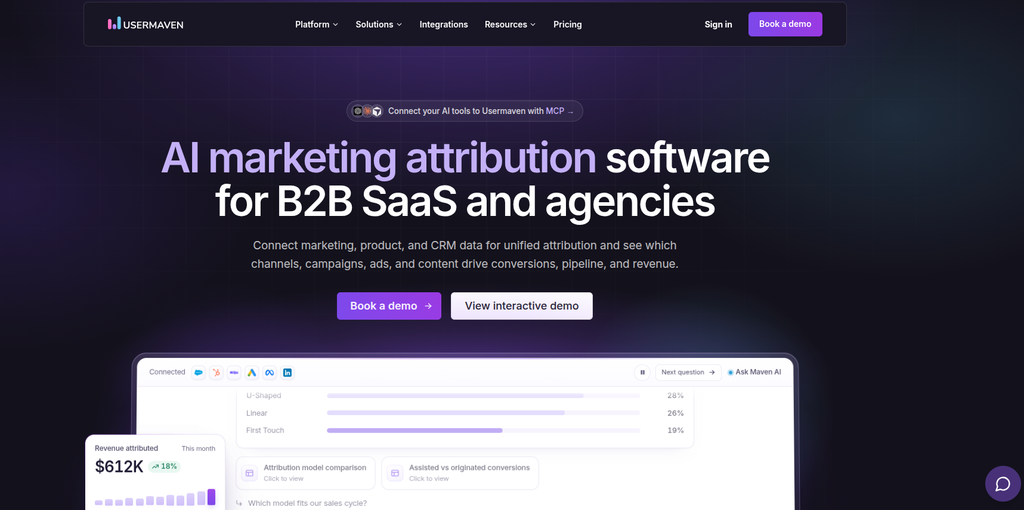
Usermaven is marketing attribution software built to connect recorded marketing activity with conversions, pipeline, and revenue. Its reporting features support marketing teams and agencies that need to explain which channels and campaigns receive attribution credit, rather than relying only on traffic or ad-platform claims.
The platform also offers website and product analytics, customer journeys, funnels, dashboards, and client-specific workspaces. That combination is useful when agencies serve B2B SaaS, performance marketing, or ecommerce clients with multi-touch buying paths.
Key features
- Multi-touch and custom attribution models for eligible marketing interactions and conversion outcomes.
- Custom dashboards, funnels, customer journey reporting, and campaign analysis.
- Scheduled reports and alerts, with email and supported Slack delivery.
- Client workspaces, shareable dashboards, and optional branded reporting capabilities.
- CRM, advertising, and conversion integrations that support richer attribution inputs.
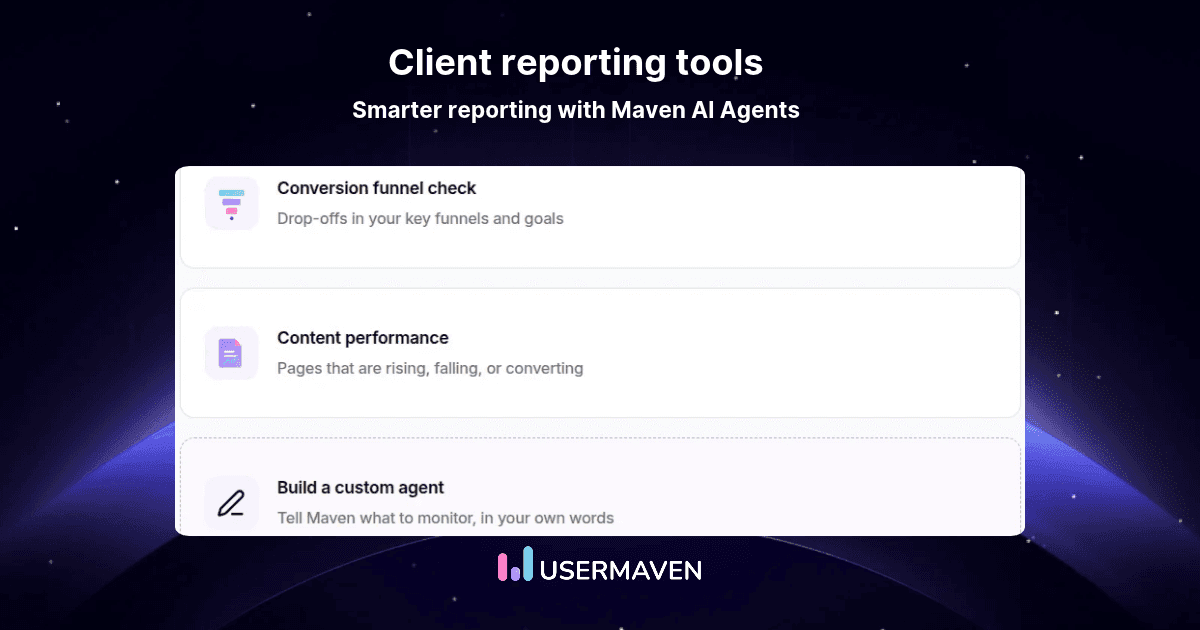
- Maven AI Agents for scheduled analysis and proactive insights, distinct from configured recurring reports.
Pricing: The current Usermaven pricing offers Business and Enterprise plans by custom quote. White-label analytics is an optional add-on, and workspace capacity should be confirmed for the intended number of client accounts.
Best for: Agencies that must defend marketing recommendations using attributed conversions and revenue. The limits matter: Usermaven is not a native SEO rank tracker or agency time-and-invoicing suite, and attribution models distribute credit rather than prove incremental causality.
Agency teams can organize separate reporting environments through Usermaven’s agency solution, while its Reports & Alerts feature supports recurring summaries that are more useful when tracking and CRM associations have already been validated.
2. AgencyAnalytics: Best for SEO and PPC client portals
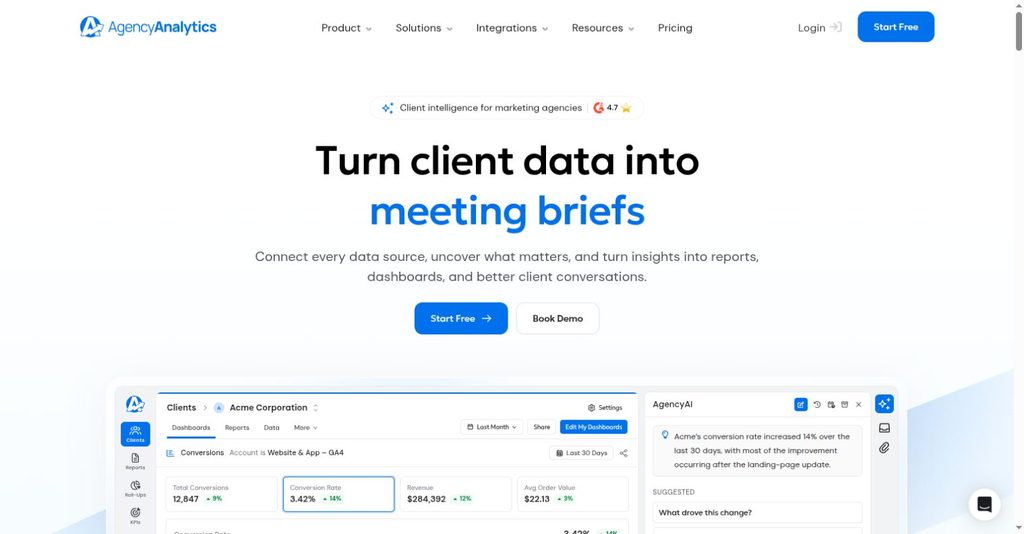
AgencyAnalytics focuses on marketing agencies that must create repeatable reports across many client accounts. Its platform combines popular SEO and advertising integrations with report templates, dashboards, scheduling, and client-facing access. That is a strong match for agencies delivering regular SEO, PPC, and social media updates.
Key features
- Automated marketing reports and branded client portals.
- Dozens of marketing integrations with client-level dashboard organization.
- Goals, alerts, and agency-oriented reporting workflows.
- Optional SEO rank tracking and AI visibility modules, subject to add-on pricing.
Pricing: The official AgencyAnalytics pricing begins at $20 per client per month when billed annually. Included reports and integrations are broad, but optional rank tracking and other add-ons can change total cost.
Best for: Agencies that need consistent reporting and client access across many SEO or paid-media accounts. It is less directly positioned as a standalone multi-touch revenue attribution engine than a platform designed primarily around connecting customer journeys to CRM revenue.
3. Whatagraph: Best for polished cross-channel reporting
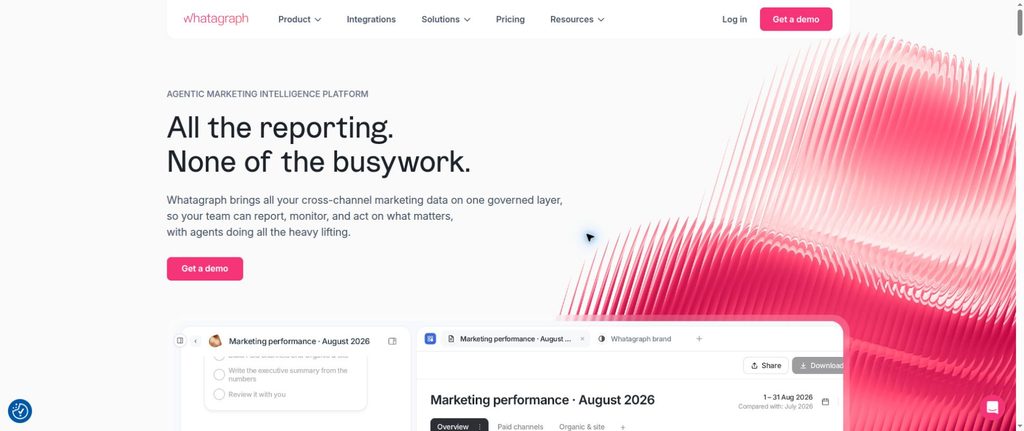
Whatagraph specializes in marketing data aggregation, branded reports, and automated reporting workflows. It suits agencies that want to combine metrics from several marketing channels and present them in a consistent format without building every dashboard from scratch.
Its data blending and transformation capabilities can help standardize reporting inputs, although users still need to define compatible metrics and conversion rules before interpreting results.
Key features
- Custom branded reports, templates, and scheduled client delivery.
- Cross-channel data aggregation and supported custom transformations.
- KPI overviews, goals, alerts, and AI-assisted summaries.
- Higher-tier features for complex sources, domains, and data operations.
Pricing: The Whatagraph pricing page lists Max from €699 per month, billed annually, while Prime requires a custom quote. The Max plan includes source credits, so agencies should calculate expected capacity before comparing it with per-client alternatives.
Best for: Established marketing agencies needing sophisticated presentation and cross-channel reporting workflows. Small agencies with only a few accounts may find the starting commitment high compared with simpler dashboard products.
4. Databox: Best for goals, scorecards, and KPI monitoring
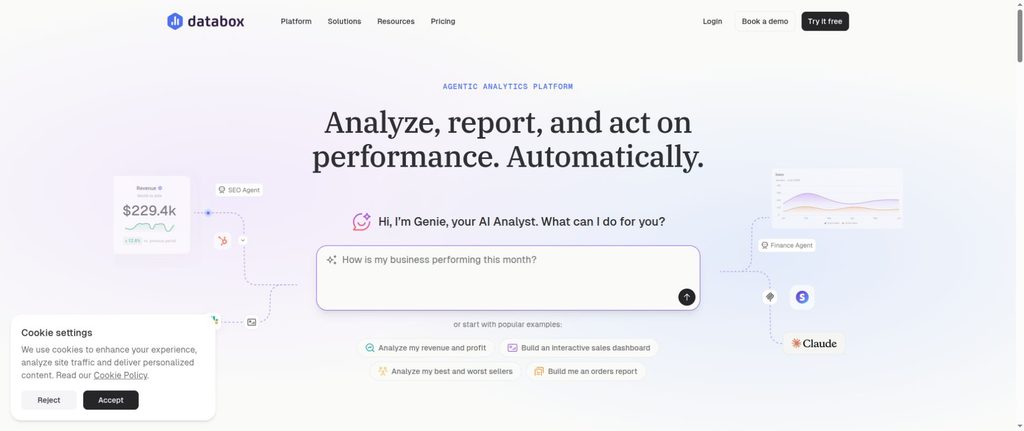
Databox combines performance dashboards with goals, scorecards, alerts, and agency client accounts. It is designed for teams that want a quick view of whether important KPIs are moving in the right direction, with more advanced analytical and reporting capabilities at higher tiers.
Its agency plans are differentiated by client-account allowances, dashboard limits, source capacity, and performance-management features.
Key features
- Connected dashboards and reusable KPI reporting.
- Goals, alerts, notifications, and performance comparisons.
- Agency-oriented client accounts and permissions.
- Integrations, calculated metrics, and selected AI functionality by plan.
Pricing: Databox agency pricing lists Agency Starter at $79 per month billed annually, with five client accounts and three data sources included. Agency Pro starts at $159 per month annually, and extra sources or optional white-label features can add cost.
Best for: Agencies that prioritize recurring KPI reviews and goal-based client communication. Complex attribution logic or highly specialized marketing-data reconciliation may require additional tools or upstream preparation.
5. DashThis: Best for straightforward recurring dashboards
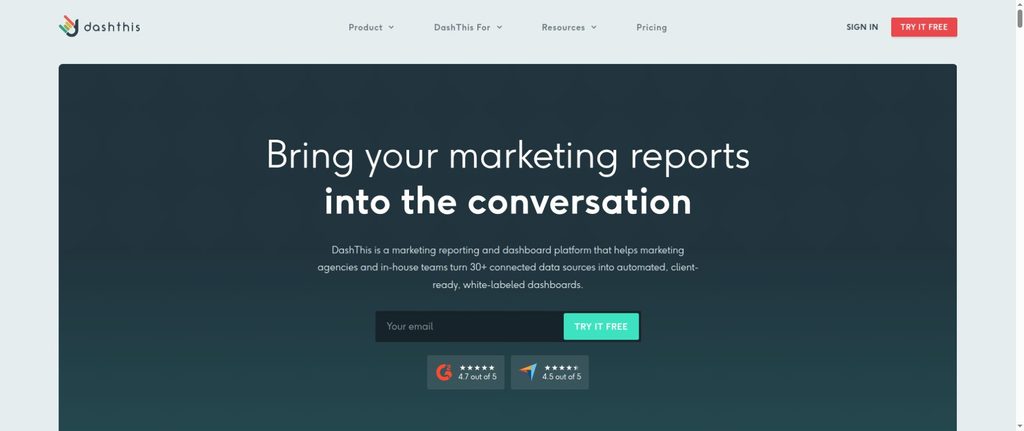
DashThis is a reporting-first option for agencies that want to assemble marketing metrics from connected sources into branded dashboards with minimal ongoing preparation. It emphasizes templates, automated updates, accessible sharing, and clear reporting without extensive custom engineering.
Key features
- Preset dashboards and marketing integrations.
- Scheduled report delivery and white-labeled dashboards.
- Consolidated client-facing performance views.
- AI-generated summary-style insights, with optional advanced functionality.
Pricing: The published DashThis pricing starts at $44 per month billed annually for the Individual plan, which includes three dashboards and a defined source allowance. Larger plans increase dashboard and source capacity; advanced AI functionality is a separate add-on.
Best for: Small or mid-sized agencies that need reliable recurring dashboards more than warehouse-style modeling or advanced CRM attribution. Check dashboard capacity carefully when each client requires several separate reports.
6. Swydo: Best for automated PPC and SEO reporting
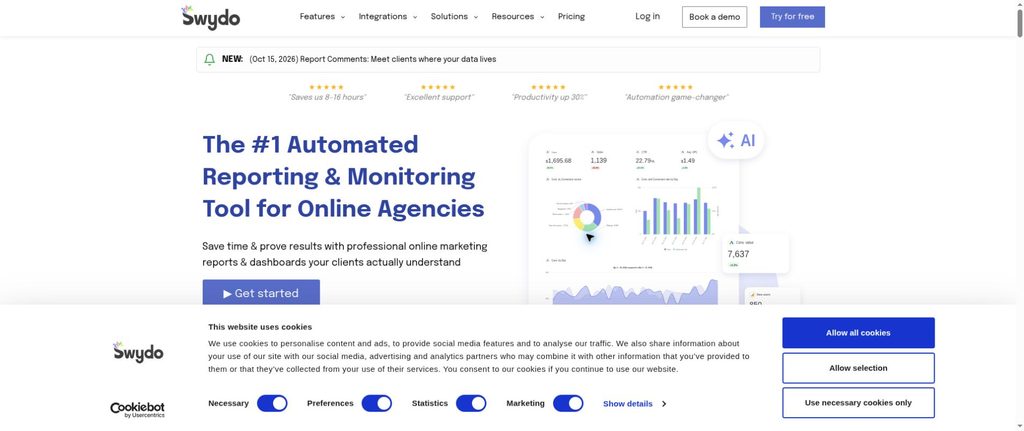
Swydo is built around agency reporting, monitoring, and client communication. Its billing model is particularly relevant for agencies with predictable combinations of connected advertising and search accounts, because it charges mainly by active data source rather than client seat.
Key features
- Automated reports, dashboards, templates, and scheduling.
- Custom metrics, combined source views, goals, and alerts.
- Client portals and agency branding options.
- AI-assisted reporting and source-health monitoring.
Pricing: The official Swydo pricing describes an entry plan from $69 per month in USD markets, with the first ten data sources included and additional sources charged on a tiered basis. Annual and currency-specific prices should be confirmed at checkout.
Best for: PPC and SEO agencies that want predictable operational reporting and can forecast how many connected accounts they will use. Multiple advertising and analytics accounts for the same client count as separate sources, so client count alone does not predict the bill.
7. Google Data Studio: Best for flexible self-built reports
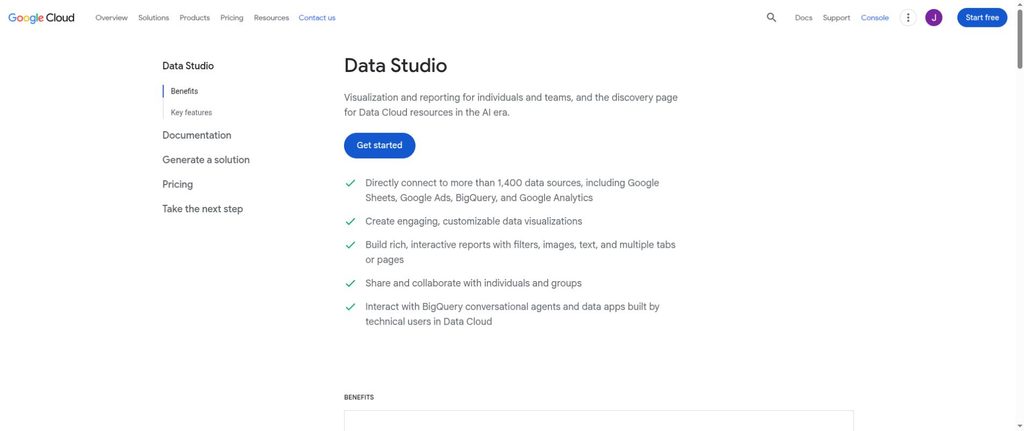
Google Data Studio, formerly Looker Studio, is Google’s self-service dashboard and visualization product. Its flexible report builder can connect Google marketing products, spreadsheets, and many other data sources, making it attractive to agencies comfortable owning report templates and data definitions.
Google restored the Data Studio name in April 2026, so some vendor integrations may still reference the previous name.
Key features
- Interactive reports, charts, filters, and shareable dashboards.
- Native connections to Google products and supported third-party connectors.
- Custom report layouts and collaboration.
- Paid Data Studio Pro with expanded organizational management and support.
Pricing: Google’s Data Studio product page describes the core tool as free, with Data Studio Pro at $9 per user per project per month. Third-party connector subscriptions, data warehouses, and setup work can create separate costs.
Best for: Budget-sensitive agencies with technical reporting capacity. It is not a preconfigured agency attribution platform, and the team remains responsible for data blending, maintenance, metric definitions, and client access setup.
8. Teamwork: Best for project delivery and profitability reporting
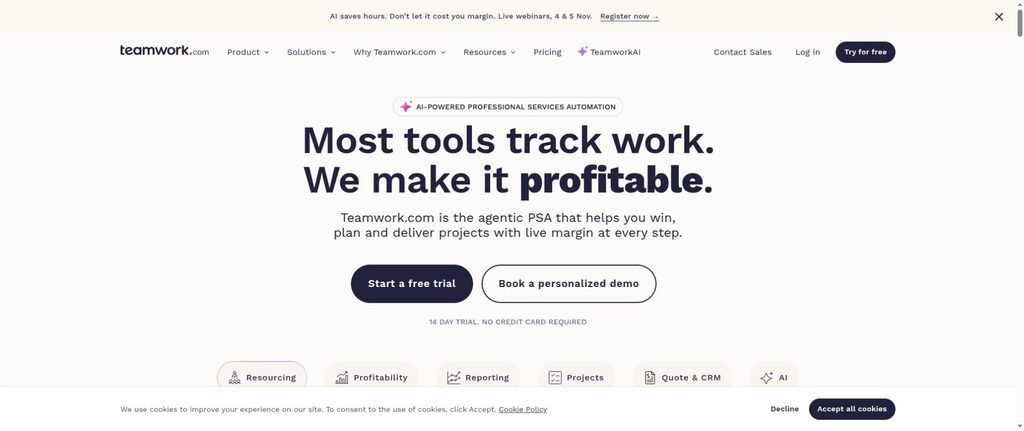
Teamwork differs from the marketing dashboards in this list. It is a client-work management platform focused on delivery progress, time, budgets, resources, and profitability. Agencies that sell retainers or project work may need these operational reports alongside campaign performance.
Key features
- Projects, milestones, task views, and client collaboration.
- Time tracking, budget monitoring, and billable-hour reporting.
- Client and project dashboards with reporting options.
- Resource and profitability capabilities that expand by plan.
Pricing: Teamwork pricing lists a free tier and Basics from $9.99 per user per month when billed annually. More advanced project, utilization, and profitability functions require evaluation of higher plans.
Best for: Creative, development, and service-delivery agencies that need to report whether the work was completed on time and within budget. It should not be evaluated as a direct substitute for marketing attribution or cross-channel ad analytics.
9. TapClicks: Best for complex marketing reporting operations
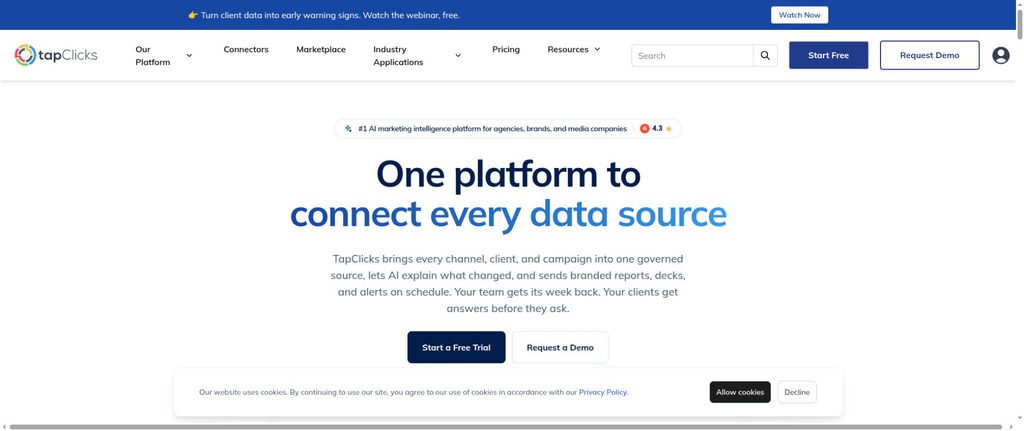
TapClicks offers marketing reporting alongside data connections, aggregation, transformations, and broader operations workflows. It targets agencies and marketing organizations handling many accounts, brands, or campaign sources, where reporting consistency and data preparation are major operational challenges.
Key features
- Automated report scheduling and branded dashboards.
- Marketing data connectors and blending tools.
- Report presentation, data transformations, and agency workflows.
- Advanced features for larger or more complex reporting operations by product tier.
Pricing: The official TapClicks pricing comparison lists product bundles and directs buyers to request a tailored price. A separate product page shows an entry figure for TapReports, but it should not be treated as the price of the entire TapClicks suite.
Best for: Agencies with complex reporting operations, multiple data sources, and specialized workflows. Ask for a detailed scope and quote covering connectors, report automation, integrations, and implementation before comparing it with simpler platforms.
10. Supermetrics: Best for building a custom reporting data stack
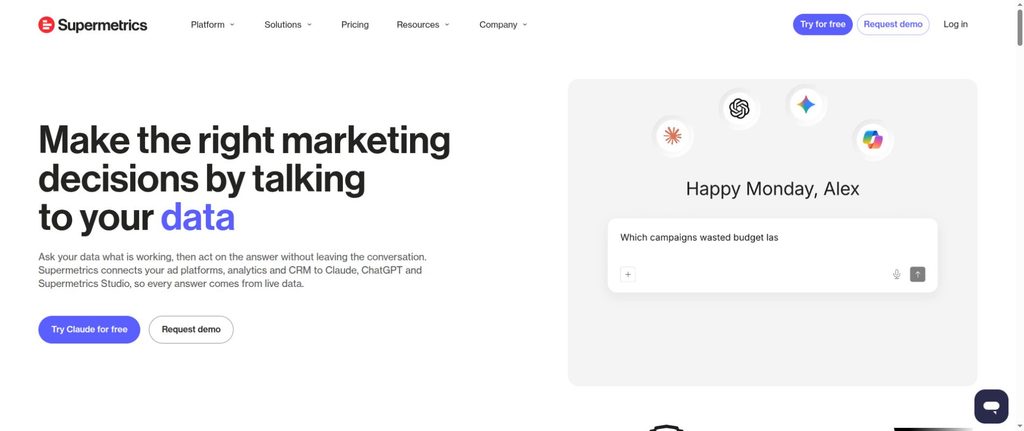
Supermetrics is primarily a marketing data integration and intelligence platform. Rather than replacing every reporting destination, it helps teams move marketing data into the environment where they prefer to analyze and present it, including spreadsheets, dashboards, and BI tools.
This can be attractive when an agency has established reporting templates or a shared data infrastructure.
Key features
- Connectors for marketing and advertising data sources.
- Data transfer into reporting and analytics destinations.
- Automated refreshes and supported transformations or workflows.
- Tiered plans that vary by sources, accounts, destinations, and collaboration.
Pricing: The Supermetrics pricing lists Starter from $44 per month when billed annually, with source, account, and destination limits. Higher tiers offer greater capacity, and teams should include the cost of the reporting destination and any connector requirements.
Best for: Data-capable agencies that want to build reports in a chosen environment rather than adopt an all-in-one reporting interface. Supermetrics helps transport data, but it does not by itself establish that a conversion was caused by a particular campaign.
Best client reporting tools by client and service type
The most appropriate product depends on the service being delivered, which decisions the client needs to make, and which data sources are authoritative.
| Agency type | What clients usually need | Tools worth evaluating |
|---|---|---|
| SEO-focused | Organic visibility, traffic quality, SEO outcomes | AgencyAnalytics, Data Studio |
| PPC-focused | Paid media spend, conversions, channel dashboards | Swydo, Whatagraph, DashThis |
| B2B demand generation | Qualified leads, opportunities, pipeline, attributed revenue | Usermaven, with CRM connections |
| Ecommerce performance | Orders, attributed revenue, acquisition efficiency | Usermaven, Whatagraph, Databox |
| Creative/project delivery | Milestones, budgets, time and margin | Teamwork |
| Data-intensive multiservice | Integrated sources and custom reporting destinations | Supermetrics, TapClicks, Data Studio |
These are use-case recommendations, not claims that a vendor supports every measurement required for that client. A PPC agency may pair a reporting-first tool with an attribution platform, while a creative agency may need project profitability more than an ad-performance dashboard.
Reporting dashboards vs. marketing attribution vs. data pipelines
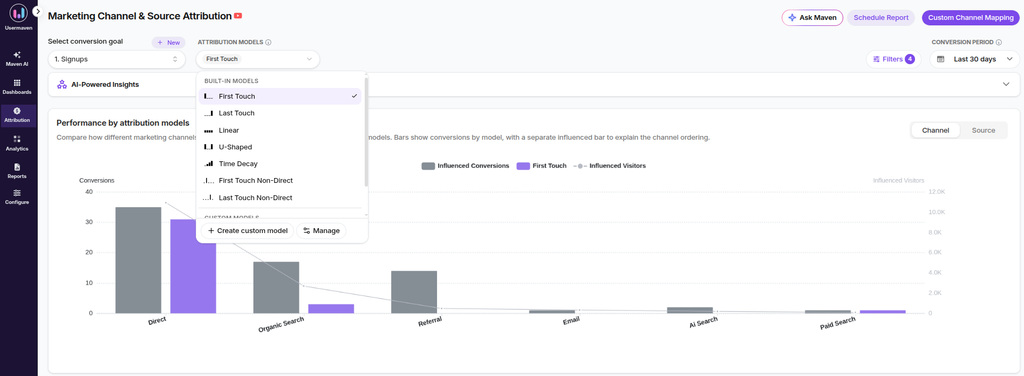
A reporting tool might collect conversions claimed by Google Ads, Meta Ads, and a website analytics product. That does not mean those numbers share the same attribution window, conversion definition, deduplication logic, or identity associations.
An attribution dashboard answers a related but different question: how a selected model distributes conversion credit among eligible recorded marketing interactions. Its results depend on what was captured and associated with the correct user or opportunity.
| Capability | Typical question answered | What it does not automatically prove |
|---|---|---|
| Dashboard aggregation | What do our connected sources report? | That overlapping conversions are deduplicated |
| Automated report delivery | Did stakeholders receive the update? | That every number is correct |
| Data blending | Can we compare compatible metrics together? | That different platforms use identical attribution rules |
| Marketing attribution | Which eligible interactions received model-assigned credit? | The causal lift of a channel |
| CRM/revenue reporting | Which outcomes were recorded commercially? | That all earlier marketing touches were captured |
For agencies selling performance outcomes, this distinction affects budgeting recommendations. A campaign can appear successful in its native ad platform but contribute differently under a consistent attribution model using verified conversion data.
Three client reporting deliverables and the features they require
The same word, report, can describe very different deliverables. Before comparing software, write down which information the recipient must see and where that information originates. These are report specifications, not fictional customer case studies or claimed product tests.
Marketing performance and revenue review
A performance or B2B demand-generation team needs to connect paid and organic activity with meaningful business outcomes. The report might lead with verified conversions or opportunities, then show spend, qualified pipeline, acquisition sources, and the attribution model applied. A dashboard is only as useful as the underlying conversion definitions, identity matches, and CRM association rules.
Useful capabilities include advertising and CRM integrations, configurable conversion definitions, attribution or channel analysis, date comparisons, and scheduled sharing. Usermaven addresses the attribution component; dedicated agency reporting platforms can complement it when a client also demands extensive SEO and social reporting templates.
Executive scorecard or stakeholder review
An executive report may cover a handful of agreed outcomes across marketing, sales, and customer operations. The goal is to show actual results against targets and explain changes, not reproduce every underlying transaction.
Look for goal tracking, consistent calculations, anomaly notices, commentary, and permissions that prevent sensitive information from reaching the wrong audience. Databox and Data Studio are worth evaluating for different levels of managed KPI reporting and custom dashboard ownership.
Project delivery and retainer update
A service client may care more about completed milestones, open decisions, time used, remaining budget, and project risks than marketing conversions. Reports should distinguish hours logged from deliverables accepted, and budget utilization from the quality of work.
For these engagements, a client-work management platform such as Teamwork is more relevant than a marketing-attribution product. This prevents teams from purchasing a powerful analytics platform for a reporting problem it was not built to solve.
How pricing can change as your reporting needs grow
Software prices are difficult to compare because the subscription may be metered by different things. AgencyAnalytics charges per client, Swydo by connected data source, DashThis by dashboard and source allowances, and Teamwork by licensed team member. The data stack may add separate visualization or connector costs.
| Pricing model | Example from shortlist | What increases the bill |
|---|---|---|
| Per client | AgencyAnalytics | Number of billable client accounts |
| Per connected data source | Swydo | Each advertising or analytics account connected |
| Dashboard and source tiers | DashThis | More individual dashboards or connected accounts |
| Agency plan plus capacity | Databox | Data sources, account tiers, add-on services |
| Per user | Teamwork | Licensed staff members and required plan tier |
| Source, destination and account package | Supermetrics | Additional destinations, data sources, users or accounts |
| Annual source-credit package | Whatagraph | Higher source-credit consumption or tier requirements |
| Custom quote | Usermaven, TapClicks | Negotiated product scope, workspaces, implementation and add-ons |
To compare total cost honestly, list each required data source, separate client environment, user role, reporting destination, and paid add-on. Request a quote at your expected scale, not just the entry tier. A low headline price can be a poor fit if the required CRM field, white-label option, or security control is not included.
A practical evaluation test before choosing software
Vendor comparison pages cannot replace a trial with your own reporting requirements. A reproducible pilot should answer the following questions without requiring invented accuracy scores or hypothetical sales figures.
- Source coverage: Can you connect the needed ad accounts, analytics properties, CRM records, or project data with the correct fields?
- Metric definitions: Can the report state exactly what a conversion, qualified lead, revenue amount, or billable hour means?
- Refresh reliability: Does the tool expose meaningful evidence of connector health and data freshness?
- Client delivery: Can the intended recipient open the report in the required format without seeing another client’s data?
- Historical comparison: Can you repeat the report with consistent date ranges, timezones, attribution rules, and documented limitations?
- Ongoing ownership: Who is responsible for reviewing AI summaries, validating financial outcomes, and fixing broken connections?
A successful pilot should produce a client-readable explanation of the results, not merely an attractive chart. That is the difference between purchasing reporting software and establishing a reporting process that can support business decisions.
How to choose the right client reporting tool
Start with the client’s decision, not the dashboard template
List the decisions clients make from reports: reallocate channel spend, approve a new campaign, assess SEO value, review qualified pipeline, or judge project profitability. Assign one or two business outcomes to each decision, then decide what supporting metrics are needed.
An agency serving different industries may need separate report structures, even if it uses one software platform. A single universal dashboard often obscures the different goals of each client.
Audit the data sources and required integrations
Inventory every ad account, analytics property, CRM, ecommerce platform, spreadsheet, and business system. Check whether each product offers a native connector, supported third-party connector, file import, or API workflow.
Also evaluate attribution windows, currency normalization, timezone settings, and whether the tool can relate marketing to downstream opportunities or sales. Visual consistency cannot repair incompatible data definitions.
Test reporting automation end to end
A useful evaluation includes creating a report, scheduling a delivery, checking the recipient view, and confirming that new data appears correctly. Verify what happens when a connector fails or an account permission expires.
Agencies using scheduled reports should ensure automatic delivery does not bypass the quality check required for financial or strategic conclusions. AI text can summarize numbers quickly, but it may still describe a correlation as a cause.
Evaluate client access, privacy, and white labeling
Consider whether clients need a downloadable PDF, live dashboard, client portal, or password-protected link. Check permissions per client and report, including whether external viewers can navigate into other accounts or see sensitive revenue data.
Agency branding may be a built-in feature, a higher-tier benefit, or a separate add-on. The choice matters most when the client-facing experience itself is part of the agency’s service offering. Usermaven’s white label analytics can support branded delivery, but its current pricing treats that capability as optional.
Evaluate total costs and upgrade triggers
Document the billing unit and the report requirements that may trigger a higher plan. The pricing-model table above explains which costs change as the number of clients, sources, reports, or users increases. When the vendor supplies a custom quote, request a written scope for implementation, workspaces, white-labeling, support, and future expansion.
Common mistakes when comparing reporting software
Choosing by integration count alone: A connector list says little about data quality, refresh cadence, or whether the available metrics suit the client’s goals. Validate the exact fields you need.
Treating attributed revenue as causal lift: Multi-touch attribution helps assign credit under a model, but proving incremental impact generally requires separate experimental or causal evidence.
Ignoring data-model differences: Totals from ad platforms and CRMs can disagree because they count different events or use different rules. The reporting vs. analytics distinction matters here: presenting a number is not the same as investigating whether it supports the conclusion.
Overlooking client-level privacy: One shared dashboard template is useful only if data access and workspace separation are configured correctly.
Buying based on the lowest advertised tier: Source credits, client counts, paid users, and higher-tier feature restrictions can substantially change total cost.
Automating commentary without review: A polished AI summary can still misread seasonality, missing tracking, or an unusual campaign change. Agency recommendations should have a human owner.
When is each client reporting tool the best choice?
| Platform | Choose it when… | Reconsider it when… |
|---|---|---|
| Usermaven | Attribution, customer journeys, pipeline, and revenue are central to client reporting | You primarily need time tracking, project billing, or native rank tracking |
| AgencyAnalytics | You manage many SEO/PPC clients and want consistent agency portals | Sophisticated revenue modeling is the core requirement |
| Whatagraph | Branded cross-channel reports and advanced blends justify a larger commitment | Your agency needs only a few low-cost reports |
| Databox | KPI goals, monitoring, and shared scorecards drive reviews | You need specialized attribution logic without other systems |
| DashThis | Fast recurring marketing dashboards are the priority | You require elaborate multi-system modeling |
| Swydo | Paid/SEO source counts are predictable and automation matters | You have a very large or unpredictable source footprint |
| Data Studio | You can build and maintain flexible dashboards yourself | You need an agency-ready reporting workflow out of the box |
| Teamwork | You report projects, budgets, resources, and delivery profitability | You need marketing channel attribution |
| TapClicks | You have complex multi-account data and reporting operations | You only need a lightweight client dashboard |
| Supermetrics | You want marketing data delivered into your chosen reporting stack | You need a complete client-facing portal without other tools |
Client reporting tools evaluation checklist
Before committing to a contract, confirm:
- The platform supports the commercial outcomes your clients care about.
- Your required data sources and fields are actually available.
- Metrics, attribution rules, timezones, and reporting periods are documented.
- Scheduled delivery and dashboard-sharing workflows have been tested.
- Client workspaces and permissions prevent cross-client data exposure.
- White labeling, exports, user seats, and alerts are priced accurately.
- The tool’s billing model is affordable at expected client and source volumes.
- Important conversion and revenue figures can be reconciled to their source systems.
- AI summaries and strategic recommendations have a review owner.
- Your team can maintain the setup as clients, channels, and tracking requirements change.
Final verdict
The best client reporting tool is the one that turns trustworthy data into decisions clients can act on. Teams focused on presentation may prefer an automated reporting portal. Those focused on project delivery may need operational reporting. Data-oriented teams may build their own reporting stack.
For agencies judged on marketing performance, the central challenge is often not producing another dashboard. It is explaining which marketing interactions are associated with qualified leads, pipeline, and revenue using consistent measurement. Usermaven brings that attribution-first perspective alongside dashboards and recurring reports.
Agencies can book a demo to see how Usermaven connects marketing activity with conversion and revenue reporting across their client accounts.
Frequently asked questions
What are client reporting tools?
Client reporting tools help businesses collect, organize, visualize, and share results with customers. For marketing agencies, they often connect ad platforms, analytics tools, SEO data, and CRM information to prepare dashboards and regular performance updates.
What are the best client reporting tools for different teams?
The best choice depends on the team’s reporting responsibility. AgencyAnalytics, Swydo, Whatagraph, and DashThis suit different reporting workflows; Usermaven is relevant for attribution-led revenue reporting; Teamwork focuses on project delivery, while Data Studio and Supermetrics support customizable reporting stacks.
What features should client reporting software include?
Useful features include relevant integrations, consistent KPI definitions, automated delivery, client access controls, templates, and flexible dashboards. Attribution, CRM revenue connections, white labeling, or project profitability are important only when they match the client engagement.
How much do client reporting tools cost?
Pricing varies by client, connected source, dashboard, user, and product tier. Some tools have free plans or low-cost entry subscriptions, while others use substantial annual commitments or custom quotes. Always compare total cost at your actual client-account volume.
Can client reporting be automated?
Yes. Many tools automate data refreshes, dashboard updates, report scheduling, and delivery. Agencies should still validate important figures, investigate unusual changes, and review AI-written interpretations before sending strategic recommendations.
Are client reporting tools the same as marketing attribution software?
No. A reporting tool presents metrics and helps communicate results, while attribution software distributes conversion credit among eligible recorded marketing interactions under selected rules. Some products offer both capabilities, but a shared dashboard does not guarantee comprehensive attribution.

Written by
Junaid Ahmed
Content Writer & Digital Marketer
Junaid Ahmed is a content and copywriter with 3+ years of experience creating research-driven content across SaaS, B2B, ecommerce, and digital marketing. He specializes in turning complex topics into clear, practical content that helps marketers better understand their challenges, evaluate solutions, and make informed decisions. His work spans educational content, industry insights, and actionable marketing guides.
All articles by Junaid →