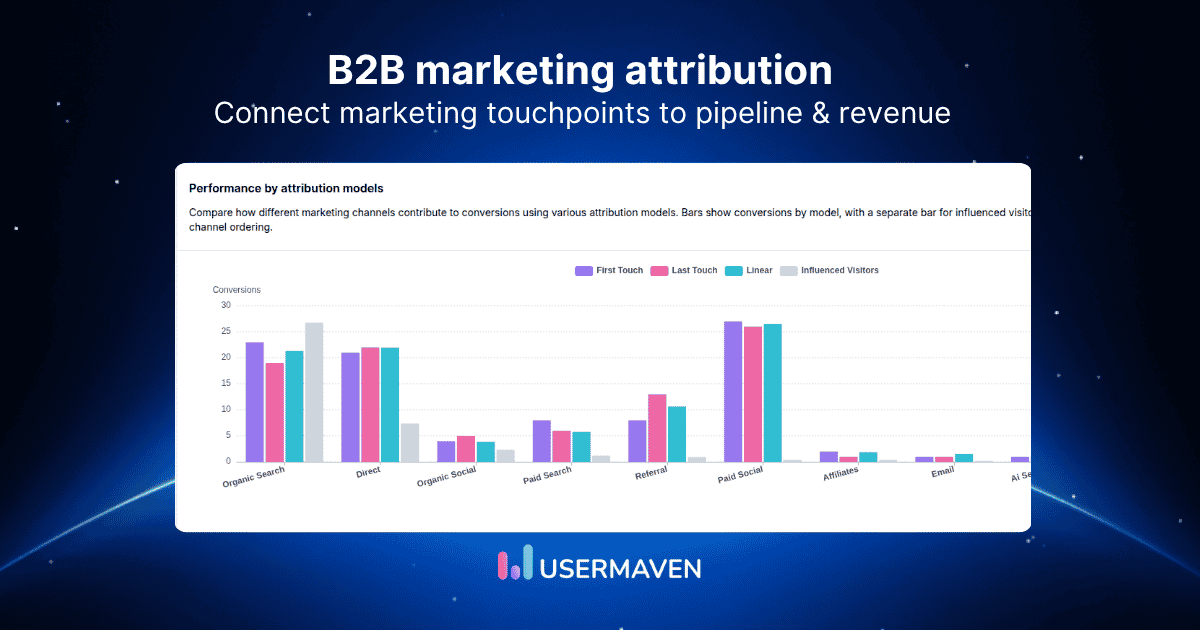
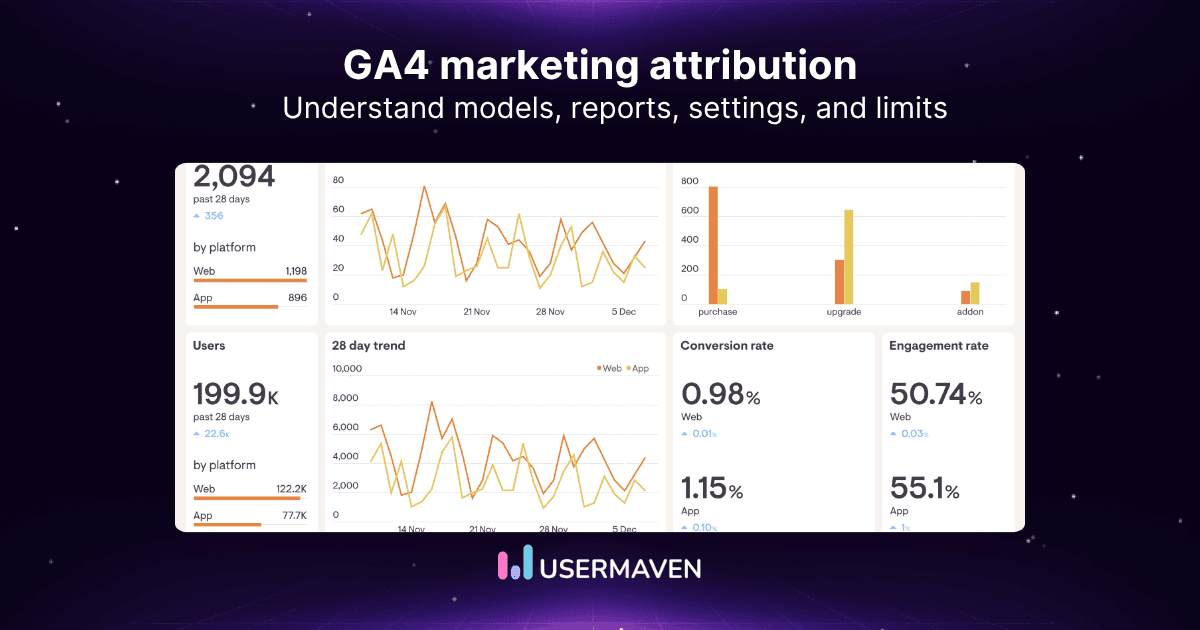
Marketing attribution becomes commercially useful when campaign data reaches the CRM and closed revenue flows back into the attribution model.
Advertising platforms and analytics tools can report clicks, sessions, form submissions, and signups. But those metrics do not show whether a campaign produced qualified accounts, sales opportunities, pipeline, or closed revenue.
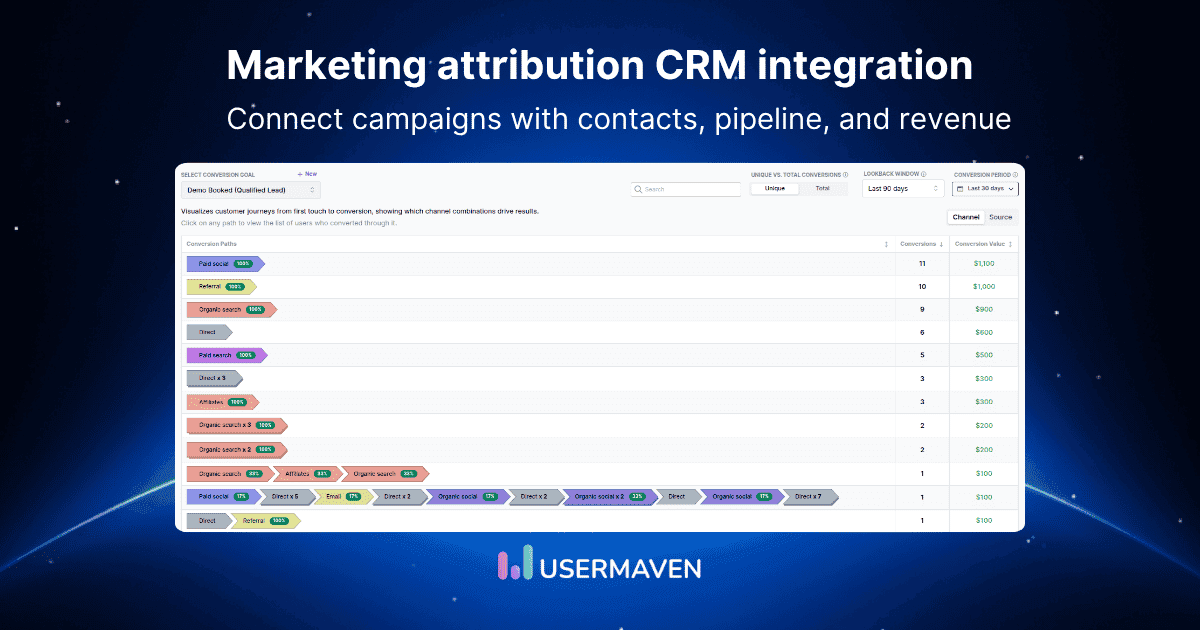
A marketing attribution platform with CRM integration connects the two sides of that journey. It matches marketing touchpoints with contacts, companies, lifecycle stages, deals, and commercial outcomes recorded in the CRM.
This article explains how CRM-connected attribution works, which data should be synchronized, how identities and deals are matched, which attribution models can be applied, what commonly breaks, and which platforms provide the strongest CRM integrations.
Key takeaways
Marketing attribution CRM integration connects campaigns and customer journeys with contacts, accounts, opportunities, pipeline, and revenue.
Installing a CRM connector does not automatically produce accurate attribution. Reliable reporting also depends on identity resolution, field mapping, contact-to-deal associations, lifecycle definitions, and clean revenue data.
One-way synchronization may be sufficient for reporting. Bidirectional integration can also enrich CRM records and return qualified conversion signals to advertising platforms.
Usermaven is the strongest overall option for teams that want marketing attribution software connected with website activity, product behavior, customer journeys, CRM pipeline, and revenue.
What is marketing attribution CRM integration?
Marketing attribution CRM integration is the connection between marketing-touchpoint data and the customer, sales, and revenue records stored in a CRM.
It combines three data layers.

Marketing touchpoints
These are the interactions that introduce, influence, or bring a prospect back to the business:
Paid advertising
Organic search
Email
Social media
Referral traffic
Content
Webinars
Events
Direct visits
Sales engagement
Customer and account records
The CRM stores the people and organizations involved in the buying process:
Leads
Contacts
Companies
Accounts
Lifecycle stages
Lead statuses
Sales activities
Account owners
Qualification fields
Commercial outcomes
The final layer shows whether marketing activity produced business value:
Opportunities
Deals
Pipeline
Closed revenue
Subscriptions
Renewals
Expansion
Customer lifetime value
CRM attribution connects these layers so the business can move beyond traffic and lead reporting.
Instead of asking, “Which campaign produced the most form submissions?” the team can ask, “Which campaign produced the most qualified pipeline and closed revenue?”
Why CRM integration matters for marketing attribution
Cross-channel measurement requires data from several systems to be connected rather than evaluated independently. The Interactive Advertising Bureau notes that integrating data from multiple sources helps marketers build a more unified view of campaign performance and improve media-spend decisions through cross-channel measurement.
CRM integration adds the business outcomes that website and advertising reports often lack.
Connect campaigns with revenue
Website analytics may show that a campaign generated 200 form submissions. CRM data reveals whether those submissions produced:
Qualified leads
Opportunities
Pipeline
Closed-won deals
Revenue
A connected revenue attribution process allows marketing performance to be evaluated using commercial outcomes instead of lead volume alone.
Measure lead quality, not only lead volume
Two campaigns can produce the same number of leads but create very different business results.
For example:
Campaign A generates 100 leads and $20,000 in pipeline.
Campaign B generates 25 leads and $150,000 in pipeline.
Lead-based reporting would favor Campaign A. CRM-connected attribution would show that Campaign B created more valuable demand.
Build full-funnel reporting
CRM integration helps connect the entire progression:
Visit → lead → qualified lead → opportunity → customer
This makes it possible to compare campaigns at every stage rather than measuring only the first conversion.
Align marketing and sales reporting
Marketing may define success as a form submission, while sales focuses on qualified opportunities and won deals.
Connecting attribution with the CRM gives both teams shared metrics such as:
Marketing-qualified leads
Sales-qualified leads
Opportunity rate
Pipeline created
Win rate
Closed revenue
Average deal value
Improve advertising optimization
CRM outcomes can become stronger advertising signals than basic website conversions.
Instead of optimizing campaigns only for form completions, teams may be able to return events such as:
Qualified lead
Opportunity created
Demo completed
Closed-won customer
Revenue value
This helps advertising platforms learn which conversions are commercially meaningful.
Allocate budgets using commercial outcomes
Traffic and conversion volume are useful operational metrics. They should not be the only basis for budget decisions.
CRM integration enables channel comparisons using:
Cost per qualified lead
Cost per opportunity
Pipeline return on ad spend
Customer acquisition cost
Revenue return on ad spend
Customer lifetime value
How marketing attribution CRM integration works
A typical CRM-connected attribution system follows this data flow:
Ads and content → Website and product → Attribution platform ↔ CRM → Billing and revenue
Each stage contributes a different part of the customer journey.

1. Capture acquisition touchpoints
The attribution platform records how visitors reach the website or product.
Common acquisition signals include:
UTM parameters
Ad click IDs
Referrers
Landing pages
Source
Medium
Campaign
Ad group
Creative
Keyword
These signals identify the marketing activity responsible for each recorded visit.
2. Track anonymous website behavior
Most buyers are anonymous during their first interaction.
The attribution platform may record:
Sessions
Page views
Content engagement
Pricing-page visits
Form starts
Feature-page visits
Return visits
Product interactions
This activity is initially connected with an anonymous visitor identifier.
3. Identify the visitor
The visitor becomes known after an identifiable action, such as:
Submitting a form
Creating an account
Starting a trial
Booking a meeting
Logging into a product
Providing an email address
The attribution platform can then connect the earlier anonymous activity with the identified user profile.
4. Match the visitor with a CRM contact
The attribution platform uses shared identifiers to connect the visitor with a CRM record.
Matching keys may include:
Email address
User ID
CRM contact ID
Phone number
Company ID
External customer ID
Stable IDs are generally more reliable than names or other changeable fields.
5. Associate contacts with companies and deals
In B2B attribution, one contact rarely represents the entire buying journey.
Several contacts may belong to:
One company
One account
One opportunity
One buying committee
One closed deal
The integration must preserve these associations without assigning the entire deal value to every individual contact.
6. Import lifecycle and pipeline changes
The CRM sends stage changes to the attribution platform.
Examples include:
Lead created
Marketing-qualified lead
Sales-qualified lead
Opportunity created
Proposal sent
Contract stage
Closed won
Closed lost
These changes can be treated as conversion events or funnel milestones.
7. Apply attribution models
Once touchpoints and CRM outcomes are connected, the platform can distribute credit across the eligible marketing interactions.
The same customer journey may produce different channel results depending on the model selected.
8. Connect closed revenue with campaigns
Revenue attribution usually requires fields such as:
Deal ID
Deal amount
Deal currency
Close date
Closed-won status
Associated contacts
Associated company
Pipeline
The attribution platform then assigns the deal value across eligible touchpoints according to the selected model.
9. Send qualified signals back to advertising platforms
A bidirectional system may return CRM outcomes to Google Ads, Meta, LinkedIn, or other advertising platforms.
This feedback loop can strengthen conversion syncs by helping campaigns optimize toward opportunities and customers instead of every form submission.
What CRM data should be synchronized?
The integration should include enough information to connect identities, track funnel progression, and calculate pipeline or revenue. Synchronizing every CRM field is unnecessary and can create additional governance and privacy risks.
The fields below provide a practical starting point.
| CRM object or field | Attribution purpose |
|---|---|
| Contact ID | Prevents duplicate identities and preserves a stable matching key |
| Email address | Connects identified website or product users with CRM records |
| User ID | Links logged-in product activity across sessions |
| Company or account ID | Groups several stakeholders into one organization |
| Original source | Preserves CRM acquisition context |
| Lifecycle stage | Measures progression from lead to customer |
| Lead status | Evaluates qualification and sales acceptance |
| Deal ID | Connects contacts and accounts with opportunities |
| Deal stage | Tracks pipeline progression |
| Deal amount | Calculates attributed pipeline and revenue |
| Close date | Places revenue in the correct reporting period |
| Closed-won status | Identifies completed commercial outcomes |
| Currency | Supports normalized financial reporting |
| Deal owner | Segments results by salesperson, team, or territory |
| Pipeline name | Separates different products or sales motions |
| Custom qualification fields | Compares ICP fit, company size, or lead quality |
| Subscription status | Tracks active customers and recurring revenue |
| Renewal date | Measures retention and renewal outcomes |
Only synchronize fields required for attribution, segmentation, identity resolution, or reporting.
A documented data map should identify each field’s owner, expected format, sync direction, and update frequency.
One-way vs. two-way CRM integration
CRM integrations can move data in one direction or exchange information between systems.
The most sophisticated option is not automatically the most appropriate. The correct setup depends on which platform owns each field and what the team needs to accomplish.
CRM-to-attribution synchronization
CRM records flow into the attribution platform.
This approach supports:
Pipeline reporting
Revenue attribution
Lifecycle-stage analysis
Customer segmentation
Read-only implementations
The CRM remains the source of truth for contacts, stages, opportunities, and revenue.
Attribution-to-CRM enrichment
Marketing information is written into CRM fields.
Common fields include:
First source
Last source
Campaign
Landing page
UTM parameters
Original referrer
Conversion path
Attribution channel
Sales teams can use this information for lead routing, account research, prioritization, and reporting.
Bidirectional synchronization
Both platforms exchange data.
For example:
The attribution platform sends campaign and journey context into the CRM.
The CRM sends opportunity stages and revenue back into the attribution platform.
The attribution platform sends qualified conversion signals to ad networks.
This creates a more complete feedback loop but requires stricter data ownership rules.
Which direction is best?
A team should assign one source of truth to each field.
For example:
The CRM owns lifecycle stage and deal amount.
The attribution platform owns marketing source and conversion path.
The billing system owns subscription revenue.
The product database owns activation and feature-use events.
Allowing multiple systems to overwrite the same field can create loops, conflicts, and inconsistent reporting.
Identity resolution and contact matching
Identity resolution is the process of determining which sessions, devices, contacts, companies, and transactions belong to the same person or account.
A CRM connection can import records, but attribution remains incomplete when those records cannot be matched with marketing activity.
Anonymous visitor IDs
First-party visitor identifiers preserve activity before a visitor provides personal information.
They help connect:
First visit → return visit → form submission → identified contact
Without this connection, the CRM journey may appear to begin at lead creation even when several earlier marketing interactions occurred.
Email matching
Email is one of the most common matching keys because it appears in forms, product accounts, meeting bookings, and CRM contacts.
However, email matching can fail when:
The person uses personal and business addresses
The CRM contains duplicate contacts
Shared inboxes are used
An address changes
Forms collect misspelled addresses
The customer uses several accounts
User IDs
A stable product or customer ID helps connect activity after signup.
This is useful when teams need to analyze:
Activation
Feature adoption
Product engagement
Upgrades
Retention
Expansion
CRM IDs
Contact, company, and deal IDs are usually more reliable than names because they are designed to remain unique.
The integration should preserve these IDs even when records are renamed, merged, or updated.
Company-domain matching
Business email domains can help group contacts into companies when a direct CRM association is unavailable.
Domain matching should be used carefully because:
Large organizations may use several domains
Subsidiaries may share a parent domain
Consultants may use client domains
Free email domains do not identify a company
Multiple contacts within one account
A B2B purchase may involve:
An initial researcher
A product user
A manager
A decision-maker
A procurement contact
A legal reviewer
Complete customer journey analytics should connect individual activity while preserving the account and opportunity relationship.
Duplicate contacts
Duplicate CRM records can split one customer’s activity across several profiles.
Common causes include:
Different email addresses
Form resubmissions
Imports
Separate regional databases
CRM migrations
Inconsistent matching rules
The integration should define how merged and duplicate records affect historical attribution.
Cross-device limitations
An anonymous visitor who changes devices cannot always be recognized as the same person.
Cross-device matching becomes more reliable after the user logs in or identifies themselves on both devices. Before that point, attribution platforms should avoid claiming certainty where no stable identity exists.
Contact-level vs. account-level attribution
The correct attribution level depends on how the business sells.
Contact-level reporting may work for individual purchases, while account-level reporting is more appropriate for complex B2B journeys.
Contact-level attribution
Contact-level attribution assigns touchpoints and outcomes to one identified person.
It is suitable for:
Short sales cycles
Simple lead-generation journeys
Individual subscriptions
Consumer purchases
Single-contact decisions
The main limitation is that it may treat several people from the same company as unrelated journeys.
Account-level attribution
Account-level attribution groups the activity of multiple stakeholders under one company or opportunity.
It is useful for:
B2B SaaS
Account-based marketing
Long sales cycles
Buying committees
Enterprise deals
Consider this journey:
User reads article → manager attends webinar → director visits pricing → procurement joins call → opportunity closes
Contact-level reporting may treat these as four independent journeys. Account-level B2B marketing attribution connects them with the same company and opportunity.
The integration must still prevent the deal value from being counted once for every associated contact.
Which attribution models work with CRM data?
CRM integration changes the outcome attached to the model. Instead of distributing credit for a form submission, the platform can distribute credit for an opportunity, closed deal, or revenue amount.
Salesforce describes attribution as identifying which activities and touchpoints contribute to outcomes such as lead conversion, pipeline creation, or closed deals. Its documentation also distinguishes touch-based attribution from ordered funnel-stage attribution in Marketing Intelligence.
No attribution model can repair missing touchpoints, duplicate contacts, incorrect associations, or unreliable deal values.
First-click:
First-click attribution gives all credit to the earliest recorded interaction. It helps identify which channels created initial awareness, and a first-click attribution view is most useful when the business is evaluating demand creation.
Last-click:
Last-click attribution assigns full credit to the final interaction before the CRM conversion or revenue event. Comparing results through last-click attribution can reveal which channels most frequently complete the journey.
Linear:
Linear attribution divides credit equally among every eligible interaction. A linear attribution model gives teams a balanced multi-touch view but assumes each touchpoint contributed equally.
U-shaped:
U-shaped attribution usually places the greatest weight on the first and conversion-stage interactions, with the remaining credit shared across the middle. The U-shaped attribution model is useful when discovery and lead creation are considered the two most important moments.
W-shaped:
W-shaped attribution emphasizes first interaction, lead creation, and opportunity creation. It is relevant for B2B funnels where pipeline creation matters, although teams should compare it with other marketing attribution models before adopting its fixed weighting.
Time-decay:
Time-decay attribution gives progressively more credit to interactions closer to the conversion or closed deal. The time-decay attribution model suits journeys where recent sales and marketing activity is expected to carry greater influence.
Full-path:
Full-path attribution distributes credit across major stages such as first interaction, lead creation, opportunity creation, and deal closure. It extends multi-touch attribution into the full CRM funnel but depends on consistently recorded stage transitions.
Data-driven:
Data-driven attribution analyzes observed conversion patterns to estimate each touchpoint’s contribution. Effective data-driven attribution requires sufficient volume, reliable identity matching, and consistently defined outcomes.
Which model should be selected?
The model should reflect the business question:
First-click: Which channels create demand?
Last-click: Which channels complete conversions?
Linear: Which channels participate throughout the journey?
U-shaped: Which channels introduce and convert leads?
W-shaped: Which channels contribute to pipeline creation?
Time-decay: Which recent interactions influence conversion?
Full-path: Which touchpoints contribute across the entire revenue journey?
Data-driven: Which interactions show the strongest observed contribution?
The quality of the connected data matters more than the number of models available.
Common marketing attribution CRM integration problems
A CRM connector may be technically active while attribution remains unreliable.
The following problems should be checked before using the reports for budget decisions.
Missing or overwritten UTM parameters
Campaign information may disappear during:
Redirects
Cross-domain movement
Form submission
Payment checkout
Link shortening
CRM imports
Consistent UTM parameters help preserve source, medium, and campaign context across systems.
Duplicate contacts
Several CRM records for one person can split the journey and distribute activity across incomplete profiles.
Duplicate handling should be tested before historical CRM data is imported.
Contacts are not associated with deals
Revenue cannot be reliably attributed when closed deals do not have associated contacts or accounts.
The CRM process should require sales teams or automation to preserve these relationships.
Several contacts are attached to one deal
Multi-stakeholder journeys are normal in B2B sales.
The integration must group the contacts without counting the same deal value separately for every person.
Deal amounts are missing or incorrect
Incomplete deal values distort:
Attributed pipeline
Return on ad spend
Customer acquisition cost
Channel revenue
Campaign ROI
The CRM should define when deal amounts are required and how they are updated.
Opportunities are reopened
A reopened opportunity may receive a new close date or move through the pipeline several times.
The attribution system should define whether the deal remains one conversion, becomes a new conversion, or re-enters the reporting window.
Lifecycle stages are inconsistent
Teams may use different definitions for:
Qualified lead
Sales-accepted lead
Opportunity
Customer
Expansion
Attribution reporting becomes difficult when stages vary by region, team, product, or pipeline.
Offline activities are missing
Important interactions may occur through:
Calls
Meetings
Trade shows
Sales emails
In-person events
Partner referrals
Retail locations
These activities must be imported or recorded as touchpoints when they materially influence the buying process.
Currency values are inconsistent
Global teams may store deals in several currencies. Revenue should be normalized using a documented exchange-rate policy before channel totals are compared.
Historical data is incomplete
A newly connected CRM may provide earlier contacts, opportunities, and revenue without recreating the anonymous sessions that occurred before integration.
Historical CRM import does not automatically mean historical journey reconstruction.
Synchronization is delayed
The CRM, attribution platform, and advertising systems may update at different intervals.
Recent reports can temporarily disagree when:
A deal stage has changed
A payment has been received
A contact has been merged
Revenue has been adjusted
An ad platform has not processed the returned conversion
Several platforms claim the same conversion
Google Ads, Meta, the CRM, and the attribution platform may all assign credit using different:
Models
Windows
Identity rules
Conversion definitions
Time zones
Processing schedules
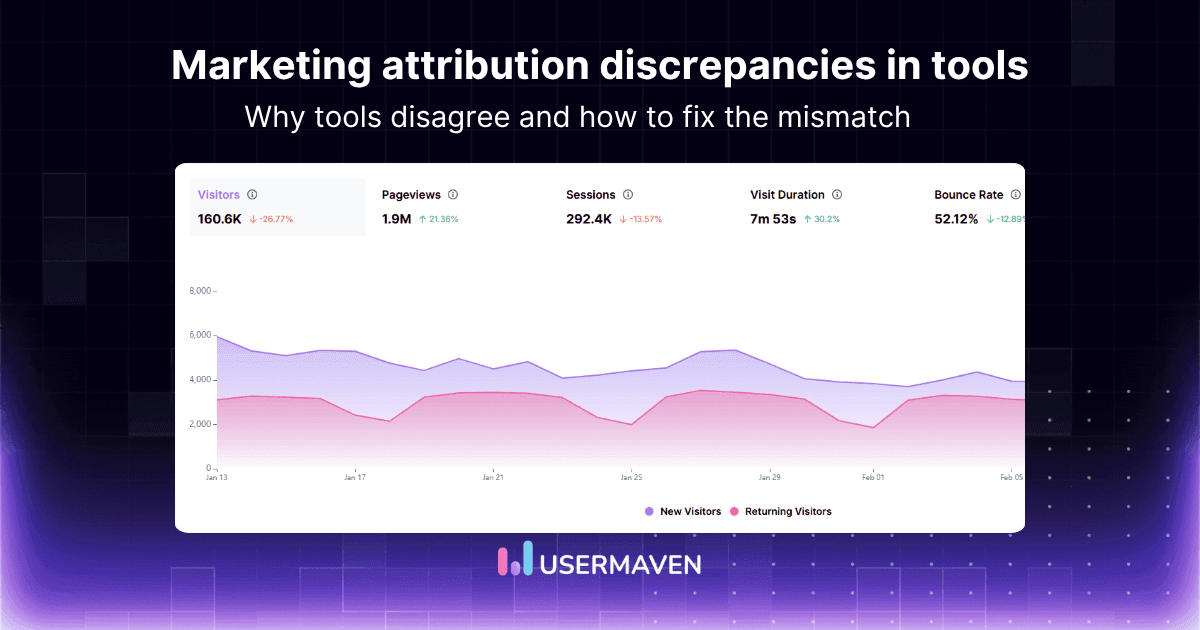
These differences commonly produce marketing attribution discrepancies between tools.
Attribution windows are inconsistent
A 30-day reporting window can produce different results from a 90-day window even when the underlying customer and revenue totals are unchanged.
The selected attribution window should reflect the real sales cycle rather than an arbitrary platform default.
How to implement CRM-connected marketing attribution
Implementation should begin with business definitions, not the connector marketplace.
The following sequence reduces the risk of importing inconsistent CRM data into a new attribution system.
1. Define the commercial conversion
Choose the primary outcome the team wants to measure:
Qualified lead
Opportunity
Pipeline
Closed-won deal
Subscription
Renewal
Expansion
Secondary outcomes can be added later, but the primary reporting goal should be clear.
2. Audit CRM objects and fields
Review:
Contacts
Companies
Accounts
Deals
Pipelines
Stages
Deal amounts
Currencies
Owners
Custom fields
Associations
Document which fields are reliable enough to support attribution.

3. Standardize campaign tracking
Create naming rules for:
UTM source
UTM medium
UTM campaign
Ad click IDs
Campaign names
Landing pages
Referral sources
Decide how capitalization, spaces, abbreviations, and campaign versions will be handled.
4. Choose the source of truth
Assign one owning system to each important data type.
For example:
| Data type | Recommended owner |
|---|---|
| Contacts and companies | CRM |
| Deal stages and values | CRM |
| Anonymous website activity | Attribution platform |
| Product events | Product analytics system |
| Subscription revenue | Billing platform |
| Campaign source | Attribution platform |
| Recognized revenue | Finance system |
5. Install website and product tracking
Behavioral tracking should be active before CRM outcomes are imported.
This allows anonymous visits to be connected with identified users after signup or form submission.
6. Connect the CRM
Select:
Required objects
Required fields
Pipelines
Historical import period
Sync direction
Sync frequency
Permissions
Read-only access is often sufficient for the first implementation stage.
7. Map lifecycle and deal stages
Translate CRM-specific stages into consistent analytical events.
For example:
mqlsqlopportunity_createdproposal_sentclosed_wonclosed_lost
This makes comparisons easier across pipelines and teams.
8. Configure identity matching
Prioritize stable identifiers:
CRM ID
User ID
Email
Company ID
Company domain
Define how merged, deleted, and duplicate records will be handled.
9. Select attribution models
Choose models based on the decision being made.
A demand-generation team may compare first-click and U-shaped reporting. A revenue team may focus on W-shaped, full-path, or multi-touch reporting.
10. Reconcile totals
Compare the following across the CRM and attribution platform:
Contacts
Companies
Opportunities
Closed-won deals
Pipeline
Revenue
Currencies
Conversion dates
Do not expect every advertising platform to match the CRM because the platforms may use different attribution rules.
11. Test real closed-won deals
Select several actual customers and trace:
First recorded source
Intermediate interactions
Lead creation
CRM association
Opportunity creation
Deal progression
Closed revenue
This test is more useful than confirming that the connector status says “active.”
12. Document governance
Assign responsibility for:
Campaign naming
CRM-stage definitions
Duplicate management
Deal values
Contact associations
Connector maintenance
Attribution windows
Model changes
Reporting ownership
Best marketing attribution tools with CRM integration
The right platform depends on whether the team needs behavioral context, B2B account journeys, offline attribution, advertising feedback, or simple CRM enrichment.
The comparison below summarizes the primary fit of each option before examining them individually.
| Platform | Best for | CRM focus | Main strength |
|---|---|---|---|
| Usermaven | SaaS, B2B, and product-led teams | CRM contacts, companies, stages, pipeline, and revenue | Attribution plus website and product behavior |
| Dreamdata | B2B account attribution | Accounts, contacts, and opportunities | Buying committees and pipeline journeys |
| HockeyStack | Enterprise GTM teams | CRM and broader GTM data | Account intelligence and revenue reporting |
| Ruler Analytics | Calls and offline conversions | CRM leads, opportunities, and closed sales | Online-to-offline attribution |
| Cometly | Paid-media attribution | CRM lifecycle and opportunity events | Ads-to-pipeline reporting |
| Attributer | Lightweight CRM enrichment | Source fields inside CRM records | UTM and lead-source capture |
| SegMetrics | Subscriptions and lifetime value | CRM contacts and payment data | Long-term customer revenue |
1. Usermaven
Usermaven is the best overall option for teams that need CRM-connected attribution alongside website behavior, product activity, funnels, customer journeys, pipeline, and revenue.
Its HubSpot integration enriches activity already collected by Usermaven with CRM contacts, companies, deals, stages, calls, and meetings. Matching is based on identified profiles, while deal-stage changes can become conversion events for attribution analysis.
Best for:
B2B SaaS
Product-led SaaS
Growth teams
Revenue teams
Businesses connecting acquisition with activation and retention
2. Dreamdata
Dreamdata is designed for B2B organizations that need account-level attribution, stakeholder journeys, and pipeline analysis.
Its HubSpot integration combines CRM account data with tracking data so touchpoints can be connected with customer journeys and B2B revenue outcomes.
Best for:
Account-based marketing
Long B2B sales cycles
Buying committees
Revenue marketing teams
3. HockeyStack
HockeyStack connects CRM, marketing, sales, website, advertising, and intent data for enterprise GTM reporting.
Its integrations can bring CRM accounts, contacts, leads, deals, campaigns, and activities into broader account-level buyer journeys.
Best for:
Enterprise B2B teams
Revenue operations
Account intelligence
Complex GTM data environments
4. Ruler Analytics
Ruler Analytics focuses on connecting website interactions, forms, phone calls, live chat, CRM opportunities, and closed revenue.
Its two-way CRM approach can send attribution data into CRM records and import opportunity or revenue information for closed-loop reporting.
Best for:
Call-heavy businesses
Professional services
Lead-generation companies
Offline sales journeys
5. Cometly
Cometly connects advertising activity with CRM contacts, lifecycle changes, opportunities, payments, and revenue.
Its CRM and server-side integrations are positioned around paid-media attribution and sending qualified downstream events back to advertising platforms.
Best for:
Paid-media teams
B2B SaaS
Ads-to-pipeline measurement
Server-side conversion feedback
6. Attributer
Attributer is a lighter option for capturing lead-source and campaign information and sending it into CRM records.
It populates hidden form fields with data such as UTMs, source, channel, and landing page, which then moves into the CRM through the form integration.
Best for:
Small lead-generation teams
Source-field enrichment
UTM capture
Businesses that do not need a separate attribution dashboard
7. SegMetrics
SegMetrics connects CRM contacts with advertising, payment, subscription, and customer revenue data.
Its HubSpot integration can use HubSpot payments, external payment processors, or deal values to analyze revenue and longer-term customer performance.
Best for:
Subscription businesses
Memberships
Customer lifetime value
Repeat purchases
Recurring revenue
CRM integrations to evaluate
The CRM name alone does not determine integration quality.
Teams should examine which objects, activities, historical records, and custom fields the attribution platform can actually access.
HubSpot
HubSpot is one of the most widely used CRMs for marketing and sales alignment. Before connecting an attribution tool, confirm it can read and sync the following objects.
Check support for:
Contacts
Companies
Deals
Pipelines
Lifecycle stages
Meetings
Calls
Marketing engagement
Custom properties
Teams using HubSpot can also review how HubSpot revenue attribution handles deal and revenue reporting inside the CRM.
Salesforce
Salesforce supports complex enterprise setups with highly customizable objects and fields. Make sure your attribution platform can navigate that complexity before assuming a standard sync will work.
Check support for:
Leads
Contacts
Accounts
Opportunities
Campaign members
Opportunity stages
Contact roles
Custom objects
Multi-currency reporting
Salesforce implementations often require more detailed object mapping because CRM configurations can vary substantially between organizations.
Pipedrive
Pipedrive is built around a deal-focused pipeline structure, making it popular with sales-led teams. Verify that your attribution tool can pull deal and activity data accurately from its setup.
Check support for:
People
Organizations
Deals
Pipelines
Activities
Deal values
Owners
Custom fields
Zoho CRM
Zoho CRM covers the full lead-to-deal lifecycle and includes campaign tracking built into the platform. Confirm your attribution tool can map those stages and sync conversion data without gaps.
Check support for:
Leads
Contacts
Accounts
Deals
Campaigns
Lead conversion
Custom modules
Sales activities
Microsoft Dynamics 365
Microsoft Dynamics 365 combines CRM and ERP capabilities, which makes it a more layered environment for attribution integrations. Check that the tool supports its specific data model before committing to a setup.
Check support for:
Leads
Contacts
Accounts
Opportunities
Marketing interactions
Sales stages
Custom entities
Revenue fields
Custom CRMs and data warehouses
Where no native connector exists, data may be exchanged through:
APIs
Webhooks
Scheduled imports
Server-side events
Reverse ETL
Warehouse connections
CSV uploads
Custom integrations provide flexibility but require stronger monitoring, documentation, and ownership.
See Usermaven in action
Book a free demo and discover how powerful analytics can grow your business.
How to evaluate CRM integration quality
A platform should not be evaluated only by whether a CRM logo appears on its integrations page. The details of object support, identity matching, historical import, and error handling determine whether the connection can support trustworthy attribution.
Use the following checklist during product evaluation.
| Evaluation criterion | Question to ask |
|---|---|
| Supported objects | Which contacts, companies, accounts, deals, and activities can be synchronized? |
| Historical import | Can existing CRM records and opportunities be imported? |
| Sync direction | Is the integration read-only, one-way, or bidirectional? |
| Sync frequency | How quickly do stage and revenue changes appear? |
| Custom fields | Can qualification and revenue fields be mapped? |
| Custom objects | Can non-standard CRM structures be supported? |
| Identity matching | Which identifiers connect anonymous and known users? |
| Company matching | Can several contacts be grouped into one account? |
| Deal associations | How are multiple contacts and opportunities handled? |
| Multiple pipelines | Can separate products and sales motions be reported? |
| Currency handling | Can deal values be normalized across currencies? |
| Error monitoring | Are failed syncs visible and recoverable? |
| Permissions | Is read-only access available? |
| Security | Are SSO, audit logs, and role controls supported? |
| Data export | Can raw or modeled data be exported? |
| API limits | How are CRM rate limits and retries managed? |
| Deletion handling | What happens when CRM records are merged or deleted? |
| Data freshness | Is the data real time, hourly, or daily? |
The evaluation should use real CRM records rather than a generic demonstration dataset.
A proof of concept should trace several contacts and deals through the complete integration.
How Usermaven connects CRM data with attribution
Usermaven brings acquisition, website activity, product behavior, CRM context, and revenue into one connected measurement environment.
The CRM remains the operational system of record. Usermaven adds the customer journey and attribution layer around it.

Connect acquisition with CRM outcomes
Usermaven can connect:
Paid campaigns
Organic acquisition
Referral traffic
Website sessions
Content engagement
Signups
CRM contacts
Companies
Deal stages
Pipeline
Revenue
This allows teams to compare campaigns by downstream outcomes rather than only clicks or lead submissions.
Add website and product behavior
CRM records explain who the contact is and where the deal stands. Usermaven adds the behavioral context behind those records, showing how people arrived, what they did before converting, and how they progressed after signup.
Website analytics: Use website analytics in Usermaven to connect channels, landing pages, and on-site behavior with the contacts, opportunities, and revenue recorded in the CRM.
Product analytics: With product analytics in Usermaven, teams can compare acquisition sources by activation, feature adoption, engagement, retention, and other post-signup outcomes.
Funnels: Connected funnels reveal where people drop off between the first visit, signup, activation, qualified opportunity, and closed customer stages.
Build complete customer journeys
A SaaS journey may continue far beyond the CRM lead-creation event:
First visit → content engagement → signup → activation → qualified opportunity → closed customer → retention
Usermaven’s user journeys connect acquisition, website activity, product events, and CRM milestones in sequence.
Analyze contacts and companies
The Contacts Hub brings visitors, leads, users, and companies into unified profiles.
Teams can examine:
First and last touchpoints
Website activity
Product events
CRM attributes
Engagement
Company context
Conversion history
Usermaven can connect anonymous activity with an identified profile after signup or form submission.
Compare audience segments
The segments capability allows teams to group audiences using behavior, events, attributes, acquisition data, and CRM context.
Examples include:
Qualified opportunities from paid search
Activated users from organic content
Enterprise accounts that viewed pricing
Closed customers influenced by webinars
Churned customers from a particular campaign
These groups update as behavior and attributes change.
Measure pipeline and revenue
CRM stages and deal values can be connected with earlier campaign and behavioral activity.
Teams can compare:
Campaigns by qualified opportunities
Channels by pipeline
Content by closed revenue
Landing pages by deal value
Sources by retention
Accounts by expansion revenue
This creates a more complete view than optimizing campaigns around raw contact volume.
Build reporting for different teams
Different teams can use the same connected data without relying on identical reports.
Usermaven’s analytics dashboards can combine attribution, funnels, journeys, trends, and other insights in one workspace.
Examples include:
A marketing dashboard for channels and campaigns
A revenue dashboard for pipeline and closed deals
A product dashboard for activation and adoption
An executive dashboard for revenue and retention
Investigate performance with Maven AI
Maven AI lets teams investigate channels, campaigns, customer journeys, funnel drop-offs, product adoption, conversions, and revenue using natural-language questions.
It can speed up analysis, but it does not replace:
Accurate tracking
Clean CRM stages
Reliable deal values
Shared definitions
Revenue reconciliation
Integration monitoring
Keep one connected measurement layer
Without a connected platform, a team may need separate tools for:
Marketing attribution
Website analytics
Product analytics
Funnels
Customer journeys
CRM enrichment
Segmentation
Dashboards
AI-assisted analysis
Usermaven combines these areas so acquisition can be evaluated against behavior, pipeline, revenue, and retention.
Final verdict
Marketing attribution CRM integration is not a connector checkbox. Done right, it links every touchpoint to real revenue outcomes across the full customer journey.
A useful implementation must reliably connect touchpoints, anonymous visitors, identified contacts, companies, accounts, opportunities, pipeline, and revenue.
Lightweight tools like Attributer work well when the main need is preserving campaign data inside CRM fields. Dreamdata and HockeyStack suit complex B2B account journeys. Ruler Analytics handles calls and offline sales. Cometly focuses on paid media and pipeline. SegMetrics fits subscription and lifetime value tracking.
Usermaven is the strongest overall option for teams that want to connect marketing attribution with website behavior, product activity, customer journeys, CRM pipeline, revenue, and retention in one platform.
Ready to see Usermaven in action? Explore the platform or book a demo for a closer look.
Unlock insights that drive growth
FAQs
1. What is marketing attribution CRM integration?
Marketing attribution CRM integration connects marketing touchpoints with the contacts, companies, opportunities, pipeline, and revenue stored in a CRM. It allows teams to evaluate campaigns using qualified leads, deals, and commercial outcomes instead of relying only on clicks and form submissions.
2. Why does marketing attribution need CRM data?
CRM data shows what happened after the initial website conversion. It connects campaign activity with lifecycle stages, qualification, opportunities, deal values, closed revenue, renewals, and other business outcomes.
3. Which CRM fields are required for attribution?
The most important CRM fields usually include contact identity, email, company or account ID, lifecycle stage, deal details, deal amount, close date, closed-won status, and currency. Depending on the business model, teams may also need qualification, subscription, and custom fields to connect attribution with revenue accurately.
4. Can marketing attribution work with multiple CRMs?
Yes, but the implementation becomes more complex. The organization must define which CRM owns each contact, account, opportunity, and revenue field. Identity matching and duplicate handling are especially important when the same person or company appears in several systems.
5. What is the difference between CRM attribution and website attribution?
Website attribution connects digital touchpoints with actions such as form submissions, signups, or purchases. CRM attribution extends the journey by connecting those interactions with contacts, opportunities, pipeline, closed deals, and revenue.
6. Which marketing attribution platform has the best CRM integration?
Updated

Written by
Junaid Ahmed
Content Writer & Digital Marketer
Junaid Ahmed is a content and copywriter with 3+ years of experience creating research-driven content across SaaS, B2B, ecommerce, and digital marketing. He specializes in turning complex topics into clear, practical content that helps marketers better understand their challenges, evaluate solutions, and make informed decisions. His work spans educational content, industry insights, and actionable marketing guides.
All articles by Junaid →