HubSpot can show which marketing interactions receive credit for Closed Won deal revenue, but the report is only as reliable as the contact, deal, tracking, and association data underneath it.
That matters because HubSpot changed both its attribution terminology and model set in 2026. What many teams still call Revenue Attribution is now documented as Deal Revenue Attribution, and several older position-based models have been replaced.
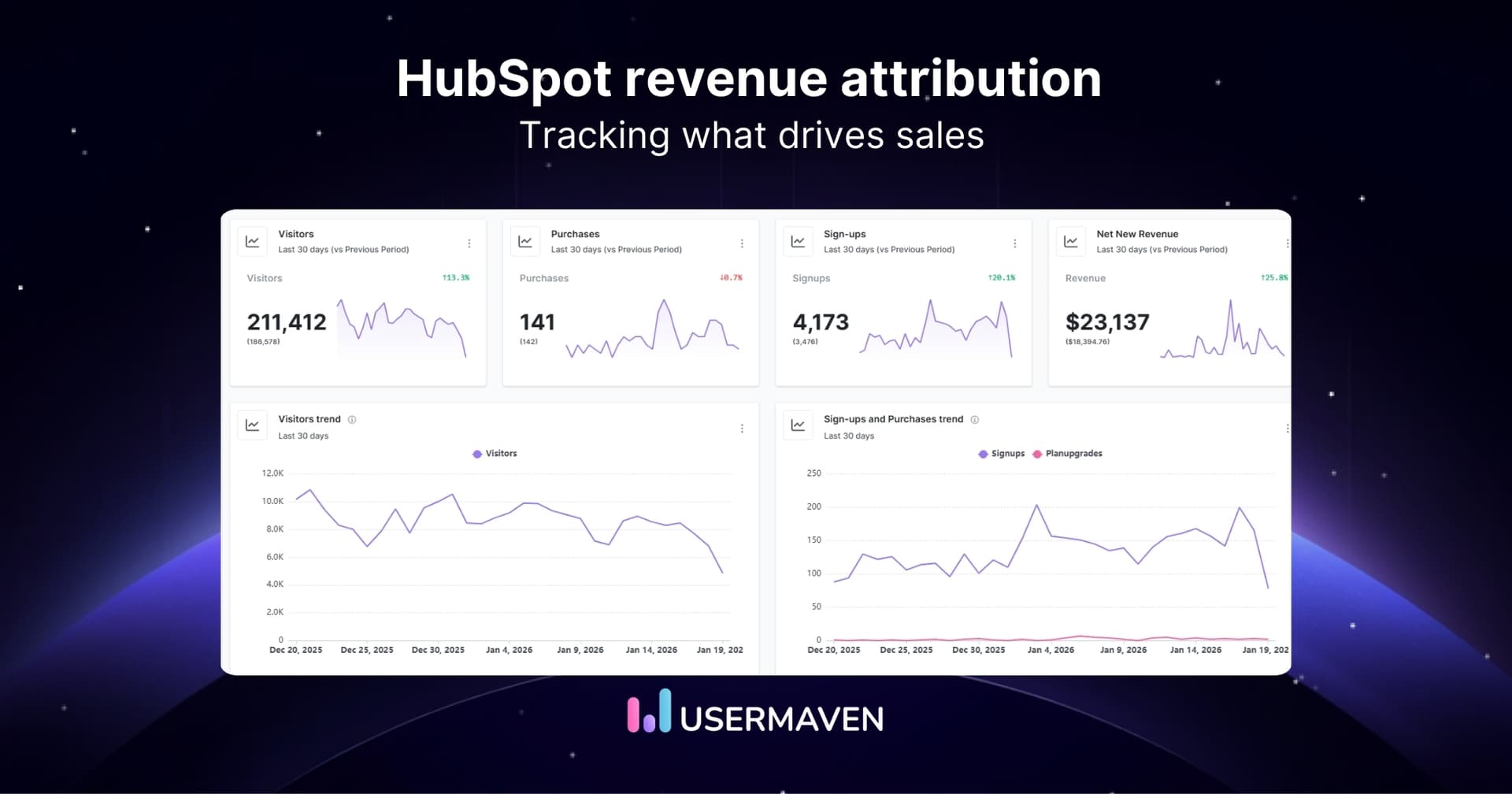
This guide explains the current setup, models, eligibility rules, troubleshooting steps, and decision limits, then shows when marketing attribution software can extend HubSpot with pre-CRM behavior, product activity, cross-channel journeys, and revenue context.
HubSpot revenue attribution at a glance
HubSpot revenue attribution is now called Deal Revenue Attribution in HubSpot’s current documentation. It distributes Closed Won deal revenue across recorded interactions according to the attribution model selected in the report.
| Question | Short answer | Why it matters |
|---|---|---|
| What does it attribute? | Closed Won deal revenue | It connects marketing activity with commercial outcomes |
| What is the current HubSpot name? | Deal Revenue Attribution | Older tutorials may still use Revenue Attribution |
| Which plan is required? | Marketing Hub Enterprise | Deal Create and Deal Revenue attribution are Enterprise-only |
| Which models are supported? | First Touch, Last Touch, Linear, Time Decay, Empirical | Model choice changes credit, not the underlying deal |
| What revenue value is used? | The deal Amount property | Missing Amount removes the deal from the report |
| Does a deal need a contact? | Yes | Attribution is based on the associated contact’s tracked interactions |
| Does it prove causality? | No | It allocates credit across observed interactions |
Key takeaways
- HubSpot renamed revenue attribution: Current documentation uses Deal Revenue Attribution for deal-based revenue credit.
- Revenue attribution is Enterprise-only: Deal Create and Deal Revenue Attribution require Marketing Hub Enterprise.
- Data quality comes before the model: A missing contact association, deal amount, create date, or close date can remove revenue from the report.
- HubSpot models changed in 2026: Empirical replaced U-shaped, W-shaped, J-shaped, and Inverse J-shaped in the current report workflow.
- Credit is not causality: A model explains how observed interactions share credit; it does not prove the conversion would not have happened without them.
- HubSpot is strongest inside its own data graph: Important behavior outside HubSpot or without valid tracking can remain absent from the attribution journey.
- The CRM can be extended: Connecting HubSpot with behavioral analytics can add pre-contact journeys, product usage, cross-channel attribution, retention, and LTV context.
What is HubSpot revenue attribution?
HubSpot revenue attribution is the process of assigning portions of Closed Won deal revenue to recorded customer interactions. It applies the same core logic as revenue attribution, but uses HubSpot contacts, deals, interaction history, and attribution models as the measurement system.
The report does not create new revenue. It takes the deal amount already stored in HubSpot and allocates credit across eligible interactions that were recorded before the deal became Closed Won.
| Recorded interaction -> contact -> associated deal -> Closed Won -> deal amount -> attribution model -> revenue credit |
At the simplest level, the calculation can be expressed as:
| Attributed revenue for an interaction = Deal amount x model-assigned credit share |
If a $50,000 deal gives an interaction 20% of the model credit, that interaction receives $10,000 in attributed revenue. The total deal revenue has not changed; only the credit distribution has.
What changed in HubSpot attribution in 2026
HubSpot’s August 2026 attribution reporting documentation introduced two changes that make many older tutorials stale: clearer report names and a revised model set.
Report names changed
| Previous name | Current name | What it measures |
|---|---|---|
| Contact Attribution | Contact Create Attribution | Which interactions contributed to creating contacts |
| Deal Attribution | Deal Create Attribution | Which interactions contributed to creating deals |
| Revenue Attribution | Deal Revenue Attribution | Which interactions receive credit for deal revenue |
The model set changed
HubSpot now lists First Touch, Last Touch, Linear, Time Decay, and Empirical. Empirical replaces the older U-shaped, W-shaped, J-shaped, and Inverse J-shaped models in the current attribution workflow.
That makes freshness important. A 2025 guide can still be conceptually useful while describing model options that no longer match the current report builder.
Unlock insights that drive growth
How Deal Revenue Attribution works
HubSpot builds the report from the relationship between tracked interactions, contacts, and Closed Won deals. The model can only assign credit to evidence HubSpot can associate with the revenue record.

1. HubSpot records interactions
Interactions can include website pages, ad clicks, forms, marketing emails, social activity, calls, meetings, marketing events, lead creation, and other supported tracked assets.
Each interaction from the same contact can be counted separately. That means repeated pageviews or email clicks can become separate pieces of the observed journey.
2. The interaction belongs to a contact
Revenue attribution relies on the contact journey. Anonymous behavior becomes most useful once HubSpot can connect the visitor to a known contact record and preserve earlier eligible interactions.
3. The contact is associated with a deal
A Closed Won deal must have at least one associated contact. Without that relationship, HubSpot has no contact interaction history to use when assigning revenue credit.
4. The deal supplies the revenue value
HubSpot uses the deal Amount property as the revenue value. The deal must also have known Create date and Close date values so it can be included in the report and filtered into the correct period.
5. The model distributes credit
The selected model determines how the same observed journey is interpreted. First Touch rewards the earliest recorded interaction; Time Decay favors interactions closer to conversion; Empirical uses historical interaction patterns.
Data required for revenue attribution
Most “missing revenue” problems are data eligibility problems rather than reporting bugs. A deal has to meet HubSpot’s required conditions before the report can distribute its revenue.
| Requirement | What HubSpot needs | If it is missing |
|---|---|---|
| Deal stage | Closed Won | The deal is excluded from revenue attribution |
| Contact association | At least one associated contact | No contact journey exists to receive credit |
| Amount | Known deal Amount | There is no revenue value to distribute |
| Create date | Known deal Create date | The deal fails a required property check |
| Close date | Known deal Close date | The deal cannot be placed in the revenue period |
| Tracked interactions | Eligible recorded activity | The journey contains less evidence to attribute |
Sales activities also need the right relationships. Calls, meetings, conversations, and one-to-one emails can be missed when they are not associated with both the relevant contact and deal.
HubSpot also notes that a sent one-to-one email without a reply is not included as a revenue-attribution interaction. That is a useful reminder that “activity exists in the CRM” and “activity is attribution-eligible” are not identical statements.
This is why marketing attribution CRM integration matters beyond simply connecting two tools. The attribution layer only becomes commercially useful when campaign activity, contact identity, deal stages, and closed revenue remain consistently related.
See what's working. Fix what's not. Grow faster.
How to create a HubSpot revenue attribution report
The exact navigation can change as HubSpot evolves, but the current workflow starts in Reporting and uses the attribution report builder or a relevant template.
- Open Reporting > Reports. Start from HubSpot’s report area rather than a campaign dashboard.
- Create a report. Choose the template report library or build from scratch.
- Select Revenue as the attribution data source. This creates a Deal Revenue Attribution report rather than a contact-creation report.
- Choose the attribution model. Use First Touch, Last Touch, Linear, Time Decay, or Empirical according to the question being answered.
- Choose the dimensions. Break revenue credit down by asset, deal, interaction, UTM, campaign, source, CTA, social post, or another supported dimension.
- Set the filters. For revenue reports, deal close date is especially important because it defines which Closed Won revenue enters the analysis.
- Save, compare, and export. Add the report to a dashboard or export it when the analysis needs to be reviewed outside HubSpot.
Do not interpret the first chart as objective truth. Compare the same revenue under more than one reasonable model before changing budget, especially when the journey is long or multi-channel.
HubSpot multi-touch revenue attribution: How it works
HubSpot multi-touch revenue attribution distributes Closed Won deal revenue credit across more than one recorded interaction instead of forcing the entire outcome onto a single touchpoint.
Searches for “multi touch revenue attribution HubSpot” and “HubSpot multi touch revenue attribution” usually refer to this same need: understanding how several recorded interactions contributed before the deal closed. In HubSpot, Linear, Time Decay, and Empirical provide multi-interaction perspectives, while First Touch and Last Touch provide single-touch comparison points.
HubSpot revenue attribution models
The best revenue attribution model depends on the decision. A model is a credit rule, not a discovery of one objectively correct source.

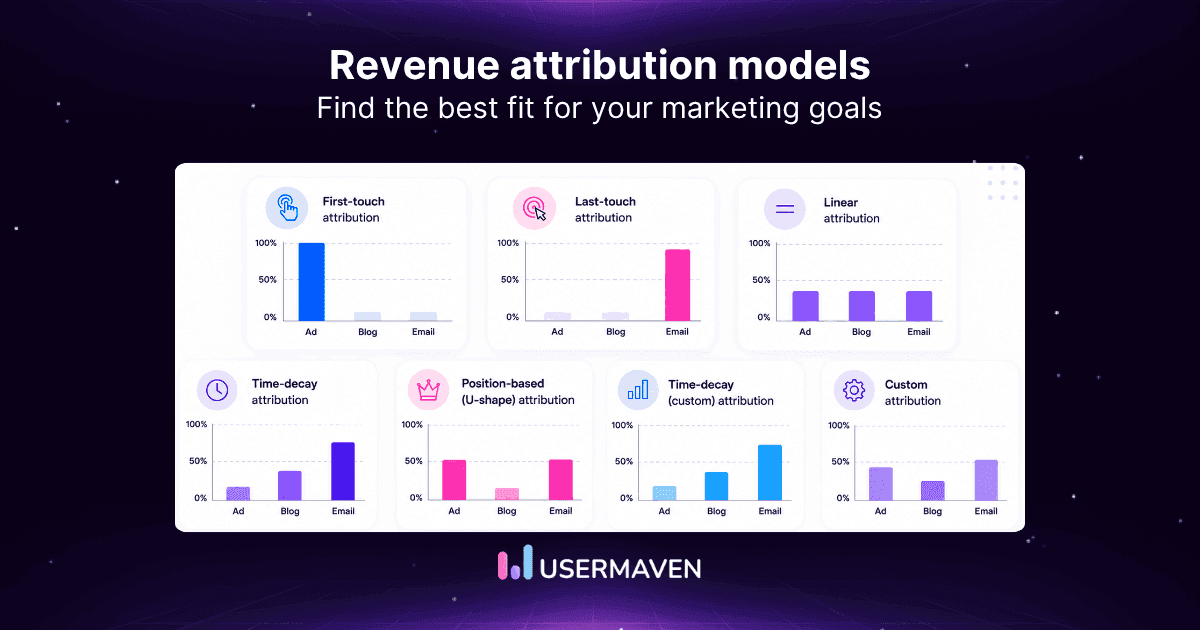
| Model | How it assigns credit | Best question | Main risk |
|---|---|---|---|
| First Touch | 100% to the first recorded interaction | What introduced the journey? | Ignores nurture and closing interactions |
| Last Touch | 100% to the last interaction before conversion | What captured the final step? | Overcredits demand capture |
| Linear | Equal credit across interactions | Which recorded touches participated? | Treats every touch as equally influential |
| Time Decay | More credit near conversion | What mattered later in the journey? | Can undervalue early demand creation |
| Empirical | Weights interaction types using historical patterns | Which interaction types are more distinctive in converting paths? | Still depends on observed historical data |
A $50,000 deal can have five “winners”
Imagine the journey: organic article -> LinkedIn ad -> webinar -> pricing page -> demo request -> Closed Won for $50,000.
First Touch gives the full $50,000 to the organic article. Last Touch gives it to the demo-stage interaction. Linear spreads the credit evenly. Time Decay shifts more value toward the later touches.
Empirical does not use a fixed position rule. It weights interaction types from historical conversion patterns, so the output is data-dependent rather than a predefined 40/20/40-style split.
This is why multi-touch attribution should be treated as an interpretation layer over a stable customer journey, not as a machine that discovers a single unquestionable truth.
Why HubSpot revenue attribution is missing data
If the report looks too small, the fastest troubleshooting method is to start with the revenue record and work backward through associations and tracking.
| Symptom | Likely cause | What to check |
|---|---|---|
| Closed Won deal is missing | Deal fails eligibility | Closed Won stage, Amount, Create date, Close date |
| Revenue appears but has little journey context | Weak contact interaction history | Tracking code, UTMs, connected ad accounts, contact identification |
| Sales influence is absent | Activities are not associated correctly | Contact + deal associations for calls, meetings, conversations |
| Email influence seems low | One-to-one emails had no reply or are not eligible | Reply status and record associations |
| Offline or external activity is absent | HubSpot did not observe it | Tracking URLs, imports, CRM notes, complementary measurement |
| Model totals look surprising | Model assumption differs from expectation | Compare First Touch, Linear, Time Decay, Empirical |
| Long journey looks short | History or tracking began late | Tracking start date, interaction history, source capture |
Campaign hygiene also matters. Consistent UTM parameters help preserve source and campaign context when the interaction originated outside HubSpot.
The diagnostic order should be simple: deal -> association -> interaction history -> campaign/source data -> attribution model. Starting with the model can waste time when the underlying revenue record is incomplete.
What can you learn from attribution reports?
A useful attribution report should answer a decision question, not simply display a pie chart of revenue credit.
| Business question | Useful HubSpot dimension | Decision supported |
|---|---|---|
| Which channels influence Closed Won revenue? | Interaction source | Channel allocation |
| Which campaigns contribute to revenue? | Campaign | Campaign investment |
| Which pages or assets assist deals? | Asset title / type | Content prioritization |
| Which UTM values correlate with revenue? | UTM dimensions | Campaign taxonomy and targeting |
| Which deal segments behave differently? | Deal type / pipeline / owner | Segment-specific strategy |
| Where does credit move between models? | Attribution model | Assumption sensitivity |
The most useful practice is to compare the attributed result with business quality. A channel can receive significant revenue credit and still produce lower win rates, smaller deal sizes, poorer retention, or weaker expansion than another source.
For recurring-revenue teams, connect attributed acquisition with customer retention metrics and LTV before treating Closed Won as the final measure of channel quality.
HubSpot attribution sampling and report limits
HubSpot’s current attribution documentation says an attribution report can contain up to 20 million interactions after sampling and up to 100 event input types. In very high-volume accounts, high-frequency interactions such as page views and marketing email activity can be sampled, while lower-frequency interactions such as forms, calls, and meetings are handled differently.
This matters most for large datasets. A sampled attribution report is still useful, but small percentage differences should not be treated as exact event-level truth without checking the report scope, filters, and sampling behavior first.
Deal Revenue Attribution vs Revenue Analytics
HubSpot now has a separate Revenue Analytics Suite, which can make the word “revenue” ambiguous. The two capabilities answer different questions.
| HubSpot capability | Main data | Main question |
|---|---|---|
| Deal Revenue Attribution | Closed Won deals + recorded interactions | Which marketing interactions receive credit for deal revenue? |
| Revenue Analytics | Invoices, quotes, subscriptions, payments, contracts | What is happening in billing, recurring revenue, payments, churn, and revenue operations? |
Deal Revenue Attribution is a marketing-credit system. Revenue Analytics is a commercial reporting suite that includes billing and recurring-revenue views such as subscriptions, payments, MRR movement, and churn.
A SaaS company may need both. Attribution explains the observed acquisition path into Closed Won; revenue analytics explains what happens to billing and recurring revenue after the sale.
How AI fits HubSpot revenue attribution
HubSpot can use Breeze AI to help generate reports from prompts, which can reduce the work of building a report. AI does not repair missing deal associations, incomplete interaction history, or absent revenue properties.
The right order remains data first, model second, AI third. AI can speed analysis of trustworthy data; it should not create confidence in a report whose measurement chain is incomplete.
When HubSpot-native attribution is enough
HubSpot is a strong fit when the important marketing journey is already captured inside HubSpot and the team primarily needs to connect those interactions with contacts, deals, and Closed Won revenue.
- Your CRM is HubSpot-centered: Contacts, deals, campaigns, calls, meetings, forms, and marketing assets are consistently maintained in the same system.
- The revenue question stops at Closed Won: The main goal is to understand which tracked interactions receive credit for won deal revenue.
- Marketing Hub Enterprise already fits the stack: The team already pays for the tier that includes Deal Create and Deal Revenue Attribution.
- Product behavior is not central to the decision: The team does not need activation, feature adoption, retention, or product funnels to judge acquisition quality.
In this scenario, adding another attribution platform only makes sense if it solves a specific data or workflow gap.
If the CRM stack itself is still being evaluated, the HubSpot vs. Salesforce attribution comparison shows how the two systems differ in tracking architecture, multi-touch logic, revenue records, and setup requirements.
Where HubSpot attribution can leave gaps
HubSpot is not weak at attribution; its limits appear when the journey extends beyond the data HubSpot observes or when marketing quality becomes clearer after the CRM conversion.
Pre-contact and cross-session behavior
Anonymous visits are useful only when they can be tied back to the known contact. Identity loss, late tracking implementation, cookie restrictions, or activity outside the HubSpot tracking layer can fragment the early journey.
Product usage after signup
For SaaS, acquisition quality can depend on activation, feature adoption, upgrade, and retention. That is a product analytics problem as much as a CRM attribution problem.
Cross-platform campaign claims
Google, Meta, LinkedIn, HubSpot, and other platforms can all report different conversion credit under their own windows and rules. A shared attribution layer can make campaign comparisons more consistent.
Post-sale customer value
Two $50,000 deals can look equal at Closed Won and diverge later through churn, expansion, seat growth, or renewal. A revenue attribution decision can change when retention and LTV enter the analysis.
How Usermaven extends HubSpot attribution
Usermaven works as an AI marketing attribution platform alongside HubSpot rather than requiring HubSpot to be replaced. It collects website and product behavior first, then enriches identified users with matching HubSpot contact, company, deal, and engagement context.
The complementary architecture is also explained in the guide to using HubSpot with Usermaven: HubSpot remains the CRM system of record, while Usermaven adds the behavioral and attribution context around the CRM outcome.
Measure beyond Closed Won

The view above combines HubSpot CRM stages and deals with Usermaven acquisition and behavior data, then follows performance through acquisition, pipeline, revenue, and customer value. That is especially useful when full-funnel revenue attribution needs to continue past Closed Won into activation, retention, expansion, or LTV.
| Campaign -> anonymous behavior -> identified user -> HubSpot contact/company -> deal stage -> Closed Won -> retention/LTV |
Connect HubSpot

In Workspace Settings → Integrations, HubSpot appears under CRM. The HubSpot integration guide explains authorization, identity stitching, synced CRM objects, and how HubSpot deal stages and engagements become usable analytics context inside Usermaven.
Verify the sync

After authorization, verify the connected account and sync status before using CRM data in attribution. A clean connection matters because contact, company, deal, and engagement context has to reach the workspace before it can be matched with the behavioral journey.
Track pre-CRM behavior
Usermaven can capture pageviews, campaign context, Events, and product or website actions before the CRM becomes the center of the record. Customer journey analytics software then keeps those earlier interactions visible when the visitor later becomes an identified HubSpot contact.
That helps marketing teams connect acquisition with what people actually did before and after they identified themselves, rather than starting the story at the form submission.
Match CRM data to known users
The native HubSpot integration uses email as the matching key to map HubSpot contact, company, and deal information onto users Usermaven is already tracking. Those enriched profiles can then be inspected in the Usermaven Contacts Hub.
This distinction matters: connecting HubSpot does not simply import HubSpot traffic attribution into Usermaven. Usermaven keeps its own behavioral evidence and layers matching CRM context onto the identified user.
Connect journeys to pipeline
For B2B SaaS, the useful outcome is not only “which source created the contact?” It is “which acquisition path created the account, opportunity, customer, retention pattern, and long-term value the business wants?”
Pipeline attribution makes that downstream view explicit by connecting marketing touchpoints with HubSpot opportunities, pipeline value, Closed Won deals, and revenue.
Sync audiences to HubSpot

The flow can also move in the opposite direction. Reverse ETL sends selected Usermaven users, companies, or audiences back to connected tools such as HubSpot. This is useful when a measured segment, high-intent audience, or behavioral attribute needs to become actionable inside the CRM.
Analyze with Maven AI and MCP
Maven AI can investigate marketing, journey, product, and attribution data in natural language. A team can ask which campaigns produced stronger pipeline, which pages appeared in high-value journeys, or where customers dropped before conversion.
Usermaven MCP can make authorized analytics available in compatible AI tools such as ChatGPT, Claude, Cursor, and Codex, so analysis can happen without separating the question from the underlying measurement data.
Check measurement health
The Measurement Trust Center adds a governance layer for collection, identity, integrations, delivery, and reporting reliability. That is especially useful when CRM revenue is being used to justify budget changes.
Practical example: Hyperengage moved beyond last click
Hyperengage is not a HubSpot-specific case study. It is relevant because it faced the same measurement problem this article describes: marketing evidence was split across analytics, CRM data, platform dashboards, and manual tracking.
The Hyperengage case study shows what changed when the company unified website analytics, attribution, and customer journeys instead of relying on isolated last-click views.
| Evidence | Result | Why it matters |
|---|---|---|
| Attribution coverage | 4 -> 6 channels | More of the customer journey became measurable |
| Visitor-to-goal conversion | 22.19% | Journey analysis connected traffic with meaningful outcomes |
| Organic first-touch conversions | 0 -> 8 | An undercredited acquisition source became visible |
| New measurable sources | 2 | Email and AI Search emerged from an unexplained Direct bucket |
The lesson is not that every HubSpot user needs another platform. It is that CRM revenue becomes more actionable when the pre-conversion journey is complete enough to explain how the opportunity arrived there.
HubSpot revenue attribution cost and access
HubSpot’s current Marketing Hub pricing lists Enterprise from $3,600 per month and a required $7,000 one-time Enterprise onboarding fee. Deal Create and Deal Revenue Attribution are Marketing Hub Enterprise capabilities.
| Option | Current access point | Attribution context |
|---|---|---|
| HubSpot Marketing Hub Enterprise | $3,600/month + $7,000 onboarding | Native Deal Create and Deal Revenue Attribution inside HubSpot |
| Usermaven Scale | $199/month | Paid ads, channel/content attribution, CRM revenue and pipeline attribution, multi-touch paths, Maven AI |
This is not an apples-to-apples software comparison. HubSpot Enterprise includes a much broader marketing automation and CRM platform, while Usermaven Scale is an analytics and attribution layer.
If the decision is primarily about measurement rather than the broader CRM suite, compare the wider category of revenue attribution tools by CRM coverage, multi-touch depth, journey data, implementation, and cost.
The decision is therefore architectural: pay for HubSpot Enterprise because the broader suite fits the organization, or keep HubSpot as the CRM and add a dedicated attribution layer when the measurement requirement is broader than the native report.
Which setup fits the revenue question?
| Need | Best fit | Why |
|---|---|---|
| Native contact/deal attribution inside one marketing platform | HubSpot Enterprise | Interactions, contacts, deals, and reports stay in HubSpot |
| Pre-contact website + product + CRM revenue journey | HubSpot + Usermaven | Behavior and CRM outcomes can be analyzed together |
| Paid campaign spend tied to CRM revenue | HubSpot + attribution layer | Cross-platform spend and conversion paths need one shared view |
| Post-sale retention and LTV by acquisition source | Behavioral attribution layer | Customer quality continues after Closed Won |
| HubSpot-native billing and payment reporting | HubSpot Revenue Analytics | Invoices, subscriptions, payments, and revenue operations are the focus |
The strongest answer is the smallest stack that can reliably answer the actual business question. More tools do not improve attribution if identity, CRM associations, campaign taxonomy, and revenue data are still inconsistent.
HubSpot revenue attribution checklist
- Confirm the report type: Use Deal Revenue Attribution when the question is about Closed Won deal revenue.
- Validate eligibility: Check Closed Won stage, associated contact, Amount, Create date, and Close date.
- Audit tracking: Confirm the website tracking code, campaigns, UTMs, ad accounts, and key marketing assets are collecting the expected interactions.
- Audit sales activities: Make sure relevant calls, meetings, conversations, and email activity are associated with the correct contact and deal.
- Compare models: Run at least two reasonable attribution models before moving budget based on model-sensitive credit.
- Separate attribution from causality: Use experiments or incrementality methods when the question is whether marketing caused additional outcomes.
- Look beyond Closed Won when needed: Retention, expansion, product usage, and LTV can change the conclusion for recurring-revenue businesses.
Final verdict
HubSpot Deal Revenue Attribution is a serious revenue measurement capability when the important journey is captured inside HubSpot and the CRM relationships are clean. Its 2026 model and naming updates make older tutorials increasingly unreliable.
The biggest practical risk is not choosing the wrong model. It is attributing an incomplete journey because deals, contacts, interactions, or campaign evidence are missing before the model ever runs.
Use HubSpot natively when it already contains the data needed for the revenue decision. Add a behavioral attribution layer when the business also needs pre-contact journeys, product activity, cross-channel evidence, retention, or LTV.
Ready to see Usermaven in action? Explore the platform or book a demo for a closer look.
FAQs
1. Does HubSpot offer revenue attribution reporting?
Yes. HubSpot offers Deal Revenue Attribution, which assigns Closed Won deal revenue across recorded interactions. Deal Revenue Attribution requires Marketing Hub Enterprise.
2. What happened to HubSpot Revenue Attribution?
HubSpot renamed Revenue Attribution to Deal Revenue Attribution in 2026 to make clear that the report attributes revenue from deals rather than every possible revenue object.
3. Which attribution models does HubSpot support in 2026?
HubSpot currently lists First Touch, Last Touch, Linear, Time Decay, and Empirical. Empirical replaced the older U-shaped, W-shaped, J-shaped, and Inverse J-shaped models in the current report workflow.
4. How does HubSpot multi-touch revenue attribution work?
HubSpot multi-touch revenue attribution distributes Closed Won revenue credit across multiple recorded interactions instead of assigning the full outcome to one touchpoint. Linear, Time Decay, and Empirical provide different multi-interaction views of the same observed journey.
5. Why is a Closed Won deal missing from attribution?
Check whether the deal is Closed Won, has at least one associated contact, and has known Amount, Create date, and Close date values. Missing required properties or associations can exclude the deal.
6. Does HubSpot attribution include calls and meetings?
It can include supported sales activities when they are associated correctly. HubSpot notes that calls, meetings, conversations, and one-to-one emails need the relevant contact and deal associations to be considered.
Updated

Written by
Ryan Mitchell
Marketing Analytics Strategist
Ryan Mitchell is a marketing analytics strategist specializing in campaign measurement, customer journeys, and marketing performance. He writes about analytics, reporting, and data-driven marketing strategies, helping SaaS and B2B teams measure what matters across every stage of the customer journey.
All articles by Ryan →