Cometly pricing is easier to evaluate when you start with one question:
What are you actually paying for?
Pricing is where many marketing attribution decisions stall. You can like the product and still feel unsure about the plan.
This guide breaks down Cometly pricing in simple terms, so you can understand the plan structure and what each tier is meant to cover without reading between the lines.
What is Cometly, and who is it for?
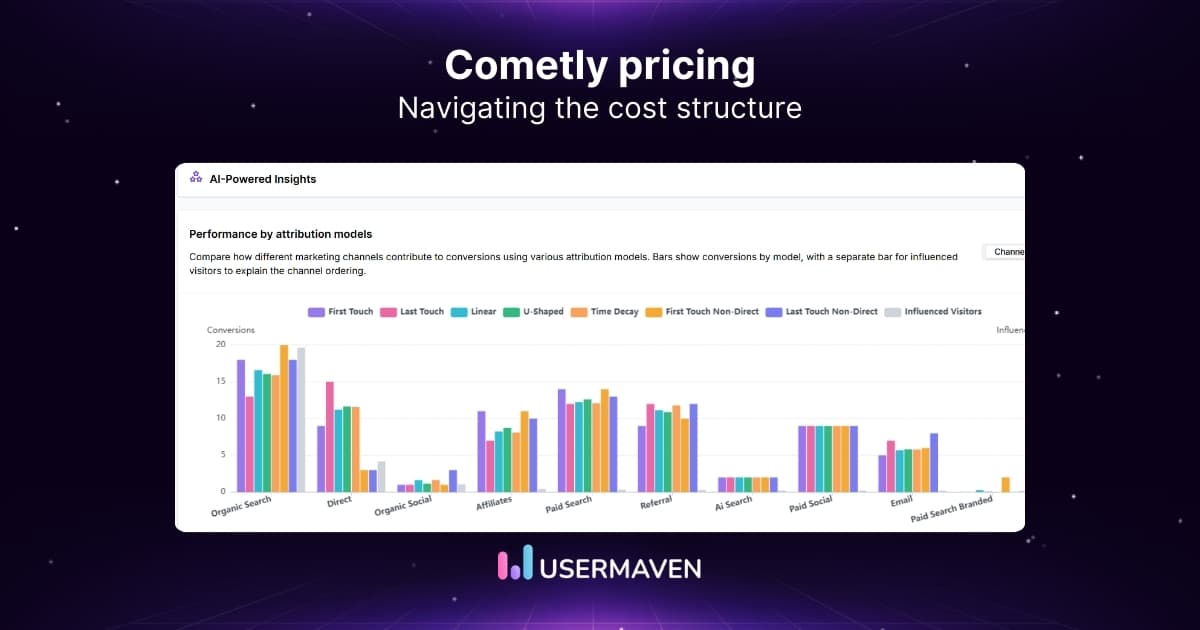
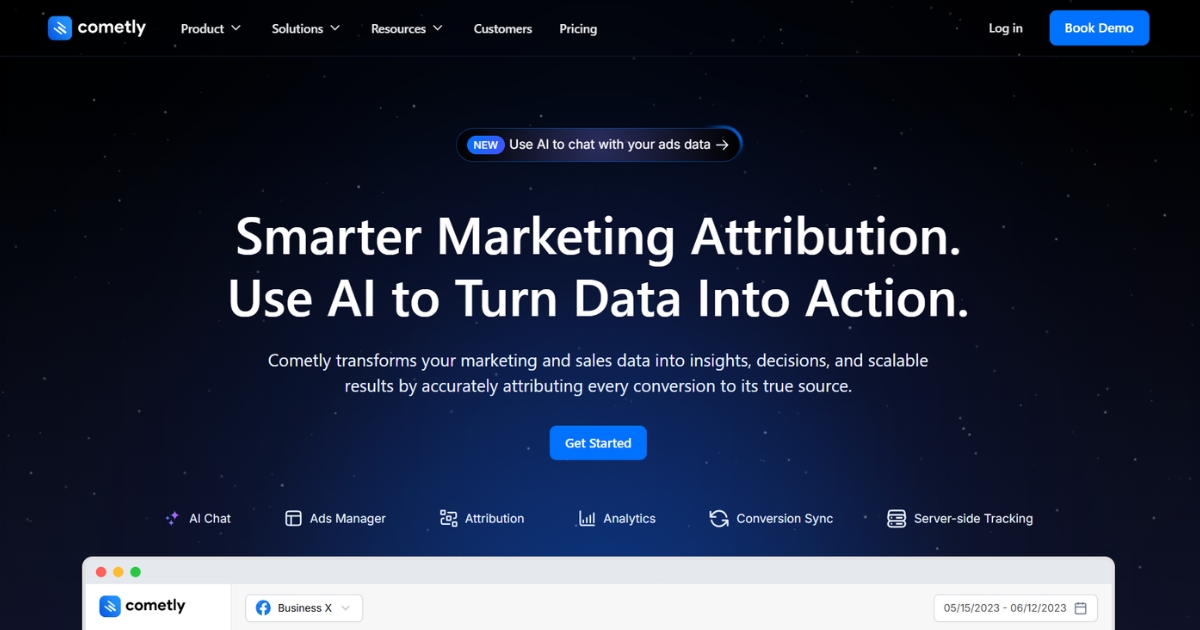
Cometly is a marketing attribution and analytics platform built to help teams understand which campaigns, channels, and ads are driving leads, deals, or revenue. It connects your ad platforms and business data, then surfaces reporting that ties outcomes back to their sources.
Conversion events can also be sent back to ad platforms, helping keep optimization signals consistent when tracking gets more difficult.
Cometly is usually a fit for teams like:
- Performance marketers running paid acquisition who want clearer reporting across channels.
- Ecommerce brands focused on revenue attribution and ROAS visibility.
- B2B teams that want to connect ad spend to pipeline or CRM outcomes.
- Agencies managing reporting across multiple campaigns and clients.
You can also explore Cometly alternatives if you want to compare options before diving deeper.
Cometly plans overview
Cometly currently offers Core and Enterprise. Core covers full-funnel attribution, tracking, and paid-media analysis, while Enterprise adds deeper CRM and warehouse connectivity, external AI access, and dedicated support. Plan pricing is tailored to monthly pageviews.
Core
Core is designed for teams that want to connect ads and customer journeys with pipeline and revenue. It brings tracking, attribution, analytics, and campaign optimization into the same workspace.
Core includes customizable dashboards, Cometly Agent, and more than 70 integrations. Cometly lists its API separately under Enterprise.
Key features include:
- AI Ads Manager and audiences
- Cometly Pixel and server-side tracking
- Multi-touch attribution and Account Journeys
- Customizable dashboards and Cometly Agent
- Conversion API and 70+ integrations
Enterprise
Enterprise builds on Core for teams that need attribution data in their CRM, warehouse, internal systems, or AI agents. It also expands usage allowances and implementation support.
A dedicated solutions engineer and success manager support the rollout, while CRM and warehouse sync, MCP, and the Cometly API connect measurement data to other tools.
Key features include:
- Everything in Core, with dedicated implementation support
- Dedicated solutions engineer and success manager
- CRM and warehouse sync, including Snowflake and BigQuery
- MCP access and Cometly API
- Higher pageview allowances and AI credits
- Custom integrations and feature development
Cometly pricing explained
Cometly’s current pricing page lists Core and Enterprise without fixed dollar amounts. Teams discuss their requirements with Cometly to understand the cost of either option.
During a short call, Cometly reviews website traffic and the attribution setup, then provides pricing based on the expected usage.
The main usage measure is monthly tracked pageviews, not a published ad-spend bracket. Cometly estimates pageviews from website sessions and moves customers to a higher usage tier when they exceed their allowance.
Two details from Cometly’s current terms are useful for planning:
- Billing: Core and Enterprise are available monthly or annually, with a 20% discount for annual billing.
- Onboarding: Cometly does not offer a free trial. Its guided onboarding helps connect CRM and ad-platform data before teams evaluate results.
The plan choice still depends on the technical scope: Core covers the main tracking and reporting workflow, while Enterprise is designed for advanced data integrations and larger usage needs.
Usage-based pricing can suit teams whose traffic changes over time. However, forecasting cost requires an estimate of monthly pageviews and the integrations the business needs.
Before choosing a plan, ask which pageviews count toward the allowance, what happens when traffic increases, whether annual billing is worthwhile, and which onboarding services are included.
What to expect when using Cometly
It helps to look past the feature list and understand how a tool tends to show up in real workflows.
This section summarizes the themes that show up most often in user feedback, so you can evaluate Cometly with the full picture in mind.
Strengths
- Attribution accuracy is often cited as a reason teams trust the reporting on paid performance.
- Reporting supports ad optimization decisions when you need a clearer signal across channels.
- Custom event tracking is available to help when standard conversion events don’t match your funnel.
- Centralized paid channel management can reduce the need to switch between platforms for monitoring.
Limitations
- Pricing isn’t listed publicly, so early budgeting usually requires a sales conversation.
- Learning curve can be steeper during the early setup, especially with a more complex tech stack.
- Documentation is sometimes described as less complete than expected, which can slow implementation.
- Setup issues are mentioned in some cases, typically tied to integrations and data flow.
- Performance can feel slow at times, which may make setup and changes less smooth.
- Implementation can take longer when multiple systems need to be connected and validated.
Maximize your ROI
with accurate attribution
Usermaven vs. Cometly pricing
Cometly and Usermaven both connect marketing activity to revenue, but the products are built around different decisions. Cometly puts paid-media tracking, attribution, and campaign execution close together. Usermaven combines attribution with website analytics, product behavior, funnels, CRM revenue, retention, and AI-assisted reporting.
What Usermaven Business and Enterprise include
On its pricing page, Usermaven offers Business and Enterprise. Business brings together paid ads and multi-touch attribution, custom attribution models, CRM and ad-platform integrations, customer journeys, funnels, retention analysis, and dashboards. Maven AI and MCP access let teams explore that data through AI-assisted workflows.
Business also includes audience and conversion sync, so attribution insights can inform downstream marketing activity. For teams with more demanding infrastructure or governance needs, Enterprise adds custom integrations, warehouse export, advanced security controls, expert onboarding, and dedicated success support.
Teams can book a demo to discuss the right setup or explore Usermaven’s interactive demo first. The important pricing distinction is what the plan needs to measure and support, rather than an outdated advertised monthly fee.
Where Usermaven adds value beyond attribution
For SaaS and product-led teams, an attributed signup is not always a successful acquisition. Usermaven’s native product analytics makes it possible to follow acquired users into activation, feature adoption, and retention, then evaluate marketing sources against downstream customer quality.
That gives marketing and product teams a shared view of the journey from campaign to customer value. Cometly has a different advantage: its Conversion API, audiences, and AI Ads Manager keep the workflow closer to ad-platform optimization and day-to-day media buying.
The current plans are easier to compare by measurement scope than by price alone:
| Buying factor | Usermaven | Cometly |
|---|---|---|
| Plans | Business and Enterprise | Core and Enterprise |
| Price shown publicly | No fixed amount listed | No fixed amount listed |
| Evaluation path | Book a demo or explore the interactive demo | Discuss pageviews and setup with the Cometly team |
| Core attribution | Multi-touch, paid ads, content, CRM revenue, and custom models | Multi-touch attribution, Account Journeys, and paid-media reporting |
| Website and product analysis | Native website analytics, product analytics, funnels, and retention | Website events and account journeys mainly support attribution and revenue analysis |
| AI tools | Maven AI and MCP access in Business | Cometly Agent and AI Ads Manager in Core; MCP in Enterprise |
| Conversion activation | Audience and conversion sync | Conversion API, audiences, and direct ad-management tools |
| Enterprise capabilities | Custom integrations, warehouse export, security controls, expert onboarding, and dedicated support | CRM/warehouse sync, API, MCP, expanded usage, and dedicated support |
| Pricing basis | Plan requirements discussed during a demo | Monthly tracked pageviews |
| Best fit | Teams linking acquisition to product behavior, retention, and revenue | Teams prioritizing paid-media measurement and ad execution |
A customer example and the practical trade-off
In Usermaven’s ContentStudio case study, the SaaS team connected paid acquisition with signups, plan upgrades, and revenue. It reported a 30% improvement in ROAS after shifting spend toward campaigns associated with paying customers. This is a customer-reported result, not a guaranteed outcome for every business.
Choose Usermaven when the buying decision depends on understanding what customers do after the first conversion, or when marketing, website, product, and revenue analytics need to work together. Choose Cometly when the priority is paid-media signal collection, attribution-driven audiences, and making ad changes directly from the measurement workflow.
For a wider shortlist, the Cometly alternatives guide compares other attribution tools alongside these two approaches.
Wrapping up
Cometly offers Core and Enterprise with pricing based on monthly pageviews. A sales conversation can clarify the traffic allowance, implementation requirements, and which features the team needs before committing.
Cometly is a strong option when paid-media attribution, conversion feedback, and ad execution are central to the job. Usermaven is the stronger match when a marketing attribution tool also needs to connect acquisition with product activation, retention, CRM revenue, and customer value. Its Business and Enterprise offerings support that broader measurement workflow as requirements grow.
Want to connect ad performance with what customers do after the click? Book a demo to see how Usermaven brings attribution, product behavior, and revenue into one view.
FAQs about Cometly pricing
1. Is Cometly worth the investment?
Cometly can be worth it if you’re spending meaningfully on paid channels and need clearer attribution to guide budget decisions. Since pricing is quote-based, the best way to judge value is to compare the quote against the reporting depth and support you’ll actually use.
2. Is Cometly pricing publicly available?
Not as fixed dollar amounts. Cometly’s pricing page doesn’t list set prices, so you’ll need to contact their team to get an exact quote.
3. How does Cometly pricing work?
Cometly uses monthly tracked pageviews to size its Core and Enterprise plans. Its team reviews site traffic and setup requirements before confirming a price. Both plans support monthly billing or annual billing with a 20% discount.
4. What plans does Cometly offer?
Cometly currently offers Core and Enterprise. Core includes full-funnel attribution, Pixel and server-side tracking, analytics, Agent, Conversion API, and AI Ads Manager. Enterprise adds CRM and warehouse sync, MCP, API access, higher usage allowances, and dedicated support.
5. What’s the difference between Cometly Core and Enterprise?
Enterprise includes everything in Core and adds CRM and warehouse sync, MCP, the Cometly API, larger pageview allowances, additional AI credits, and dedicated engineering and success support. Core focuses on attribution, tracking, and media optimization, with guided onboarding available.
6. How does Usermaven compare with Cometly?
Usermaven combines marketing and revenue attribution with native website and product analytics, funnels, retention, Maven AI, and MCP. Cometly focuses more on paid-media tracking, conversion feedback, and AI-powered ad execution. Usermaven offers Business and Enterprise plans, while Cometly offers Core and Enterprise. Neither lists a fixed starting price on its current pricing page.
Updated

Written by
Ryan Mitchell
Marketing Analytics Strategist
Ryan Mitchell is a marketing analytics strategist specializing in campaign measurement, customer journeys, and marketing performance. He writes about analytics, reporting, and data-driven marketing strategies, helping SaaS and B2B teams measure what matters across every stage of the customer journey.
All articles by Ryan →