Most teams want clear, reliable insights without crossing any lines. That means understanding performance while maintaining user trust.
Modern analytics makes this possible. You can measure traffic, engagement, and conversions with an approach that prioritizes privacy from the start.
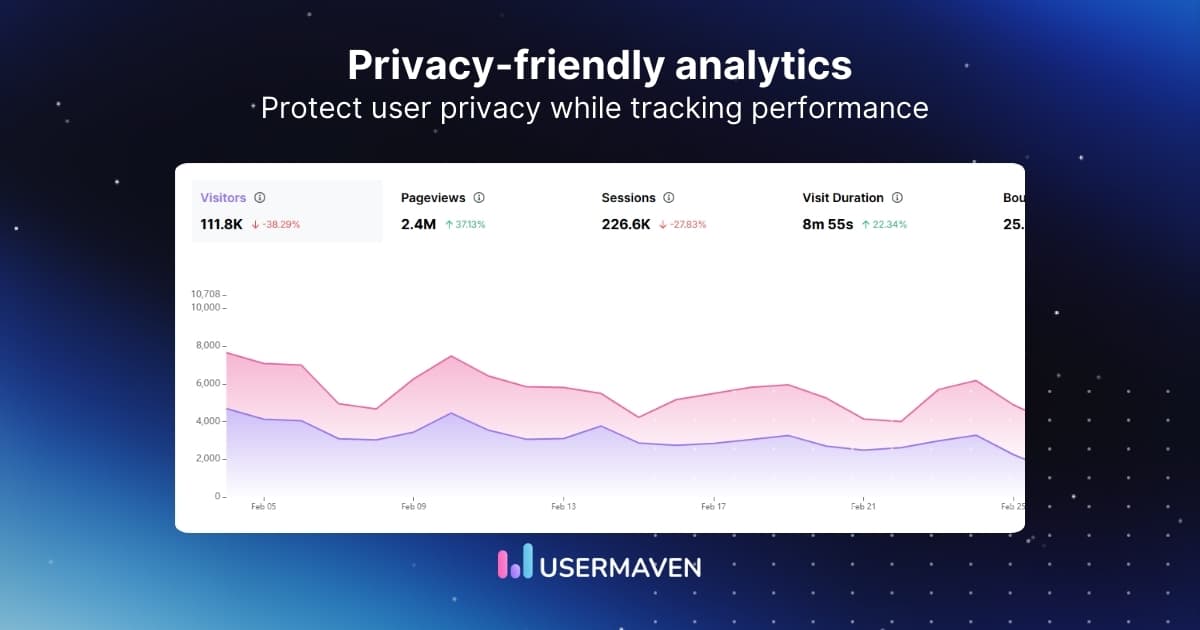
This is what privacy-friendly analytics is about. It focuses on collecting only what you need, reducing risk, and staying aligned with how people expect to be tracked online.
In this guide, we’ll cover what it includes, why it matters, and how to choose tools that keep your reporting useful while staying respectful.
What is privacy-friendly analytics?
Privacy-friendly analytics is a way to measure website performance without relying on invasive tracking. It focuses on collecting only the data you need to understand traffic and behavior.
In practice, it avoids tracking people across sites and minimizes the use of personal identifiers. The goal is to report on patterns, not build profiles.
Privacy-friendly analytics typically uses:
- First-party data collected on your own site
- Minimal-cookie or cookieless tracking where possible
- Aggregated reporting instead of user-level surveillance
- Short retention windows and limited data access controls
It still answers core questions such as which pages perform, where visitors come from, and which actions occur. It just does it with simpler data and fewer assumptions.
How it differs from traditional analytics
The simplest way to understand the difference between the two is to look at what each approach relies on to produce reporting.
| Area | Traditional analytics | Privacy-friendly analytics |
|---|---|---|
| Data source | Mix of first- and third-party signals | Primarily first-party data |
| Identification | Persistent IDs, cookies, cross-session tracking | Minimal identifiers, more session-based tracking |
| Tracking footprint | Broader, sometimes across sites/apps | Scoped to your site/product |
| Personal data | Often collects more than needed | Collects less by design (privacy analytics approach) |
| Compliance posture | Heavier consent + governance overhead | Easier to govern under the GDPR and other local and international data privacy laws |
| Retention | Longer by default in many setups | Shorter, intentional retention policies |
Why do privacy-friendly analytics matter?
Here’s what teams gain from adopting privacy-first analytics.
- Measure growth without invasive tracking: Privacy-first analytics lets you see which channels perform, which pages convert, and where users drop off without over-collecting data.
- Reduce the amount of personal data you store: By leaning on aggregated reporting, privacy-focused analytics lowers the risk of sensitive information being exposed or misused.
- Keep tracking aligned with user expectations: Strong analytics privacy comes from collecting only what you need and being transparent about it, especially as public concerns about data privacy remain high.
- Support IT compliance and governance reviews: A privacy-first analytics stack is easier to approve because it limits identifiers and simplifies how data is handled and retained.
- Stay aligned with privacy rules and enforcement: As standards shift, privacy-first analytics is easier to keep stable without constantly reworking measurement processes.
- Focus teams on decision-ready insights: Instead of hoarding events, privacy-focused analytics helps teams prioritize questions that lead to clearer actions.
- Connect attribution with privacy-compliant measurement: It helps teams understand traffic sources, customer journeys, and conversions while remaining aligned with modern privacy requirements.
How modern analytics can be built with privacy in mind
Modern analytics is not defined by the technology alone. What matters is how that technology is applied, what it collects, and where teams draw the line around online privacy.
Two platforms may both report on traffic, conversions, and engagement, yet still work very differently in practice. One can keep data collection focused, while the other gathers far more user information than the analysis actually requires.
This commitment to digital responsibility often starts at the infrastructure level. For example, providers like GreenGeeks prioritize GDPR compliance while also investing in sustainability, showing that responsible data handling can align with environmental impact.
That is why implementation matters more than feature depth alone. Design choices around identifiers, tracking methods, data collection, and retention all shape whether an analytics setup feels measured or excessive.
You can see this clearly in privacy-friendly web analytics, where the goal is to understand website performance without defaulting to excessive tracking. The same principle applies more broadly across modern analytics products.
Strong analytics and online privacy need not work against each other. When measurement is built with restraint, teams can get useful answers while keeping privacy considerations part of the foundation.
Grow smarter with privacy-first analytics
Limitations of privacy-friendly analytics
Privacy-friendly analytics offers important benefits, but it also comes with tradeoffs. Because these approaches collect less data and rely on fewer identifiers, marketers may have less visibility into individual user behavior, cross-device journeys, and long-term attribution paths.
Some privacy-focused analytics tools intentionally prioritize simplicity and minimal data collection, which can limit reporting depth. Depending on the platform, teams may have less access to customer journey analysis, attribution reporting, revenue tracking, or advanced segmentation capabilities.
For many organizations, this tradeoff is acceptable because stronger privacy protections outweigh the need for highly granular tracking. Others may need a balance between privacy-conscious measurement and deeper marketing insights.
Platforms such as Usermaven aim to bridge that gap by combining privacy-conscious measurement with attribution reporting, website analytics, and customer journey insights. This allows teams to understand marketing performance and conversions without relying on invasive tracking methods.
What to look for in privacy-friendly analytics?
Privacy-friendly analytics works when it’s designed around user rights and responsible measurement, not just “tracking less.”
Here are the building blocks that make privacy-friendly web analytics hold up in practice.
Giving users more say over their data
A privacy-friendly approach starts with not keeping people in the dark. Users should be able to understand what’s collected, and have real control over whether it’s collected at all.
Strong privacy-friendly tracking avoids collecting data that isn’t needed in the first place.
- Use consent-aware measurement where required, and honor choices consistently
- Collect only what you need to answer specific questions
- Avoid turning basic usage into identity-based profiling
Making data practices clear and easy to understand
People don’t trust what they can’t follow. Privacy-friendly analytics should make it easy to explain what data is captured, how it’s processed, and what it’s used for.
This clarity supports online privacy by reducing ambiguity. When your tracking is explainable, it’s easier to keep it respectful across pages, teams, and tools.
- Be clear about what you track and why
- Keep retention and data handling easy to communicate
- Make your tracking behavior match your policy language
Keeping analytics data safe from misuse
Collecting less helps, but it’s only half the job.
Privacy-friendly analytics safeguards the data you collect, preventing unauthorized access and ensuring it is never quietly repurposed.
Good data ethics practices show up in access controls and internal handling. The goal is to prevent analytics from becoming a backdoor dataset.
- Restrict access by role specifically
- Store data securely and audit access where possible
- Keep analytics data scoped to reporting, not enrichment
Reducing exposure through smarter tracking choices
Privacy-friendly tracking reduces risk by limiting identifiers and being deliberate about what gets linked over time. The fewer unnecessary connections you create, the less you expose.
Cookies can be part of this conversation, but they’re only one design choice. The real goal is to build a measurement framework that doesn’t rely on invasive methods to be useful.
- Minimize persistent identifiers where they’re not essential
- Prefer aggregated reporting when it answers the question
- Avoid tracking patterns that follow users beyond your product
Best practices for privacy-focused data collection
Ethical data collection is the foundation of long-term trust and compliance. These practices help you meet regulatory standards and demonstrate respect for your users.
- Collect only necessary data: Avoid logging every action. Focus on events that drive business insights.
- Avoid storing IP addresses or user-agent strings: They can be identifying, and many privacy-first analytics tools anonymize them by default.
- Implement granular consent controls: Let users opt into categories, not just blanket agreements.
- Keep logs of consent records: Store consent logs to support audits and internal accountability.
- Enable automatic data expiration: Set clear retention windows and enforce them automatically.
- Use encryption for stored data: Protect analytics data at rest, even when it lives in internal databases.
Transparent architecture benefits both users and businesses by eliminating guesswork and ethical grey zones.
Communicating privacy to your users
Even the most private analytics stack won’t mean much if your users don’t know or trust what you’re doing. Communication is part of your UX.
- Clear, non-legal privacy policies: Write policies that are understandable and specific about data use.
- Consent banners that inform, not just ask: Explain the why, not just the what, when requesting consent.
- Visual cues for trust: Icons or UI indicators can show when tracking is disabled or limited.
- Offer real choices: Let users adjust their preferences anytime, preferably with an easy-to-access settings panel.
Top privacy-friendly analytics platforms
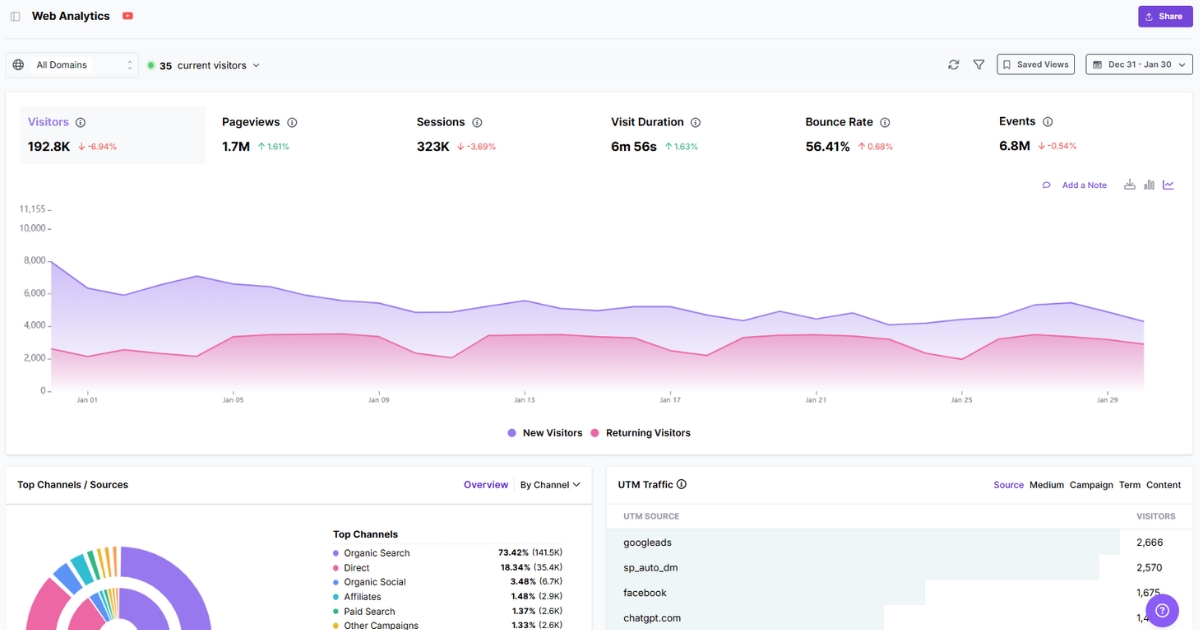
Choosing the right platform depends on how much insight you need, how you approach online privacy, and how simple you want reporting to be.
Let’s look at 10 platforms that support privacy-friendly measurement and reporting while helping businesses understand performance and customer behavior.
- Usermaven: Combines privacy-conscious measurement with attribution reporting, website analytics, and product insights, making it a strong fit for teams that need deeper visibility into customer journeys and conversions.
- Plausible: Built for simple, lightweight reporting with a strong privacy-first approach and an easy-to-use dashboard.
- Matomo: Offers flexible deployment and stronger control over data for teams that need a more customizable setup.
- Fathom Analytics: Keeps reporting straightforward and focused for businesses that want privacy-friendly tracking with minimal complexity.
- Simple Analytics: Makes it easy to understand website performance through a clean interface and privacy-conscious measurement.
- Umami: Gives teams an open-source option with a simple dashboard and more control over how analytics is handled.
- PostHog: Supports web and product analytics for teams that need broader insight while still keeping privacy considerations in view.
- Pirsch: Focuses on lightweight website analytics with a clean experience and a minimal data collection approach.
- Friendly Analytics: A privacy-focused analytics platform that offers cookie-free website measurement and clear performance insights
- Cloudflare Web Analytics: Provides basic website performance insights in a privacy-friendly way for teams that want simple analytics built into their infrastructure.
To sum it up,
Privacy-friendly analytics isn’t a compromise. It’s a cleaner way to measure what matters, with fewer blind spots, less risk, and more trust behind every decision you make.
If that’s the direction you’re heading, Usermaven is a strong fit. It helps teams connect traffic sources, customer journeys, and conversions while supporting privacy-conscious measurement practices. With attribution reporting alongside features like website analytics, marketers can understand what drives results without relying on invasive tracking.
Ready to see Usermaven in action? Explore the platform or book a demo for a closer look.
FAQs about privacy-friendly analytics
1. What does a privacy-first strategy mean?
A privacy-first strategy means building your tracking, data collection, and communication around user privacy from the start. The goal is to collect only what you need and be clear about why.
2. How can you implement privacy-first analytics on your website?
Start by choosing a tool built for limited data collection, then track only the events you actually need. Keep your setup transparent, consent-aware, and easy to explain.
3. What is a privacy-friendly email?
Privacy-friendly email means collecting subscriber data with clear consent and using it in a transparent, respectful way. It focuses on trust, limited tracking, and better data handling.
4. Are there any free privacy-friendly analytics tools?
A good privacy-friendly Google Analytics alternative should provide clear traffic and conversion insights without relying on invasive tracking. Tools like Usermaven, Plausible, and Fathom are often considered strong options, with Usermaven offering marketing attribution capabilities alongside privacy-conscious measurement.
5. What is the best privacy-friendly alternative to Google Analytics?
A good privacy-friendly Google Analytics alternative should give you clear traffic and conversion insights without relying on invasive tracking. Tools like Usermaven, Plausible, and Fathom are often considered strong options.
6. Which privacy-first analytics tools are best for small businesses?
Small businesses usually do best with tools that are simple, affordable, and easy to set up. Usermaven is often chosen by teams that need marketing attribution alongside privacy-conscious measurement, while Plausible, Fathom, and Simple Analytics are also commonly considered.
Updated

Written by
Ryan Mitchell
Marketing Analytics Strategist
Ryan Mitchell is a marketing analytics strategist specializing in campaign measurement, customer journeys, and marketing performance. He writes about analytics, reporting, and data-driven marketing strategies, helping SaaS and B2B teams measure what matters across every stage of the customer journey.
All articles by Ryan →