Not every customer takes the same path to buying your product.
Some discover you through Google, compare alternatives, and book a demo. Others arrive through an ad, explore your pricing, and sign up without speaking to sales.
If you put both experiences into one customer journey map, you might miss what makes each one different.
That’s why businesses create multiple customer journey maps. They help you understand different customer needs, identify friction points, and improve the experiences that matter most.
Visualize & optimize
user journeys with Usermaven
Key takeaways
- One journey map doesn’t fit everyone. Different customers have different goals, behaviors, and buying processes.
- Multiple maps reveal hidden problems. They help identify friction points that a general journey map might overlook.
- Segmentation makes maps more useful. Group customers by behavior, buying role, product, or lifecycle stage.
- Customer data improves accuracy. Combine analytics, CRM records, surveys, and interviews to understand actual experiences.
- Focus on improvements, not just visuals. Use your maps to prioritize changes that improve conversions, onboarding, and retention.
What are multiple customer journey maps?
Multiple customer journey maps are separate visual representations of how different customer groups interact with a business.
Each map focuses on a particular audience, product, experience, or stage of the customer lifecycle.
A typical customer journey map includes:
- Customer persona: Who the customer is and what they want to accomplish.
- Journey stages: The steps from initial awareness to purchase and retention.
- Touchpoints: The interactions customers have with your business.
- Customer actions: What people do at each stage.
- Pain points: The obstacles that make their experience difficult.
- Opportunities: Changes that could improve the journey.
For example, a B2B SaaS company might create one map for self-service users and another for enterprise buyers.
Self-service users may want to explore the product, sign up, and get started independently. Enterprise buyers may need demos, security reviews, and approval from several stakeholders.
Both groups interact with the same company, but their buying experiences are different.
A single map could capture their shared stages. Separate maps help teams investigate the differences.
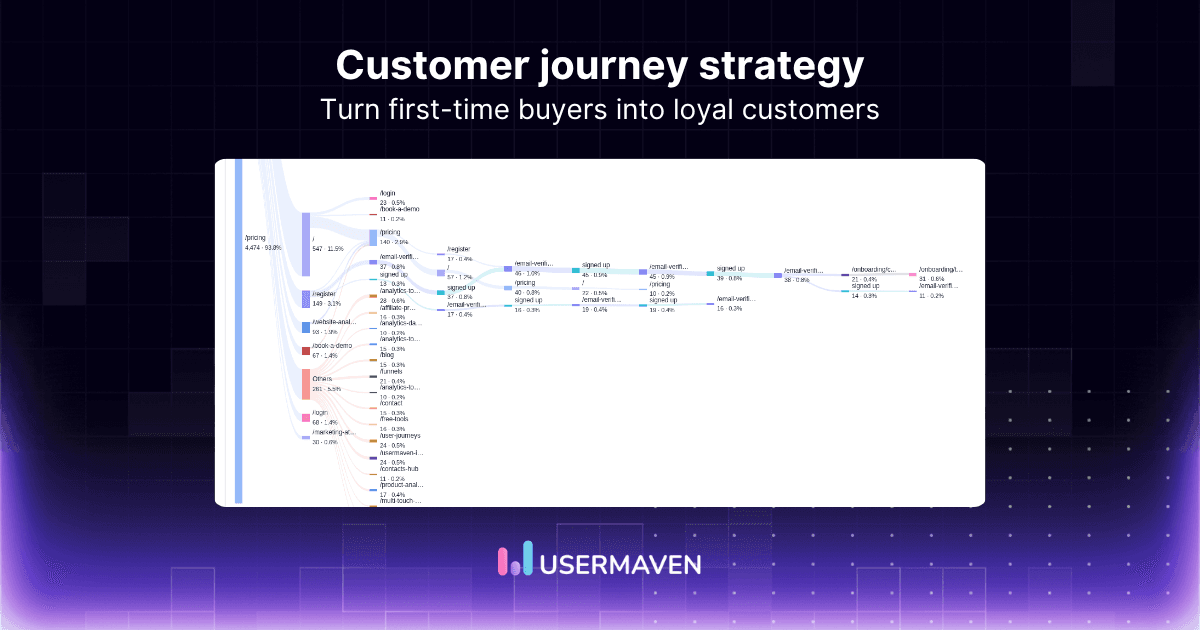
A clear customer journey strategy helps connect these maps to specific business goals.
Visualize & optimize
user journeys with Usermaven
Why would a business create multiple customer journey maps?
Businesses create multiple customer journey maps to understand how different customer groups experience their products, services, and marketing touchpoints. This helps them identify specific problems, personalize experiences, and make better decisions about where to invest resources.
Here are five common reasons.
1. Different customer personas have different needs
Not every customer has the same priorities.
A startup founder evaluating marketing software might focus on ease of setup and immediate insights. A marketing director at a larger company might prioritize attribution accuracy, integrations, and reporting.
Even when both customers consider the same product, their decision-making processes can look different.
Creating separate maps helps businesses understand:
- What each customer group wants to accomplish.
- Which questions they ask before purchasing.
- What prevents them from moving forward.
- Which interactions influence their decisions.
Example: A SaaS company creates separate journey maps for startup founders and enterprise marketing teams.
The founder’s map highlights product exploration, onboarding, and activation. The enterprise map focuses on stakeholder evaluation, demonstrations, procurement, and implementation.
The company can then improve each experience without assuming that both audiences need the same support.
Using customer segmentation helps identify these groups based on their characteristics, actions, and engagement patterns.
2. Different products or services require different journeys
Customers may interact with different offerings from the same company in completely different ways.
Consider a business that offers both self-service software and enterprise consulting.
A software customer might move from a landing page to a free account and complete onboarding within a day.
A consulting customer might research the company, schedule a discovery call, review a proposal, and negotiate a contract.
Separate maps help teams understand the unique steps involved in each purchase.
They can also reveal whether particular products have:
- Longer evaluation periods.
- More complicated onboarding.
- Different conversion barriers.
- Higher support requirements.
Example: An ecommerce business creates separate maps for first-time purchases and subscription renewals.
The first map focuses on product discovery and checkout. The second examines renewal reminders, repeat purchases, and cancellation risks.
Looking at the broader customer lifecycle helps businesses understand how customer expectations change before and after a purchase.
This also applies to technology businesses offering specialized solutions. For example, Pelion provides IoT connectivity solutions for businesses managing connected devices across different industries. A company evaluating connectivity for a small deployment may have different technical requirements, purchasing steps, and support needs than an enterprise planning a large-scale rollout. Creating separate journey maps helps businesses address these differences and provide more relevant experiences.
3. Customers arrive through different marketing channels
Someone discovering your business through an educational blog may behave differently from someone clicking a high-intent search ad.
Their expectations, information needs, and readiness to convert may vary.
For example:
| Marketing channel | Common customer behavior | Potential improvement |
|---|---|---|
| Organic search | Reads educational content and explores solutions | Add relevant next-step content |
| Paid search | Evaluates a specific product or solution | Improve landing-page relevance |
| Returns after previous interactions | Personalize follow-up messages | |
| Social media | Discovers the brand through content | Make product benefits easier to understand |
| Referral | Arrives with some existing context | Reinforce credibility and trust |
These are illustrative patterns, not rules. Actual behavior should determine whether separate channel-based maps are necessary.
Businesses can use customer journey analytics to investigate how people move between channels and which interactions contribute to conversions.
They can also compare marketing attribution models to understand how credit is distributed across recorded customer touchpoints.
The important point is that customers rarely stay within a single channel. Channel-specific maps should still account for the broader journey.
4. Different customer lifecycle stages have different challenges
The customer journey doesn’t end when someone makes a purchase.
Customers continue interacting with your business during onboarding, product adoption, renewals, and support.
Each stage introduces different goals and potential obstacles.
For example:
- Awareness: Customers need to understand their problem and possible solutions.
- Consideration: They compare products, features, and alternatives.
- Purchase: They evaluate pricing, approvals, and purchasing requirements.
- Onboarding: They need to understand how to use the product.
- Retention: They need ongoing value and reasons to continue.
- Advocacy: Satisfied customers may recommend the product to others.
Understanding the stages of the customer journey helps businesses recognize where customers need different types of support.
A business can create separate maps for acquisition, onboarding, and retention when these experiences require more detailed analysis.
For example, a SaaS company might discover that new users complete signup but struggle to reach their first meaningful product outcome.
An onboarding journey map can help identify where users get stuck and what support they need.
Meanwhile, retention analysis can help teams investigate whether customers continue using the product after their initial experience.
5. Customers in different regions may have different experiences
Businesses operating across multiple countries may need to account for differences in payment methods, languages, regulations, and purchasing processes.
For example, customers in one market might prefer local payment options, while another market may require additional procurement documentation.
Regional journey maps help businesses investigate these differences without assuming that all customers behave alike.
They can also help teams identify:
- Localization problems.
- Region-specific checkout friction.
- Different customer support needs.
- Differences in conversion performance.
However, geography alone isn’t always a reason to create another map.
Start by reviewing behavioral data and customer feedback to determine whether the differences are significant.
Using geographic segmentation can help you identify regional patterns worth investigating further.
Visualize & optimize
user journeys with Usermaven
Benefits of using multiple customer journey maps
Creating multiple journey maps requires additional research and maintenance. The benefit comes from making decisions that a single general map might not support.
| Benefit | How it helps your business |
|---|---|
| Better customer understanding | Reveals the goals and obstacles of different customer groups |
| More relevant personalization | Helps tailor content, messaging, and experiences |
| Improved conversion opportunities | Identifies friction at important decision points |
| Better resource allocation | Highlights which problems deserve attention first |
| Stronger customer retention | Reveals onboarding and post-purchase challenges |
| Better team alignment | Gives marketing, sales, and product teams shared context |
For example, a business might find that one customer segment abandons the signup process while another completes signup but rarely activates.
Those are different problems.
The first may require a simpler registration experience. The second may need better onboarding or product education.
Separate maps help teams avoid applying the same solution to both situations.
They also make conversion rate optimization more focused by showing which experiences need improvement for particular customer groups.
How to create multiple customer journey maps in 6 steps
You don’t need dozens of maps to understand your customers.
Start with a few meaningful differences, build maps around them, and expand only when the evidence supports it.
Step 1. Define what you want to improve
Before creating a map, identify the business question you want to answer.
For example:
- Why do enterprise leads take longer to convert?
- Why do some trial users never activate?
- Which customer segments abandon checkout?
- How do different acquisition channels influence purchasing behavior?
A clear objective keeps your mapping process focused.
You can also use a customer journey funnel to define important progression stages and connect them to measurable outcomes.
Step 2. Identify your most important customer segments
Use customer research and behavioral data to identify groups with meaningfully different experiences.
You can segment customers by:
- Buying role or persona.
- Product or service.
- Acquisition channel.
- Customer lifecycle stage.
- Behavior and engagement.
- Geographic region.
For B2B businesses, separating self-service customers from sales-assisted buyers can be a useful starting point.
Behavioral segmentation is particularly useful because it groups customers according to their actions rather than relying only on demographic characteristics.
Avoid creating a separate map for every possible combination of customer characteristics.
Instead, prioritize segments that have different needs or measurable friction points.
Step 3. Gather customer journey data
Effective journey maps should reflect what customers actually experience.
Combine quantitative and qualitative information to understand both customer actions and the reasons behind them.
Useful data sources include:
- Website analytics: Landing pages, traffic sources, and engagement.
- Product analytics: Feature usage, activation, and retention.
- CRM data: Lead stages, opportunities, and sales interactions.
- Customer interviews: Goals, expectations, and frustrations.
- Surveys: Feedback about specific experiences.
- Support conversations: Recurring questions and customer problems.
For example, website analytics helps you understand how people discover and navigate your website, while product analytics helps you examine what happens after they start using your product.
Analytics can show where people abandon a process, but it cannot always explain why.
A high checkout abandonment rate might result from unexpected costs, technical errors, or customers who were simply comparing options.
Customer research helps distinguish between those possibilities.
Step 4. Map the stages and touchpoints
Once you have enough information, outline the customer experience for each segment.
Use a consistent format so the maps are easy to compare.
For example, a SaaS customer journey might include:
- Discovery
- Evaluation
- Signup or demo
- Activation
- Retention
- Expansion
For every stage, record the customer’s actions, touchpoints, questions, obstacles, and opportunities.
Not every customer will follow these stages in order. Some may skip steps, return to earlier stages, or interact with several channels before converting.
Your map should reflect those variations where the evidence supports them.
If you’re focusing on interactions within a website or product, a user journey map can help you examine the specific steps users take to accomplish a goal.
Step 5. Compare maps and identify opportunities
Look for meaningful differences between customer groups.
Ask questions such as:
- Which segments take longer to convert?
- Where do customers abandon the journey?
- Which touchpoints appear before successful conversions?
- Which groups need more onboarding support?
- Are certain problems shared across multiple segments?
Use these findings to prioritize improvements.
For example, if enterprise leads frequently stall after a demo, investigate whether they need clearer implementation information, pricing details, or security documentation.
If self-service users abandon onboarding, review the setup process and the steps required to reach their first useful outcome.
You can also use funnel analysis to compare conversion rates and identify where different segments stop progressing.
Step 6. Measure results and update your maps
A customer journey map should support ongoing improvements rather than remain a one-time document.
Choose metrics that match the purpose of each map.
| Journey focus | Metrics to monitor |
|---|---|
| Acquisition | Visitor-to-lead conversion rate, cost per lead |
| Evaluation | Demo booking rate, lead-to-opportunity rate |
| Signup | Signup completion rate, abandonment rate |
| Onboarding | Activation rate, time to value |
| Retention | Retention rate, churn rate |
| Expansion | Upgrade rate, expansion revenue |
After making improvements, compare performance against your previous baseline.
For example, tracking customer retention metrics can help determine whether onboarding improvements are associated with longer-term engagement.
Review maps whenever customer behavior, products, or buying processes change significantly.
Visualize & optimize
user journeys with Usermaven
Example of multiple customer journey maps for a B2B SaaS business
Imagine a SaaS company selling analytics software to two customer groups: small businesses and enterprise marketing teams.
Both groups want better visibility into their marketing performance, but their purchasing processes differ.
The company creates two journey maps.
Map 1. Self-service customers
| Stage | Customer action | Potential friction | Opportunity |
|---|---|---|---|
| Discovery | Finds a blog through Google | Unclear product relevance | Connect educational content to use cases |
| Evaluation | Explores features and pricing | Difficulty comparing options | Clarify capabilities and fit |
| Signup | Creates an account | Too many setup steps | Simplify registration |
| Activation | Connects data and explores reports | Unclear next action | Improve onboarding guidance |
| Retention | Reviews performance regularly | Limited understanding of value | Highlight useful insights |
Map 2. Enterprise customers
| Stage | Customer action | Potential friction | Opportunity |
|---|---|---|---|
| Discovery | Finds a comparison page or receives a referral | Limited enterprise information | Explain relevant capabilities |
| Evaluation | Books a demo and involves stakeholders | Different team requirements | Provide role-specific information |
| Purchase | Reviews security and contract terms | Procurement delays | Improve documentation |
| Implementation | Connects CRM and marketing data | Technical complexity | Provide guided setup |
| Retention | Reviews reporting and business outcomes | Unclear return on investment | Demonstrate pipeline and revenue impact |
These are illustrative examples, not observed customer findings.
The maps reveal two different improvement priorities.
For self-service customers, the business might focus on signup completion and activation.
For enterprise customers, it might prioritize evaluation support, implementation, and reporting tied to business outcomes.
The value of multiple maps is not having more diagrams. It’s knowing which customer experience needs attention and what to improve.
For a more detailed look at how software buyers interact with different touchpoints, explore the SaaS customer journey.
Best practices for managing multiple customer journey maps
As your business grows, managing several maps can become complicated.
These practices help keep them useful.
Use a consistent mapping template
Keep the same basic structure across maps, including journey stages, actions, touchpoints, friction points, and opportunities.
This makes it easier to compare customer experiences.
Avoid unnecessary segmentation
Not every customer group needs a separate map.
If two segments follow similar journeys and face similar problems, one map may be sufficient.
Create another map when the differences affect your decisions.
Include teams across the customer lifecycle
Marketing, sales, product, and customer success teams often see different parts of the customer experience.
Bringing their perspectives together helps identify gaps that individual teams might miss.
Combine customer feedback with analytics
Behavioral data shows what customers do.
Interviews, surveys, and support conversations help explain their motivations and frustrations.
Using first-party data alongside direct customer feedback can help create more reliable maps.
Assign ownership to improvements
Every important problem identified through journey mapping should have a clear next step.
For example, marketing might own landing-page improvements, while product teams address onboarding friction.
Assign an owner, define a metric, and measure the outcome.
Keep your maps current
Customer expectations and buying behavior change.
Review your maps after major product releases, new market launches, significant conversion changes, or changes in your customer base.
The goal is to maintain an accurate working view of the customer experience.
How Usermaven helps you understand different customer journeys
Creating separate journey maps is useful, but the real challenge is understanding which paths customers actually take and how those interactions contribute to conversions and revenue.
A map might suggest that enterprise buyers need more product information before booking a demo. But how do you know which channels bring those buyers, which pages they explore, and where they drop off?
That’s where Usermaven can help.
Usermaven is an AI-powered marketing attribution platform that connects marketing spend and customer journeys to conversions, pipeline, and revenue.
It combines marketing attribution, website and product analytics, and AI-powered insights to help teams understand customer behavior and make better growth decisions.
Understand how different customer groups behave
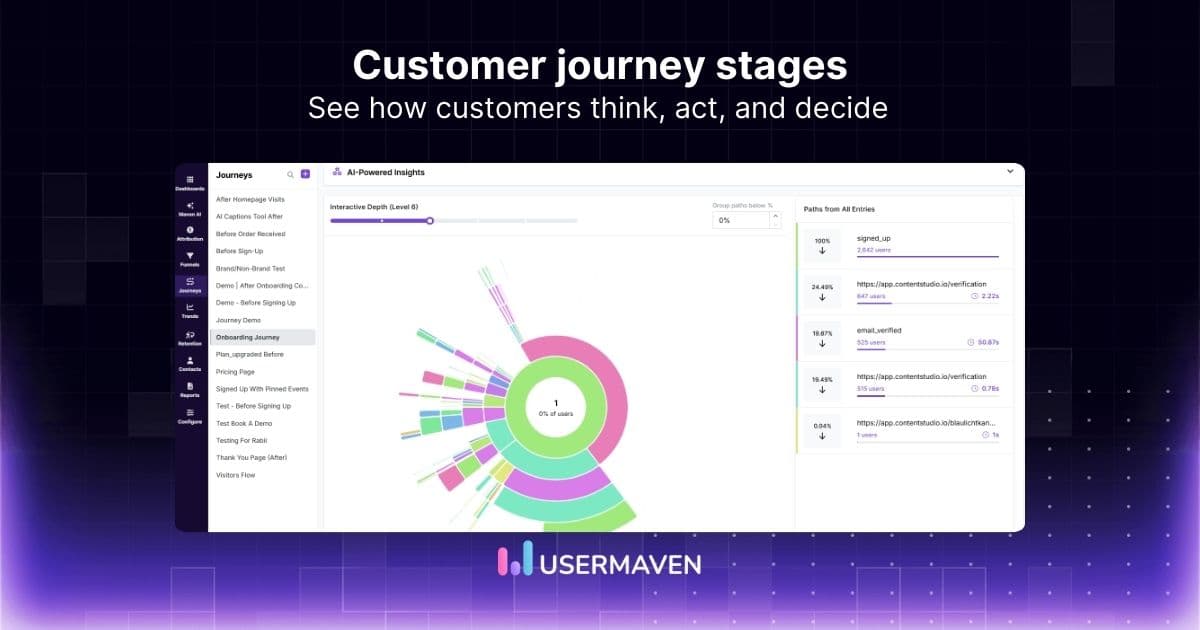
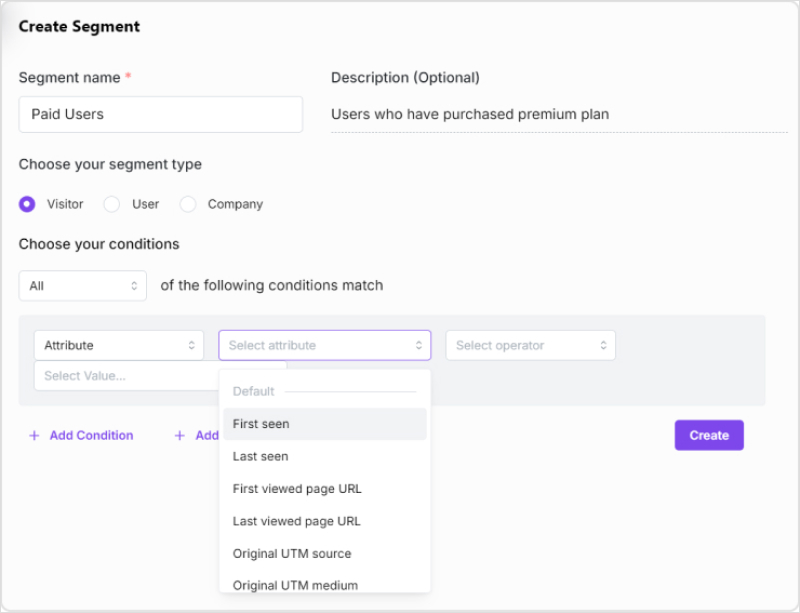
With Usermaven’s User Journeys, you can analyze the paths taken by different groups of visitors and customers.
For example, you can investigate whether visitors from organic search explore more educational content before converting, or whether paid search visitors take a shorter route to a demo request.
Using Segments, you can filter journeys by behavior, acquisition source, events, and other available attributes.
This helps you identify meaningful differences between journeys instead of relying on assumptions.
Find where customers drop off
Usermaven’s Funnels helps you examine how users move through important conversion steps.
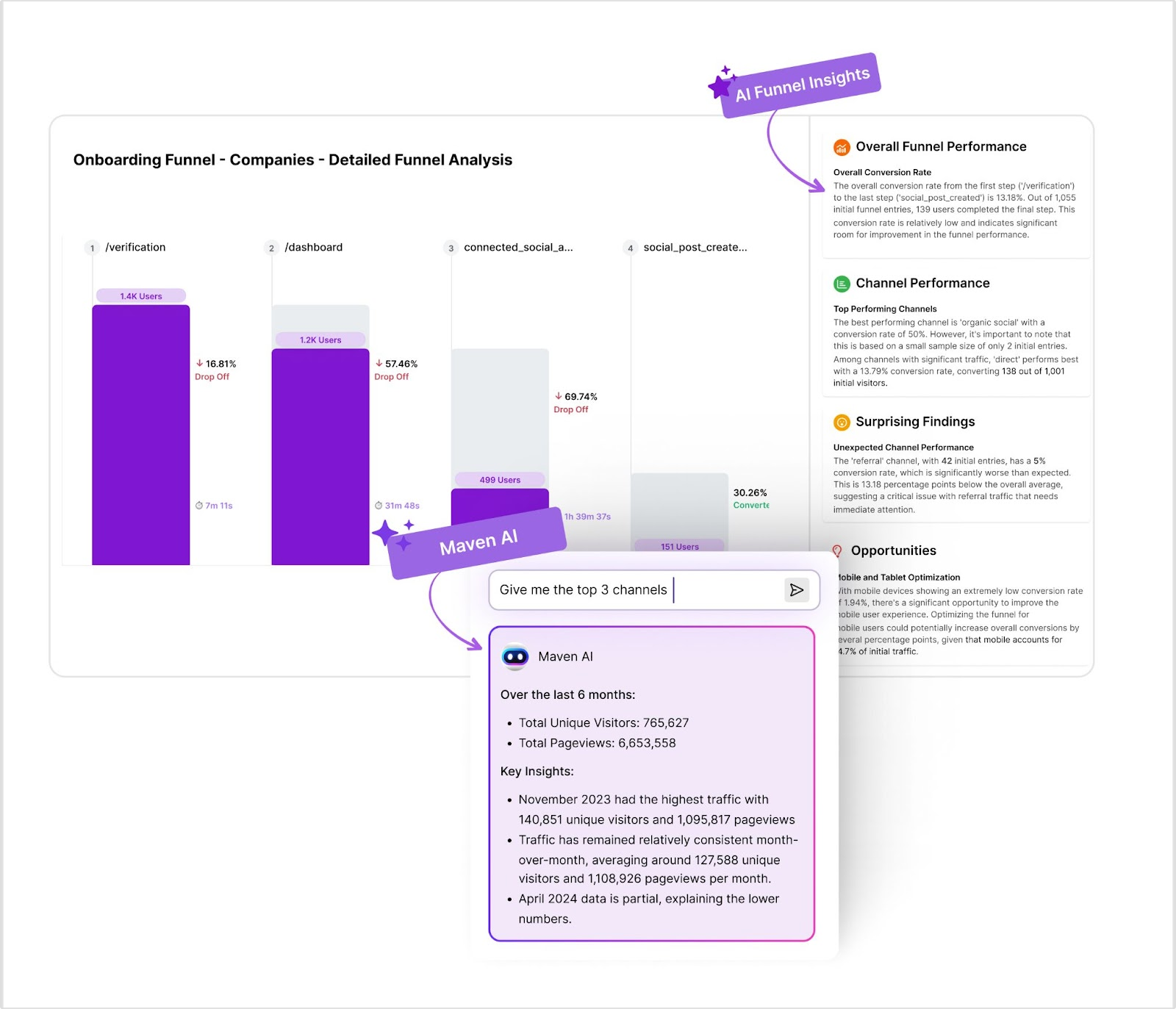
You can investigate where people abandon signup, fail to activate, or stop progressing toward a conversion goal.
For example, if one segment completes registration but rarely finishes onboarding, you can focus on improving that part of the experience.
Connect customer journeys to revenue
Understanding behavior is only part of the picture.
With Usermaven’s multi-touch attribution, you can analyze how tracked marketing touchpoints contribute to conversions and, when connected to CRM outcomes, pipeline and revenue.
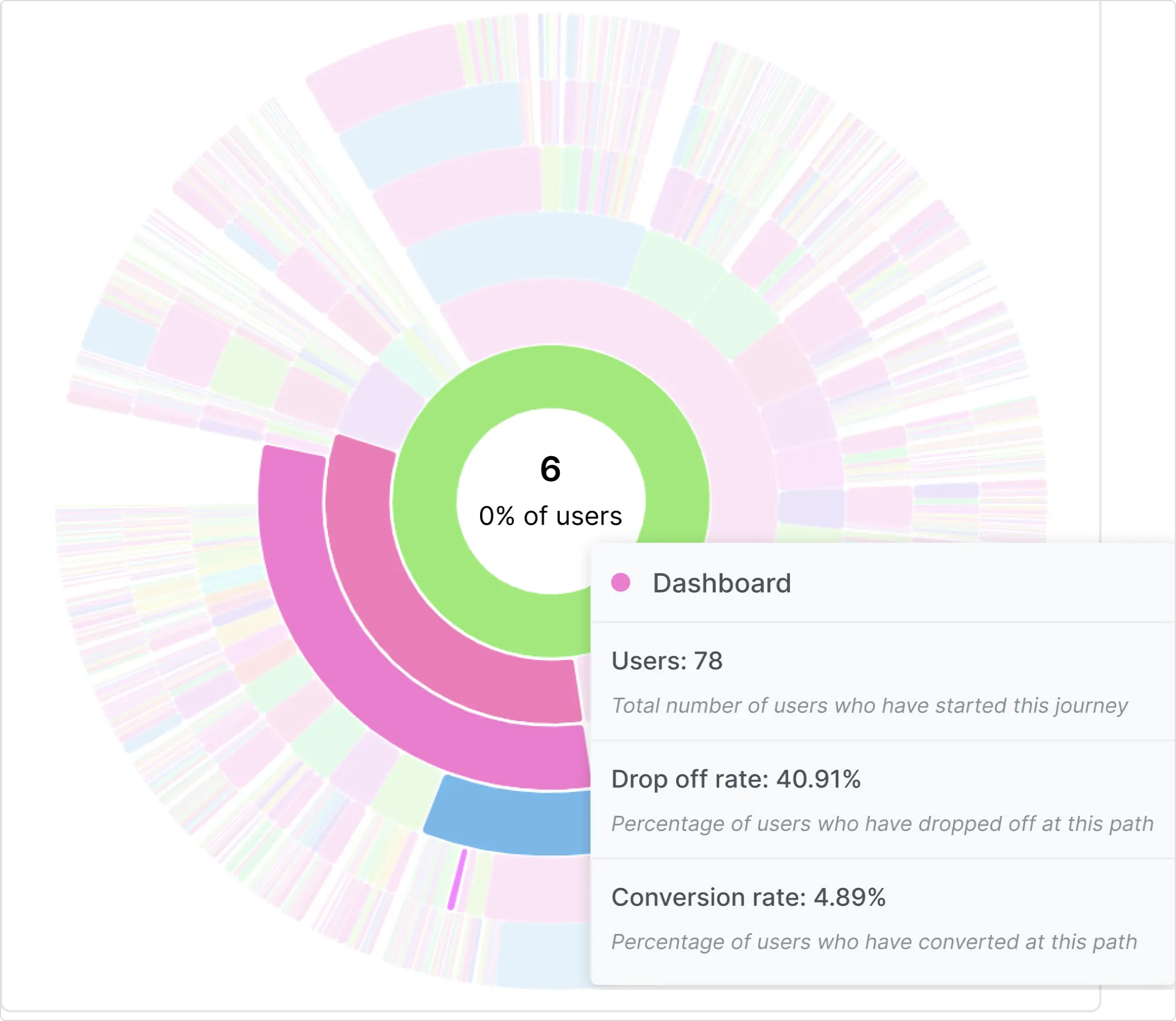
Instead of evaluating channels only by traffic or leads, you can compare their contributions across the customer journey.
This helps marketing teams identify which interactions deserve more attention and where budget may be better allocated.
Ask Maven AI to investigate journey patterns
Maven AI helps you explore marketing and customer data conversationally.
You can ask questions such as:
- “Which acquisition channels bring customers who convert?”
- “Where do new users drop off during onboarding?”
- “How do customer journeys differ between our key segments?”
- “Which campaigns contribute to pipeline and revenue?”
Maven AI can help investigate patterns and create reports or dashboards from your connected data.
You can also configure AI Agents for recurring analysis, helping your team monitor important changes without manually rebuilding every report.
Turn customer journey insights into better decisions.
Usermaven helps you understand how customers discover your business, move through your funnel, and contribute to revenue, so you can focus on the experiences that drive meaningful results.
Book a demo to see how Usermaven can help you analyze customer journeys and improve marketing performance.
In summary
One customer journey map can provide a useful overview, but it may not capture the differences between your most important customer groups.
Creating multiple customer journey maps helps you understand those differences, identify specific friction points, and make more informed decisions about acquisition, onboarding, and retention.
Start with the segments that matter most, validate their experiences with real customer data, and use your findings to prioritize improvements.
And when you need to connect those journeys to marketing outcomes, marketing attribution software like Usermaven can help you see which touchpoints contribute to conversions, pipeline, and revenue.
Visualize & optimize
user journeys with Usermaven
FAQs
1. How many customer journey maps should a business create?
There’s no fixed number. Start with two or three maps covering customer groups with meaningfully different experiences. Add more when your research identifies distinct needs, behaviors, or friction points.
2. Can a customer belong to multiple journey maps?
Yes. A customer may appear in different maps depending on the experience being studied. For example, someone might be part of an enterprise buying journey and later appear in a product onboarding journey. The maps serve different analytical purposes.
3. What is the difference between a customer journey map and a user flow?
A customer journey map examines the broader experience, including customer goals, touchpoints, emotions, and challenges. A user flow focuses on the steps someone takes to complete a specific task within a website or product.
4. Should customer journey maps be based on personas or behavior?
Both can be useful, but behavioral evidence is important. Personas help explain customer goals and motivations, while analytics reveals actual actions. Combining them produces more useful maps than relying on demographic assumptions alone.
5. What data is needed to create multiple customer journey maps?
Useful sources include website analytics, product events, CRM records, customer interviews, surveys, and support conversations. The exact data depends on the customer experience and business question you’re investigating.
6. How do you know when a new journey map is needed?
Create a new map when a customer group follows a meaningfully different path or faces problems that require different solutions. If the differences don’t affect business decisions, another map may add unnecessary complexity.

Written by
Adeel Khan
Growth Marketing Expert
Adeel Khan is a full-stack SaaS marketer with 10+ years of experience in content marketing, paid advertising, analytics, and conversion rate optimization. He shares practical insights and strategies drawn from hands-on experience, helping B2B SaaS marketers improve performance and make better marketing decisions.
All articles by Adeel →