Most customers don’t buy on their first visit, so the page that closed the sale rarely tells the whole story.
To track the customer journey, list every touchpoint, define what counts as progress at each stage, capture those actions as events, connect anonymous visits to known customers, and review the paths, drop-offs and channel credit in one place. That turns scattered clicks into a clear story of how people find you, decide and buy.
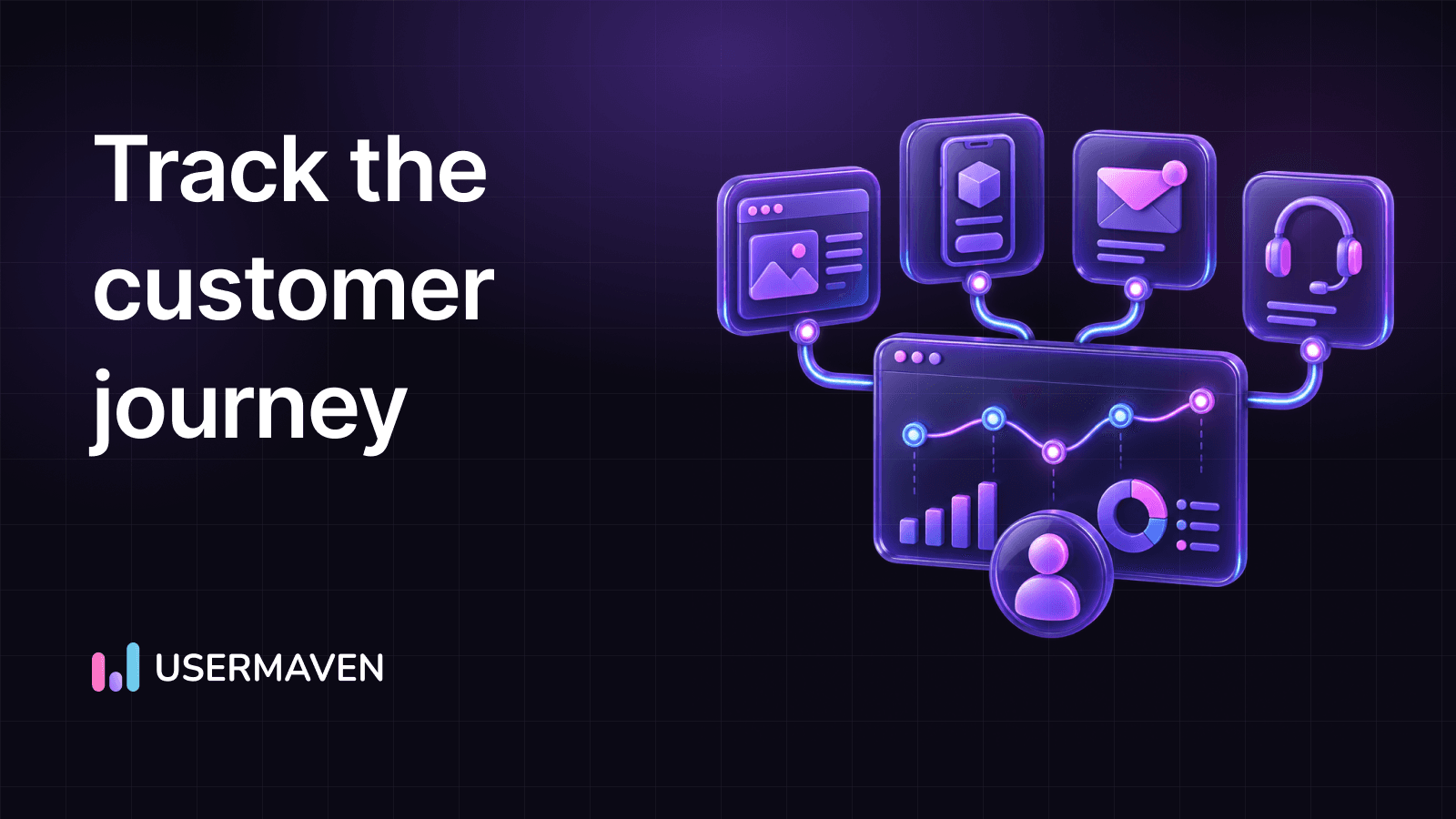
This guide walks through those six steps, the metrics to watch at each stage, how to follow journeys across channels and sessions, and how customer journey analytics helps you find and fix drop-offs.
Key takeaways
- Tracking, not guessing: Customer journey tracking records the real steps people take, from first visit to purchase and beyond, instead of the path you assume they take.
- Six steps: Map touchpoints, define goals and metrics, set up event tracking, connect identities, add CRM and offline data, then analyze paths and drop-offs.
- Journeys span sessions: In a Usermaven study of 150 B2B SaaS websites, 36.4% of conversions linked to an AI referral happened in a later session, so single-session reports miss part of the story.
- Identity is the hard part: Linking anonymous visits to a known contact is what turns page views into a customer journey.
- Act on drop-offs: The goal isn’t a prettier map. It’s finding where people stall and fixing that step.
What is customer journey tracking?
Customer journey tracking is the process of recording every interaction a customer has with your brand and connecting those interactions in the order they happened. It shows how someone moved from first hearing about you to signing up, buying and coming back.
It covers online touchpoints, such as ads, search, your website and your product, and offline ones, such as sales calls, events and in-store visits. The output is a timeline per customer, plus patterns across all customers that show which paths lead to conversion.
Tracking is often confused with two related practices. Here’s how they differ:
| Practice | What it does | Based on |
|---|---|---|
| Customer journey mapping | Visualizes the ideal or expected path, stage by stage | Research, interviews and assumptions |
| Customer journey tracking | Records the real path each customer takes across touchpoints | Events, sessions, CRM and campaign data |
| Customer journey monitoring | Watches live journeys and alerts you when key steps break or slow down | Real-time data, reports and alerts |
The three work best together. A customer journey map tells you what should happen. Tracking shows what actually happens. Monitoring tells you when the two drift apart.
Why track the customer journey?
Without journey data, every team sees a different slice. Marketing sees clicks, sales sees calls, and product sees logins. Tracking connects those slices so you can answer questions that matter for growth:
- Which channels bring customers who actually buy, not just visitors?
- Where do people stall or drop off before converting?
- How many visits and days does it take to convert?
- Which content and pages show up most often in winning paths?
- What do loyal customers do after their first purchase?
Journeys are also getting longer and less linear. Usermaven’s 2026 analysis of 15.4 million sessions across 150 B2B SaaS websites found AI assistants sent only 0.88% of sessions, yet 36.4% of the conversions linked to those visits happened in a later session, and 83.7% of those later conversions came through direct or organic search visits. Last-touch reports would credit the return visit and miss where the journey started.
How to track the customer journey in 6 steps
These steps work for B2B SaaS, ecommerce and service businesses alike. Start simple, get the data right, then add detail.
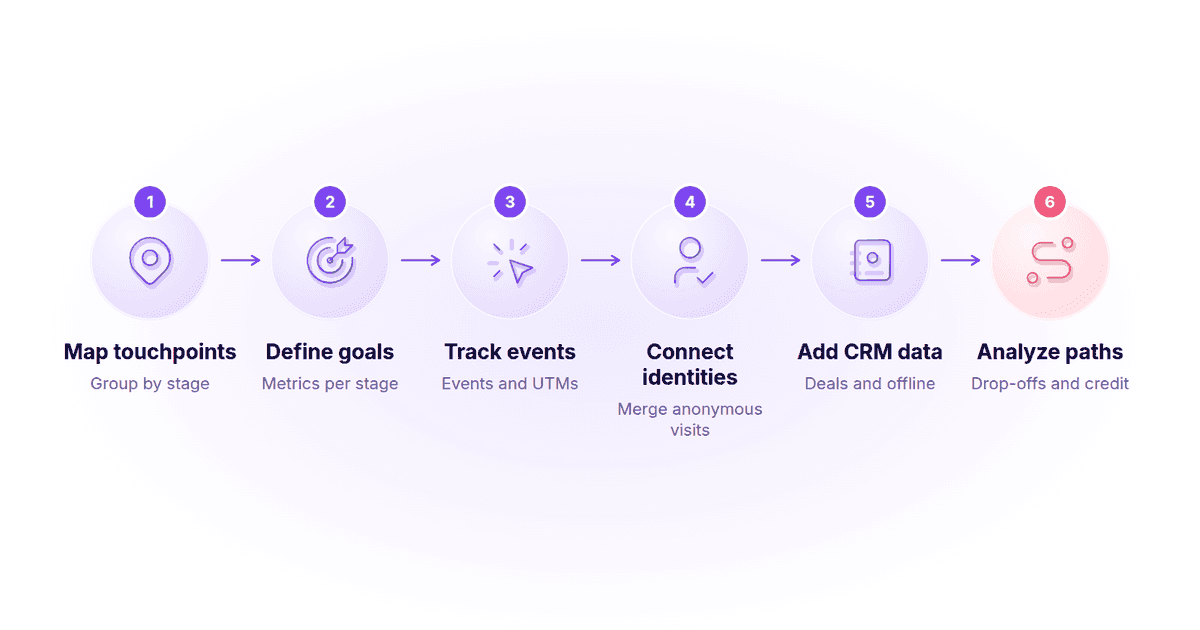
1. Map out customer touchpoints
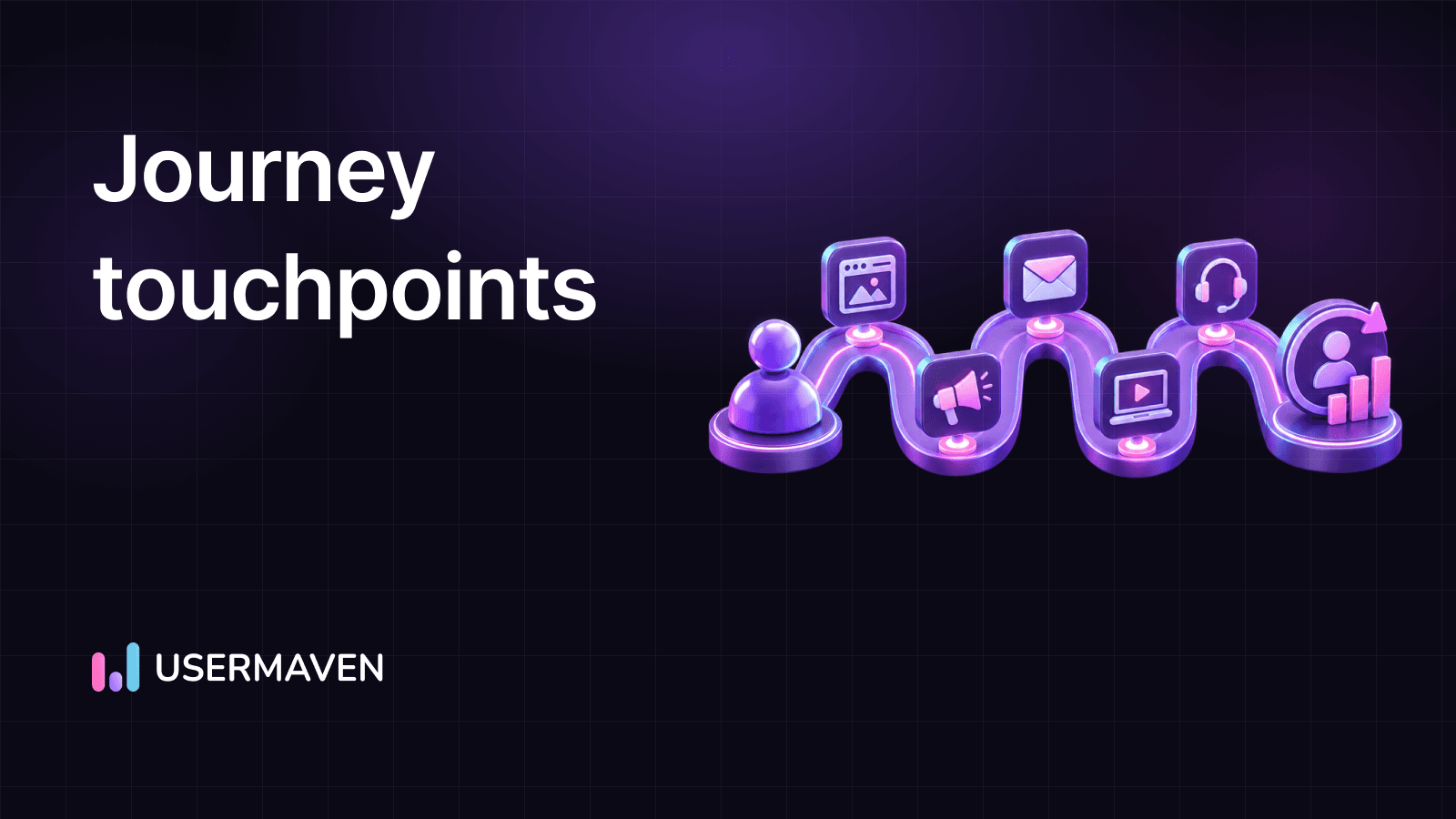
List every place a customer can interact with your brand. Include ads, search, social, email, your website, your product, review sites and offline channels, from events to phone calls handled via an AI phone system for small business to in-person visits.
Then group those customer journey touchpoints by the stages of the customer journey:
- Awareness: How do people first find out about your brand?
- Consideration: What do they read, compare and test before deciding?
- Purchase: What steps do they take to sign up, book a demo or buy?
- Retention: What keeps them active and happy after buying?
- Advocacy: How do satisfied customers recommend you to others?
2. Define goals and metrics for each stage
Decide what counts as progress at each stage before you install anything. A visit to the pricing page, a demo request, a trial signup and a first purchase are all common goals. Each goal becomes a milestone you can measure and compare across channels.
Pick a small set of numbers to watch, such as conversion rate between stages, time to convert, repeat purchase rate, customer lifetime value and satisfaction scores. The metrics table further down shows which ones fit each stage.
3. Set up event tracking and campaign tagging
Install an analytics tool on your website and product, and capture the actions that matter as events: page views, button clicks, form submissions, signups and purchases. Tag every campaign link with UTM parameters so each visit carries its source, medium and campaign.
Choose tools that work together instead of in silos. A typical setup looks like this:
- A web and product analytics platform like Usermaven to track visits, events and important website metrics.
- A CRM to store contacts, deals and sales conversations.
- Ad and social platforms for spend and engagement data.
- Survey or support tools for satisfaction and feedback.
Relevant read: Best customer journey management software
4. Connect anonymous visits to known customers
Most journeys start anonymously. Someone reads a blog post, comes back a week later from a search and only signs up on their third visit. To see that as one journey, your tool needs identity resolution: when a visitor signs up or logs in, their earlier anonymous sessions are merged into their profile.
Send an identify call with a user ID and email at signup and login, and pass company details for B2B accounts. Handle personal data carefully. Data anonymization protects customer information and helps you follow data protection rules like GDPR and CCPA.
5. Add CRM and offline touchpoints
Tracking the customer journey isn’t only about online behavior. Sales calls, demos, events and support conversations shape decisions too. Connect your CRM so deal stages and revenue sit next to website and product activity, matched by email or user ID.
Businesses can also use AI voice agents to automate phone interactions, answer customer inquiries, and provide consistent communication throughout the customer journey.
For store visits or phone orders, log the interaction against the customer record, or ask how they heard about you and store the answer as a property.
6. Analyze paths, drop-offs and channel credit
With clean data flowing in, look at three views:
- Paths: The most common routes from entry to conversion, and where people loop or exit.
- Funnels: Conversion rates between your key steps, so you can see exactly where people drop off.
- Attribution: How much credit each channel and campaign earns across the whole journey, not just the last click. Marketing attribution covers the models in detail.
Review the data on a fixed rhythm. Use alerts for sudden changes, a weekly check of key funnels and a monthly deep dive into paths and channel performance.
How to track customer journeys across channels and sessions
Real journeys jump between devices, channels and days. Here’s how to keep them connected.
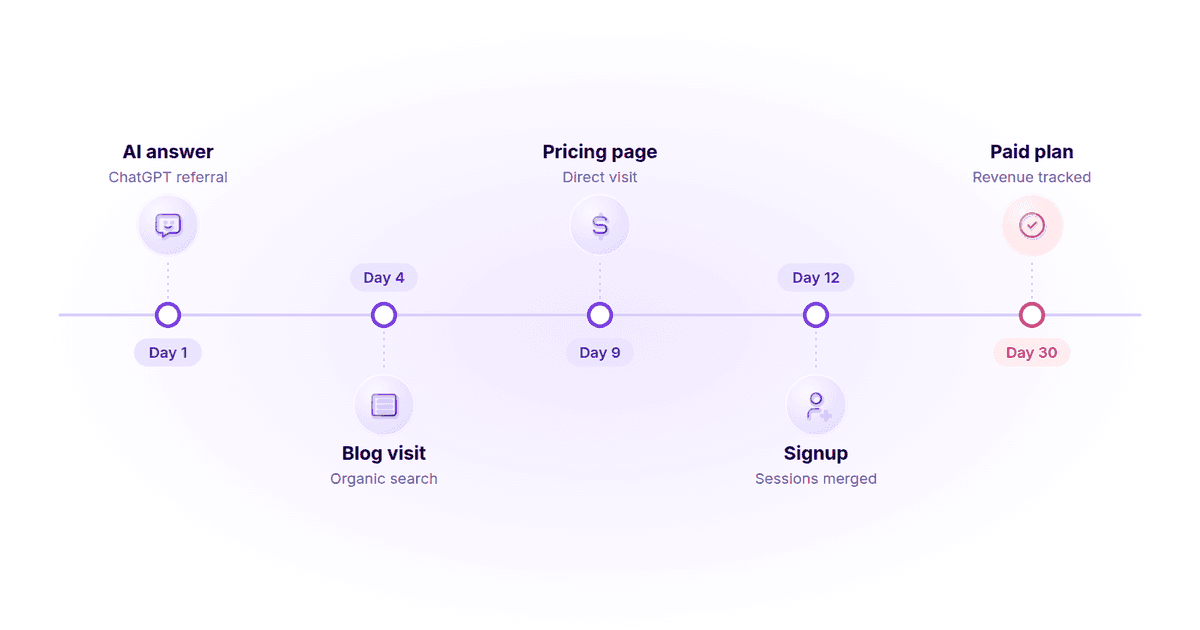
- Across sessions: Use a tool that keeps a persistent visitor ID and merges sessions into one profile once the person is identified.
- From mobile web to app: Identify users with the same user ID on web and in the app, so both streams land on the same profile.
- From AI assistants: Track referrals from tools like ChatGPT, Perplexity and Gemini as their own source, then follow those visitors into later sessions. Usermaven’s AI referral research shows how often the conversion happens on a later direct or organic visit.
- Across domains: If your site, app and checkout live on different domains, set up cross-domain tracking so visitors aren’t counted twice.
- Across team members: In B2B, several people from one company take part. Group users by company to see the account-level journey.
Key metrics for customer journey analysis
Tracking the right metrics shows how customers move through each stage. Use them to refine your strategy, reduce drop-offs and build loyalty.
| Stage | Metrics to track |
| Awareness | Where the website visitor sources are coming from, new visitors by channel and first-touch campaigns. Knowing which channels bring in the most people helps you focus your efforts. |
| Consideration | How visitors interact with your content: pages per session, return visits, pricing page views and content that appears in converting paths. |
| Conversion | Conversion rate per goal, drop-off between funnel steps, time and number of sessions to convert, and abandoned carts or signups. |
| Retention | Repeat purchases, active usage, churn signals and customer satisfaction scores collected through surveys. |
| Advocacy | Net Promoter Score, reviews and referrals from existing customers. |
How to find where customers drop off
Drop-offs are where journey tracking pays for itself. To measure them accurately:
- Build a funnel from your key steps, for example landing page, pricing, signup and activation.
- Find the biggest gap between two steps. That’s your first fix.
- Look at the paths before people exit. Loops between two pages often signal missing information.
- Compare segments by channel, device, country or plan. A drop that only hits mobile visitors points to a different fix than one that hits everyone.
- Watch individual journeys of people who dropped off to understand the why behind the numbers.
Make one change at a time and track the same funnel afterward, so you know whether the fix worked.
How Usermaven helps you track the customer journey
Usermaven brings website analytics, product analytics, journeys and attribution software into one platform, so you can follow each customer from first touch to revenue without stitching tools together.
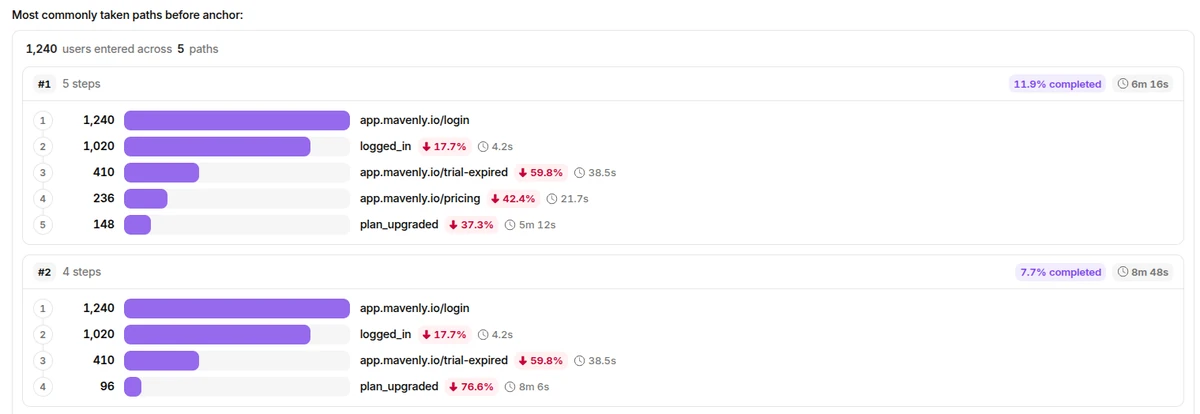
- User Journeys: See how visitors move from entry to exit, page by page and across sessions, in Sankey or sunburst views. Spot looping behavior and unexpected exits, and filter journeys by saved segments, users, companies or time range.
- Contact Profiles: Each visitor gets a timeline of sessions, page views and events. When they sign up, earlier anonymous sessions merge into their profile, together with first touchpoint and UTM data.
- Event-based tracking: Capture page views, clicks and form submissions automatically, and add custom events for the milestones that matter to you.
- Funnels: Measure conversion rates between steps and find exactly where people drop off.
- Multi-touch attribution: Compare attribution models to see how each channel and campaign contributes across the journey, including AI search referrals.
- Maven AI: Ask questions in plain English, such as which paths most often lead to an upgrade, and get the answer as a chart.
- Reports and alerts: Schedule reports by email or Slack and stay on top of key metrics.
With these views in one place, you can see what works, where users face friction and which changes improve the customer experience.
Visualize & optimize
user journeys with Usermaven
Best practices for customer journey tracking
- Bring data into one place: Blend website, product, CRM and campaign data so nothing gets lost between tools.
- Track online and offline: Combine customer behavior analysis on your website and app with sales calls and in-person visits for a true picture.
- Keep a tracking plan: Document event names, properties and UTM rules, and review them whenever you launch a new page, feature or campaign.
- Set up alerts and dashboards: Spot sudden drops quickly instead of finding them at month-end.
- Respect privacy: Collect only what you need, honor consent and follow privacy regulations. Privacy-friendly methods such as first-party tracking and cookieless tracking reduce reliance on third-party cookies.
- Share insights: When every team knows the customer story, marketing, sales, product and support work better together.
Common challenges and solutions for customer journey tracking
Most tracking problems come from a handful of causes. Choosing the right customer journey mapping tools and a clear process solves most of them.
| Challenge | Solution |
|---|---|
| Data silos between tools | Use one platform for web, product and attribution data, and sync your CRM into it. |
| Every tool shows different user counts | Agree on one source of truth for visitors and conversions, and use identity resolution to avoid counting one person several times. |
| Unclear credit for each touchpoint | Compare multi-touch attribution models instead of relying on last click. |
| Privacy and consent | Track first-party data, honor consent and anonymize what you don’t need. |
| Small team, limited time | Pick a tool with automatic event capture and ready-made reports, so setup doesn’t need a data team. |
Conclusion
Customer journey tracking shows the real path your customers take, so you can remove friction instead of guessing. Map your touchpoints, define clear goals, capture events, connect identities and review paths and drop-offs regularly. With the right setup, every team works from the same customer story, and you know exactly which channels and steps drive growth.
Gain deeper insights with
360° view of your customers
FAQs about customer journey tracking
What tools are best for tracking customer interactions?
Use a web and product analytics platform with journey and attribution reports, such as Usermaven, plus your CRM. Together they show what people do on your site and in your product, and which deals and revenue follow.
How often should I review customer data?
Use alerts for sudden drops, check your key funnels weekly and do a deeper review of paths and channel performance monthly or after every major launch.
Can small businesses track customer behavior effectively?
Yes. Tools with automatic event capture and ready-made journey and funnel reports let small teams track customer actions without a dedicated data team.
How do I measure the impact of tracking customer interactions?
Compare key numbers before and after the changes you make, such as conversion rate between steps, time to convert, repeat purchases and customer satisfaction.
What should I keep in mind regarding customer privacy?
Collect only the data you need, honor consent, follow laws such as GDPR and CCPA, and choose tools that offer privacy-friendly options like first-party tracking and data anonymization.
How do I track a customer journey that starts in an AI assistant like ChatGPT?
Track AI referrals as a separate source, identify visitors when they sign up and use multi-touch attribution. Many buyers come back later through direct or organic search, so last-click reports alone will hide the AI touchpoint.
What is the difference between customer journey tracking and customer journey mapping?
A customer journey map shows the path you expect customers to take. Customer journey tracking records the path they actually take, using event, session and CRM data, so you can compare the two and fix the gaps.

Written by
Imrana Essa
SaaS Marketing Lead
Imrana Essa is a marketing lead and content strategist with 8+ years of experience creating and leading content for B2B and SaaS brands. She specializes in marketing analytics, attribution, content strategy, and organic growth, translating complex marketing concepts into clear, actionable insights. Her work focuses on helping marketers understand performance, make data-informed decisions, and build strategies that contribute to sustainable growth.
All articles by Imrana →