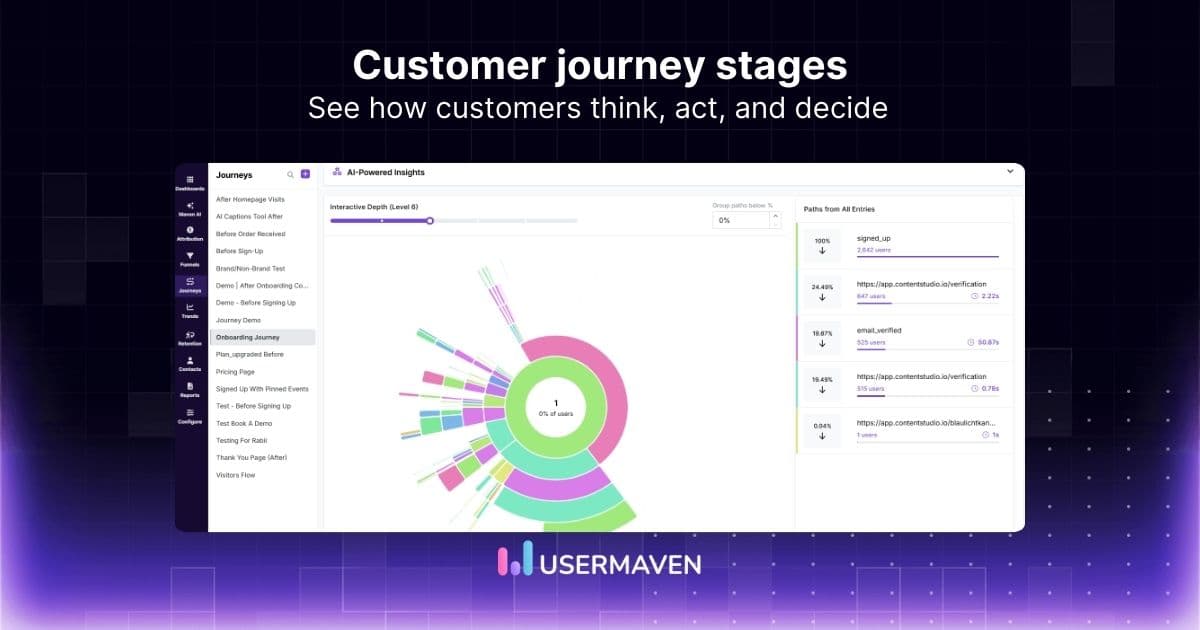
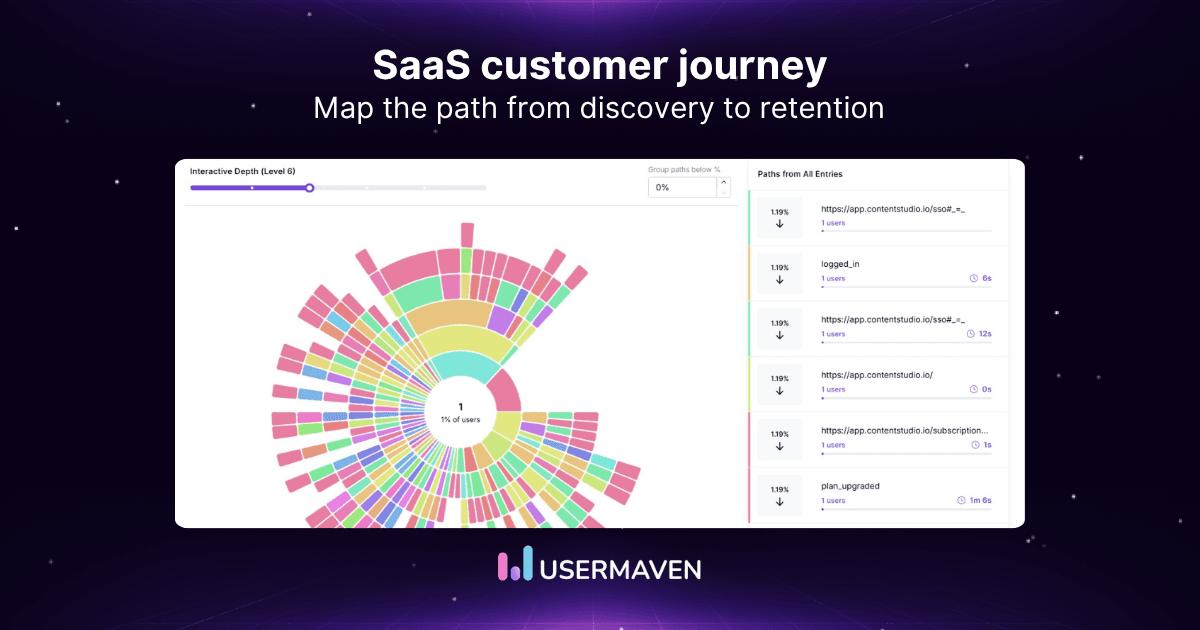
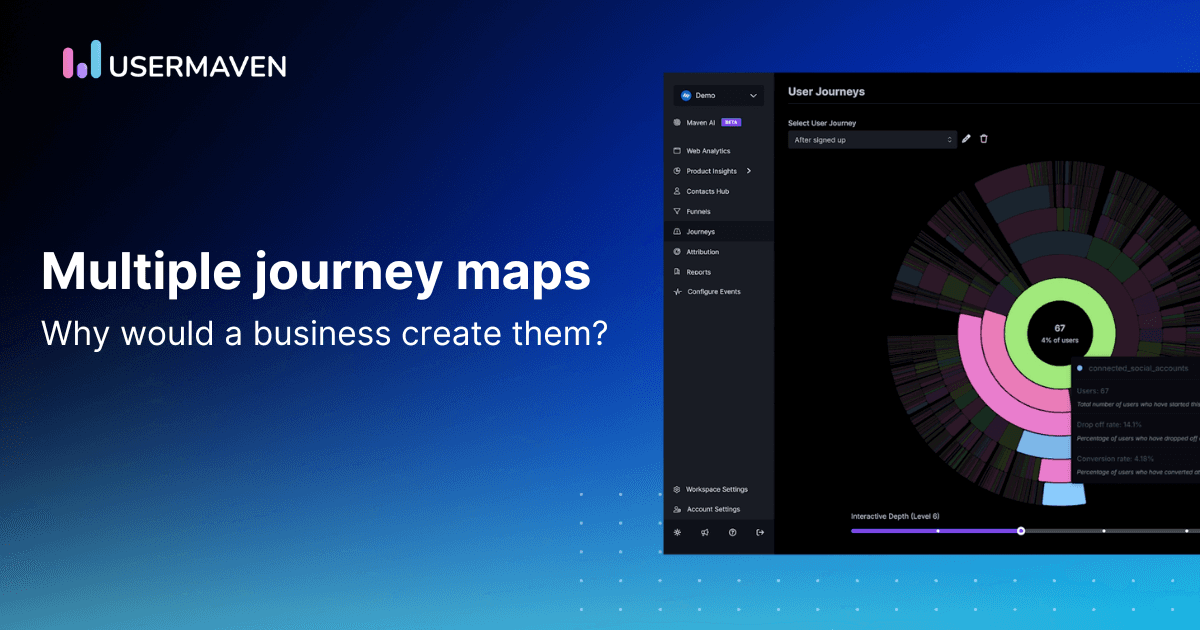
Users don’t always follow the path you’ve designed for them.
Some complete onboarding in minutes. Others get stuck, skip important steps, or leave before experiencing your product’s value.
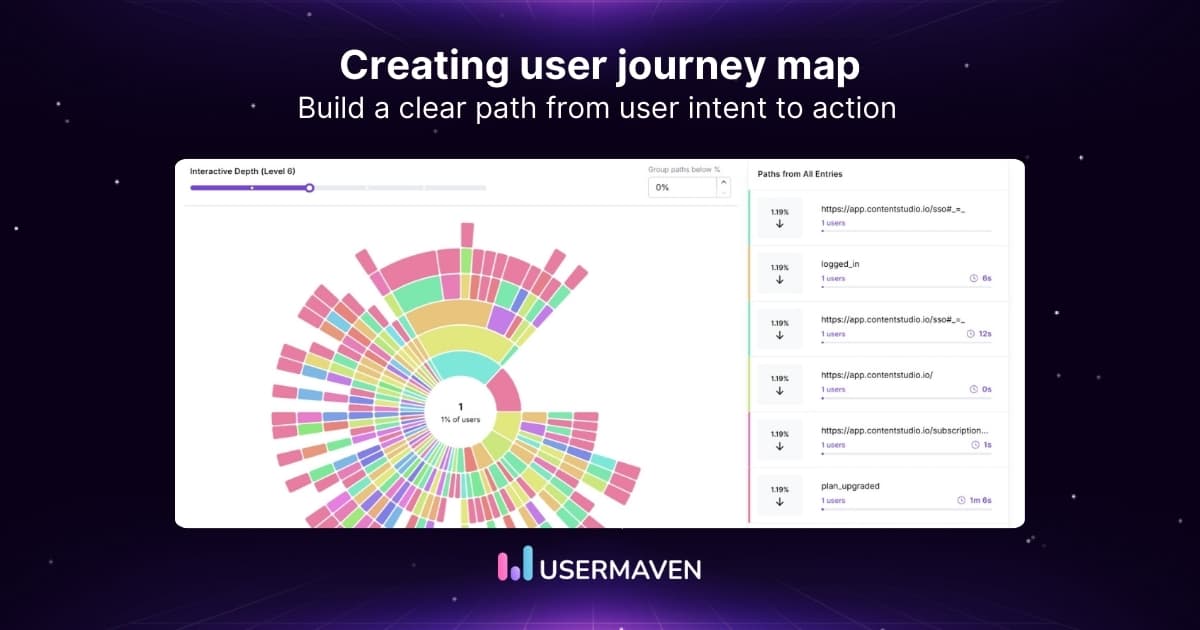
A user journey map helps you understand these experiences by bringing together what users do, what they’re trying to achieve, and where they encounter friction.
But how do you create one that’s actually useful?
Here’s how to create a user journey map in seven practical steps, with a template and example to help you turn user behavior and feedback into meaningful improvements.
Visualize & optimize
user journeys with Usermaven
Key takeaways
- A user journey map visualizes how users interact with your product, including their goals, actions, touchpoints, emotions, and pain points.
- Creating an effective journey map starts with defining a clear goal, identifying your target users, and outlining the key stages of their experience.
- Combining user interviews, feedback, and behavioral analytics helps identify friction points and validate assumptions about user experiences.
- A practical user journey map should highlight improvement opportunities, prioritize changes, and be updated as user behavior evolves.
- Product analytics tools like Usermaven help validate user journeys, identify drop-offs, compare user segments, and measure the impact of improvements.
What is a user journey map?
A user journey map is a visual representation of the steps someone takes to achieve a goal while interacting with your product or service. It shows their actions, goals, touchpoints, emotions, and pain points at each stage.
Unlike a user flow, which focuses on the sequence of actions, a journey map captures the broader experience, including what users think, feel, and struggle with along the way.
Why use journey maps
Journey maps offer many benefits:
- They help teams see the full user experience.
- They reveal friction and gaps.
- They support better decision-making.
- They help improve onboarding and retention.
- They align teams across product, marketing, and support.
Journey maps help you understand users instead of guessing their needs.
Visualize & optimize
user journeys with Usermaven
How to create a user journey map in 7 steps
You don’t need complicated software or dozens of data points to get started. A useful user journey map begins with a clear goal, an understanding of your users, and evidence of how they experience your product.
Here’s how to build one from scratch.
Step 1. Define the goal and scope of your journey map
Start by deciding exactly what experience you want to map.
Trying to capture every interaction a user has with your product will make the map difficult to understand and act on. Instead, focus on one specific journey.
For example, you might want to understand:
- How new users complete onboarding.
- What happens between signup and first product use.
- Why users abandon an important task.
- How users discover and adopt a new feature.
Example: Imagine you’re creating a journey map for a project management SaaS product. Your goal is to understand how new users move from signup to creating their first project.
Define the journey’s starting point, desired outcome, and the user group you’re studying.
For this example:
| Element | Example |
|---|---|
| User group | New trial users |
| Starting point | Account signup |
| Desired outcome | First project created |
| Journey scope | Signup to initial product setup |
| Business objective | Improve onboarding completion |
What you should have: A clearly defined journey with a measurable starting point and endpoint.
If onboarding is your focus, understanding the onboarding funnel can help you identify the stages worth mapping.
Step 2. Identify your target users and their goals
Next, decide whose experience you’re mapping.
Different users can follow very different paths, even when using the same product. A first-time user may need guidance, while an experienced user might skip tutorials and move straight to the task.
Use existing customer research, interviews, support conversations, and product data to understand:
- User goals: What are they trying to accomplish?
- Motivations: Why does this outcome matter to them?
- Expectations: What do they expect at each stage?
- Pain points: What might prevent them from succeeding?
- Experience level: Are they new, returning, or experienced users?
You can organize these findings into a simple user persona.
Example persona
| Attribute | Description |
|---|---|
| Name | Alex, marketing manager |
| Goal | Organize the team’s campaign projects |
| Motivation | Replace scattered spreadsheets with one workspace |
| Main concern | Setting everything up will take too long |
| Success moment | Creating a project and assigning the first task |
You don’t need an elaborate persona document. A few research-backed details are enough to keep the journey focused on a real user rather than assumptions.
If you’re unsure how people currently interact with your product, understanding user behavior can help you identify patterns worth investigating.
Step 3. List the stages and touchpoints in the journey
Now break the experience into the major stages users move through.
A journey stage represents a meaningful part of the experience. A touchpoint is a specific interaction between the user and your product, website, email, or support team.
For our project management SaaS example:
| Journey stage | User action | Touchpoint |
|---|---|---|
| Signup | Creates an account | Registration page |
| Welcome | Reviews setup instructions | Welcome screen or email |
| Workspace setup | Adds team or company details | Setup wizard |
| First project | Creates a project | Project creation screen |
| First task | Adds and assigns a task | Task management interface |
Keep the stages specific to the journey you’re mapping. There’s no requirement to use generic awareness, consideration, and purchase stages for every user experience.
You can use customer journey touchpoints as a reference when identifying interactions across different channels.
What you should have: A sequence of stages and touchpoints that represents how users actually move toward their goal.
Step 4. Gather user research and behavioral data
A journey map should reflect what users actually experience, not what you assume happens.
Combine qualitative research with behavioral data to understand both what users do and why they do it.
Here are some useful data sources:
| Data source | What it helps you understand |
|---|---|
| User interviews | Goals, expectations, frustrations, and motivations |
| Usability testing | Where users struggle to complete tasks |
| Product analytics | Actions, navigation paths, and drop-offs |
| Customer support tickets | Recurring problems and unanswered questions |
| Surveys and feedback | User satisfaction and perceived difficulties |
Example: Your analytics show that many new users complete workspace setup but never create their first project.
That’s a useful finding, but it doesn’t explain why they’re stopping.
After interviewing several users, you discover that they don’t understand the difference between creating a workspace and creating a project.
Now you have both the behavioral evidence and the user feedback needed to represent that problem accurately in your journey map.
You can use user journey analytics to investigate recorded paths and identify where users leave a process. Pair those findings with interviews or usability tests to understand the reasons behind their behavior.
What you should have: Evidence of how users navigate the journey, where they encounter difficulties, and what they say about those experiences.
Step 5. Identify user emotions, pain points, and opportunities
Once you’ve gathered your research, examine the experience at each journey stage.
A useful user journey map doesn’t just show what happened. It also captures how users experienced each interaction.
For every stage, ask:
- What is the user trying to accomplish?
- What are they thinking or feeling?
- What’s making the task difficult?
- What could make the experience easier?
Use a simple emotional scale, such as positive, neutral, and negative, to represent the experience visually.
For our SaaS example:
| Journey stage | User emotion | Pain point | Improvement opportunity |
|---|---|---|---|
| Signup | Positive | Too many form fields | Simplify registration |
| Welcome | Neutral | Unclear next step | Add a clear setup checklist |
| Workspace setup | Frustrated | Confusing terminology | Improve instructions |
| First project | Positive | Too many configuration options | Offer a starter template |
| First task | Satisfied | Difficulty finding assignment controls | Improve button visibility |
These emotions and pain points should come from user research whenever possible. Don’t assume someone feels frustrated simply because they took longer to complete a task.
For additional context, user behavior analysis can help you investigate interaction patterns that deserve further research.
What you should have: A clear understanding of the experience at each stage, including friction points and potential improvements.
Step 6. Build your visual user journey map
Now bring everything together into a single visual.
You can create your journey map using a spreadsheet, whiteboard, or design tool. The format matters less than whether your team can easily understand and use it.
Arrange the journey stages horizontally, then add rows for the information you’ve collected.
Your map should include:
- Journey stages: The major steps users move through.
- User actions: What they do at each stage.
- Touchpoints: Where those interactions happen.
- Goals and expectations: What users want to accomplish.
- Emotions: How they experience each interaction.
- Pain points: What prevents progress.
- Opportunities: What your team could improve.
Keep descriptions short and specific. A journey map should make problems easier to recognize, not become another lengthy research document.
For example, instead of writing “Users experience difficulties navigating the workspace configuration process,” write “Users can’t find where to create their first project.”
Use arrows to show progression, simple symbols for emotions, and highlights for the most significant friction points.
What you should have: A complete visual map that shows the user experience from the starting point to the desired outcome.
Step 7. Validate your journey map and prioritize improvements
Creating the map isn’t the final step. You need to confirm that it accurately represents the experience and decide what to improve.
Review the map with people who understand different parts of the journey, including product, UX, customer success, and support teams.
Then validate the findings using additional user research or behavioral evidence.
Focus on three questions:
- Is the map accurate? Do the stages, actions, and pain points reflect real user experiences?
- Which problems matter most? Identify friction that affects important user goals or prevents task completion.
- What should we improve first? Prioritize changes based on user impact, available evidence, and implementation effort.
Example: Your journey map shows that users struggle to create their first project after completing workspace setup.
You decide to introduce a guided project creation checklist.
After releasing the improvement, you compare the percentage of new users who create their first project and the time they take to complete the task.
If more users successfully complete that step, you have evidence that the change may be improving the experience. Further testing can help establish whether the change caused the improvement.
You can also use conversion funnel analysis to monitor completion rates and identify whether users continue dropping off at the same stage.
What you should have: A validated journey map, a prioritized list of improvements, and clear measures for evaluating progress.
User journey map template and example
A user journey map template helps you organize each stage of the user experience, from the actions people take to the challenges they face.
You can create one in Google Sheets, Excel, Figma, or a digital whiteboard. Start with the following structure and customize it for your product.
Free user journey map template
| Map element | What to include |
|---|---|
| User persona | Who you’re mapping the journey for |
| Journey goal | What the user wants to accomplish |
| Journey stages | The major steps toward that goal |
| User actions | What users do at each stage |
| Touchpoints | Where they interact with your product |
| User emotions | How they feel during each interaction |
| Pain points | Problems that make progress difficult |
| Opportunities | Changes that could improve the experience |
You can copy this structure into a spreadsheet, using the journey stages as columns and the remaining elements as rows.
User journey map example for a SaaS product
Let’s continue with our project management SaaS example.
User persona: Alex, a marketing manager setting up a new project management tool.
Journey goal: Create the first project and assign a task.
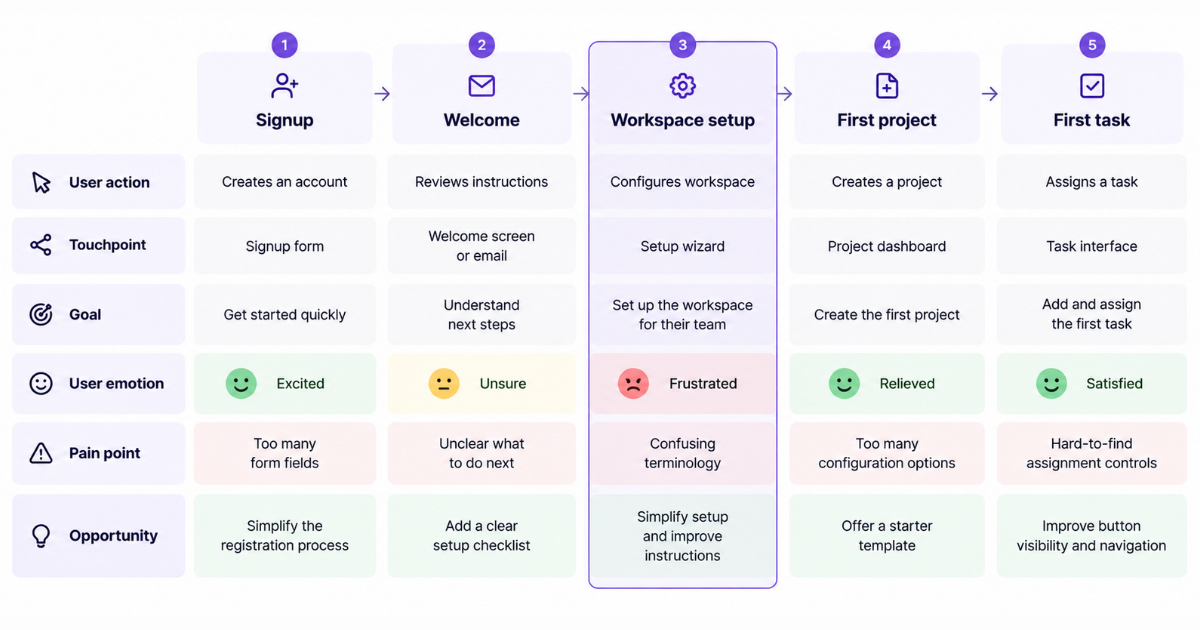
This completed map highlights where the experience becomes difficult. In this example, workspace setup is the biggest friction point, making it a reasonable place to investigate first.
The team can then use product analytics to examine how users move through setup and whether they successfully reach their first meaningful action.
How to use your completed journey map
Once your map is ready, share it with the teams responsible for the experience.
Use it to identify the most important friction points, assign improvement opportunities, and decide which user outcomes to measure.
For example, if workspace setup is causing problems, you could track setup completion rates, time to first project, and the percentage of users who successfully create their first task.
The goal isn’t simply to document the journey. It’s to make the experience easier for users to complete.
Common mistakes to avoid when creating a user journey map
A user journey map is only useful when it reflects real experiences and helps you identify opportunities for improvement. Here are five mistakes to avoid.
- Mapping the ideal journey instead of reality
Users don’t always follow the path you’ve designed. They may skip steps, repeat actions, or take unexpected routes. Use actual behavior and feedback to capture these experiences.
- Treating every user the same
Different users have different goals and behaviors. Use user segmentation to identify groups that may need separate journey maps.
- Assuming how users feel
A high drop-off rate doesn’t necessarily mean frustration. Validate user emotions through interviews, surveys, or usability testing instead of guessing.
- Overloading the map with information
Too many details make it difficult to spot important patterns. Focus on the touchpoints, pain points, and opportunities relevant to the journey you’re mapping.
- Never updating the journey map
User behavior changes as your product evolves. Revisit your map after major product updates and use product analytics metrics to identify changes worth investigating.
Visualize & optimize
user journeys with Usermaven
How Usermaven helps with journey mapping
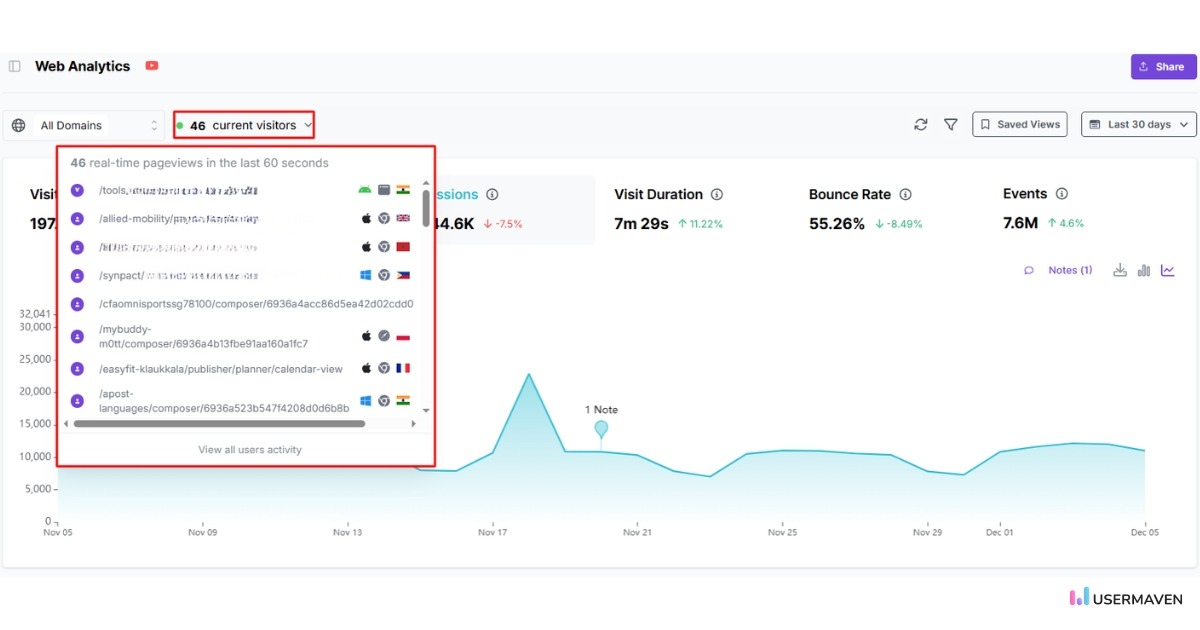
Usermaven makes journey mapping faster, clearer, and more accurate by capturing real user behavior automatically. Instead of relying on assumptions or manually tagging and tracking events, Usermaven shows you how users move through your website or product in real time.
This allows teams to identify friction, improve onboarding, increase adoption, and strengthen retention with confidence.
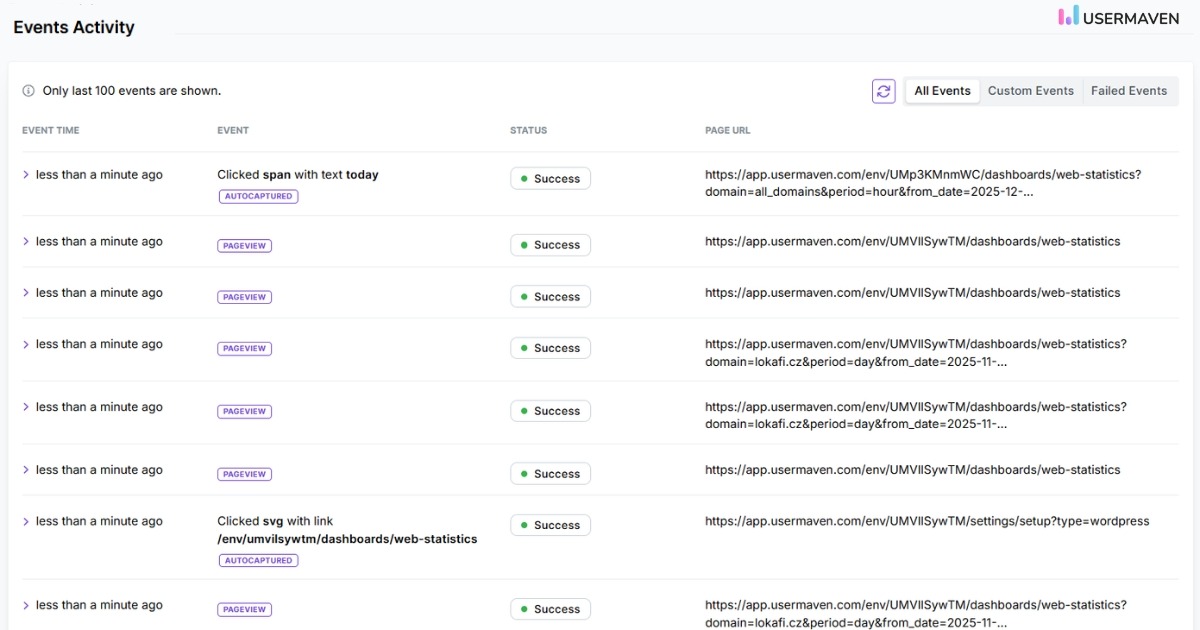
1. Automatic tracking without manual tagging
Usermaven records key user interactions out of the box. You don’t need engineering support or manual events setup to start understanding user behavior. This makes journey mapping easier because you immediately get accurate paths, actions, and sequences.
2. Real-time user journeys visualization
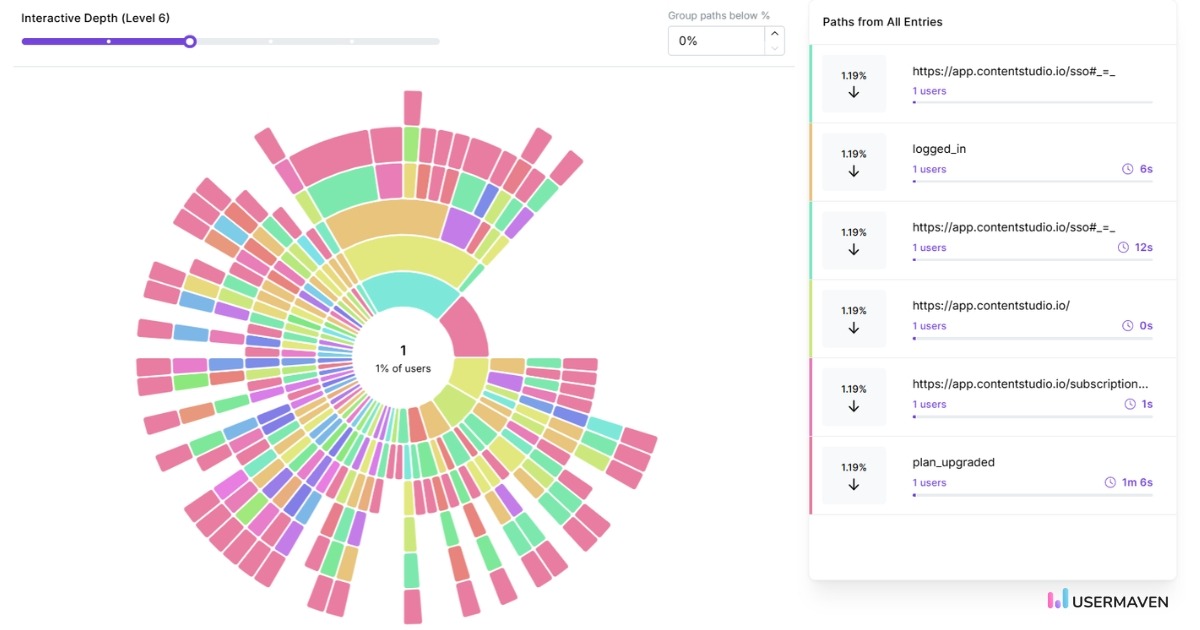
The user journeys feature gives you a clear, visual map of how users navigate through your product. You can see:
- The exact order of steps users take
- Where do they drop off
- Which actions lead to conversion
- How different segments behave
This replaces guesswork with actual behavioral data. It’s especially helpful for B2B SaaS companies where users often follow different onboarding paths depending on their role.
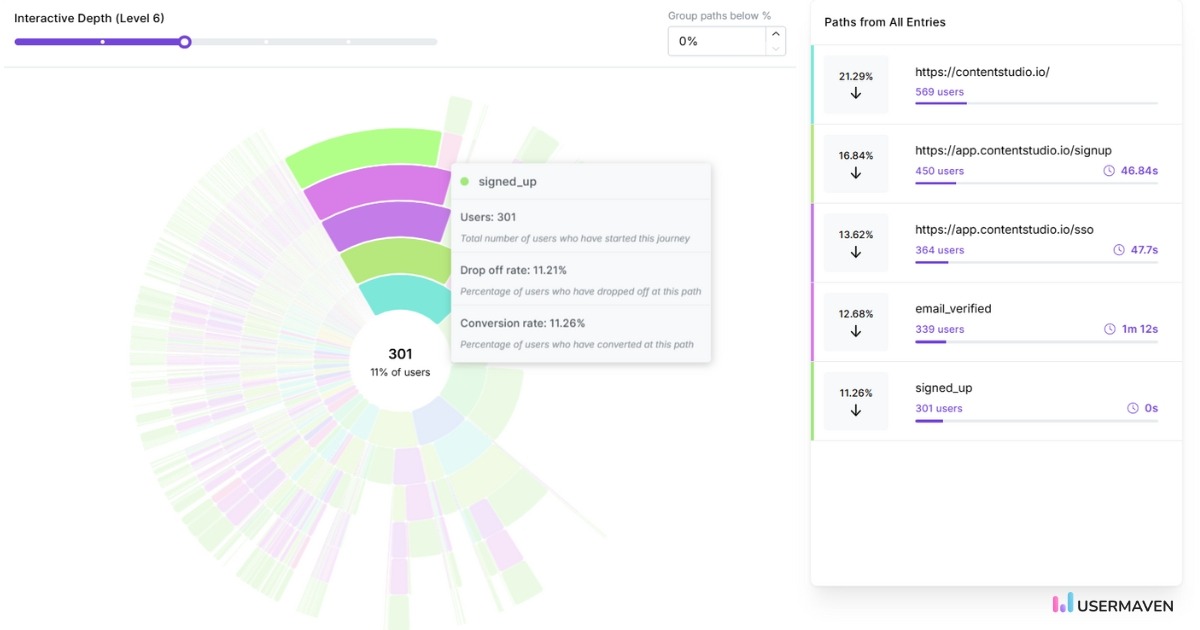
3. Identifying friction and drop-off points
Usermaven highlights points in the journey where users slow down, hesitate, or leave. These insights help teams improve UX, simplify onboarding, and optimize key flows. You can filter journeys by persona, segment, or behavior to understand why certain users struggle.
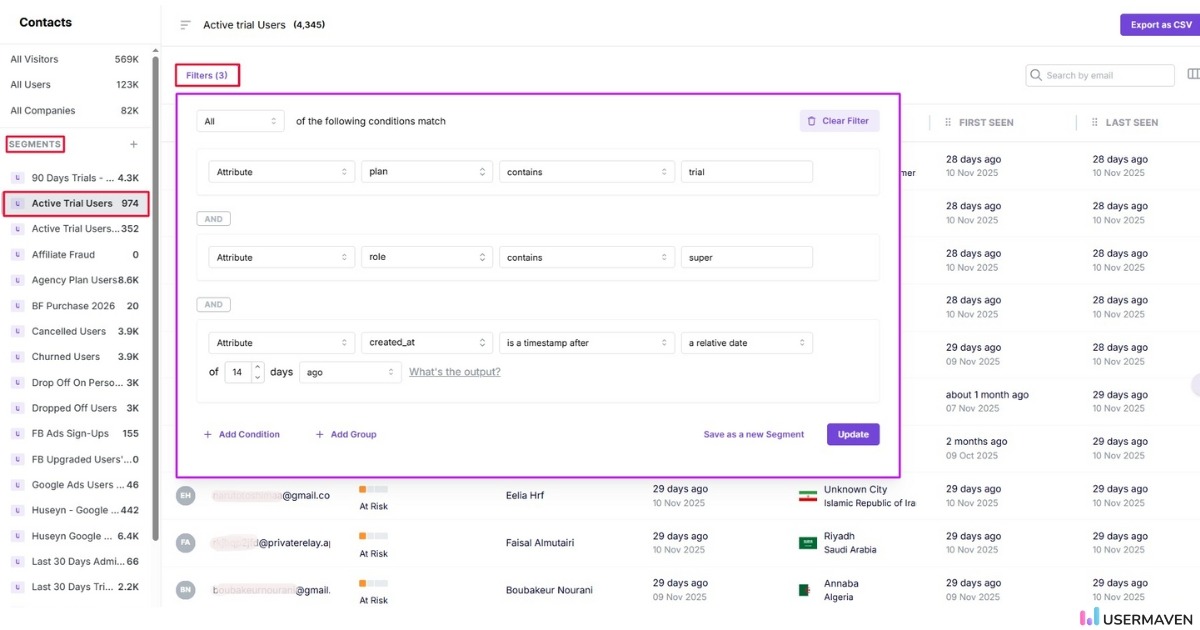
4. Behavior-based segmentation to refine journey insights
Usermaven lets you segment users based on:
- Lifecycle stage
- Role (buyer vs. end-user)
- Activity level
- Feature usage
- Source or campaign
This segment’s feature helps you build accurate journey maps for different personas, critical for B2B and B2B SaaS, where multiple roles interact with the product.
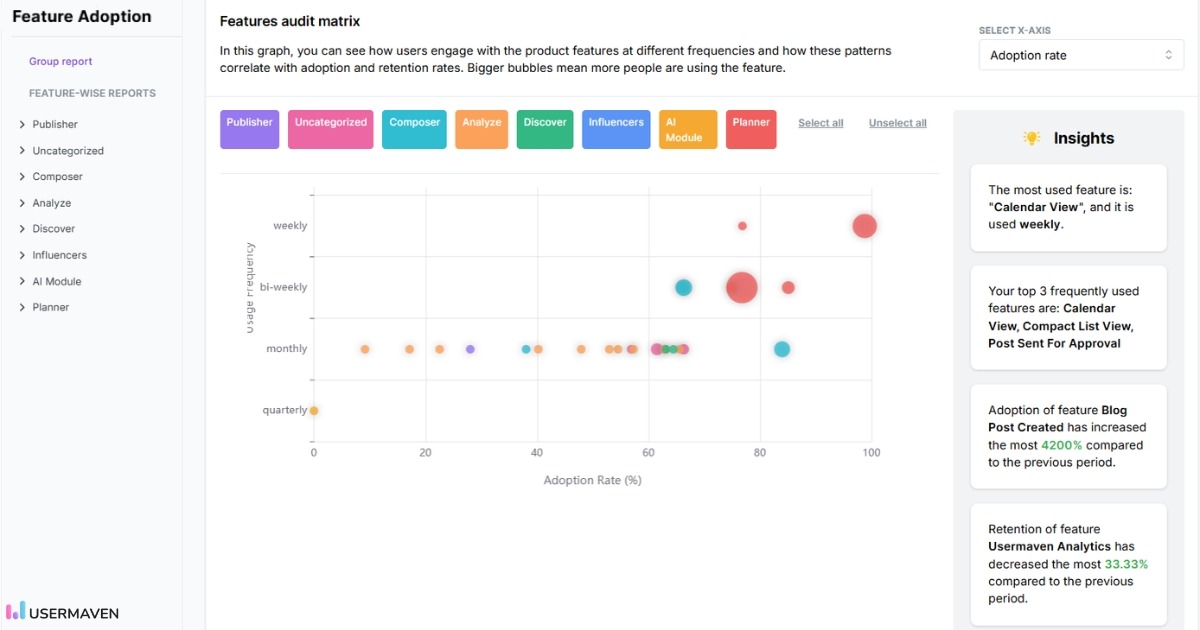
5. Understanding feature adoption within the journey
User journeys alone don’t show the full picture. Usermaven adds feature adoption insights, allowing you to see:
- Which features do users try first
- Which features correlate with retention
- What actions successful users take
- Where inactive users drop off
This information helps refine maps for activation, onboarding, and value discovery.
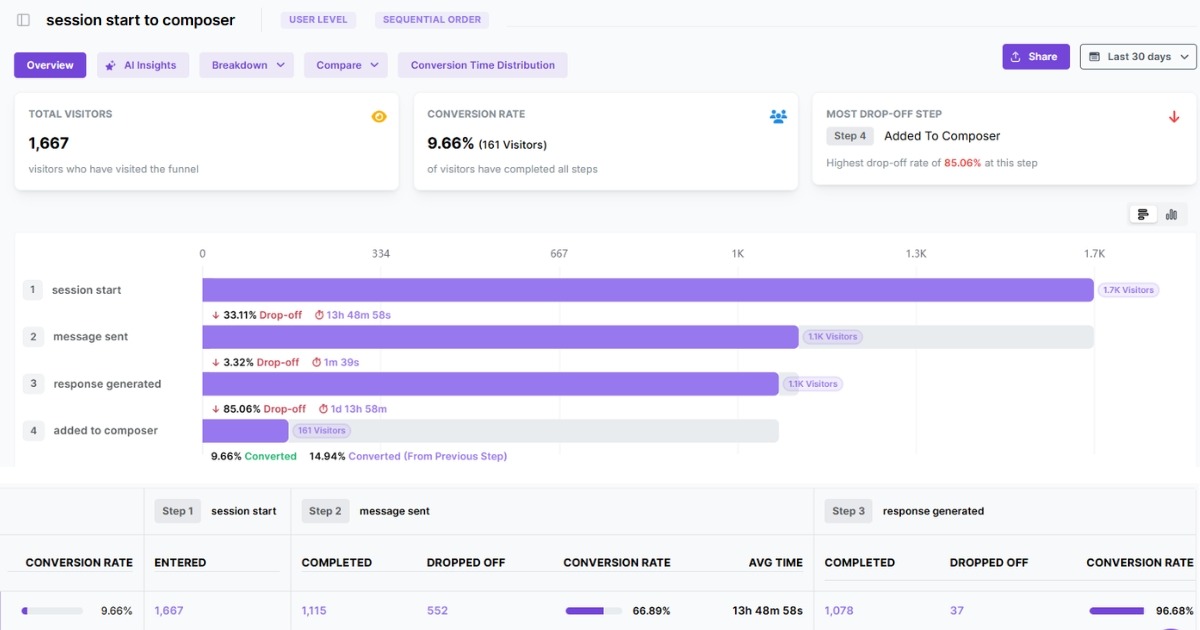
6. Funnel insights to validate journey assumptions
Funnels in Usermaven complement journey maps by quantifying each step. You can measure conversion rates between actions and validate whether your journey map reflects real behavior.
This is useful for:
- Signup flows
- Onboarding sequences
- Upgrade journeys
- Trial-to-paid conversions
7. Account-level tracking for B2B customer journey mapping
For B2B SaaS products, Usermaven offers account-level insights. You can track how entire companies move through the journey, not just individual users. This is important when multiple stakeholders influence adoption and retention.
Usermaven shows:
- Account health
- Team-level adoption
- Activation milestones
- Cross-user engagement
8. Real-time data for continuous optimization
User behavior changes as new features launch or workflows evolve. Usermaven updates journey data in real time, making it easier to refine your customer journey map without manual updates.
This helps you spot new trends early, address emerging friction, and align your team on the most current insights.
Visualize & optimize
user journeys with Usermaven
In summary
A well-built user journey map gives you a clear view of how users interact with your product and where they face friction. It also helps you understand what boosts engagement and what slows it down. These insights make it easier to refine onboarding, improve feature adoption, and support better user experiences.
To put these improvements into action, you need the best website analytics tool that helps you see real user behavior with accuracy. Usermaven gives you the visibility you need to identify friction, understand engagement, and make decisions that actually move the needle.
Ready to see Usermaven in action? Explore the platform or book a demo for a closer look.
FAQs
1. What is the best tool for creating a user journey map?
Tools like Figma, Miro, and FigJam are useful for creating visual journey maps. You can also use spreadsheets for simpler maps. Product analytics tools such as Usermaven help you validate journey stages using behavioral data.
2. When should I use a journey map instead of an experience map?
Use a journey map when you want to focus on a specific task or flow, such as onboarding or checkout. Use an experience map when you need a high-level view of how users behave across multiple channels or tools. Journey maps improve product usability; experience maps guide strategic decisions.
3. How often should a user journey map be updated?
A user journey map should be updated whenever you introduce new features, redesign flows, or notice changes in user behavior. In fast-moving SaaS environments, reviewing the map every few months is ideal. Regular updates keep the map relevant and actionable for product and UX teams.
4. What tools can I use to create a user journey map?
You can start with simple diagram tools, templates, or whiteboards. But analytics-driven platforms like Usermaven offer deeper insights through real user behavior and real-time journey visualization. Using a dedicated tool helps you move beyond assumptions and build a data-backed journey map.
5. How does journey mapping help improve UX?
Journey mapping helps you identify where users feel confused, stuck, or overwhelmed. By understanding emotions and actions at each step, you can simplify flows, reduce friction, and create a more intuitive experience. This leads to higher satisfaction and smoother product interactions.
6. How do user journey maps improve conversion rates?

Written by
Imrana Essa
SaaS Marketing Lead
Imrana Essa is a marketing lead and content strategist with 8+ years of experience creating and leading content for B2B and SaaS brands. She specializes in marketing analytics, attribution, content strategy, and organic growth, translating complex marketing concepts into clear, actionable insights. Her work focuses on helping marketers understand performance, make data-informed decisions, and build strategies that contribute to sustainable growth.
All articles by Imrana →