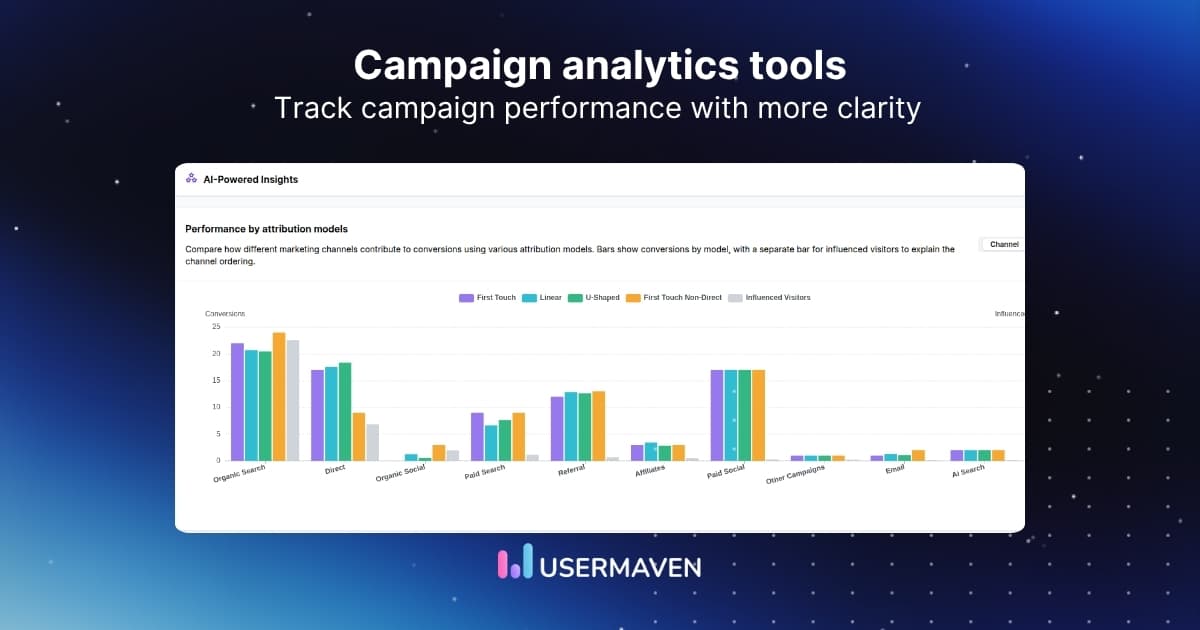
A campaign can produce thousands of clicks and still fail to generate qualified leads or revenue. Digital marketing analytics connects activity across websites, ads, search, email, and other channels to measurable outcomes.
This guide explains what to measure, where the data comes from, how to compare campaign results, and how to check whether the numbers are reliable enough to guide decisions.

Key takeaways:
- Digital marketing analytics connects online activity with goals such as qualified leads, purchases, and customer retention.
- Traffic and engagement explain what happened; conversion quality and revenue help explain whether it mattered.
- Reliable analysis requires consistent campaign tags, conversion definitions, time windows, and data-quality checks.
- Use the results to test a change, not to assume a reported channel contribution proves incremental impact.
What is digital marketing analytics?
Digital marketing analytics is the process of collecting, organizing, and interpreting data from online marketing channels to understand performance and improve decisions. It links exposure and engagement to meaningful actions, including signups, purchases, and qualified opportunities.
For example, an email campaign might bring fewer website visitors than social media but generate more demo requests. Analytics makes that difference visible instead of treating traffic volume as the sole measure of success.
The related discipline of marketing analytics can also include offline campaigns, market research, and broader strategy. Digital marketing analytics concentrates on measurable online activity and the paths people take across digital channels.
In practice, the purpose is not to collect every available metric. It is to answer a decision: Which audience needs a different message? Where does a conversion path break? Which campaign warrants further investment?
How digital marketing analytics works
A dependable measurement process starts with the business question and ends with a decision. Tools support that process, but dashboards alone do not explain what a team should change.
| Stage | What happens | Useful output |
|---|---|---|
| 1. Collect | Record channel visits, campaign tags, and user actions. | Consistent event and source data |
| 2. Connect | Relate sessions and touchpoints to defined conversions. | Comparable journeys and outcomes |
| 3. Measure | Calculate KPIs against a consistent objective and period. | A shared performance baseline |
| 4. Diagnose | Segment results to investigate differences and drop-offs. | A testable explanation |
| 5. Improve | Change a campaign or experience, then measure again. | Evidence about the change |
Consider a search campaign with rising cost per lead. A useful analysis separates more expensive clicks from falling landing-page conversion rates. The appropriate response depends on which factor changed.
This approach is a practical form of data driven marketing: decisions are linked to observable measurements and a clear hypothesis, rather than a report full of unrelated charts.
Why digital marketing analytics matters
Without connected measurement, channels can look successful in isolation while producing disappointing business results. Digital marketing analytics helps teams investigate the gap between attention, meaningful action, and long-term customer value.
- Improve campaign efficiency: Find rising costs, falling conversion rates, or audiences that bring fewer qualified buyers.
- Understand customer behavior: See which pages and interactions help people move toward a meaningful outcome.
- Prioritize useful content: Compare the traffic and subsequent actions associated with different search, email, and social efforts.
- Improve measurement confidence: Identify inconsistent definitions or tracking failures before using reports to justify budget decisions.
Not every insight requires a major strategic shift. Sometimes the right response is to repair a broken conversion event, rewrite an unclear landing page, or wait until enough customers have completed the sales cycle.
What different teams need to measure
Digital marketing analytics has different success measures depending on the business model. An effective report should reflect those differences rather than treating every signup or purchase as equivalent.
- For B2B SaaS teams, connect campaigns with activation, qualified pipeline, and closed revenue. A cheap signup means little if that account never activates.
- For marketing agencies, maintain consistent campaign definitions while keeping client reporting and conversion goals separate.
- For ecommerce brands, analyze purchases, reported ROAS, repeat orders, and customer value alongside ad spend.
Where digital marketing analytics data comes from
Different platforms observe different parts of the customer journey. Combining them can answer more useful questions, provided the underlying definitions and identifiers are compatible.
| Data source | What it measures | Example question |
|---|---|---|
| Website and app analytics | Visits, traffic sources, pages, events, and funnels. | Which landing page converts paid traffic? |
| Google Search Console | Search impressions, clicks, queries, and indexing visibility. | Which search queries bring visitors? |
| Advertising platforms | Impressions, clicks, spend, and platform-reported conversions. | Which ad groups are becoming expensive? |
| Email and social platforms | Delivery, clicks, interactions, and platform activity. | Which message attracts engaged visits? |
| CRM and sales systems | Lead stages, opportunities, deals, and customer value. | Which campaigns attract qualified buyers? |
| Connected attribution reporting | Recorded touchpoints and assigned conversion credit. | Which channels appear in converting journeys? |
A channel dashboard may report a conversion while the CRM shows that the lead was unqualified. A website report may capture the visit but not the eventual closed deal. Neither view tells the whole story alone.
Website reports answer behavior questions; CRM records answer later-stage quality questions. customer journey analytics helps investigate how recorded interactions connect those stages, subject to the tracking and identity information available.
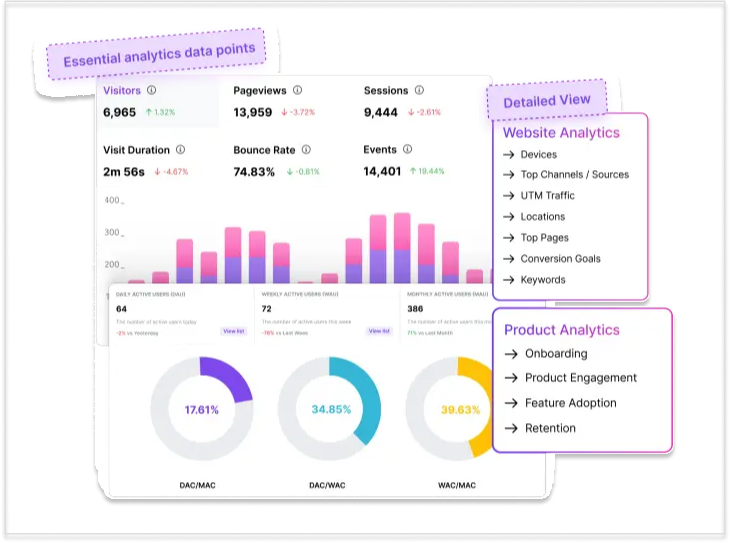
For organic measurement, the Google Search Console integration guide explains how Usermaven brings query, click, and impression data into website reporting. Search Console data does not automatically establish which queries caused a later sale.
Before combining reports, document the source of each metric, its reporting window, and its counting unit. A platform conversion, a website event, and a CRM opportunity should not be assumed to represent the same thing.
Key digital marketing analytics metrics
The right metrics depend on the intended outcome. Awareness campaigns need reach and engaged visits; acquisition campaigns need conversion quality; retention programs need repeat behavior and customer value.
The table below is a working reference. For a deeper inventory, see digital marketing metrics and kpis.
| Metric | How to calculate or define it | What it helps assess |
|---|---|---|
| Click-through rate (CTR) | Clicks ÷ impressions × 100 | Whether people click after seeing an ad or listing |
| Visit-to-lead conversion rate | Recorded leads ÷ eligible visits × 100 | Landing-page or traffic conversion efficiency |
| Cost per click (CPC) | Ad spend ÷ ad clicks | Paid traffic acquisition cost |
| Cost per lead (CPL) | Lead-generation spend ÷ recorded leads | Cost to generate a defined lead |
| Lead qualification rate | Qualified leads ÷ recorded leads × 100 | Whether leads match commercial intent |
| Customer acquisition cost (CAC) | Defined sales and marketing acquisition costs ÷ new customers | Full acquisition cost within the stated scope |
| Return on ad spend (ROAS) | Attributed advertising revenue ÷ ad spend | Reported revenue per advertising dollar |
| Customer lifetime value (LTV) | Estimated customer value over a stated period and methodology | Potential long-term acquisition value |
| Retention rate | Customers retained ÷ starting eligible cohort × 100, adjusted for the cohort definition | Ongoing customer relationship strength |
Metrics used: State the numerator, denominator, attribution model, conversion event, and time period whenever metrics are compared. A rate without those definitions can change meaning between tools.
Traffic metrics vs. business outcomes
Impressions, followers, and visits are not inherently vanity metrics. They can be useful for awareness or diagnosing reach. They become misleading when they are used as substitutes for qualified demand, purchases, or revenue.
Likewise, a high ROAS does not automatically indicate profit. It excludes operating costs and may reflect revenue attributed by a reporting model rather than sales caused by advertising.
For campaign-level interpretation, campaign analytics can help separate surface activity from downstream outcomes and compare results using the same definitions.
Digital marketing analytics example
Consider two fictional B2B campaigns that ran over comparable periods. Both promote a software product, but one targets high-volume search demand and the other reaches a narrower professional audience.
The figures below are illustrative. Assume leads, customers, and first-year attributed revenue are deduplicated, assigned under the same reporting rules, and observed over an equivalent conversion window.
| Metric | Google Ads | LinkedIn Ads |
|---|---|---|
| Ad spend | $6,000 | $8,000 |
| Website visits | 1,200 | 800 |
| Leads | 60 | 40 |
| Qualified leads | 24 | 30 |
| New customers | 6 | 10 |
| Attributed first-year revenue | $30,000 | $60,000 |
| Visit-to-lead rate | 5.0% | 5.0% |
| Cost per lead | $100 | $200 |
| Lead qualification rate | 40.0% | 75.0% |
| Ad spend per acquired customer | $1,000 | $800 |
| Reported ROAS | 5.0x | 7.5x |
What the numbers reveal
Google Ads produces more visits and leads at a lower CPL. Based on lead volume alone, it looks like the stronger campaign.
LinkedIn Ads, however, generates more qualified leads and customers. Its cost per acquired customer is lower despite a CPL twice as high, and its reported ROAS is higher under the stated assumptions.
The decision changes because the business question changes. A team maximizing inexpensive leads might favor Google Ads; a team prioritizing qualified customers would investigate expanding the LinkedIn approach.
How to check before moving the budget
Check whether the audiences, sales cycles, customer values, and conversion windows are comparable. Confirm that opportunity and revenue records are complete, and investigate whether the same buyer touched both campaigns.
If multi-touch reporting assigns credit to several interactions, summed attributed revenue can differ from deduplicated realized revenue. Attribution describes a reporting model; it does not prove what would have happened without the campaign.
A sensible next step is a limited budget test with a predefined success metric, rather than shifting all spending after one reporting period. For the arithmetic behind the comparison, see how to calculate roas.
How to implement digital marketing analytics
Start with one business outcome, then verify the data that supports it. A complicated dashboard is less useful than a small set of metrics the team can trust and act on.
Step 1. Define goals and conversion events
Choose a primary action, such as a qualified demo request, purchase, or activated account. Specify when the action counts, whether repeat actions count, and how it connects to later CRM stages.
Document the distinction between a website event and a qualified lead. For teams measuring pipeline, consistent lead-stage definitions are as important as total form submissions.
Step 2. Standardize campaign and event tracking
Use consistent campaign parameters, including utm_source, utm_medium, and utm_campaign, on eligible campaign URLs. Keep spelling and capitalization consistent so one campaign does not split into several report rows.
Configure event tracking for meaningful actions and verify that the right event fires once when it should. Test landing-page visits, form completions, and redirected or cross-domain steps.
For paid campaigns in Usermaven, the UTM tracking templates specify additional platform parameters, including ad IDs, where required for ad-level attribution. Do not assume standard UTMs alone cover every reporting level.
Use the Events feature and event tracking setup guide to distinguish auto-captured interactions from pinned or custom events for actions the website cannot capture reliably.
Step 3. Connect behavior to customer outcomes
Join campaign and website activity with CRM outcomes using supported identifiers and lawful tracking practices. Check whether lead creation, opportunity progression, and closed revenue are all represented in the intended reporting window.
With Usermaven, CRM connections enrich existing behavioral data rather than creating missing website events. The HubSpot integration guide explains identification and record matching; the Salesforce integration guide explains how opportunity stages become usable events.
This is where conversion tracking and marketing attribution serve different purposes. The first establishes that an outcome happened; the second assigns reporting credit to observed marketing interactions.
Step 4. Build a decision-focused dashboard
A digital marketing analytics dashboard should answer a few decision-focused questions: Where does traffic come from? Which visits convert? Which conversions become qualified opportunities? How do cost and value compare?
Rather than placing every possible widget on one screen, create marketing analytics dashboards that share clear date ranges, comparison periods, and metric definitions.
Step 5. Validate the numbers before acting
Run a controlled test using a tagged URL. Confirm its visit appears under the expected source, the conversion event is recorded, and the downstream CRM or attribution report reflects the action where supported.
- Source recognition: Does the tagged visit arrive under the expected source and medium?
- Event collection: Does the conversion fire once at the intended step?
- Identity and CRM: Can the defined lead be matched to its later stages?
- Reconciliation: Are reporting windows, time zones, currency, and attribution rules aligned?
- Decision review: Is the remaining difference small enough to support the intended change?
Check data health with Measurement Trust Center
In Usermaven, open Data Health from the top navigation beside Workspace Settings. The Measurement Trust Center shows a workspace Trust Score, high-impact fixes, and a Run checks action to refresh the assessment.
The current documentation organizes its detailed checks into five areas. These categories help identify which part of the measurement chain needs attention before marketers rely on a campaign report.
| Trust Center check | Question to investigate |
|---|---|
| Campaign tracking | Are paid visits tagged so source and ad data can be recognized? |
| Customer matching | Can recorded visits connect to the users or accounts they later become? |
| Connected platforms | Are ad and CRM connections active and importing fresh information? |
| Conversion feedback | Are configured ad destinations receiving supported conversion feedback? |
| Data confidence | Is observed volume sufficient to interpret a reported trend? |
For example, if paid visits are missing campaign tags, resolve that issue before comparing channel ROAS. Review the recommended fix, update the setup, and run checks again to see whether the issue cleared.
A healthy Trust Score indicates that the configured checks passed, not that every visitor or conversion was observed. Attribution still depends on the available events, identities, reporting windows, and model assumptions.
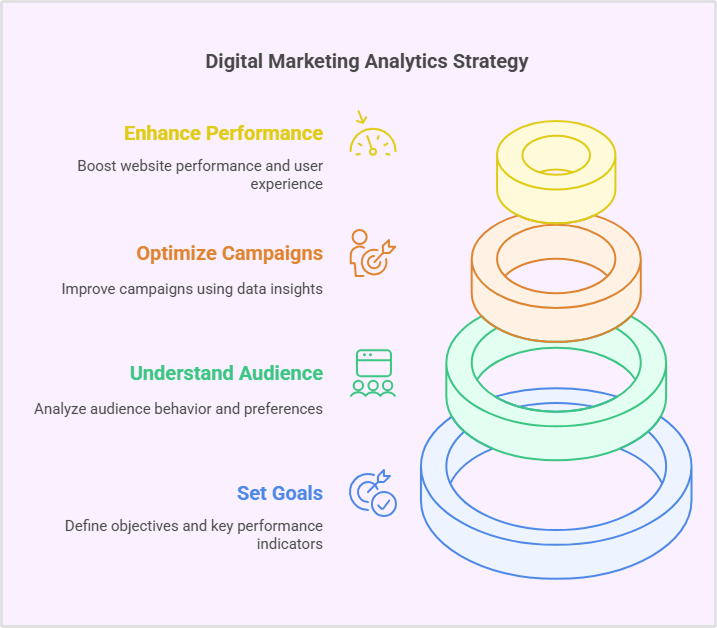
Digital marketing analytics tools
Most teams use more than one analytics product. The appropriate stack depends on which questions require answers and how much information must be connected across channels.
| Tool or category | Best suited for | Important limitation |
|---|---|---|
| Google Analytics 4 | Website and app activity, events, and acquisition reports | CRM outcomes require additional setup and connections |
| Google Search Console | Organic search visibility, queries, and clicks | Not a customer-journey or revenue system |
| Google Ads and Meta Ads | Ad spend, delivery, and platform campaign performance | Platform attribution definitions may differ |
| Looker Studio | Visualizing connected reporting sources | Does not fix poor source data by itself |
| HubSpot or Salesforce | Leads, opportunities, and customer outcomes | May not contain all earlier web interactions |
| Usermaven | Website behavior, funnels, journeys, marketing attribution, and connected analytics | Analysis depends on correct tracking and available integrations |
For browsing alternative categories, the digital analytics tools guide provides a broader starting point. Tool choice should follow required data and use cases, not the number of dashboard features advertised.
As an example, Usermaven combines website analytics, conversion funnels, customer journeys, and marketing attribution for supported data and integrations. Teams can use website analytics software for traffic questions and funnel analytics software to investigate recorded conversion drop-offs.
When the question extends beyond a single conversion event, customer journey analytics software can reveal the recorded interactions leading to the outcome, while a CRM connection adds context about later-stage qualification and revenue.
Website analytics tool for modern marketers & agencies
Common digital marketing analytics challenges
Many reporting problems come from measurement gaps rather than a shortage of charts. Resolve the source of uncertainty before drawing conclusions from apparently precise figures.
| Problem | What to inspect | Practical response |
|---|---|---|
| Traffic labeled Direct or Unassigned | Referrers, missing tags, redirect behavior | Test campaign tagging and source classification |
| Different conversion totals | Event definitions, duplicate events, attribution windows | Reconcile one well-defined conversion first |
| Lead volume without quality | CRM stage mapping and incomplete follow-up | Connect lead and opportunity outcomes |
| High engagement but few sales | Landing-page fit and subsequent funnel steps | Segment cohorts and review drop-off |
| Conflicting channel revenue | Model, lookback, time zone, and overlap | Compare like-for-like reports and state limits |
Budget planning adds another layer. Analytics can inform which initiatives deserve scrutiny, but spending controls and team capacity are separate decisions. AI budgeting tools may help with general budgeting discipline, while resource management addresses staffing and workload allocation.
Neither replaces campaign tracking or a financial assessment of proposed marketing changes. Treat reporting insights as inputs into a decision, not automatic authorization to reallocate spend.
How AI can help analyze marketing data
AI-assisted analytics can reduce the time spent assembling and interrogating reports. It is most useful when the conversion definitions, time windows, and underlying tracking are already dependable.
Ask Maven AI to investigate the data
With Maven AI, a marketer can ask questions in plain language, generate trends or funnels, build dashboards, and explore supported attribution and retention analyses from connected workspace data.
For example, ask: Which campaigns produced the most qualified conversions last month, and where did the conversion rate decline? Review the generated report, inspect the underlying period, and verify the conversion definition before acting.
Its latest multimodal capabilities also allow supported documents, images, PDFs, and spreadsheets to be examined alongside workspace data. Uploaded context supports investigation; it does not automatically validate missing or unreliable tracking.
Use Maven AI Agents for recurring investigations
The newer Maven AI Agents go beyond on-demand questions. They run scheduled investigations against workspace data and return findings without requiring someone to rebuild the same report each time.
An agent starts with a defined objective and scope. A team then selects a daily, weekday, or weekly schedule, supplies important business definitions, and chooses where results should appear.
- Campaign watch: Review performance after a campaign launches and surface notable shifts in traffic or conversions.
- Traffic and acquisition: Investigate source changes and unexpected channel-level patterns.
- Conversion funnel check: Surface drop-offs in a defined funnel or conversion goal.
Results can appear in Maven, be sent to permitted email recipients, or be delivered to Slack. Agent findings also appear in Insights, and each run produces a report describing the investigation and supporting evidence.
The Maven AI Agents documentation explains setup, scheduling, templates, delivery, and permissions. Scheduled Agents use read-only analytics tools; they do not edit data or independently change ad budgets.
These tools can surface a plausible explanation, but they cannot restore unrecorded visits or prove incremental revenue from attribution alone. Use the finding to prioritize validation, investigation, and a controlled test.
What better measurement looks like in practice
In a published Usermaven customer example, Hyperengage had difficulty understanding how content, search, email, and other touchpoints contributed to the pipeline. Its earlier reporting overstated the apparent dominance of Direct traffic.
After connecting more of its customer journeys, Hyperengage reported attribution coverage expanding from four channels to six. Its case study also recorded eight organic-search first-touch conversions, compared with none shown previously.
Those results illustrate improved visibility into recorded sources, not proof that Usermaven itself generated additional conversions. Read the Hyperengage case study for the full context.
Turn analytics into better marketing decisions
Effective digital marketing analytics creates a repeatable connection between campaign activity, customer outcomes, and the decisions that follow. Start with a clear goal, measure a manageable set of KPIs, validate the data, and test changes against a defined result.
When website activity and downstream conversions are disconnected, reporting may reward the wrong campaigns. A connected measurement workflow can reveal which differences are worth investigating and where the next test should begin.
To see how Usermaven connects website behavior, customer journeys, and marketing attribution, book a demo.
FAQs about digital marketing analytics
1. What is digital marketing analytics in simple terms?
Digital marketing analytics measures online marketing activity and connects it to goals such as leads, purchases, and retention. It helps teams see what happened and decide what to improve.
2. What are examples of digital marketing analytics?
Examples include comparing lead quality across ad platforms, measuring SEO conversions, finding drop-offs in a signup funnel, and connecting email campaigns with CRM opportunities.
3. Which digital marketing analytics metrics matter most?
Choose metrics that match the goal. Acquisition teams often track conversion rate, qualified leads, cost per acquisition, and customer value. Awareness teams may prioritize reach and engaged traffic.
4. What tools are used for digital marketing analytics?
Common tools include GA4 for web events, Search Console for organic visibility, advertising platforms for campaign costs, CRMs for customer outcomes, and connected analytics tools for journeys and attribution.
5. Digital marketing analytics vs. web analytics?
Web analytics focuses on website activity such as visits, events, and funnels. Digital marketing analytics also considers search, advertising, email, campaign costs, and downstream marketing outcomes.
6. How often should small businesses review analytics?
A weekly check can catch campaign tracking problems or major shifts. Monthly reviews help compare trends, while longer conversion cycles may require quarterly evaluations of qualified leads and revenue.
7. Can digital marketing analytics measure marketing ROI?

Written by
Adeel Khan
Growth Marketing Expert
Adeel Khan is a full-stack SaaS marketer with 10+ years of experience in content marketing, paid advertising, analytics, and conversion rate optimization. He shares practical insights and strategies drawn from hands-on experience, helping B2B SaaS marketers improve performance and make better marketing decisions.
All articles by Adeel →