Website owners and marketers continually seek ways to enhance their website’s performance. To achieve this, they explore various tools and techniques to measure the effectiveness of their efforts. Within these methods, pageviews stand out as a simple yet valuable metric that provides insights into website performance.
But what are pageviews? How do you measure them, and what insights they offer to improve your website’s performance?
In this article, we dive deeper into the “pageviews” metric. It uncovers what pageviews are and how they differ from unique pageviews. By the end of this article, you will understand their importance and how to calculate them. Let’s dive in!
What are pageviews?
Pageviews refer to the number of times visitors have viewed or loaded a particular web page. They are commonly used to measure the popularity and traffic of a website or a specific page within a website. Each time a user accesses a webpage, whether by clicking a link, entering a URL, or refreshing the page, a pageview is recorded.
Pageviews are a fundamental metric in website analytics. Website owners can use them to understand the overall engagement and reach of their content. It is important to note that pageviews do not necessarily represent unique visitors, as one visitor can generate multiple pageviews by interacting with different pages on the site.
Why are pageviews important?
Pageviews are a vital metric in web analytics for website owners, marketers, and content creators. They are essential for the following several reasons:
- Traffic measurement: Pageviews provide a quantitative measure of how many times a particular webpage has been accessed. They are crucial in understanding the overall traffic of a website or its specific sections.
- Content performance: Pageviews help assess the popularity and performance of individual pieces of content. Website owners can identify successful content by analyzing which pages receive the most views. They can use such insights to make informed decisions about future content creation.
- User engagement: Pageviews indicate user engagement by quantifying the number of times users access and interact with content on a website. They reflect the user’s overall interest and interaction level.
- Advertising and monetization: For websites that rely on advertising revenue, pageviews are a critical factor in determining the value of ad space. Advertisers often look at pageviews to gauge the potential exposure their ads can receive.
- User behavior analysis: Analyzing pageviews alongside other metrics helps understand user behavior. For example, businesses can track the user journey through a website, identifying the most visited pages and potential points of drop-off.
- Decision-making: Website owners and marketers use pageview data to make data-driven decisions. Insights from pageviews can inform content strategy, website design, and overall user experience improvements.
- Goal tracking: Pageviews can be linked to specific goals, such as completing a purchase, filling out a form, or spending a certain amount of time on a page. Tracking pageviews helps evaluate how well a website is meeting its objectives.
It’s important to note that while pageviews provide valuable insights, they are just one part of a broader set of metrics. Combining pageviews with other metrics, such as bounce rate, conversion rates, and scroll depth, offers a more comprehensive understanding of a website’s performance
How to calculate pageviews?
Pageview is an essential website analytics metric, and all the website analytics tools measure it, but how they measure it can vary from tool to tool. Therefore, it is pressing to understand what pageviews mean for a tool before tracking it.
The actual calculation of “pageviews” depends on the analytics platform you are using. As marketing attribution software, Usermaven helps teams connect pageview tracking, website engagement, and conversion activity so they can understand which pages support their marketing goals. Here’s how you can generally calculate these metrics using it:
Usermaven
Usermaven helps marketing and product teams track website performance, product usage, conversion activity, and customer journeys in one place. With product analytics in Usermaven, teams can understand how users engage beyond pageviews while staying compliant with GDPR and CCPA.
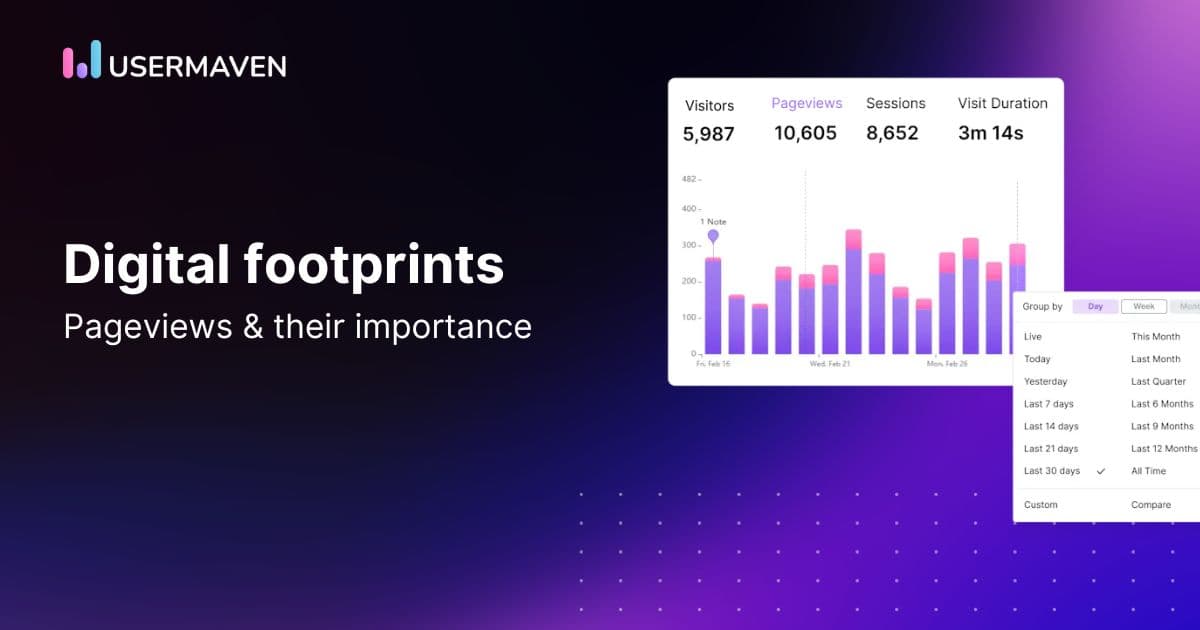
Calculating pageviews using Usermaven is effortless with a real-time and intuitive dashboard. It displays pageviews for each website property you set up for Usermaven to track. You can view it in either a bar graph or a line graph. Chart interval customization allows you to choose the time range based on your analysis needs using the date picker.
For example, when you choose the “Today” date range, the statistics will be presented on hourly basis.
Usermaven offers a powerful functionality for analyzing your website’s performance trends over time. The comparison feature provides valuable insights by allowing you to assess statistics for a chosen date range and compare them with another period of your preference.
How are pageviews different from unique pageviews?
Pageviews and unique pageviews are related metrics used in web analytics, but they measure various aspects of user interaction with a website. Both are often used together to gain a comprehensive understanding of website traffic and user behavior.
Here’s a quick summary of their comparison:
|
Aspect |
Pageviews |
Unique Pageviews |
|
Counting Duplicates |
Counts every page load, regardless of whether it’s by the same user in multiple sessions. |
Counts each user’s first view of a page during a specified time period, excluding subsequent views by the same user. |
|
Focus on Users |
Provides an overall measure of traffic and popularity without distinguishing between individual users. |
Emphasizes the number of distinct users who have visited a specific page, providing insights into the unique reach and appeal of the content. |
Why should we prefer pageviews more than unique pageviews?
The preference for either pageviews or unique pageviews depends on the specific goals and insights you seek from your website analytics. Both metrics offer valuable information, but they serve different purposes. Here are some considerations to help you know why pageviews are more important than unique pageviews:
- To understand the total number of times a page has been viewed
- To identify popular content
- To gauge the overall engagement with your website
How to increase pageviews?
Increasing pageviews involves strategies to attract a diverse audience to your website and encourage engagement with your content. Here are several effective methods to boost pageviews:
- Create high-quality content: Develop valuable, informative, and engaging content. High-quality content attracts visitors and encourages them to explore more pages on your website. Try refining your words through tools like Prepostseo to leave a lasting impression on the audience.
- Improve website navigation: Ensure that your website is user-friendly with clear navigation. A well-organized site makes it easier for visitors to explore different pages and this results in increasing pageviews.
- Optimize for search engines (SEO): Implement SEO best practices to improve your website’s visibility on search engines. It increases organic traffic and attracts a broader audience.
- Promote on social media: Share your content on various social media platforms using different social media management tools like ContentStudio to reach a wider audience. Social media promotion can lead to increased visibility and more visitors.
- Utilize email marketing: Send targeted and relevant emails to your subscribers, directing them to specific pages on your website. Email marketing can drive traffic and encourage repeated visits.
- Optimize page load speed: Improve the loading speed of your website. Slow-loading pages can deter visitors. Optimizing speed enhances the user experience and encourages users to explore more pages.
- Implement internal linking: Use internal links to guide users to related content within your website. It keeps users engaged and encourages them to visit multiple pages.
- Utilize multimedia content: Incorporate multimedia elements such as videos, infographics, and images. Visual content is often more engaging and can increase users’ time on your site.
- Mobile optimization: Ensure that your website is optimized for mobile devices. With the increasing use of smartphones, a mobile-friendly site can reach a larger and more diverse audience.
- Run promotions and targeted advertising campaigns: Host promotions, contests, or giveaways to create excitement and attract new visitors. Ensure that these events are promoted across various channels. Use targeted advertising to reach specific demographics and interests. Advertising brings in new users who are likely to find
your content relevant. - Offer personalization: Implement personalization features to provide tailored content recommendations based on user preferences and behavior.
Remember, increasing pageviews is an ongoing process that requires a combination of these strategies. Regularly monitor your analytics data to assess the impact of your efforts and make adjustments as needed.
Conclusion
To recap, “pageviews” is an essential metric. It helps assess the diversity of the audience engaging with content and offers insights into the effectiveness of a website’s appeal to a broad range of users.
Pageviews, among other metrics, offer comprehensive insights into a website’s traffic and user engagement. Furthermore, measuring these metrics becomes effortless with Usermaven. You can confidently rely on its simple yet robust analytics to enhance your website’s reach and overall performance. Book a demo to learn how it can seamlessly complement your website marketing efforts.
Drive business growth
with AI-powered analytics
FAQs
1. What is considered a unique page view?
A unique page view refers to a single visit to a specific webpage by an individual user within a given time period. It eliminates duplicate views by the same user, providing a count of distinct individuals who have engaged with the page.
2. How many pageviews are good?
The number of pageviews considered “good” varies widely depending on the type of website, its purpose, and the industry. Generally, a higher number of pageviews indicates better overall visibility and engagement. But what is considered good depends on specific goals, such as brand awareness, content consumption, or conversions.
3. What is the difference between page views and impressions?
Pageviews refer to the total number of times a page is viewed by a user. Page impressions include all instances where a page is loaded or displayed, potentially counting multiple impressions from the same user.
4. What are some of the most important traffic metrics to measure?
Key traffic metrics to measure include pageviews and the number of visitors for overall engagement. The bounce rate is used to assess user retention.
Updated

Written by
Lauren Brooks
Lifecycle Marketing Strategist
Lauren Brooks is a lifecycle marketing strategist with 4+ years of experience helping SaaS businesses create meaningful customer experiences. She specializes in user engagement, retention, and conversion optimization, helping brands build stronger customer relationships beyond acquisition.
All articles by Lauren →