Most teams look at pricing first because it sets the rules for everything that comes after: tracking scope, reporting cadence, and who can actually use the data.
Heap is a common pick for product analytics, so the key is understanding how its pricing plans are organized and how the model scales with real usage.
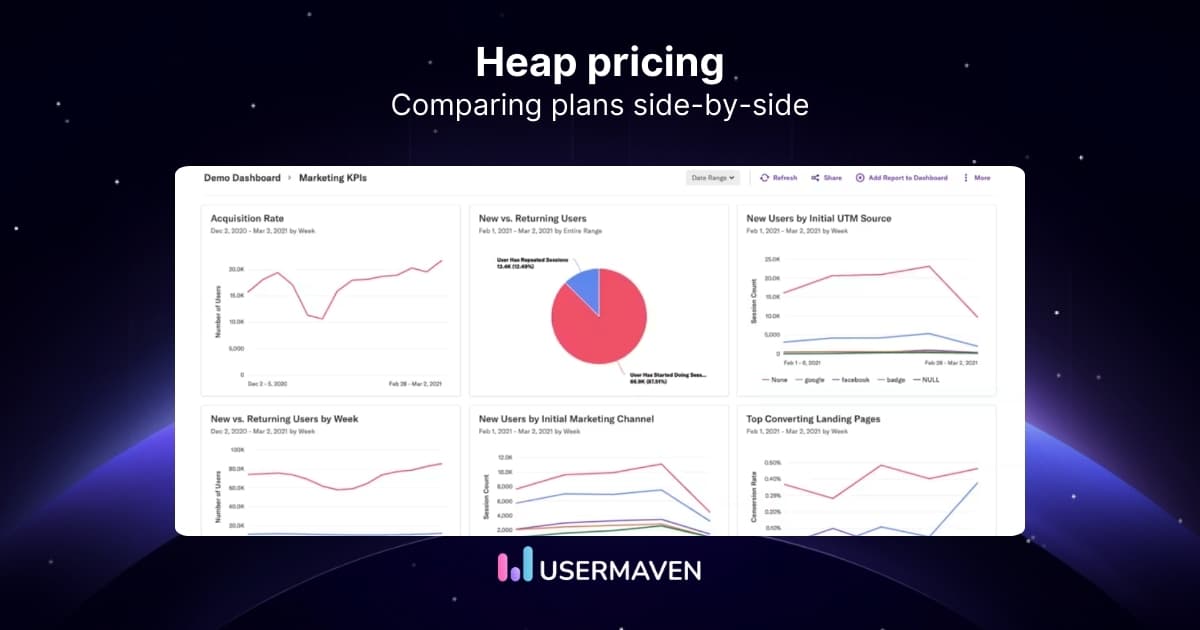
In this guide, we’ll break down Heap pricing, what usually affects the total cost, and when a Heap alternative is worth considering.
What is Heap?
Heap is a product analytics platform that tracks how people interact with a website or app. It collects user actions and turns them into reports, such as funnels and journeys. Teams use it to understand behavior, spot patterns, and monitor engagement over time.
Key features
- Event autocapture to track many user actions automatically.
- Custom events to define and group the actions you care about.
- Funnels and journey reports to see paths and drop-offs.
- Heatmaps and session replays to review on-page behavior and friction (offered through Experience Analytics add-ons on Pro and Premier).
- Dashboards and visualizations for ongoing reporting and sharing insights.
Heap pricing breakdown
Heap lists four product analytics plans: Free, Growth, Pro, and Premier. Pricing is primarily tied to monthly sessions, with custom terms on the higher tiers.
The official Heap pricing page shows how usage, data history, AI, support, and add-ons differ by plan.
Heap plans at a glance
| Plan | Price visibility | Main allowance or distinction |
|---|---|---|
| Free | Free | Up to 10,000 monthly sessions; six months of data history |
| Growth | Estimate after signup and snippet installation | Unlimited users and reports, Sense AI, 12 months of data history |
| Pro | Custom session pricing | Account analytics, report alerts, and optional Experience Analytics add-ons |
| Premier | Custom session pricing | Warehouse integration, unlimited projects, dedicated success manager |
These are Heap Product Analytics plans. Contentsquare also sells separate Experience Analytics packages, which should not be confused with Heap pricing.
Free
Heap Free includes core charts, funnels, and journeys for up to 10,000 monthly sessions. Its six-month data history can limit longer-term comparisons as a team grows.
- Up to 10k monthly sessions
- Core analytics reports like charts, funnels, and journeys
- 6 months of data history, which limits longer-term trend work
- Shared and personal spaces for basic collaboration
Growth
Growth expands collaboration and reporting with unlimited users, 12 months of history, and Sense AI. Heap asks teams to install its snippet to receive a usage-based estimate.
- Unlimited users and reports, plus Sense AI for assisted analysis
- 12 months of data history
- CSV exports and chart customization
- Email support
- No report alerts, even though alerts are a common need for teams monitoring key metrics
- Heap Connect is not available, so warehouse sync is not part of Growth
Pro
Pro uses custom session pricing, so the final cost depends on the session allowance and the capabilities agreed for the account.
It’s also where packaging starts to matter. Some things are included, others are add-ons, and the line between the two isn’t always obvious until you see a quote. That’s why “how much does Heap analytics cost” is tough to answer with a single number.
- Everything in Growth, plus account analytics and an engagement matrix
- Report alerts included
- Standard support is included, but higher support levels aren’t part of the base tier
- Heap Connect is an add-on here, so Heap Connect pricing becomes a separate decision
- Session replay is also shown as an add-on, depending on what you need
Premier
Premier also uses custom session pricing. It adds warehouse integration, advanced permissions, unlimited projects, and dedicated customer-success support.
This is also the tier where support becomes more structured, with dedicated coverage and premium packages.
- Everything in Pro, plus advanced permissions and unlimited projects
- Data warehouse integration included
- Dedicated customer success manager
- Premium support packages are available, which reinforces that support is tiered
- Heap Connect is included at this level, rather than as an add-on like it is in Pro
Pros and cons
Heap covers a lot of ground, but the experience can vary depending on your team size, setup, and plan.
Here’s a look at where it tends to work well, and where teams often run into friction.
Pros
- Autocapture helps you get data in quickly
You can start collecting a wide range of user interactions without having to plan every event upfront. - Solid core product analytics reports
Funnels, journeys, retention, and dashboards cover the basics most teams need for behavioral reporting. - Good fit for teams that want room to expand later
Higher tiers add account-level analysis and more admin controls, supporting larger teams and more complex reporting.
Cons
- Pricing is harder to forecast for the tiers that most teams grow into
Once you get past the entry plans, you usually need a quote to understand the real Heap cost, which slows down budgeting and internal approvals. - Free plan limits can restrict real evaluation
Session caps and shorter data history can make it difficult to validate trends, compare time periods, or share reporting broadly. - Key workflow features aren’t consistent across tiers
Features such as report alerts and certain governance controls are available only on higher plans, so teams may encounter feature gaps as they mature. - Heap Connect isn’t broadly available
It’s not included in Free or Growth, appears as an add-on in Pro, and becomes standard only at the top tier. If warehouse syncing is part of your workflow, it can add an extra approval step or a separate budget line. - Support is tiered, which can limit help early on
Email support is available on Growth; standard support starts at Pro; and higher-touch support is reserved for top tiers or paid packages. That matters if your team needs hands-on onboarding or faster issue resolution. - Steep learning curve
Heap can take time to get used to, mainly because of the complexity of its advanced features. Teams often need extra ramp-up (and sometimes added support) before reports become consistent and easy to trust.
💡 Quick note: If you want a side-by-side view beyond pricing, our Heap vs. Mixpanel vs. Usermaven comparison breaks down how the tools differ in day-to-day reporting.
What users are saying about Heap
The most honest feedback on pricing shows up after a team has been using Heap for a while. That’s when usage settles, reporting becomes routine, and the “what are we paying for?” question gets clearer.
Overall, users tend to credit Heap with automatic tracking and the ability to build common reports such as funnels, retention, and journeys without much manual instrumentation.
Where feedback gets more cautious is the cost as usage grows. A recurring theme is that pricing can feel higher for smaller teams, and that session-based tiers can shift month to month as traffic changes.
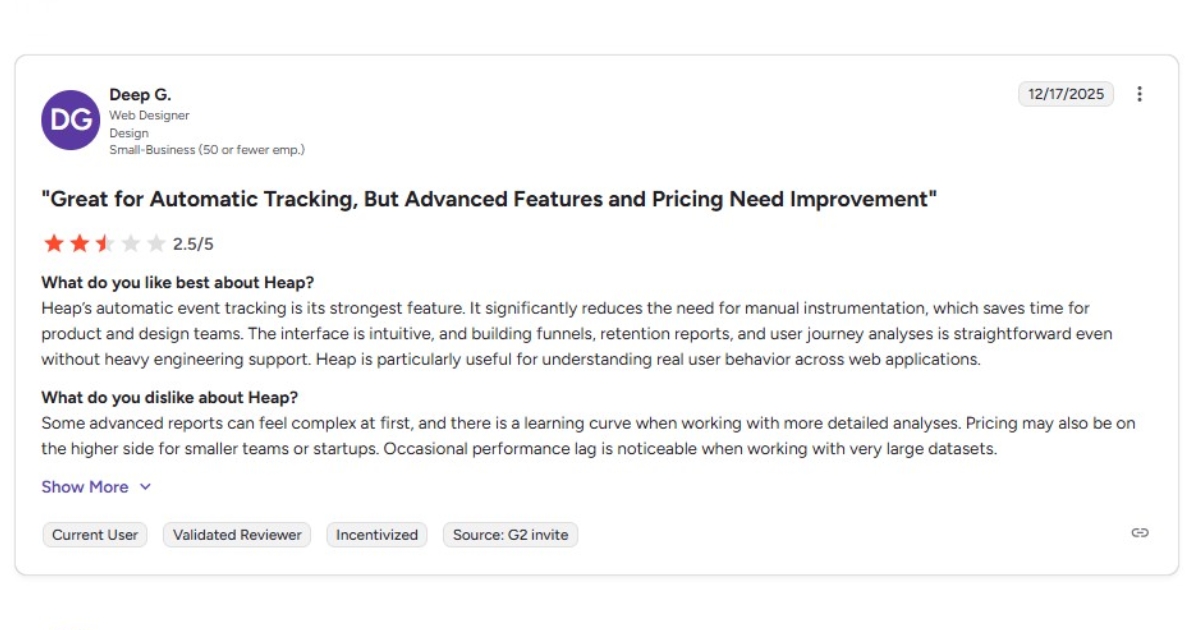
One user calls autocapture the strongest feature, but also notes that advanced reporting can feel complex at first. In the same review, they note that pricing may not feel comfortable for startups or small teams.
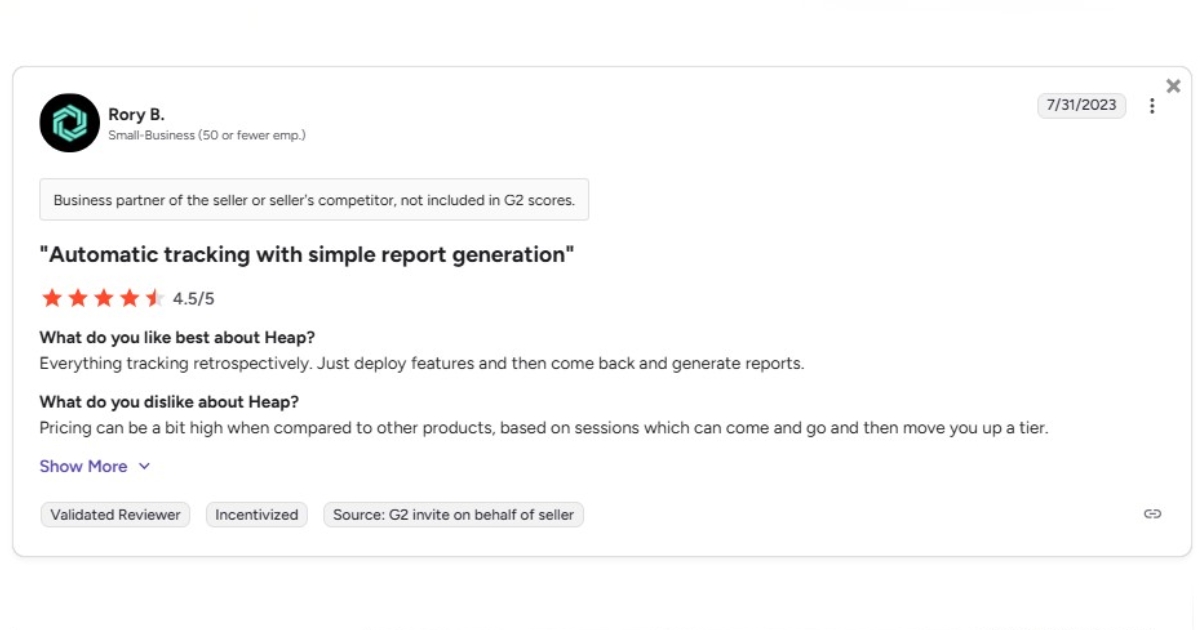
Another review describes the tracking as straightforward, but flags that pricing tied to sessions can move you into a higher tier when volume changes. That kind of variability makes it harder to budget with confidence.
Taken together, the reviews highlight Heap’s quick start through autocapture and the learning curve of advanced reporting. Session-based pricing also deserves attention as usage grows.
Comparing top Heap alternatives can help teams weigh ongoing costs against the reporting workflows they need.
Note: Heap was acquired by Contentsquare, which may influence how plans are packaged and priced over time.
Where Usermaven adds value beyond Heap
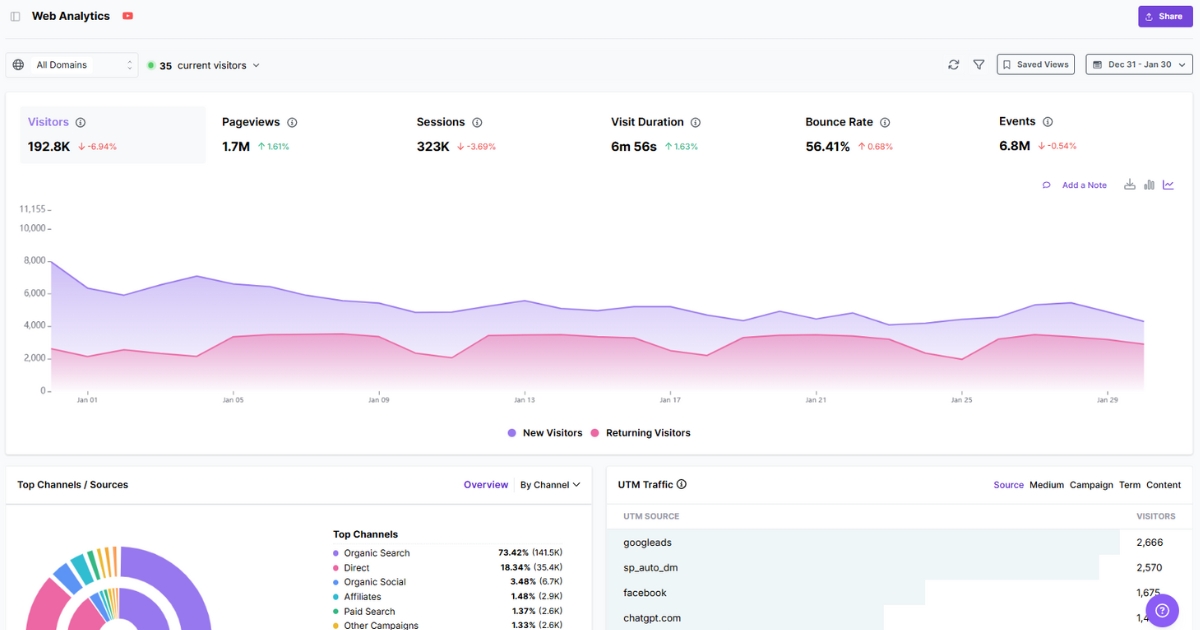
Usermaven combines product and website analytics with marketing attribution, customer journeys, and CRM revenue reporting. It is built for teams connecting acquisition to customer outcomes.
Heap excels at autocaptured product behavior. Usermaven puts that behavior alongside campaigns, touchpoints, and revenue, making it useful for marketing, product, and growth teams working from the same data.
Capabilities that matter in this comparison
- Marketing attribution software that connects campaigns, channels, and touchpoints with conversions, pipeline, and revenue.
- Website analytics and product analytics for measuring acquisition, engagement, adoption, and retention.
- Automatic event tracking and custom events for defining the behaviors that matter to activation and growth.
- Funnels, user journeys, and dashboards to investigate drop-offs and share findings.
- Maven AI for natural-language questions about attribution and behavior.
- Maven AI Agents for scheduled analysis of adoption, funnels, and retention changes; MCP for supported external AI clients.
- CRM and ad integrations, audience sync, conversion sync, and reporting tools for revenue-connected marketing decisions.
Customer example: PostNitro
PostNitro used Usermaven to inspect onboarding behavior and identify high-intent visitors who had not signed up. The team introduced a product demo based on those findings.
In the PostNitro case study, roughly 70% of people who engaged with that demo signed up. It also reports about 50% less reporting time.
See Usermaven in action
Book a free demo and discover how powerful analytics can grow your business.
Usermaven plans: Business and Enterprise
Usermaven currently offers Business and Enterprise plans. Both are introduced through a demo, with no fixed monthly prices published on the pricing page.
Business
Business brings multi-touch and paid ads attribution together with customer journeys, funnels, dashboards, segments, retention analysis, CRM integrations, and conversion sync.
It also includes Maven AI, custom attribution models, and MCP for AI agents. Teams can connect campaign performance to product behavior and revenue without keeping those reports in separate tools.
Enterprise
Enterprise adds options for custom integrations, data warehouse export, private cloud or on-premise deployment, SAML SSO, audit logs, advanced security, and dedicated support.
Businesses evaluating complex data infrastructure or tighter access controls can discuss which plan meets those requirements during a guided demo.
Usermaven vs. Heap pricing
Heap’s entry point is a free product analytics plan capped at 10,000 monthly sessions. Growth requires a usage estimate, while Pro and Premier use custom session pricing.
Usermaven offers Business and Enterprise, with plan discussions starting through a demo. Without comparable published prices and usage limits, neither platform can be called cheaper on an equal basis.
| Comparison point | Usermaven | Heap |
|---|---|---|
| Current plans | Business and Enterprise | Free, Growth, Pro, Premier |
| Price visibility | No public numerical plan prices; book a demo | Free plan; Growth estimate after snippet; Pro/Premier custom session pricing |
| Primary focus | Marketing attribution, revenue, website and product analytics | Product behavior analytics with event autocapture |
| Free plan | No free plan listed on current pricing page | Free plan with up to 10,000 monthly sessions |
| Customer behavior | Funnels, journeys, product engagement and retention | Funnels, journeys, retention, and event-level analysis |
| Attribution | Multi-touch, paid ads, custom models, CRM and revenue attribution | Referrer and UTM-based source analysis; no equivalent revenue-attribution suite listed |
| AI analysis | Maven AI for questions about marketing and behavior | Sense AI assistant on Growth and above |
| Recurring AI work | Maven AI Agents can schedule investigations and surface insights | Sense chat, summaries and follow-ups on published pricing page |
| MCP and AI connections | MCP for supported AI agents and clients | Not described as a Heap Product Analytics feature on the pricing page |
| Ad and CRM workflows | CRM and ad platform integrations, audience and conversion sync | Event, enrichment, activation and warehouse integrations depending on tier |
| Data warehouse | Enterprise data warehouse export and BigQuery integration | Heap Connect add-on with Pro, included with Premier |
| Heatmaps and replay | Not presented as a native replay/heatmap suite | Experience Analytics add-ons on Pro and Premier |
| Enterprise requirements | Deployment options, security, SAML SSO, audit logs and support | Premier permissions, unlimited projects, dedicated CSM and region-specific storage |
Heap is a strong choice for teams prioritizing autocapture and detailed product behavior. Its analytics include source and UTM information, so saying it has no attribution would be misleading.
Usermaven has the clearer fit when marketing teams must connect acquisition sources to CRM opportunities, revenue, product adoption, and retention in one reporting workflow.
Teams evaluating product analytics alongside marketing outcomes can also read the HockeyStack alternatives guide and compare different measurement approaches.
Wrapping up
Heap pricing can seem straightforward when you’re still in the early stages, and tracking is limited. The real test comes once it’s running in the background every day, usage climbs, and more teams start relying on the same numbers.
For teams measuring more than product behavior, Usermaven connects marketing attribution with website and product analytics, CRM context, funnels, and customer journeys.
Want to connect campaign spend, product journeys, and revenue in one view? Book a demo to see how Usermaven supports your measurement goals.
FAQs
1. Is Heap worth it?
Heap can be worth it for teams that rely on autocaptured product behavior, funnels, and journeys. Its Free plan covers up to 10,000 monthly sessions, while pricing for Pro and Premier depends on your session needs and contract.
2. What are the disadvantages of Heap?
Cost can be harder to forecast on higher tiers; some capabilities depend on plan/add-ons, support is tiered, and advanced reporting can take time to learn.
3. Is Heap a CDP?
Not really. Heap is mainly a product analytics tool, not a full CDP built for identity resolution and data activation across channels.
4. What is a “session” in Heap pricing?
Heap defines a session as a period of activity from a single user, ending after inactivity (web and mobile have different inactivity windows).
5. What happens if I exceed my session limit?
Heap states it won’t drop or throttle data, but you may need to upgrade before you can continue viewing data.
6. Is Heap analytics pricing publicly available?
Heap lists Free, Growth, Pro, and Premier plans. Free has a published 10,000-session allowance; Growth asks you to install a snippet to get a price estimate. Pro and Premier use custom session pricing.
7. What is Heap Connect pricing?
Heap Connect synchronizes product data with a data warehouse. The current Heap pricing page lists it as an add-on for Pro and included with Premier; the monetary cost is not published.
8. How does Usermaven pricing compare with Heap?
Updated

Written by
Ryan Mitchell
Marketing Analytics Strategist
Ryan Mitchell is a marketing analytics strategist specializing in campaign measurement, customer journeys, and marketing performance. He writes about analytics, reporting, and data-driven marketing strategies, helping SaaS and B2B teams measure what matters across every stage of the customer journey.
All articles by Ryan →