A blog can attract thousands of visitors and still produce little business value. Another article may receive fewer visits but regularly appear before qualified leads, product signups, or sales. Traffic alone cannot explain the difference.
Content analytics measures how people discover, consume, and act on digital content. It connects audience behavior with the outcomes a content program is meant to support.
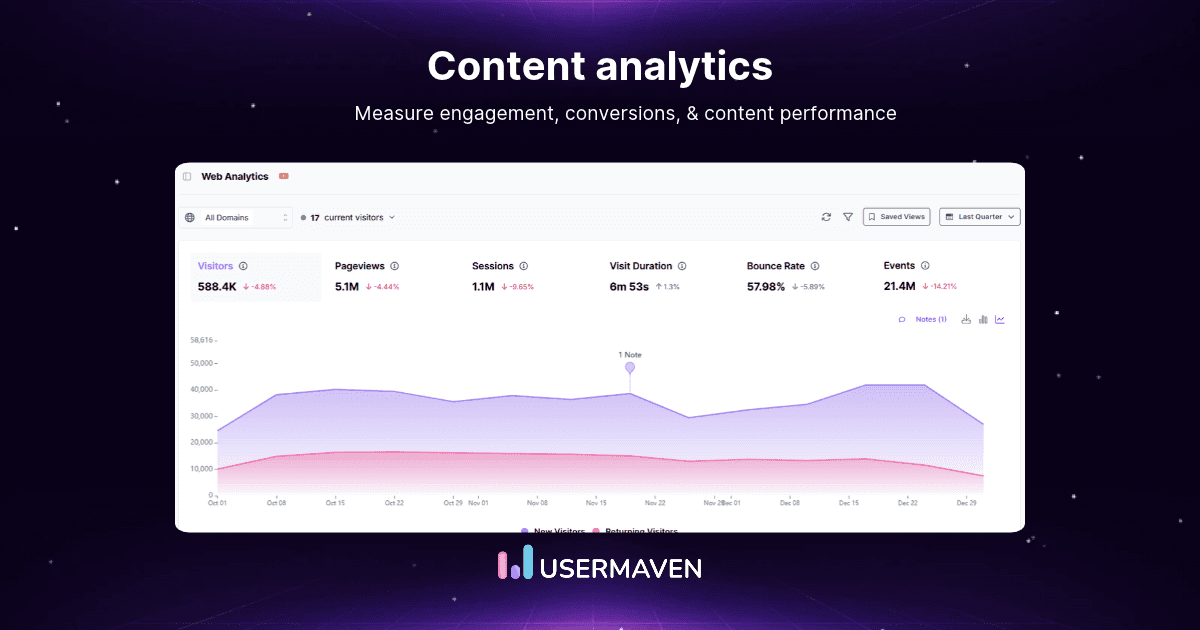
This guide shows which metrics matter, how to build reliable tracking, and how to turn findings into editorial decisions.
Key takeaways
Start with the outcome: Decide whether each asset should create discovery, deepen engagement, support evaluation, or drive conversion before choosing its KPIs.
Separate visibility from value: Rankings, clicks, and pageviews describe reach. Qualified leads, attributed conversions, and pipeline provide different evidence of business contribution.
Compare similar content: Evaluate articles by intent, format, audience, and funnel stage rather than ranking every URL by one metric.
Audit the measurement chain: Validate content identifiers, source tags, meaningful events, conversion definitions, and CRM reconciliation before trusting the dashboard.
Use evidence to choose an action: Refresh, redistribute, improve conversion paths, consolidate, or retire content based on its specific problem.
Content analytics at a glance
| Question | Useful measurement | Decision it supports |
| What gets discovered? | Search impressions, clicks, landing-page visitors | Improve discoverability or distribution |
| What holds attention? | Engaged time, scroll depth, next-page paths | Improve structure or relevance |
| What motivates action? | CTA events, qualified conversions, funnel steps | Improve offers and conversion paths |
| What helps buyers progress? | Content paths, attributed conversions, CRM stages | Prioritize evaluation-stage assets |
| What is declining? | Comparable-period trend by URL and topic | Refresh, consolidate, or redirect |
| What can be trusted? | Event QA, campaign tagging, identity, source reconciliation | Repair measurement before changing strategy |
Unlock insights that drive growth
What is content analytics?
Content analytics is the collection, measurement, and interpretation of data about content discovery, consumption, engagement, and outcomes. Marketers use it to understand which assets work for which audiences, why performance changes, and what to produce or improve next.
The content may be a blog post, landing page, tutorial, video, comparison, case study, webinar, or downloadable resource. Its role matters more than its format.
There are two related meanings. Performance analytics studies audience behavior and business outcomes. Content intelligence examines the assets themselves, including topics, themes, language, creative attributes, or sentiment.
For example, an editor may learn that a pricing comparison attracts only 800 monthly visits but appears in many demo-booking journeys. Separately, a creative analytics platform might examine whether certain image styles correlate with engagement.
Neither observation automatically proves causation. Content can appear in a journey without being the reason someone bought, and creative correlations can reflect differences in audience or placement.
Content analytics vs. related disciplines
| Discipline | Central question | Main unit |
| Web analytics | What happens across the site? | Sessions, users, pages, events |
| Content analytics | How does each asset perform for its purpose? | URLs, assets, formats, topics |
| Content attribution | Which assets receive conversion credit? | Eligible content touchpoints |
| Content intelligence | What themes or creative attributes characterize content? | Topics, text, images, metadata |
| SEO analytics | How do pages perform in organic search? | Queries, impressions, clicks, rankings |
These disciplines complement one another. A page’s traffic may look healthy while content attribution reveals that its role in converting journeys has changed.
Which content analytics metrics matter?
There is no universally useful content score. Each metric becomes meaningful only when the audience, denominator, period, and intended content outcome are clear.
Discovery: Is the right audience finding it?
Search impressions and click-through rate show how an asset appears in organic results. Landing-page visitors, referrals, and campaign-tagged sessions show which channels actually send visitors.
Compare these measures by topic and search intent. An educational page may attract broad discovery traffic, while a product comparison attracts fewer visitors but stronger commercial intent.
Engagement: Are people using the content?
Engaged time, scroll depth, internal navigation, video milestones, and return visits offer evidence of consumption. A long average time can mean interest, confusion, or an idle browser tab.
A short answer page may satisfy readers quickly. Evaluate engagement against the content’s purpose, then inspect what people do after reading rather than treating every quick exit as failure.
Conversion: Does content support an outcome?
Record completed newsletter subscriptions, template downloads, bookings, trials, purchases, and other conversion goals that matter to the business. A CTA click is useful, but a verified completion is stronger evidence.
For B2B teams, map early responses to opportunity and customer stages. The SiriusDecisions Demand Unit Waterfall is one framework for discussing how demand progresses beyond initial engagement.
Contribution: Does content appear in buying journeys?
First-touch and multi-touch views can surface articles that introduce prospects or assist later conversions. They answer a different question from last-page conversion rate, which tends to favor closing-stage pages.
An attributed conversion is model-assigned credit, not evidence that the conversion would disappear without the article. Keep reported pipeline influence separate from incremental revenue claims.
Practical metric reference
| Metric | Formula or definition | Important limitation |
| Search CTR | Search clicks ÷ impressions × 100 | Search Console clicks differ from website sessions |
| Engaged-visit rate | Engaged visits ÷ eligible visits × 100 | Engagement rules vary by platform |
| Content goal rate | Completed goals ÷ defined eligible users or sessions × 100 | Denominator must be explicit |
| Cost per qualified lead | Content spend ÷ attributable qualified leads | Attribution scope and cost allocation matter |
| Assisted conversions | Conversions with an eligible assisting content interaction | Credit rules depend on the model |
| Attributed pipeline | Opportunity value credited under a stated method | Opportunity value is not collected revenue |
Metrics used: Report the population, attribution model, lookback window, conversion definition, and period alongside each content performance comparison.
Drive business growth
with AI-powered analytics
Build a reliable content measurement system
The strongest content dashboards begin with consistent definitions. Use the following five-stage workflow before drawing conclusions from any tool.
1. Create a usable content inventory
Give each asset a canonical URL or stable ID. Add topic, format, search intent, funnel stage, owner, publication date, last meaningful update, and primary conversion objective.
Without stable identifiers, URL changes and duplicate pages can fragment reporting. Group related URLs deliberately instead of assuming every address represents a distinct editorial asset.
2. Connect discovery and consumption data
Combine search visibility from Google Search Console with website behavior from an analytics platform. Use consistent UTM parameters for distributed links in newsletters, paid promotions, partnerships, and social campaigns.
Search impressions are not site visits. Also, a social platform can report video consumption that never generated a website session, so retain those channel-native metrics separately.
3. Track meaningful interactions and completed goals
Record pageviews and relevant actions such as resource_downloaded, webinar_registered, demo_booked, or purchase_completed. Use event tracking to distinguish observed behavior from a business outcome.
Avoid counting a button click and its subsequent form submission as two separate completed leads. Test embedded forms, redirect pages, and cross-domain journeys before relying on the totals.
4. Join journeys with business outcomes
Where appropriate and permitted, connect content interactions to identified users, CRM opportunities, and revenue events. Keep anonymous visits distinct when identity continuity cannot be established.
For B2B content, useful segments include first-time visitors, known leads, opportunities, existing customers, and accounts in evaluation. Do not infer individual identities from incomplete data.
5. Reconcile and monitor data quality
Run a controlled event test. Compare analytics conversions with verified form submissions or CRM outcomes over matched dates, time zones, and counting rules.
Inspect campaign tags, duplicate events, missing sources, tracking consent, identity matching, and data freshness. Use a data discrepancy investigation before declaring that content performance suddenly collapsed.
| Audit test | Observable evidence | Failure to investigate |
| URL recognition | New post appears under the expected canonical page | Duplicate or split page identity |
| Source classification | Tagged email test appears under intended channel | Missing or inconsistent UTMs |
| Event collection | One completed download triggers one eligible event | Missing or duplicated conversions |
| Identity and journey | Known conversion retains relevant prior touches | Fragmented cross-session paths |
| Reconciliation | Goal totals broadly align with source-of-truth records | Window, timezone, consent, or deduplication gaps |
Worked example: Traffic vs. qualified pipeline
Consider two hypothetical B2B SaaS assets measured over the same 30-day period. The first is a broad educational article. The second is a product comparison aimed at visitors further along in evaluation.
| Metric | Educational guide | Comparison page |
| Eligible visitors | 6,000 | 900 |
| Engaged visitors | 2,400 | 540 |
| Form submissions | 60 | 36 |
| Qualified leads | 15 | 27 |
| Opportunities created | 2 | 9 |
| Opportunity value | $12,000 | $54,000 |
The educational guide attracts more visitors. Its qualified-lead rate is 15 ÷ 6,000 = 0.25%. The comparison page generates 27 ÷ 900 = 3%, even though its reach is smaller.
The comparison page’s qualified-lead rate is twelve times higher in this sample. Its nine opportunities also represent greater recorded opportunity value, but those amounts are not necessarily attributable to the page alone.
Decision: Keep the guide for discovery if it attracts relevant audiences, but improve its next-step pathway. Prioritize the comparison page for evaluation-stage distribution and test whether its stronger outcomes persist.
This illustration uses invented numbers to demonstrate interpretation. It is not Usermaven customer data, and the opportunity values should not be summed across multiple attribution reports.
Diagnose content gaps, decay, and missed conversions
A useful content audit starts with a specific symptom and ends with a testable action. Use comparable periods to avoid mistaking seasonality or reporting changes for deterioration.
| Pattern | Possible cause | First action to test |
| Impressions rise; CTR falls | Snippet mismatch or broader query exposure | Review query mix and search-result intent |
| Traffic holds; completed goals drop | Broken conversion path or weaker intent | Test the form and inspect funnel drop-offs |
| Rankings and clicks decline together | Stale coverage, competing pages, SERP changes | Update sections after query and competitor review |
| High engagement; few next steps | Weak or misplaced CTA | Test contextual next-step links |
| Multiple pages serve the same query | Cannibalization or unclear topic ownership | Consolidate or differentiate intent |
| Lead volume rises; qualified rate falls | Audience or offer mismatch | Segment by source, topic, and lead quality |
A content refresh should address an identified gap rather than change the publication date alone. Preserve useful sections, correct outdated advice, and compare results against a meaningful baseline.
For content gap analysis, compare what audiences search for with the topics, stages, and formats already covered. Use query clusters and sales objections, not just a competitor’s heading list.
Editorial teams may monitor topic shifts and industry discussions through sources such as the Content Marketing Institute, but source popularity is not a substitute for audience evidence.
For distribution, a useful original study may naturally earn backlinks as other publishers reference its evidence. Selective guest posting may expand reach, but referral quality matters more than the number of placements.
What content analytics cannot tell you
Most content dashboards observe only part of the audience journey. A person may read an AI-generated summary, see a social post, or hear a podcast mention without ever generating a measurable website visit.
AI crawler requests indicate access attempts, not that your page was cited or recommended. Human visits from recognized AI referrals are a different measurement layer from crawler traffic.
Engagement is also not the same as persuasion. Two articles can attract different audiences, so apparent conversion-rate differences may reflect intent rather than content quality.
Automated writing analysis can flag wording or consistency issues, but a tool promoted as an AI humanizer cannot establish factual accuracy, originality, or reader trust. Human editorial review remains essential.
Privacy and reporting boundaries
Collect only data your measurement purpose justifies. Regional requirements, including GDPR and CCPA, require careful consideration of consent, disclosures, retention, and permitted processing.
These references discuss regulatory developments and enforcement, not definitive legal advice. Analytics accuracy and legal compliance are different questions; neither should be assumed from a dashboard label.
Which content analytics tools are useful?
Choose tools by the question they answer rather than expecting one product to measure every content surface.
| Tool category | Examples | Main use |
| Search performance | Google Search Console | Query visibility, page clicks, CTR |
| Website and behavior | GA4, Usermaven | Landing pages, engagement, paths, goals |
| Content attribution | Usermaven, HockeyStack | Content credit in measurable conversion journeys |
| Creative-attribute analysis | Adobe Content Analytics | Compare content themes or creative attributes |
| Channel-native reporting | YouTube Studio, LinkedIn Analytics | Platform consumption without requiring a site visit |
| Reporting and operations | BI dashboards, CRM | Combine outcomes and support ongoing decisions |
For most teams, the first requirement is clean measurement and a defined conversion. Adding more software before resolving tracking problems usually creates more conflicting reports.
How Usermaven supports content analytics
Usermaven is especially relevant when the content question extends beyond pageviews: which articles attract qualified visitors, which pages appear in converting journeys, and where readers drop off before taking action.
Understand content consumption by page
Website Analytics reports top pages, entry and exit pages, engagement indicators, traffic sources, and conversions. Content teams can compare assets without treating raw traffic as their only success metric.
Its Google Search Console integration adds queries, impressions, clicks, position, and page filters. Search Console data can lag by two to three days, so do not expect the same timing as live website events.
Connect content journeys with conversion goals
The Content Attribution documentation describes the Attribution > Content report. Create a relevant conversion goal, then compare the pages credited under first-touch, last-touch, linear, or other supported models.
A change in the attribution model changes the credit assignment, not the historical events themselves. For deeper context, User Journeys and Funnels help investigate where readers go next.
For B2B SaaS, an article may influence a demo long before a deal closes. Marketing agencies can use shared definitions to explain content contribution across distinct client accounts.
Content Analytics in Usermaven: How to Analyze Your Blog and Page Performance
Content analytics in Usermaven is not a single report. It is a set of views that together show which pages get traffic, how people engage with them, which pages lead to conversions, and which search keywords bring people in. This guide walks through each view in the order you would normally use them.
Step 1: Find your top pages
Open Dashboards, then Web Analytics, and scroll to the Top Pages card. The card has three tabs: Top Pages, Entry Pages and Exit Pages. The Top Pages tab lists every page with its Visitors, Pageviews, Bounce rate, Scroll depth and Time on page.

To look up a specific page, open the Detailed view of the card. It lists all pages and has a search box where you can search by page URL.

Step 2: Isolate your blog content
To report on blog posts only, click the filter icon on the Web Analytics dashboard, choose Page, set the condition to contains, type /blog/ and click Apply Filter. Every widget on the dashboard now shows data for blog pages only. Tip: after typing the URL, click the dialog title to close the suggestion list before you click Apply Filter. Otherwise a single suggested post can be selected instead of the whole /blog/ section.

Step 3: Measure engagement and drop off
Read the Top Pages metrics together. Scroll depth and Time on page show whether people actually read a post, and Bounce rate shows how many leave after a single page. Switch to the Entry Pages tab to see where visitors land first, and to the Exit Pages tab to see where they leave. Exit Pages shows Unique Exits, Total Exits, Exit rate and Scroll depth. A post with many visitors but low scroll depth and a high exit rate is a good candidate for a rewrite.

Step 4: Track conversions from your content
Scroll further down the Web Analytics dashboard to the Conversion Goals widget. It lists your goals and how often each one was completed in the selected period, so you can see how much your pages contribute to conversions. If you have not created a goal yet, follow the conversion goals guide in Tab 1 first.

Step 5: See which pages drive conversions with Content Attribution
The Web Analytics dashboard shows overall conversions. To see which individual pages and posts lead to them, open Attribution in the left menu (use the expand arrow near the logo if the submenu is hidden) and click Content.

The Content Attribution page opens with a chart of conversions over time. Choose the conversion goal you want to analyze, and the chart and the table below it are calculated for that goal.

Next, choose how credit is given to pages. The attribution models dropdown offers First Touch, Last Touch, Second Last Touch, Linear, U-Shaped and Time Decay. For blog posts, First Touch is a good starting point because it credits the page that first brought the visitor to your site. Last Touch credits the final page before the conversion.

Use the Filters panel to narrow the data. It contains Conversion goal, Attribution models, Lookback window (Last 90 days by default), Channel and Source. For example, set Channel to organic search to see only the pages that convert visitors coming from search.

Scroll down to the results table. Each row is a page. The Influenced columns show the Visitors, Conversions and Value of visitors who viewed that page at any point before converting, and the First Touch Attribution columns show the Conversions, Conversion Rate and Conversion Value credited to the page as the first touch. Use Export as CSV to download the table for reporting.

Step 6: Check the search keywords behind your content
Back on the Web Analytics dashboard, the Keywords section shows data from Google Search Console: Total Clicks, Total Impressions, Avg. Position and Avg. CTR, followed by a table of the search queries that bring visitors to your site. Use it to see which queries your content ranks for and which posts could earn more clicks.

Investigate with Maven AI and scheduled Agents
Maven AI can answer questions about existing workspace metrics and help build charts and reports. Its Agents feature includes a Content performance template for pages that are rising, falling, or converting.
Agents run scheduled, read-only investigations and can deliver findings through Maven, email, or Slack. They do not independently change website content or campaign budgets. The Maven AI documentation explains supported workflows and limitations.
Validate measurement before trusting the report
The Measurement Trust Center summarizes data health with a Trust Score and checks covering campaign tracking, customer matching, connected platforms, conversion feedback, and data confidence.
Its prioritized fixes can surface incomplete tagging or source connections. Those checks improve reporting reliability, but they cannot prove an observed content interaction caused a sale.
First-party example: Hyperengage
In Hyperengage’s published case study, attribution coverage expanded from four channels to six, and organic search received eight first-touch conversions where the earlier view had shown none.
The company describes greater visibility into how content and organic search began journeys that later converted. This is evidence of improved measurement coverage, not proof of eight incremental conversions caused by Usermaven.
A simple weekly content analytics review
Every week, inspect the few changes most likely to affect an editorial decision. A repeatable routine is more useful than a sprawling dashboard nobody acts on.
Discovery: Compare search impressions, clicks, and landing-page visitors by topic against an equivalent prior period.
Engagement: Inspect meaningful behaviors and next-page paths for pages with material shifts.
Conversion: Compare verified goals, qualified leads, and relevant attribution views using stable definitions.
Trust: Check event collection, connected-source freshness, and known tracking changes.
Decision: Assign one action to each priority asset and set a review date.
A content marketing dashboard can make the routine repeatable, but the written action log should state why the team chose to refresh, expand, redistribute, or leave an asset alone.
Turn content insights into editorial decisions
Content analytics is valuable when it changes what a team does. Good reporting distinguishes discovery from engagement, engagement from completed goals, and attributed participation from proven incremental impact.
Use consistent definitions, validate the data, and judge assets against their intended role. To investigate content paths, conversions, and attribution together, book a demo of Usermaven.
FAQs
1. What is content analytics in simple terms?
Content analytics measures how people discover, use, and respond to articles, videos, landing pages, and other assets. It helps teams understand performance and decide what to create, improve, or distribute next.
2. What are the most useful content analytics metrics?
Useful metrics include search impressions, page visitors, meaningful engagement, completed goals, qualified leads, and attributed conversions. Choose them according to the content’s stage and intended outcome.
3. How is content analytics different from web analytics?
Web analytics examines website-wide sessions, events, and navigation. Content analytics organizes those observations around individual assets, topics, formats, and editorial decisions, often combining search, engagement, and conversion data.
4. What is the difference between content analytics and content attribution?
Content analytics studies discovery, behavior, and performance. Content attribution assigns credit to eligible content interactions in measured conversion journeys according to a chosen model; that credit does not establish causation.
5. How can content analytics improve SEO?
Compare query impressions, CTR, clicks, content relevance, and post-click behavior. Then test titles, update outdated sections, resolve competing URLs, or improve internal navigation based on the observed problem.
6. How do you identify content decay?
Compare similar periods for rankings, clicks, engagement, and conversions. Investigate seasonality, search-result changes, tracking changes, and audience shifts before deciding whether a page needs updating.

Written by
Adeel Khan
Growth Marketing Expert
Adeel Khan is a full-stack SaaS marketer with 10+ years of experience in content marketing, paid advertising, analytics, and conversion rate optimization. He shares practical insights and strategies drawn from hands-on experience, helping B2B SaaS marketers improve performance and make better marketing decisions.
All articles by Adeel →