Many teams invest time in onboarding flows but struggle to measure whether they actually work. Are users activating? Are they reaching value quickly? Or are they dropping off silently?
User onboarding KPIs answer these questions. By tracking the right onboarding metrics, you can see how users experience your product during their first days and weeks.
This article covers the key user onboarding KPIs you should track and how they help improve activation, engagement, and retention.
What are user onboarding KPIs?
User onboarding KPIs are metrics that help you understand how new users move from signup to their first real moment of value. They focus on what users do during onboarding and help teams with tracking product onboarding, including whether users are activating, engaging, and progressing as expected.
These KPIs are different from general product metrics because they look only at the early stage of the user journey. They help answer questions like how quickly users reach value, which steps they complete, and where they drop off. These insights can also help you improve your marketing strategy by showing whether the users you attract are actually finding value after signup.
Why user onboarding KPIs matter
Here’s why user onboarding metrics play a key role in onboarding success.
- They show whether new users reach value or drop off early
- They help identify friction in onboarding flows
- They highlight which steps or features need improvement
- They support better activation and early product engagement
- They connect onboarding performance with retention insights
12 important user onboarding metrics to track
Here are the most important user onboarding KPIs to focus on and how to use them effectively.
1. Completion rate
Onboarding completion rate measures the percentage of new users who finish all the steps in your onboarding flow. This could include completing setup, following a guided walkthrough, or reaching the final onboarding screen.
This metric helps teams understand whether users are able to move through onboarding without confusion or friction. If many users drop off before completing onboarding, it usually points to unclear steps, too much effort required, or missing guidance.
Onboarding completion rate is calculated using this formula:
Completion rate (%) = (Number of users who complete onboarding ÷ Total number of users who started onboarding) × 100
For example, if 800 users start onboarding and 560 complete it, the onboarding completion rate is 70%.
A healthy onboarding completion rate often means:
- The onboarding flow is easy to follow
- Steps feel relevant and not overwhelming
- Users understand what to do next
However, completion alone does not guarantee success. Some users may complete onboarding without fully understanding the product. That is why this KPI works best when tracked alongside activation and time to value.
Usermaven can make it easier to track onboarding steps. You can easily measure drop-off points and understand exactly where users abandon the onboarding process so teams can improve the flow.
Turn visitors into loyal customers
*No credit card required
2. Time to First Value (TTFV)
Time to First Value measures how long it takes for a new customer to experience their first meaningful outcome after signing up. This “value moment” depends on your product, but usually represents the point where users clearly understand why the product is useful.
This KPI is important because users who reach value quickly are more likely to stay engaged. A long time to first value often leads to drop-offs, even if the onboarding flow looks complete.
TTFV is typically calculated as:
Time to First Value = Time of first value event − Time of signup
For example, if a user signs up on Monday and reaches their first value moment on Wednesday, the time to first value is two days.
A shorter time to first value usually indicates:
- Clear onboarding steps
- Easy access to core features
- Less friction during setup
Tracking TTFV helps teams spot where users slow down or get stuck. When onboarding takes longer than expected, Usermaven helps by tracking value events, analyzing funnels, and comparing time-to-first-value across segments to identify areas for improvement.
3. Activation rate
Activation rate measures how many new users complete the key actions that show they have started using your product in a meaningful way. These actions depend on the product but often include completing setup, creating a first project, connecting data, or using a core feature for the first time.
This KPI matters because signups alone do not reflect onboarding success. If users do not reach activation, they are unlikely to return. A strong activation rate usually means users understand what the product does and how to get value from it early on.
Activation rate is calculated using a simple formula:
Activation rate (%) = (No of users who complete the activation event ÷ Total new users) × 100
For example, if 1,000 users sign up and 350 of them complete the activation action, the activation rate is 35%.
To track activation rate accurately, it is important to clearly define what “activated” means for your product. Activation should be based on a small set of actions that strongly relate to long-term usage. Choosing actions that are too basic can make activation look healthy even when onboarding is not effective.
Activation rate is also one of the fastest ways to spot onboarding issues. A sudden drop often signals friction in the onboarding flow or confusion around key steps. In these situations, Usermaven can help by tracking activation events, visualizing funnels, and showing exactly where users struggle during their first interactions.
4. Feature adoption rate
The feature adoption rate shows how many new users start using the key features introduced during onboarding. These are the features that help users get value and understand how the product fits their needs.
This KPI is useful because onboarding is not just about finishing steps. It is about guiding users toward the features that matter most. If users skip or ignore these features, they may struggle to see value later.
A healthy feature adoption often indicates:
- Clear onboarding guidance
- Well-timed product prompts
- Features that align with user goals
Tracking feature adoption becomes easier when events are set up for core features. Usermaven helps teams monitor which features new users adopt, compare adoption across cohorts, and identify features that need better onboarding support.
5. Engagement rate
Engagement rate during onboarding measures how actively new users interact with your product in their first sessions. This includes actions like logging in, exploring features, or completing important tasks during the onboarding period.
This KPI helps teams understand whether users are simply signing up or actually spending time learning and using the product. Low engagement during onboarding often signals confusion, lack of direction, or unclear value.
Engagement rate is commonly measured using indicators such as:
- Number of sessions during onboarding
- Frequency of key actions
- Time spent using the product
Strong engagement during onboarding usually means users are curious, motivated, and moving in the right direction. To go deeper, it can also be helpful to explore other customer engagement metrics that show how users interact with your product beyond the onboarding phase.
6. Retention rate
Retention rate measures how many users continue using your product after the onboarding phase. It shows whether onboarding has successfully set users up for long-term usage, not just a first interaction.
This KPI matters because onboarding does not end at activation. If users stop coming back shortly after onboarding, it often means they did not fully understand the product’s value or how it fits into their workflow. That is why retention rate is a core part of retention analytics and early retention analysis.
Retention rate during onboarding is often tracked over short timeframes, such as:
- Day 7 retention
- Day 14 retention
- Day 30 retention
Retention rate is calculated as:
Retention rate (%) = (Number of users who return after onboarding ÷ Total number of onboarded users) × 100
Strong early retention usually indicates:
- A smooth onboarding experience
- Clear value delivered early
- Features that meet user expectations
By tracking retention alongside activation and engagement, teams get a more complete picture of onboarding success. Usermaven can help track retention by cohorts, making it easier to understand how onboarding changes impact user behavior over time.
To build a stronger retention strategy, it is also useful to explore other customer retention metrics that reveal why users stay, return, or drop off.
7. Churn rate
Churn rate measures the percentage of users or customers who stop using your product shortly after onboarding. It is one of the strongest signals that onboarding is not meeting expectations.
This KPI is important because high churn during or right after onboarding usually means users did not reach value, felt confused, or did not see a clear reason to continue. Reducing early churn is also a key step to increase customer loyalty and reduce customer churn rate, as users who have a smooth onboarding experience are more likely to stay engaged over time.
Tracking churn alongside activation and retention helps teams understand whether onboarding is setting users up for long-term success. By using churn analysis, teams can identify where users drop off during onboarding and which steps or experiences contribute most to early churn.
Usermaven can support this by linking churn patterns to specific onboarding behaviors.
8. Free-to-paid conversion rate
Free-to-paid conversion rate measures how many users move from a free trial or free plan to a paid plan after onboarding. It shows whether onboarding helps users understand the product’s value well enough to commit.
This KPI matters because users usually decide whether to pay very early in their journey. If onboarding fails to highlight value or key use cases, conversion rates often suffer.
A strong conversion rate often indicates that onboarding clearly communicates value and guides users toward meaningful actions. With Usermaven, teams can track conversion events and analyze which onboarding behaviors are most likely to lead to upgrades.
9. Customer lifetime value (CLTV)
Customer lifetime value represents the total revenue a customer is expected to generate over the entire relationship with your product. While CLTV is a long-term metric, onboarding plays a major role in shaping it early.
Poor onboarding often leads to lower engagement and early churn, which directly reduces customer lifetime value. Effective onboarding increases the chances that customers stay longer, adopt more features, and contribute more consistently to revenue over time.
A common CLTV formula is:
CLTV = Average revenue per customer × Average customer lifespan
To understand CLTV properly, teams need visibility into how early onboarding actions connect to revenue outcomes. This is where revenue attribution and revenue analytics become important. By linking onboarding behavior to downstream revenue events, teams can see which onboarding experiences lead to higher-value customers and support more accurate revenue forecasting models.
10. Number of support tickets
The number of support tickets raised during onboarding measures how often users need help while getting started. This KPI highlights areas where onboarding instructions, UI, or workflows may be unclear.
This metric is important because frequent support requests during onboarding often signal friction. While some questions are expected, a high volume of similar tickets usually points to problems that can be solved with better onboarding design.
There is no fixed formula for this metric, but it is commonly tracked as:
- Total onboarding-related tickets
- Tickets per new user
- Most common ticket categories during onboarding
When tracked alongside onboarding steps, Usermaven helps teams understand which actions or screens trigger confusion, making it easier to reduce support load and improve the onboarding experience.
11. Daily/Monthly Active Users (DAU/MAU)
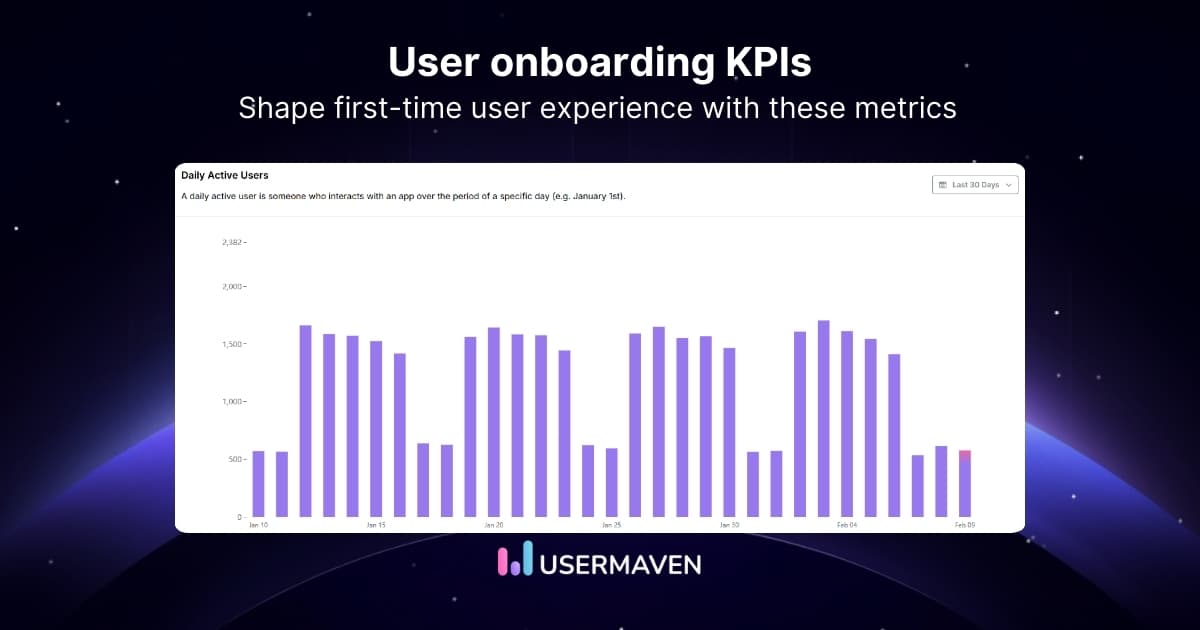
Daily Active Users and Monthly Active Users measure how many unique users actively use your product on a daily or monthly basis. During onboarding, this indicator helps show whether new users are coming back consistently after their first interaction.
This KPI is important because onboarding success is not just about first-time actions. It is also about building early usage habits. If users activate once but do not return, onboarding may not be setting clear expectations or long-term value.
DAU and MAU are typically calculated as:
- DAU: Number of unique users who perform at least one meaningful action in a day
- MAU: Number of unique users who perform at least one meaningful action in a month
Teams often look at the DAU/MAU ratio to understand engagement depth:
DAU/MAU ratio = Daily Active Users ÷ Monthly Active Users
A higher ratio usually indicates stronger engagement and habit formation.
Tracking DAU and MAU alongside onboarding KPIs like activation and retention helps teams understand whether onboarding leads to regular usage. In Usermaven, with the feature of product analytics, teams can track active users based on meaningful events, segment new users, and see how onboarding changes affect daily and monthly engagement patterns.
12. Net Promoter Score (NPS)
Net Promoter Score measures how likely customers are to recommend your product to others after going through onboarding. It reflects how customers feel about their early product experience and whether onboarding has built enough confidence and trust.
This metric is important because onboarding sets the tone for the entire customer relationship. If customers finish onboarding but still feel unsure or frustrated, it often shows up in a low NPS. A strong NPS, on the other hand, usually indicates that onboarding helped customers understand the product and see value early.
Net Promoter Score is calculated using the following formula:
NPS = % of Promoters − % of Detractors
Customers are grouped based on their responses to the question, “How likely are you to recommend this product to others?”
- Promoters score 9 or 10
- Passives score 7 or 8
- Detractors score 0 to 6
NPS helps teams connect onboarding quality with customer sentiment. When tracked alongside onboarding metrics like activation and retention, it provides a clearer picture of whether onboarding is creating confident and satisfied customers. Usermaven supports this by linking NPS responses with onboarding behavior, making it easier to understand how early product interactions influence customer perception.
Drive business growth
with AI-powered analytics
*No credit card required
User onboarding process
The user onboarding process is how new users learn to use a product and understand its value after signing up. It plays an important role in shaping the early user experience and can directly influence engagement, retention, and long-term adoption.
For many software-as-a-service (SaaS) companies, user onboarding typically includes structured guidance such as walkthroughs, tutorials, and in-product explanations. These elements help users get familiar with the product and complete key actions with confidence, rather than leaving them to figure things out on their own.
A well-designed onboarding process supports users at different stages of the customer lifecycle. It helps explain what makes a product useful, highlights important features, and sets clear expectations about how users can benefit from it over time.
Visual content is often used to support onboarding, especially when explaining workflows or complex features. Teams may use tools to create AI-generated videos that offer personalized guidance or convert PowerPoint to MP4 to turn static presentations into short, easy-to-follow onboarding resources that improve clarity and usability.
Summing it up,
User onboarding KPIs help teams understand whether new users are reaching value or dropping off too early. By tracking metrics like activation, time to first value, engagement, retention, and churn, you can spot friction early and improve the onboarding experience with clarity and confidence.
Usermaven makes it easier to track these onboarding KPIs by connecting user behavior, funnels, retention data, and conversion outcomes in one place. As SaaS attribution software, it helps teams understand how onboarding actions impact activation, long-term engagement, revenue outcomes, and growth without relying on scattered data or guesswork.
Want better visibility into how users experience onboarding?
Start a free trial or book a demo today and see how Usermaven helps in tracking and improving onboarding performance.
FAQs
1. What are the most important user onboarding metrics/KPIs?
The most important user onboarding metrics include activation rate, time to first value, feature adoption rate, engagement during onboarding, retention rate, and churn rate. These KPIs help measure whether users reach value early and continue using the product.
2. How do you measure onboarding success?
Onboarding success is measured by tracking how quickly users reach value, how many activate key features, and whether they continue using the product after onboarding. Metrics like activation rate, time to first value, and early retention are commonly used.
3. What is a good activation rate for user onboarding?
A good activation rate varies by product and industry, but in general, a higher activation rate indicates that users understand the product and can get started without friction. The most important benchmark is improvement over time rather than a fixed number.
4. Why is time to first value important during onboarding?
Time to first value shows how quickly users experience a meaningful outcome after signing up. A shorter time to first value often leads to better engagement, lower churn, and higher retention, making it a key onboarding KPI.
5. How do onboarding KPIs help reduce churn?
Onboarding KPIs help identify where users struggle early in their journey. By fixing friction points that slow activation or delay value, teams can reduce early drop-offs and prevent churn before it happens.
6. How often should user onboarding KPIs be reviewed?
User onboarding KPIs should be reviewed regularly, especially after onboarding changes or product updates. Many teams review them weekly or monthly to spot trends and measure the impact of improvements.
7. Can onboarding KPIs impact customer lifetime value?
Yes, onboarding KPIs directly affect customer lifetime value. Users who activate quickly, engage early, and understand the product are more likely to stay longer and generate higher lifetime value.
Updated

Written by
Imrana Essa
SaaS Marketing Lead
Imrana Essa is a marketing lead and content strategist with 8+ years of experience creating and leading content for B2B and SaaS brands. She specializes in marketing analytics, attribution, content strategy, and organic growth, translating complex marketing concepts into clear, actionable insights. Her work focuses on helping marketers understand performance, make data-informed decisions, and build strategies that contribute to sustainable growth.
All articles by Imrana →