

Gohighlevel Integration Guide
GoHighLevel (GHL) Integration Guide
Track GoHighLevel funnel traffic, conversions, and send lead data to Usermaven for accurate attribution.
Step 1: Get Your Usermaven Tracking Code
Log in to Usermaven
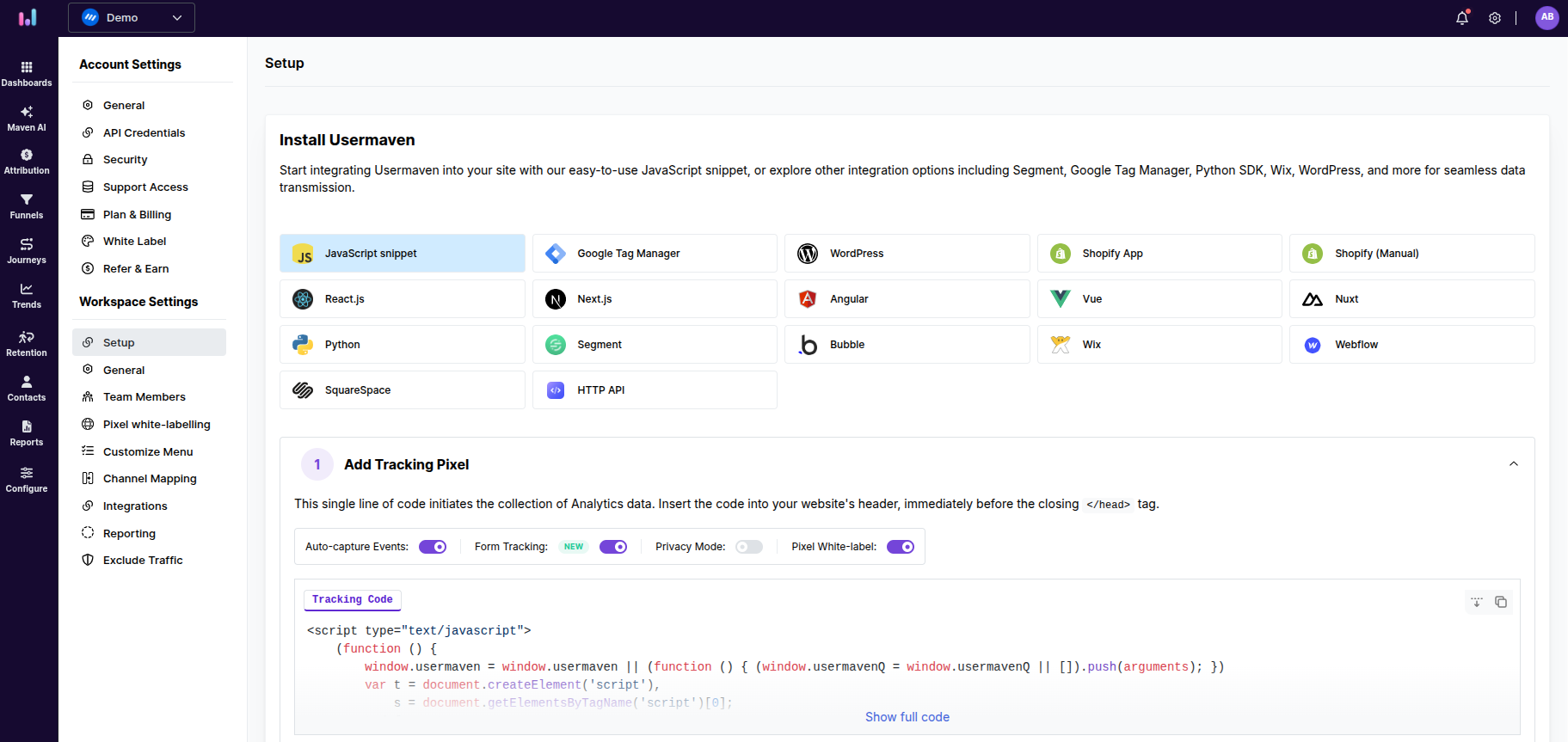
Go to Workspace Settings → Setup
Copy the Website Tracking (JavaScript) code
Step 2: Install Tracking Code in GHL (Required)
Log in to GoHighLevel
Select the correct Sub-Account
Go to Sites → Funnels
Open the desired funnel
Click Settings
Paste the Usermaven tracking code into Head Tracking Code
Click Save
Important:The tracking code must be added at the funnel level so it loads on all funnel steps.
Step 3: Send Lead Data to Usermaven
Usermaven automatically captures GHL form submissions.
To properly identify leads, add the following script to your Thank You page:
<script>
  usermaven("identify", {
    email: "{{contact.email}}",
    first_name: "{{contact.first_name}}",
    last_name: "{{contact.last_name}}",
    phone: "{{contact.phone}}"
  });
</script>
Important:
Email is required for user identification.
Without an email address, users will remain anonymous.
Step 4: Capture UTM Parameters (Required for Attribution)
To ensure accurate attribution, add the following hidden fields to your GHL forms:
<utm_source><utm_medium><utm_campaign><utm_content><utm_term>
Important:
All traffic links (ads, emails, campaigns) must include UTM parameters.
Missing UTMs will result in attribution being recorded as Direct / Unknown.
Step 5: Create Conversion Goals in Usermaven
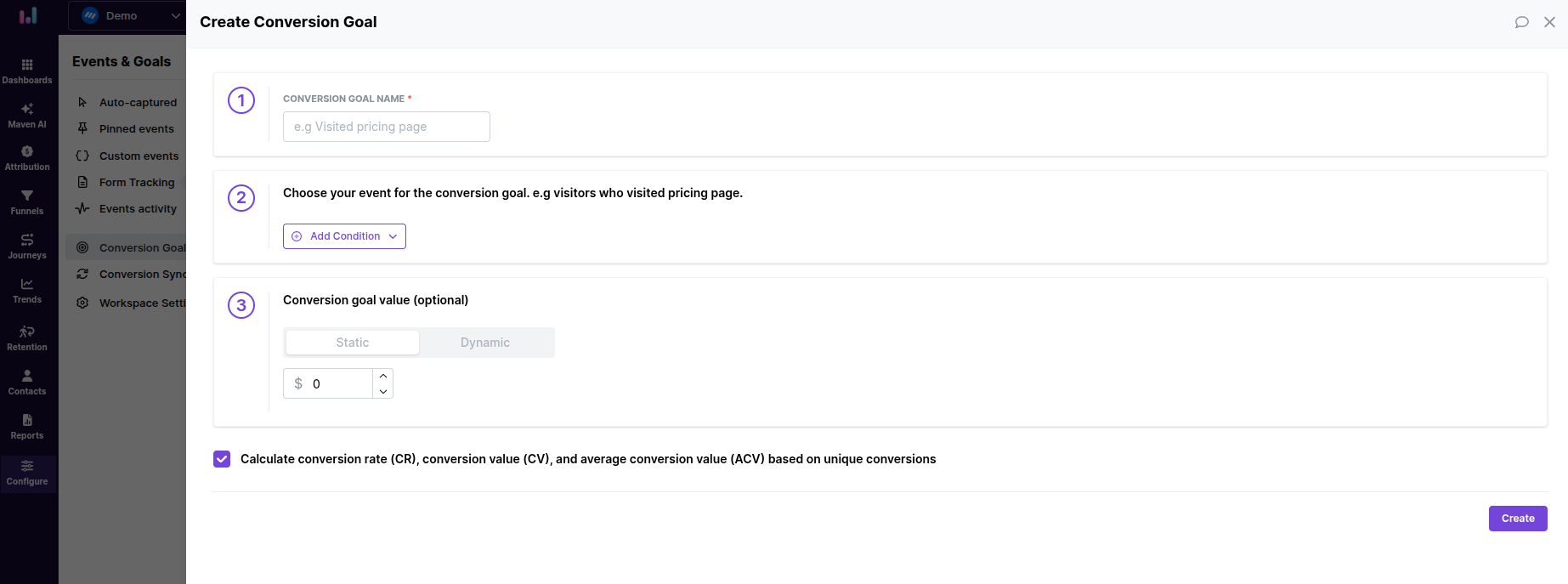
Go to Conversion Goals
Click New Goal
Select Page Visit
Enter your GHL Thank You page URL
Click Save
Important:A dedicated Thank You page is required for reliable conversion tracking.
Step 6: Verify Tracking
Open your funnel in an incognito window
Submit the form
Check Usermaven for:
Page view
Form submission
Identified user
Important: Disable ad blockers during testing to ensure accurate tracking.
Your integration is now complete, and all funnel traffic, leads, and conversions will be accurately tracked inside Usermaven.
Was this article helpful?