

Alerts
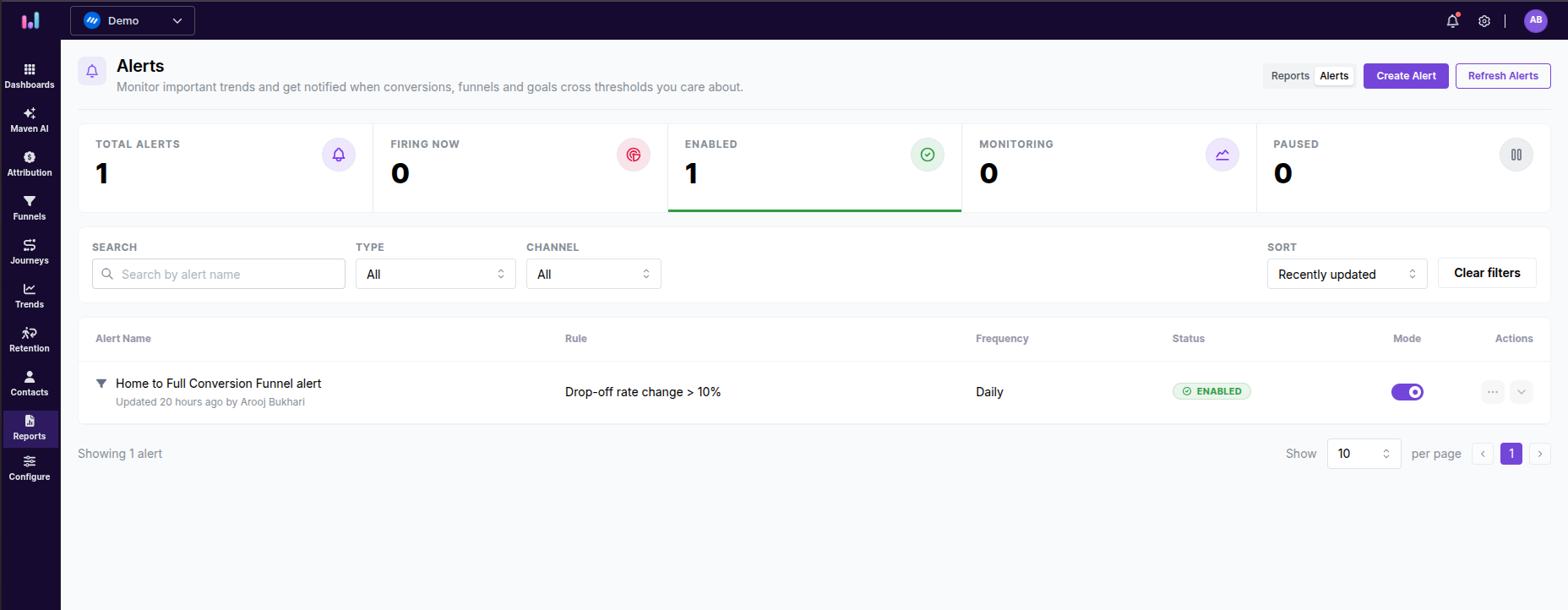
Alerts help you automatically monitor important changes in your funnels, trends, and conversion goals.
You can receive notifications when performance changes based on conditions you define, helping you stay informed without manually checking reports.
What this feature does
The Alerts feature allows you to:
Monitor funnel performance changes
Track important trend metrics
Stay updated on conversion goal activity
Receive notifications through Email or Slack
Refresh alerts manually to fetch the latest updates immediately
You can create the following alert types:
Funnel alerts
Trend alerts
Conversion goal alerts
How to use it
Access alerts
Log in to your UserMaven dashboard.
Navigate to Reports.
Open the Alerts tab.
Click Create Alert.
Funnel alerts
Use Funnel Alerts to monitor changes in funnel completion or drop-off rates.
Create a funnel alert
Select the funnel you want to monitor.
Choose the specific funnel step.
Under Alert Condition, select:
Completion Rate
Drop-off Rate
Enter the baseline percentage.
Add notification recipients:
Email addresses
Slack channel
Click Create Alert.

Trend alerts
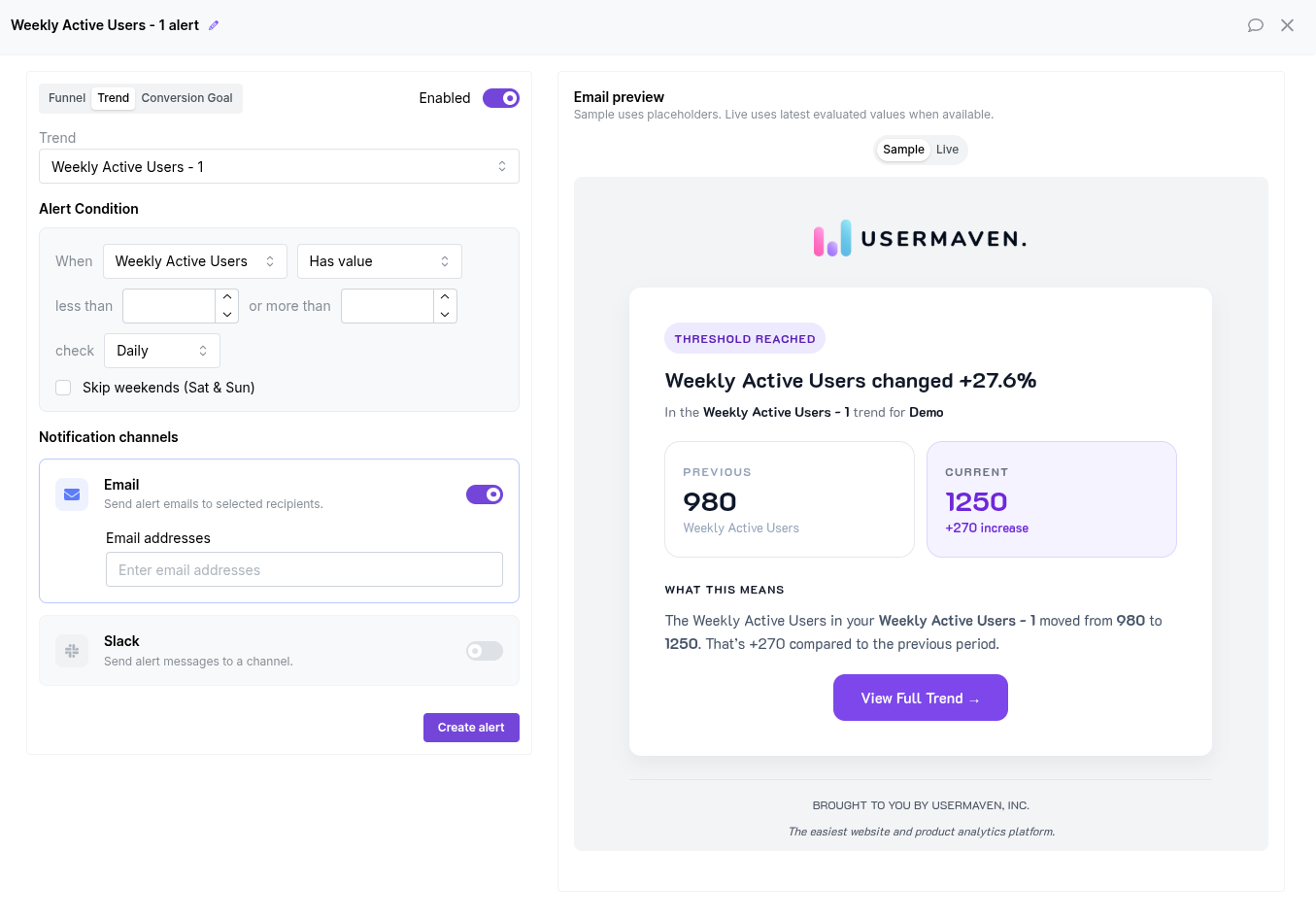
Use Trend Alerts to monitor metrics such as Weekly Active Users and other trends.
Create a trend alert
Select the trend you want to monitor.
Choose the alert condition:
Has a specific value
Increases by
Decreases by
Configure the threshold value.
Select how frequently UserMaven checks the alert:
Daily
Weekly
Optionally enable Skip Weekends.
Add email recipients or connect a Slack channel.
Click Create Alert.
Conversion goal alerts
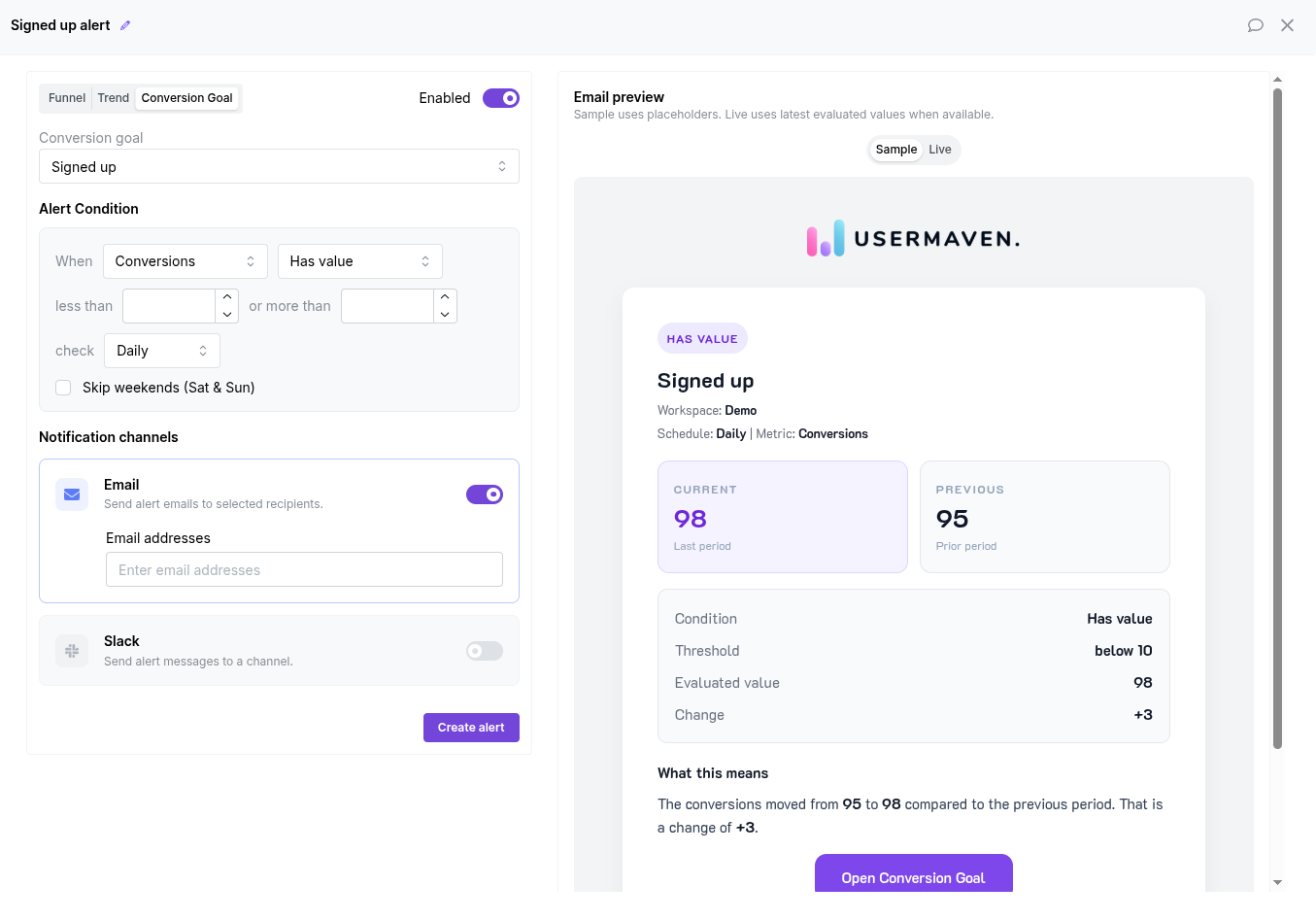
Use Conversion Goal Alerts to monitor conversion performance automatically.
Create a conversion goal alert
Select the conversion goal you want to track.
Choose whether to monitor:
Conversions
Conversion Rate
Configure the alert condition and threshold.
Choose the alert frequency:
Daily
Weekly
Optionally enable Skip Weekends.
Add email recipients or connect to Slack.
Click Create Alert.
Important notes
Alerts support Email and Slack notifications.
Trend Alerts and Conversion Goal Alerts support daily and weekly checks.
The Skip Weekends option excludes Saturdays and Sundays from alert checks.
Alert thresholds determine when notifications are triggered.
Was this article helpful?