

Why a conversion wasn't sent to Google Ads or Meta
A conversion sync can be healthy and still not send every conversion. This article explains the reasons Usermaven reports for unsent conversions, and what to do about each one.
Where to look
Go to Configure → Conversion Syncs, select the sync, and review the unsent-conversion reasons. Usermaven breaks the unsent count down by cause, so you can see whether the problem is one you can fix or something inherent to the platform.
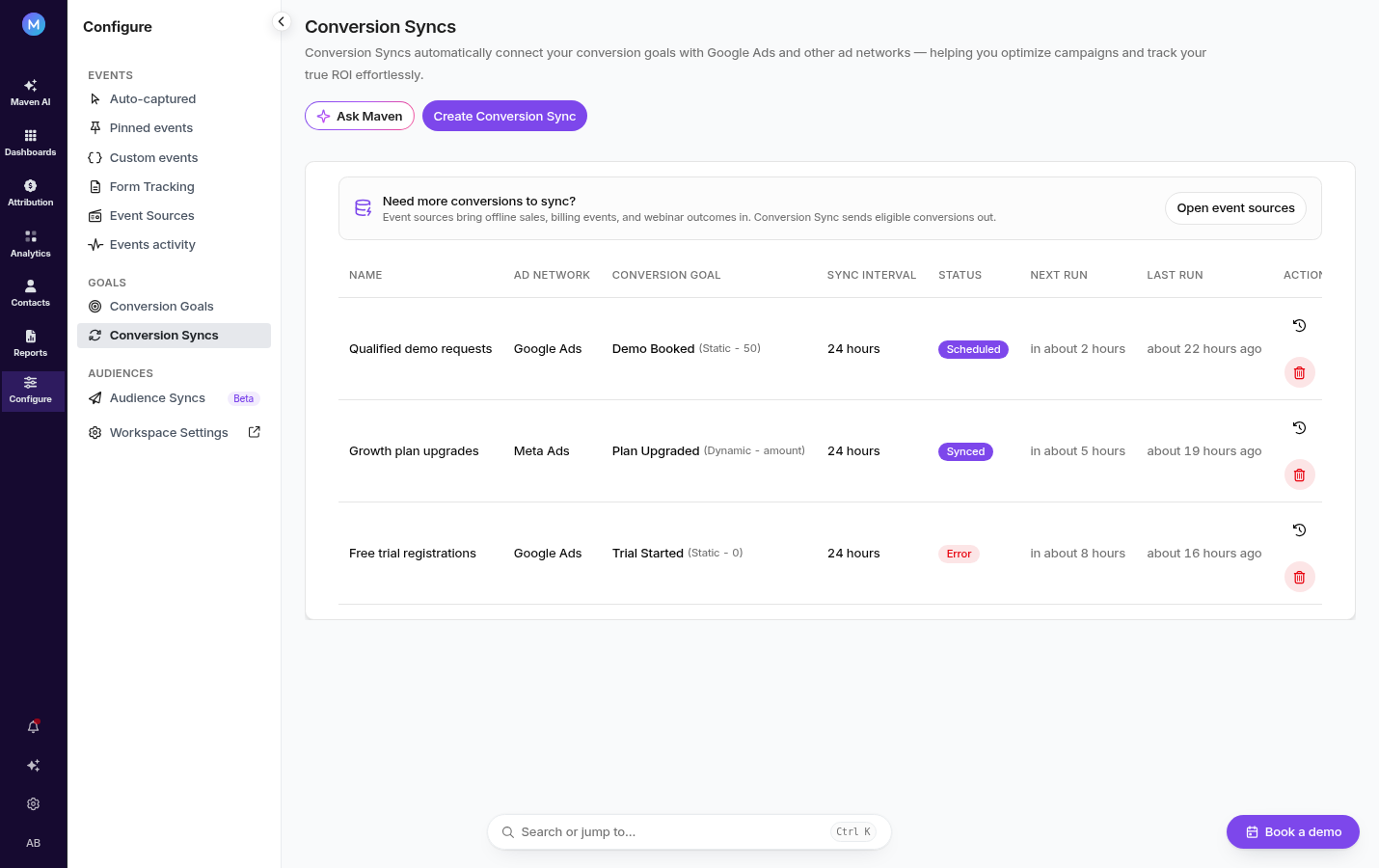
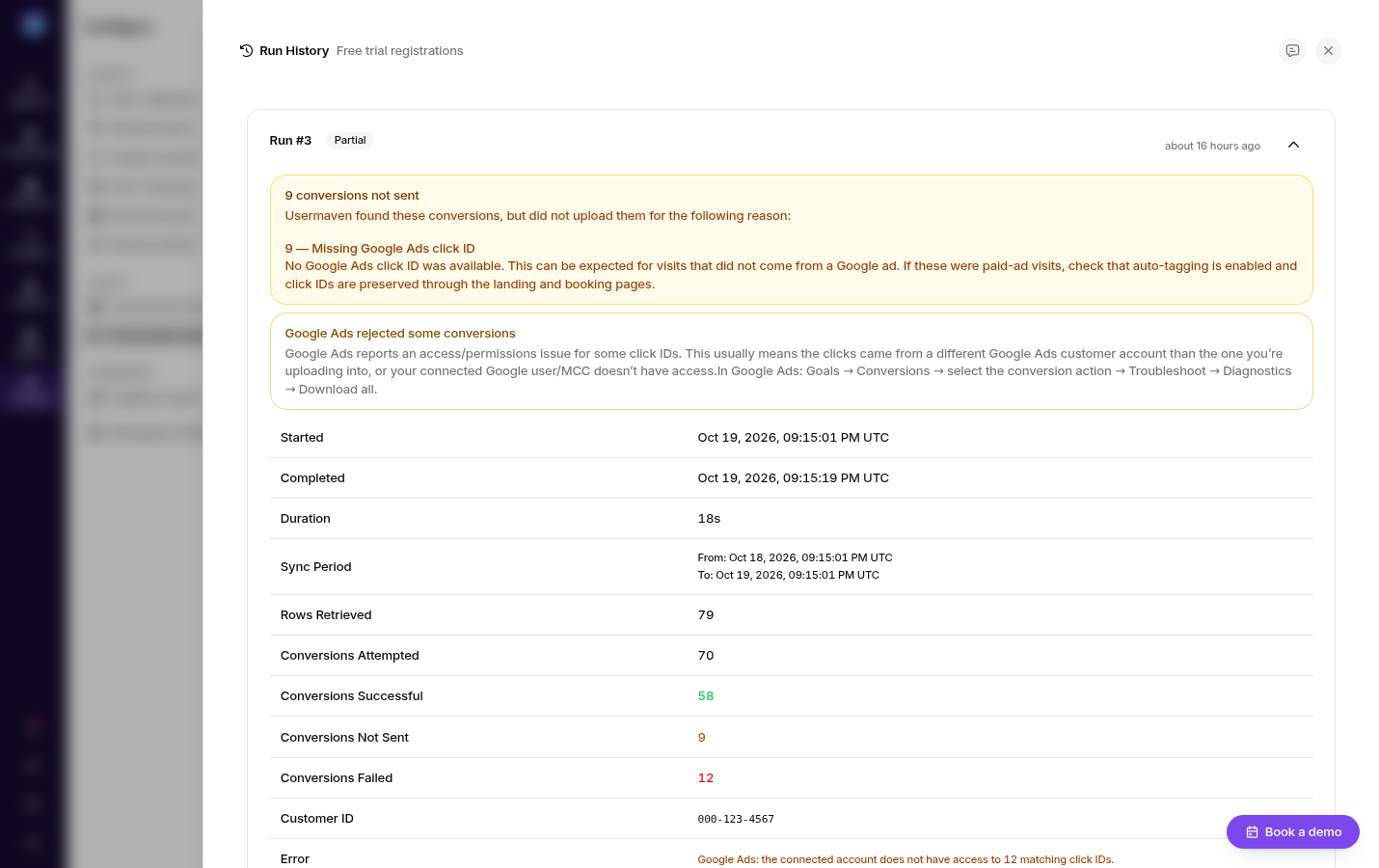
The sync's Run History labels these outcomes separately: Conversions Attempted, Conversions Successful, Conversions Not Sent, and Conversions Failed. Each failed conversion can carry its own reason, so expand the row to see the specific cause.
The common reasons
Missing click identifier
The conversion has no gclid, wbraid, gbraid, or fbclid, so the ad platform can't match it to an ad click. This is the single most common cause.
Fix: confirm auto-tagging is enabled in Google Ads and that fbclid is preserved on Meta traffic, and that your tracking template isn't stripping query parameters. Users who block cookies, or who return much later on a different device, may legitimately have no click ID.
Missing or weak match data
The platform needs a stable identifier to match the event to a person. If the user record has no email or phone, the event may be rejected or matched poorly.
Fix: make sure your identify calls send at least an email. In Meta Events Manager, the Diagnostics tab flags this as INVALID_MATCH_KEY.
Outside the lookback window
The conversion happened too long after the click for the platform to accept it. Google Ads and Meta each enforce their own windows.
Fix: for long sales cycles, send the conversion as soon as it occurs rather than in a later batch, and be aware that very old backfills may not be accepted.
Conversion goal not met
The events didn't satisfy the definition of the goal used by the sync.
Fix: check the goal's conditions against the events you're actually sending. A goal that requires a specific property will not fire for events missing that property.
Reconnecting a connection
If a sync stops sending because the platform connection expired or was revoked, Usermaven surfaces the error on the sync and on the integration card.
Go to Workspace Settings → Integrations.
Reconnect the affected ad account and re-approve the permissions.
Return to Configure → Conversion Syncs and confirm the sync is active again.
Reconnecting does not recreate the conversion action in your ad account, and it does not replay conversions that failed while the connection was down.
Related
Send conversions to ad networks — full setup walkthrough.
Google Ads — auto-tagging and tracking template requirements.
Was this article helpful?